How Teacher Training Organizations Can Issue Verified Certificates

Verified Certificates for Teacher Training Organizations
If you run a teacher training organization, you already know the certificate is not "just the thing at the end." For many learners, it is the proof they show to a school, a hiring manager, a senior educator, or a professional body. It is the piece that says, "I completed the work, I earned this, and you can trust it."
That last part matters. A static PDF might look polished, but it does not answer the question people increasingly ask: is this certificate real?
Verified certificates answer that question without sending your admin team into another inbox thread. A graduate can share the certificate, someone can scan the QR code or open the verification link, and the certificate can be checked against a live record from the issuing organization.
For a teacher training organization, that means fewer manual checks, stronger learner confidence, and a certificate that keeps doing its job long after the course is over.
Why Verified Certificates Matter in Teacher Training
Teacher training is personal work. People give up evenings, weekends, school breaks, and sometimes entire career paths to become better educators. When they finish, the certificate should feel credible enough to match that effort.
The problem is that ordinary certificates are easy to copy, edit, and forward. A name can be changed. A date can be adjusted. A course title can be made to sound more impressive than it was. Most of the time, the only way to check is to email the organization and wait.
Verified certificates make the process cleaner for everyone.
For a teacher training organization, they help with:
- Trust: Schools, employers, and partners can confirm that a learner actually completed the course.
- Fraud prevention: A copied PDF is much easier to spot when it does not match the live verification page.
- Brand credibility: Every shared certificate points back to your official organization.
- Less admin: Your team does not have to manually reply to every verification request.
- Better learner outcomes: Graduates can confidently add their certificate to LinkedIn, resumes, portfolios, and job applications.
- Cleaner compliance: Expiry dates, renewal cycles, and revoked credentials can be managed in one place.
In other words, the certificate stops being a flat file and becomes a living proof of achievement.
This is the same direction the wider credentialing world has taken. Open standards such as Open Badges from 1EdTech and the W3C Verifiable Credentials Data Model exist precisely so a credential can carry its own proof, and accrediting bodies like The CPD Certification Service increasingly expect training providers to evidence what was completed rather than simply assert it. If you are new to the terminology, our guide to micro-credentials is a useful primer.
What Makes a Certificate Verified?
A verified certificate has an official way to prove it is authentic. Usually, that means each certificate gets its own unique verification page, QR code, or verification link.
When someone checks the certificate, they should be able to see the important details right away:
- Recipient name
- Course or program name
- Issuing teacher training organization
- Issue date
- Unique certificate ID
- QR code or verification link
- Credential status, such as valid, expired, or revoked
- Expiry date, if the certificate needs renewal
- Learning hours, modules, or standards covered
Here is the simple way to think about it: the design is what makes the certificate look professional, but the verification record is what makes it trustworthy. Our guide to designing certificates that perform covers how those two layers work together.
If someone edits the PDF, the live record will not match. That is the point.
How a Teacher Training Organization Can Issue Verified Certificates
You do not need a complicated credentialing department to do this well. You need a clear process, clean learner data, and a certificate system that can verify what you issue.
Here is the practical workflow.
1. Start With What the Certificate Actually Proves
Before opening a design editor, decide what the certificate means. This sounds obvious, but it is where a lot of messy certificate systems begin.
Is the certificate for:
- Completing a full teacher training course?
- Attending a short workshop?
- Passing an assessment?
- Earning continuing professional development hours?
- Completing a specialist module, such as classroom management or special education?
- Renewing an existing teaching credential?
Be specific. "Certificate of Completion" is fine as a heading, but the certificate should also clearly state what was completed, who issued it, and why it matters.
A stronger certificate title might be:
- Certificate in Early Years Teaching Practice
- Classroom Management Training Certificate
- CPD Certificate for Inclusive Education Training
- Teacher Induction Program Completion Certificate
Specificity helps learners. It also helps anyone reviewing the credential understand its value in seconds. If your programs feed into continuing professional development, our guide to CPD training in education explains how to frame those credentials for teachers and academic staff.
2. Get Your Certificate Data in Order
Verified certificates are only as good as the data behind them. If names are inconsistent, dates are missing, or course titles change from one spreadsheet to another, the process quickly becomes frustrating.
Set a standard list of fields before you issue certificates.
Useful fields include:
- First name and last name
- Email address
- Course title
- Completion date
- Issue date
- Certificate ID
- Training hours
- Instructor or assessor name
- Cohort or batch name
- Expiry or renewal date
This is not the glamorous part of certificate issuance, but it is the part that saves you from mistakes later. A clean spreadsheet today means fewer correction requests tomorrow. If your cohort records already live in a spreadsheet, our walkthrough on how to generate certificates from Google Sheets shows how to turn those columns into credentials.
3. Choose a Platform That Handles Verification
Yes, a teacher training organization can create certificates in a design tool, export PDFs, and email them manually. Many teams start there.
The trouble starts when you grow.
Suddenly, you are issuing to multiple cohorts, fixing spelling errors, resending certificates, answering verification emails, and trying to remember which template was used for which program. That setup may work for 20 learners. It rarely works smoothly for 2,000.
A digital credential platform such as Wauld gives you one place to design, issue, deliver, and verify certificates. Each certificate can include a unique QR code and a live verification page, so schools, employers, and learners can check authenticity without needing to contact your team.
It is worth being clear about the difference between this and the certificate feature bundled into a course platform. We compare the two in LMS certificates vs a digital credentialing platform, and if you are shortlisting vendors, our roundup of digital certificate platforms covers what to look for.
When choosing a platform, look for:
- Custom certificate templates
- Bulk issuance by spreadsheet upload
- QR code verification
- Public verification pages
- Email delivery
- Expiry and revocation options
- Recipient sharing tools
- Analytics for opens, downloads, shares, and verifications
- Integrations with forms, course platforms, or automation tools
The goal is simple: make verified certificate issuance repeatable, even when your programs grow. Wauld's free plan covers up to 300 credentials a year, which is enough to run a full cohort before you commit to anything.
4. Design a Certificate That Looks Worth Sharing
A verified certificate still needs to look good. Learners are more likely to share a certificate when it feels polished, official, and aligned with the training they completed.
Keep the layout clean. Make the learner's name easy to read. Put the course title where it cannot be missed. Give the QR code enough space so it scans properly.
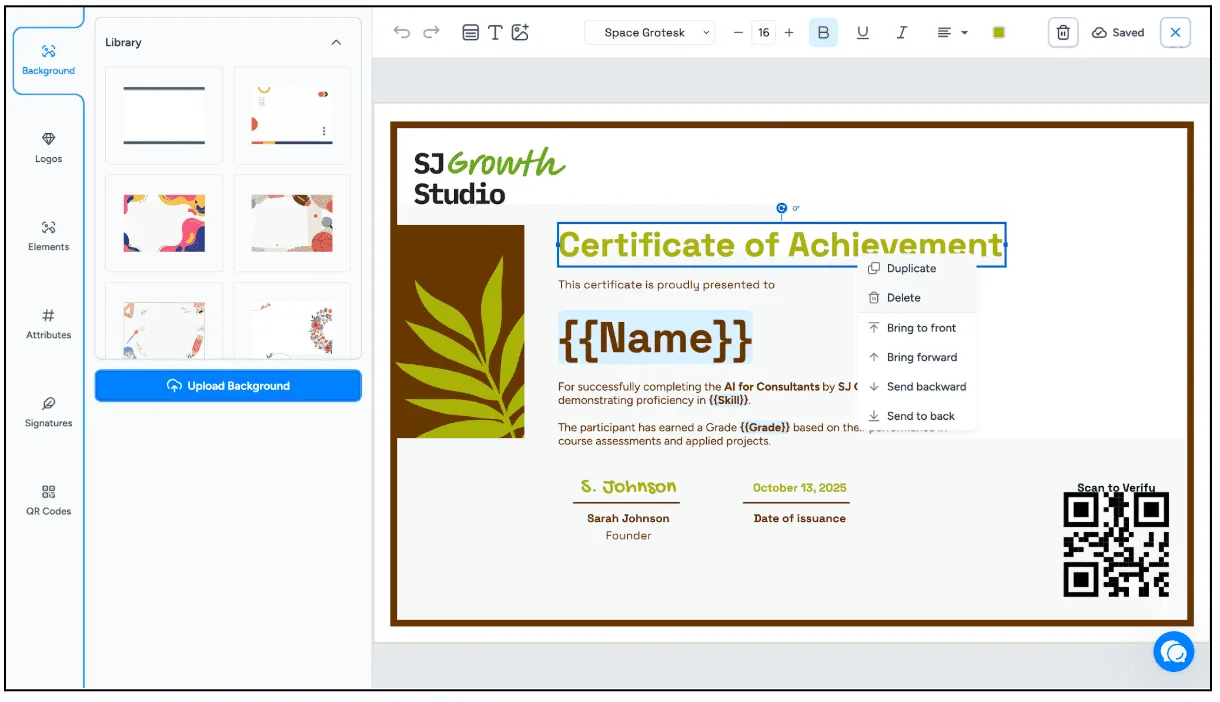
Notice the {{Name}} and {{Skill}} placeholders in the editor above. You design the layout once, and each learner's details are filled in at issuance, which is what makes a single template safe to reuse across every intake.
Your teacher training certificate should clearly include:
- Organization logo
- Certificate title
- Recipient name
- Course or qualification name
- Issue date
- Signature or authorized representative
- Verification QR code
- Certificate ID
Try not to pack every course detail onto the certificate itself. If you need to show modules, outcomes, standards, or assessment criteria, the verification page is a better place for that detail. The certificate should be clear at a glance.
If you would rather start from something ready-made, the higher education certificate templates and training templates in Wauld's library are built for exactly this use case. For teacher-facing awards, there are also student certificate templates for schools and CPD certificate designs. And if your graduates will print their certificates, check the right certificate size, resolution, and format before you finalize the design.
5. Add QR Code Verification
QR code verification is one of the simplest ways to make certificates easier to trust.
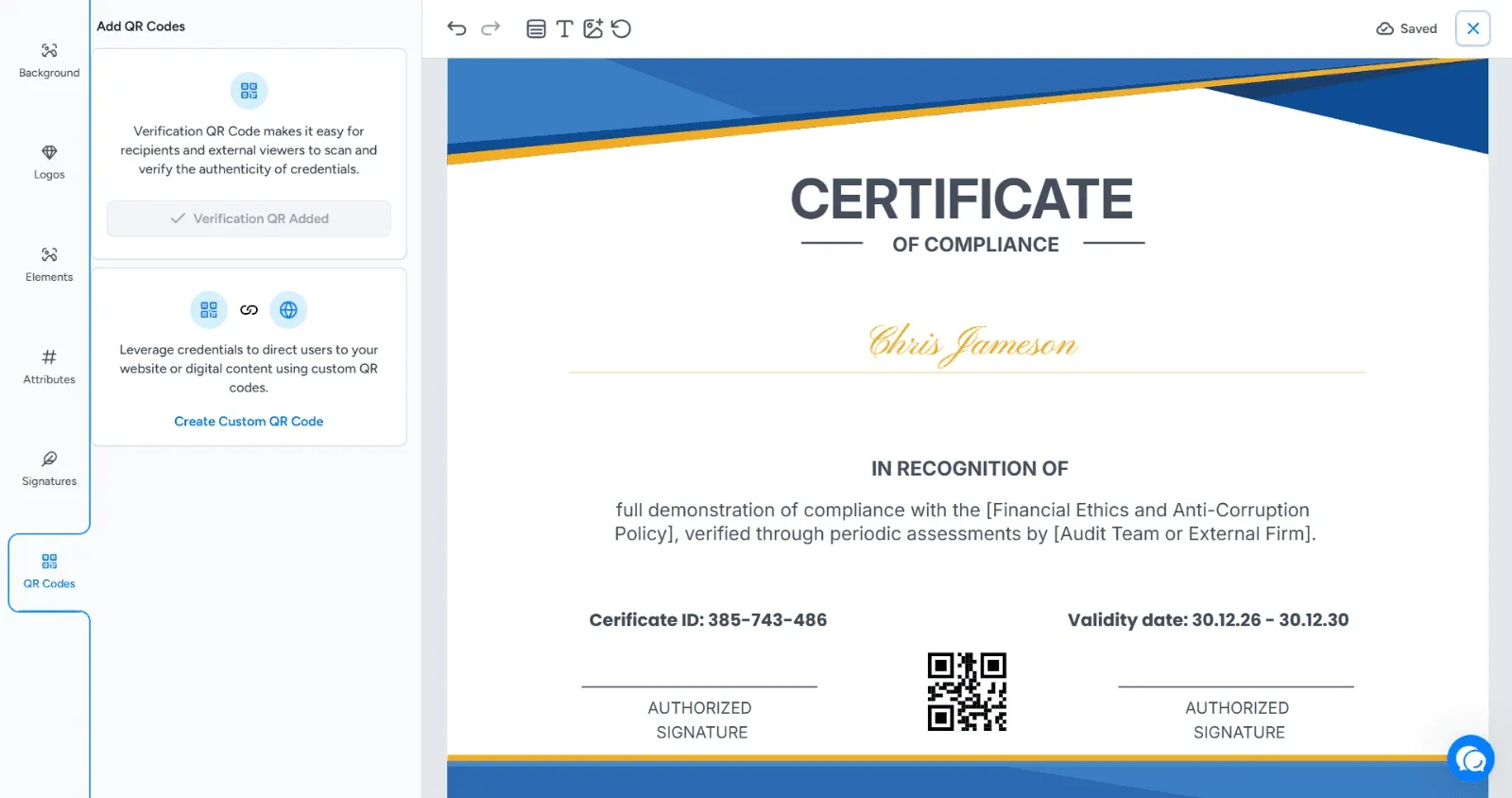
When someone scans the code, they should land on a verification page that confirms the certificate details. No special app. No back-and-forth. No "please allow 3 to 5 working days while we check our records."
The verification page should show:
- Recipient name
- Credential name
- Issuing teacher training organization
- Issue date
- Current status
- Certificate ID
- Expiry date, if applicable
This works for digital certificates and printed certificates. A graduate can upload the PDF to a portfolio, print it for an interview folder, or add it to the licenses and certifications section of their LinkedIn profile. The QR code travels with the certificate and keeps the proof attached.
For the full setup, including what the verification page looks like from the other side, see our step-by-step guide on how to add a QR code for certificate verification. It is also worth claiming verified organization status so your training body is confirmed as the issuer on every credential you send.
6. Issue Certificates in Bulk
Most teacher training organizations issue certificates in groups. A cohort finishes together. A workshop attendance list is finalized. An online course produces a batch of completions every week.
Bulk issuance keeps that from becoming a manual marathon.
With a spreadsheet upload, you can map each column to a certificate field and issue certificates to the whole cohort at once. Before you send, take a few minutes to check the file.
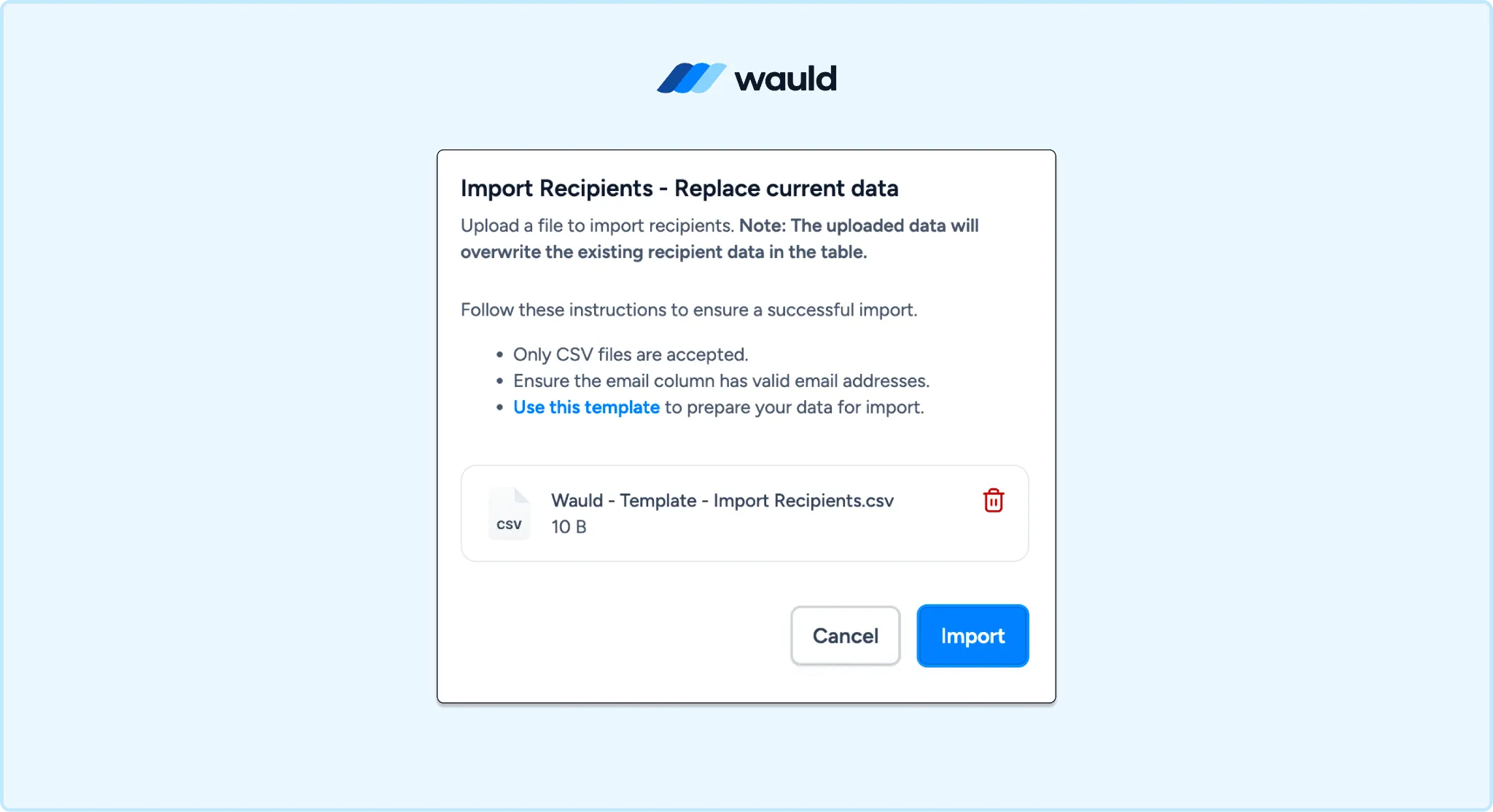
Look for:
- Misspelled names
- Invalid email addresses
- Inconsistent course titles
- Missing completion dates
- Duplicate learners
- Incorrect expiry dates
This tiny review step matters. Learners notice errors immediately when their name is on the certificate. Our guide to sending certificates via email covers how to test the delivery email before it reaches a full cohort.
7. Automate the Moments That Happen Again and Again
If your teacher training organization runs online courses, assessments, or recurring workshops, automation can remove a lot of repetitive work.
Instead of exporting a spreadsheet every time, you can connect your learning platform, form tool, or workflow automation tool to your certificate platform. Wauld's Zapier integration links to thousands of apps, and our guide to automating certificate issuance with Zapier walks through building the first flow.
Common triggers include:
- A learner completes a course.
- A trainee passes an assessment.
- A participant submits a feedback form.
- A teacher completes an attendance form.
- A renewal form or renewal payment is submitted.
Automation is especially useful when the learner expects the certificate right away. Finishing a course and receiving a verified certificate within minutes feels much better than waiting for someone to process a batch next Friday.
8. Plan for Expiry, Renewal, and Revocation
Not every teacher training certificate needs an expiry date. Some achievements are permanent. Others, especially those linked to safeguarding, first aid, classroom safety, compliance, or specialist practice, may need renewal.
Decide this before you issue.
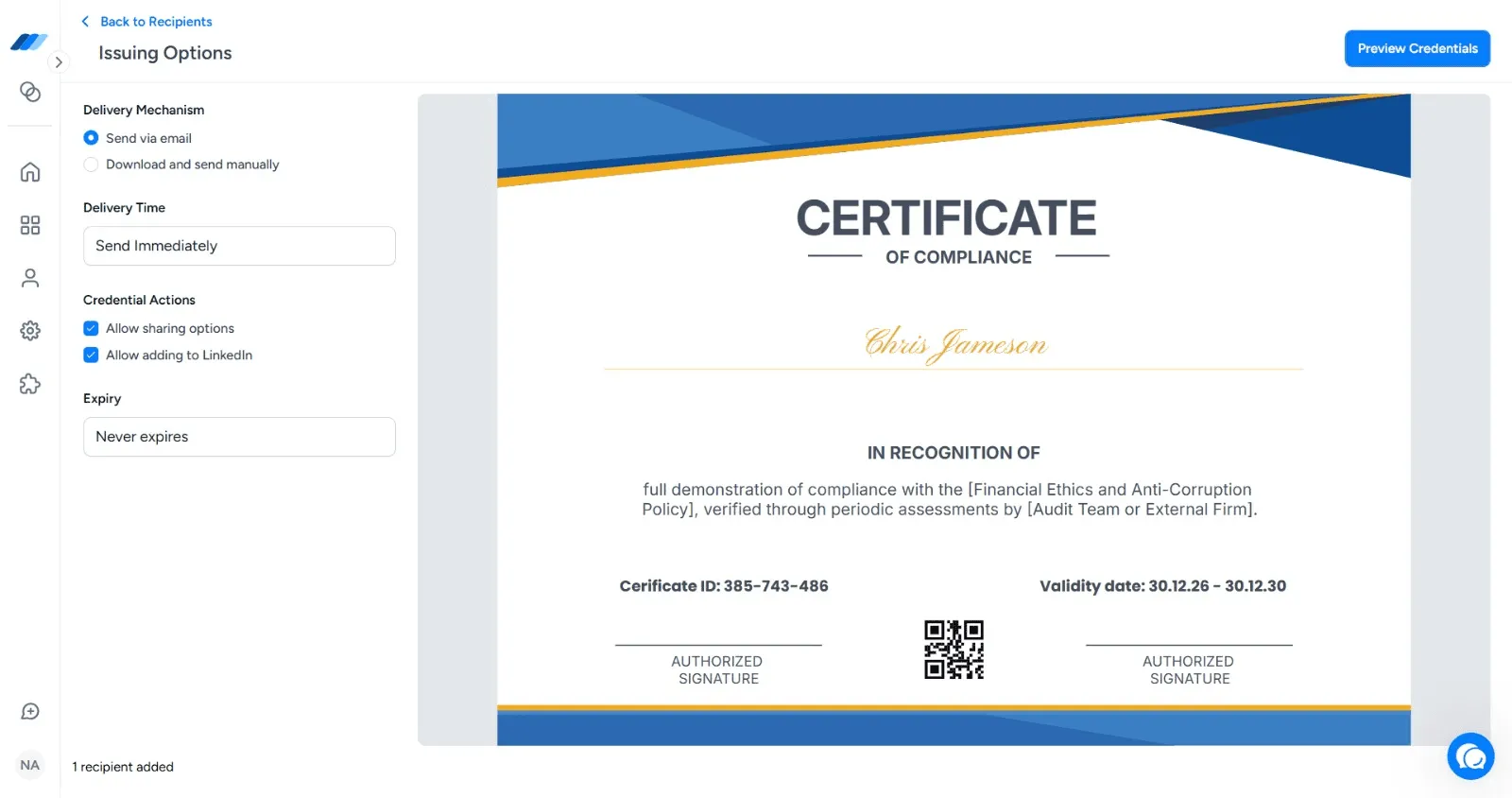
A proper verified certificate system should let you:
- Set expiry dates
- Mark certificates as expired
- Revoke certificates when needed
- Reissue updated credentials
- Track who needs renewal reminders
This is where verified certificates become much more useful than ordinary PDFs. The certificate can show the current status, not only what was true on the day it was issued.
Best Practices for Teacher Training Certificate Issuance
Here is a practical checklist worth keeping close:
- Use the official course name learners and employers will recognize.
- Keep certificate wording specific and factual.
- Use one approved template per program type.
- Add QR code verification to every certificate.
- Keep recipient records in one central system.
- Use expiry dates only when renewal is genuinely required.
- Test the certificate email before sending to a full cohort.
- Scan the QR code on a sample certificate before publishing.
- Make LinkedIn and portfolio sharing easy for graduates.
- Review analytics to see how often certificates are opened, downloaded, shared, and verified.
The best certificate workflow is not the flashiest one. It is the one your team can run every time without confusion.
Common Mistakes to Avoid
Even a strong training program can feel less credible if the certificate process is messy. These are the issues to catch early:
- Sending editable PDFs with no verification: They may look fine, but they are easy to alter.
- Hiding the issuer identity: The teacher training organization should be obvious on both the certificate and the verification page.
- Using vague certificate titles: A specific course title is more useful than a generic "Certificate of Achievement."
- Forgetting learning details: Course duration, completion date, and training hours help reviewers understand the credential.
- Issuing everything manually: Manual work becomes error-prone as soon as your volume grows.
- Ignoring expired credentials: If a credential expires, the verification page should make that clear.
Think of the certificate as part of the learner experience. If the course was professional, the certificate should feel professional too.
Why Wauld Fits Teacher Training Organizations
Wauld helps teacher training organizations issue verified certificates without stitching together a design tool, spreadsheet, email account, and manual verification process.
You can create branded certificate templates, upload recipients in bulk, add QR code verification, and send certificates directly by email. Each certificate can have a live verification page, so graduates can share their achievement while schools, employers, and partners can confirm the credential in seconds.
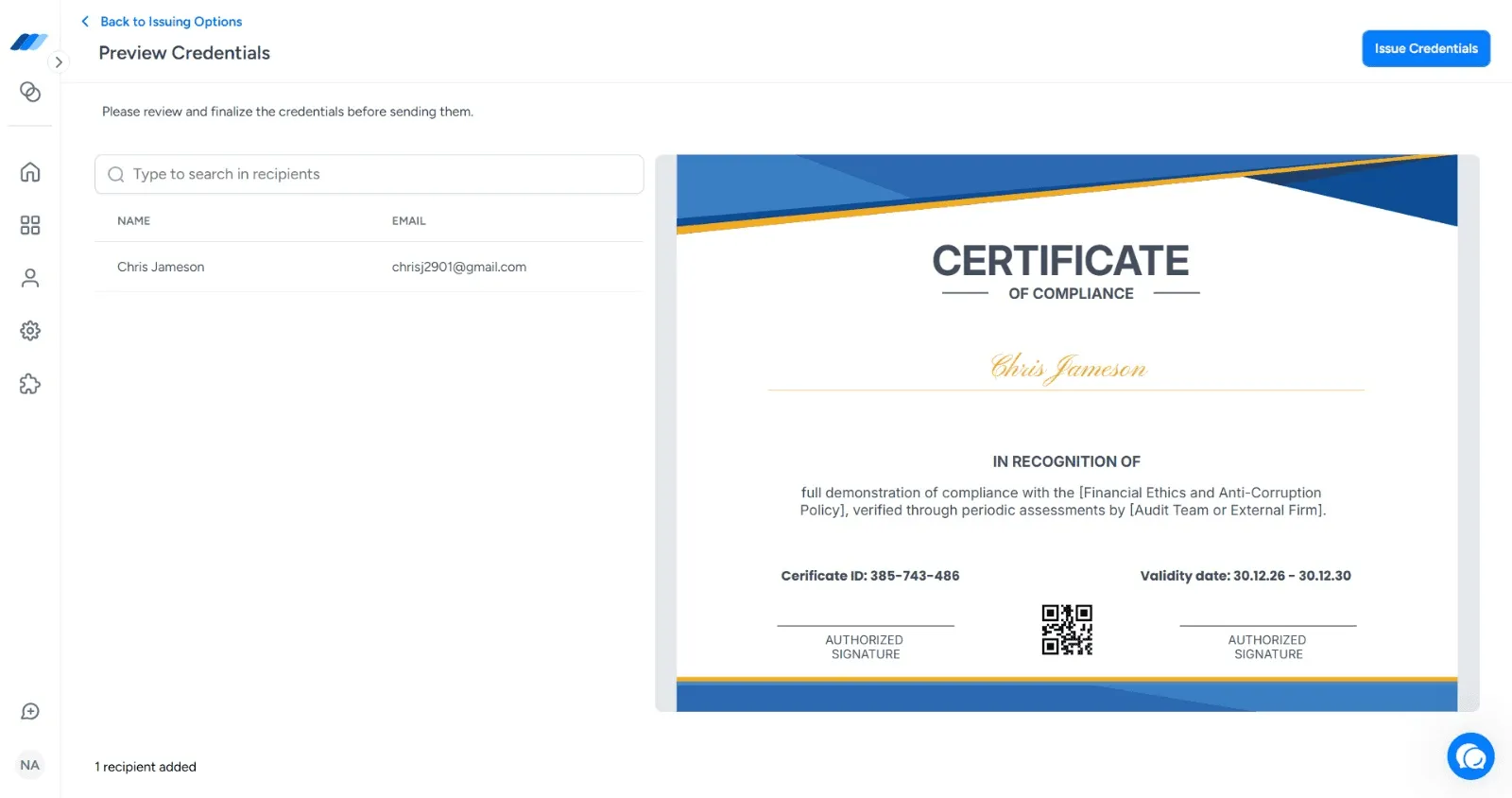
A teacher training organization can use Wauld to:
- Design teacher training certificates
- Issue verified certificates in bulk
- Add unique QR codes automatically
- Deliver certificates by email
- Support LinkedIn and portfolio sharing
- Track certificate engagement
- Revoke or expire credentials when required
If your programs sit inside a university, college, or academic department, our higher education solution covers that context in more detail. If you run standalone courses and workshops, the training provider solution is the closer fit. And when a full certificate is more than a short module deserves, a digital badge is often the better unit of recognition.
The result is simple: your learners get certificates they are proud to share, and your organization gets a credentialing process that feels organized instead of improvised.
Final Thoughts
For a teacher training organization, certificates carry a lot of quiet responsibility. They represent the learner's effort, your program's credibility, and the trust someone else places in that credential later.
Verified certificates make that trust easier to earn. With QR code verification, clean certificate data, bulk issuance, and lifecycle management, teacher training organizations can move beyond static PDFs and give graduates credentials that are easier to share, easier to check, and harder to misuse.
Issue verified certificates to your next cohort
Design a branded template, upload your cohort, and send certificates with QR verification built in. Free for up to 300 credentials a year.
FAQs on Certificates by Teacher Training Organizations
What is a verified certificate for a teacher training organization?
A verified certificate is a certificate connected to an official online record. For a teacher training organization, it means schools, employers, and learners can check whether the certificate is genuine, who issued it, and whether it is still valid.
What kinds of certificates do teacher training organizations issue?
Most teacher training organizations issue a mix: course completion certificates for full training programs, attendance certificates for workshops and webinars, assessment or competency certificates, CPD certificates that record learning hours, induction and mentoring certificates, and specialist module certificates for areas such as inclusive education, safeguarding, or classroom management.
Does a certificate from a teacher training organization count as a teaching qualification?
Not by itself. A certificate records what your organization delivered and what the learner completed. Whether it counts toward a teaching license, registration, or statutory requirement depends on your accreditation and the rules of the relevant education authority or professional body. Verification makes the certificate trustworthy; it does not change what the credential legally represents, so be precise in the wording about what the certificate certifies.
How do schools and employers verify a certificate issued by a teacher training organization?
They scan the QR code or open the verification link on the certificate. That opens a live page hosted by the issuing organization showing the recipient name, course name, issue date, certificate ID, and current status. No phone call to your office, and no waiting on an email reply.
How can Wauld help a teacher training organization?
Wauld helps a teacher training organization design, issue, deliver, verify, and manage certificates. It supports QR code verification, bulk issuance, email delivery, sharing options, analytics, expiry, revocation, and live verification pages for every certificate. You can try it on the free plan, which covers up to 300 credentials a year.