How to add QR code for certificate verification?

How to generate free QR code for certificate verification?
Imagine spending years earning a professional certification - only to have someone fake it in 10 minutes with a free design tool. That's not a hypothetical. It happens every day. QR code-based certificate verification is the fix that makes fake certificates immediately flagged, and legitimate ones instantly trusted, ensuring the authenticity of the certificate.
Whether you're an educational institution issuing diplomas, a training provider handing out course completions, or an organization managing professional licenses - the way you verify certificates matters more than ever. A certificate without a reliable verification system is, honestly, just a pretty piece of paper.
In this step-by-step guide, we'll walk you through exactly how to use a QR code certificate verification, what makes it work, and how tools like Wauld make the whole process effortless - even if you're not remotely technical.
Why QR code certificate verification is a big deal
Let's set the scene. An employer receives a job application. The candidate claims a certification from a reputable institution. Without a verification system in place, the employer has two options: take it at face value, or go through a slow, manual back-and-forth with the issuing organization. Neither is great.
Now add a unique QR code to that certificate. The employer pulls out their smartphone, scans the code, and within seconds they're on a verification page that shows the recipient name, issue date, current status, and issuing organization - all in real time. That's instant verification. That's trust, built in seconds.
Here's why more organizations are switching to QR code verification systems:
| For Issuers | For Recipients |
|---|---|
| Reduces fake certificates and credential fraud | Easy to share - email signatures, LinkedIn, portfolios |
| Removes manual verification workload | Anyone can scan and verify on a mobile device |
| Builds issuer credibility and trust | Professional credentials look more credible |
| Works for digital copy and physical print alike | Works from a smartphone with zero app needed |
| Confirm authenticity at scale | Validates professional certifications instantly |
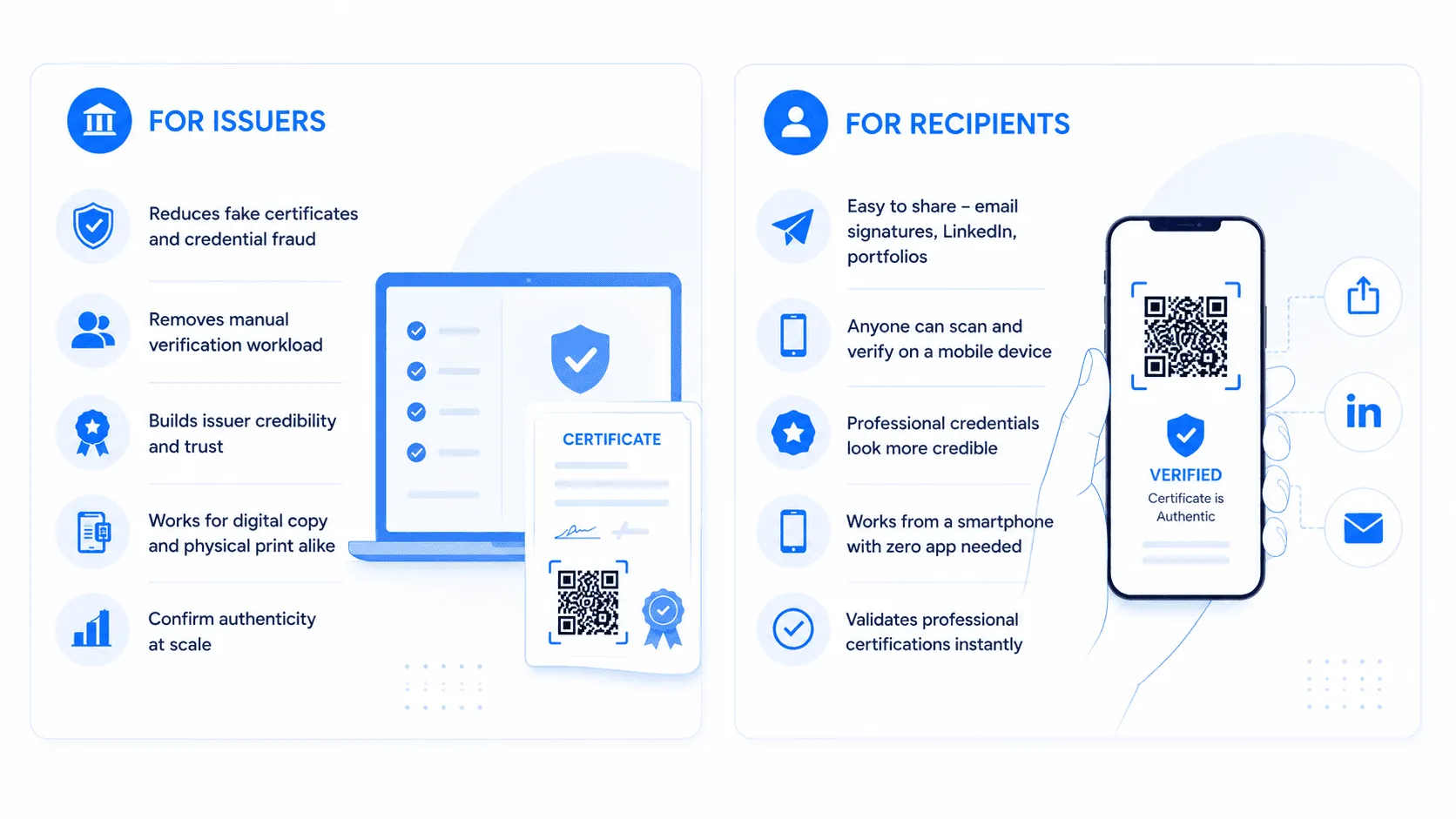
And for employers to verify credentials? It takes about three seconds. Compare that to waiting days for an email reply from a certification body. The math writes itself.
How QR code verification actually works
A QR code on a certificate isn't just decorative - it's a direct link to a live verification page hosted by the issuing organization.
When someone scans the QR code, they're taken to a verification page that pulls live data. If the certificate is revoked or expired, that status is shown immediately - no ambiguity, no room for fraud. If it's valid, the recipient name, certificate number, issuing organization, and current status are all displayed clearly.
The QR code itself generates a unique QR code per certificate - meaning no two certificates share the same code, enhancing tamper resistance. This is what makes the system tamper-proof. You can't copy a certificate and pass it off as someone else's, because the data stored behind that code belongs to one specific record.
Step-by-step guide: How to add QR code verification to your certificates using Wauld
Ready to set this up? Here's the exact workflow from account creation to issued certificate - no technical knowledge required.
Step 1: Create your Wauld Issuer Account
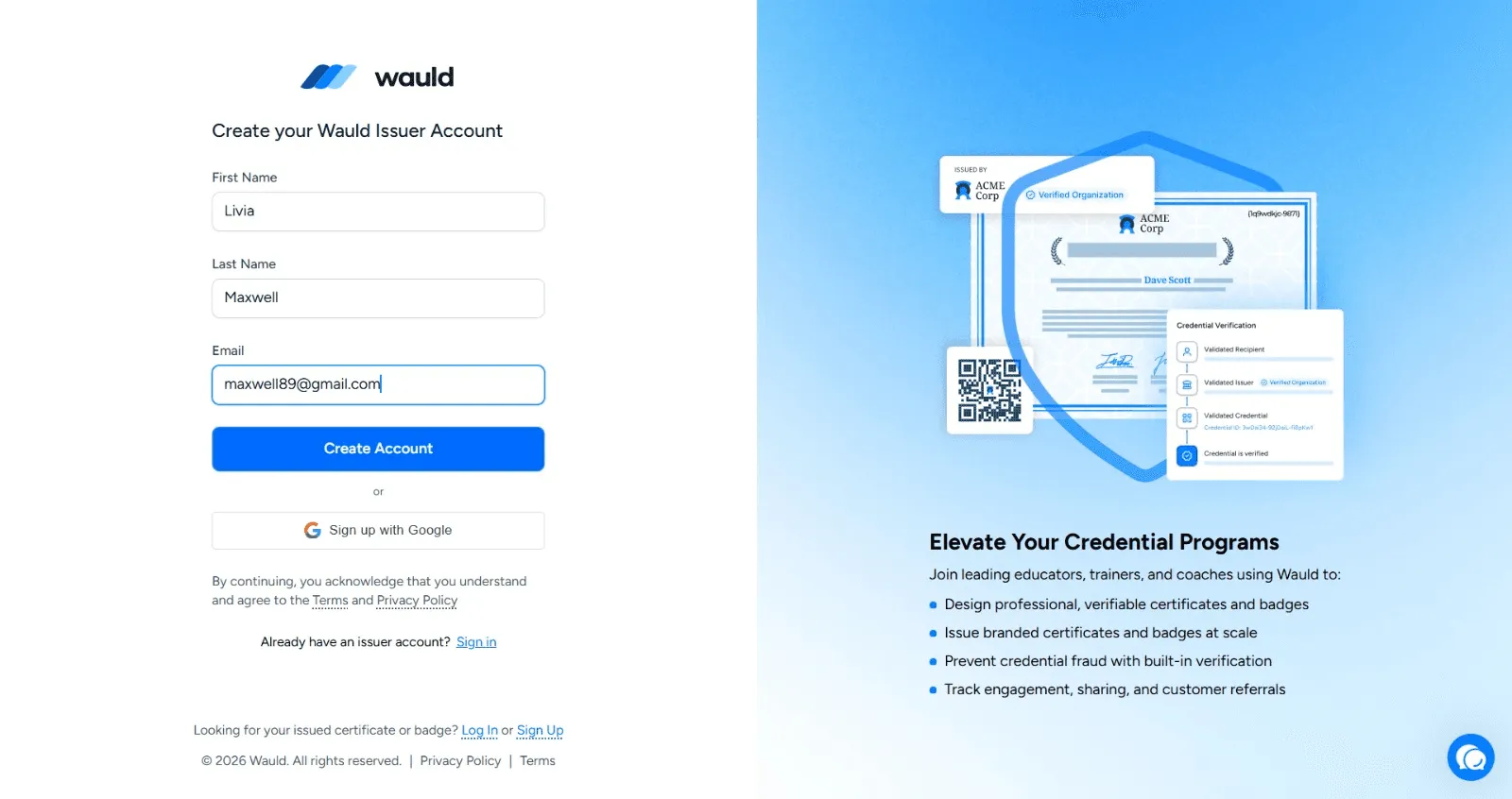
Head to Wauld and sign up as an issuer using your name and email, or sign in directly with Google. This sets up your organization profile, which becomes the verified issuing body shown on every credential you send out.
Step 2: Choose a template from the library
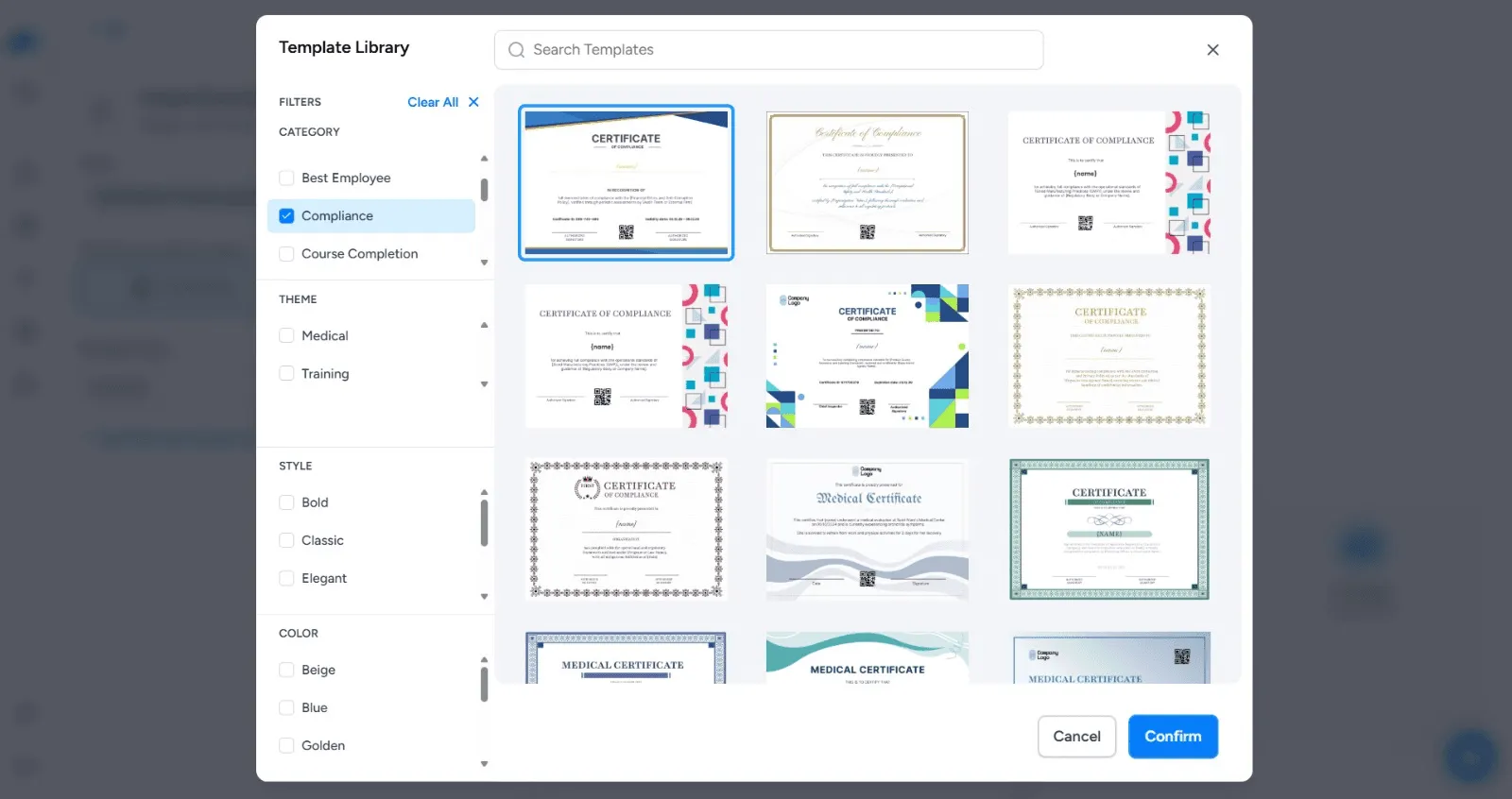
Once inside, open the Template Library and pick from a wide range of professionally designed certificate templates. You can filter by category (Compliance, Course Completion, Best Employee), theme (Medical, Training), style (Bold, Classic, Elegant), and color - making it easy to find something that fits your organization's tone without starting from scratch.
Step 3: Add your QR codes in the certificate editor
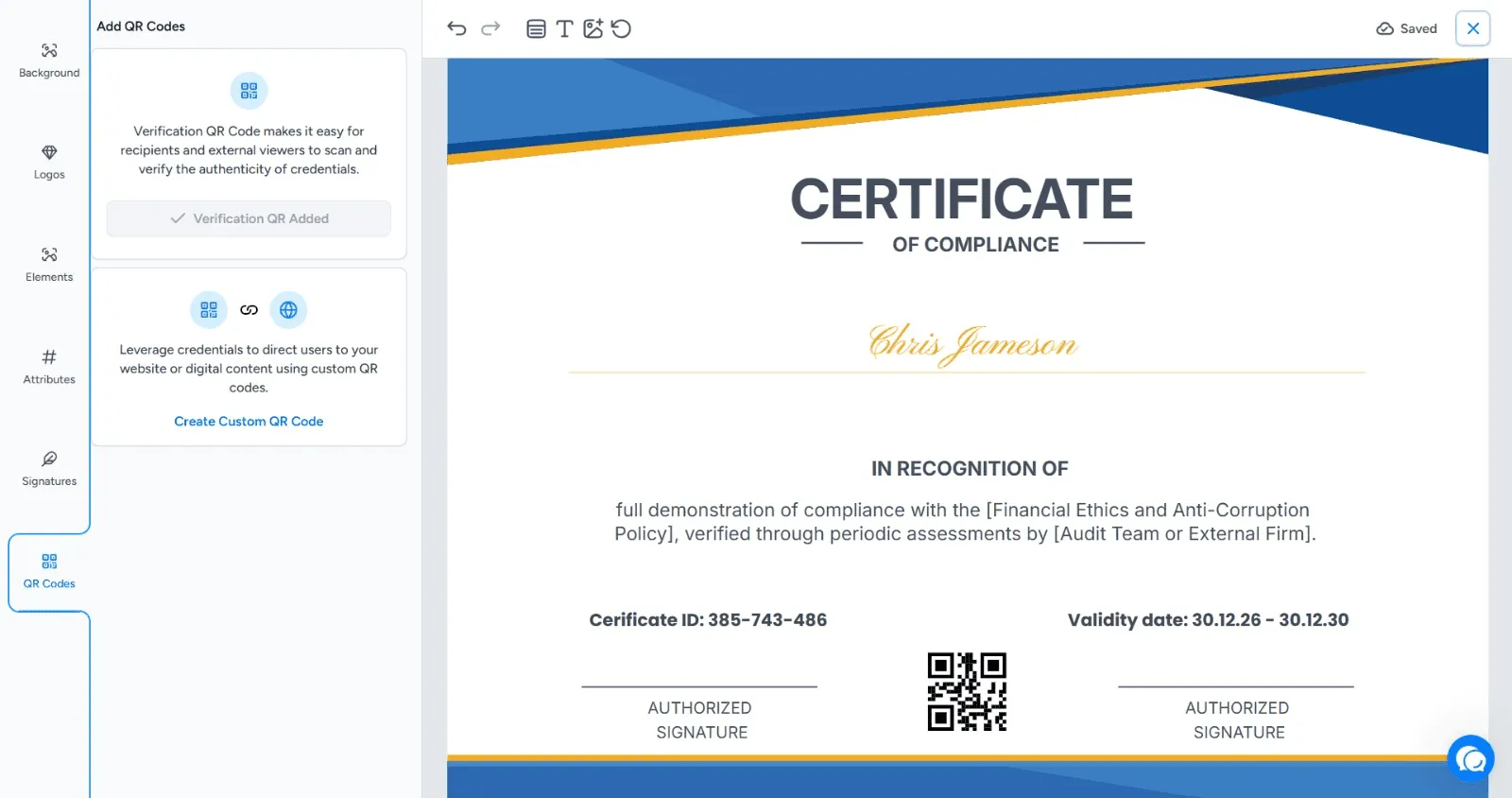
This is where Wauld stands apart. Inside the certificate editor, navigate to the QR Codes panel on the left sidebar. You'll see two options:
- Verification QR Code - This code is automatically embedded into the certificate and links to a live verification page that confirms the recipient's credential is authentic.
- Custom QR Code
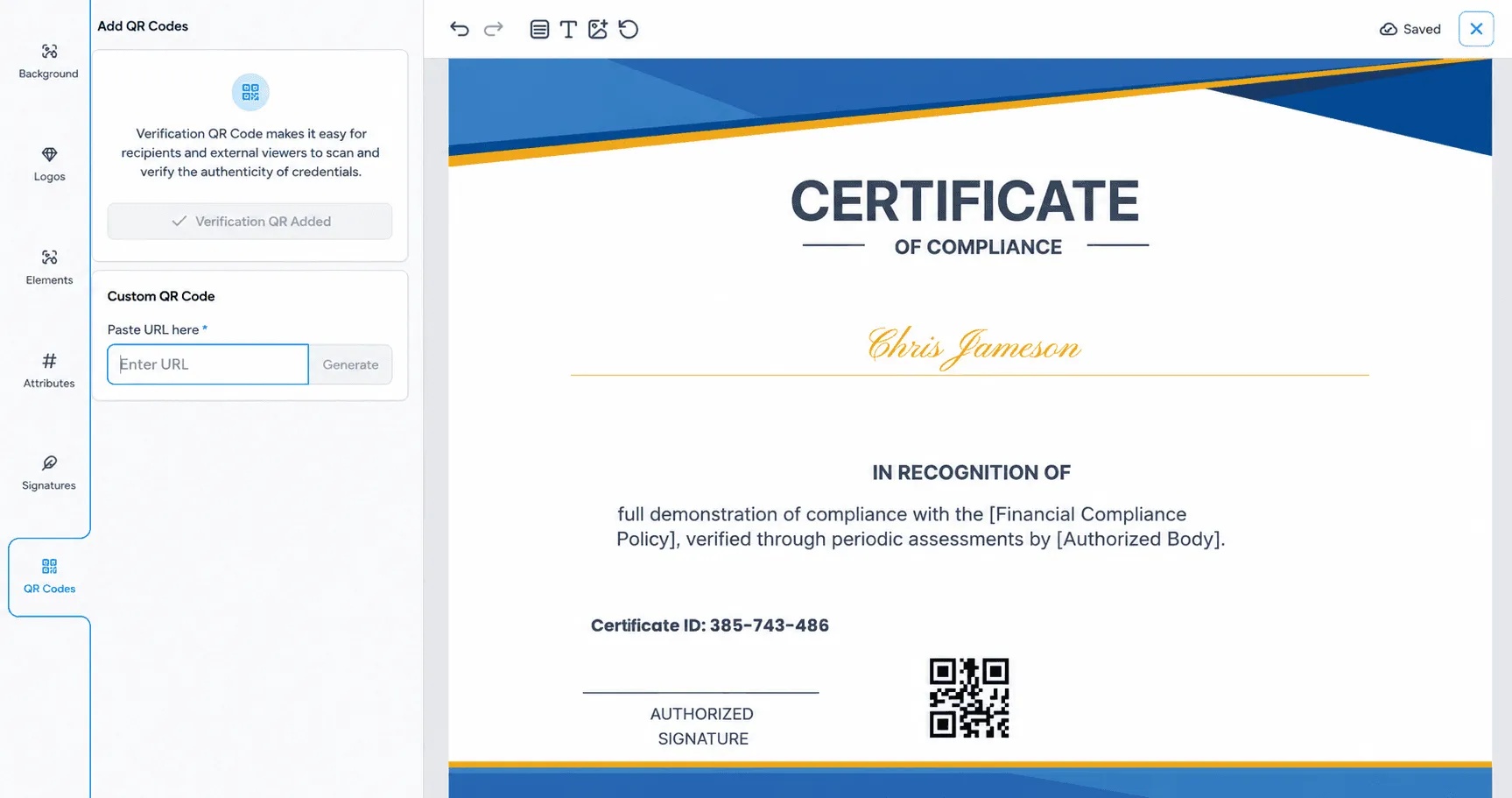
Click "Create Custom QR Code," paste in any URL, and hit Generate. This places a second QR code on the certificate that points to your website, a course page, a LinkedIn profile, or any digital destination you choose.
Both codes appear directly on the certificate canvas, visible in the live preview as you design.
Step 4: Add recipients
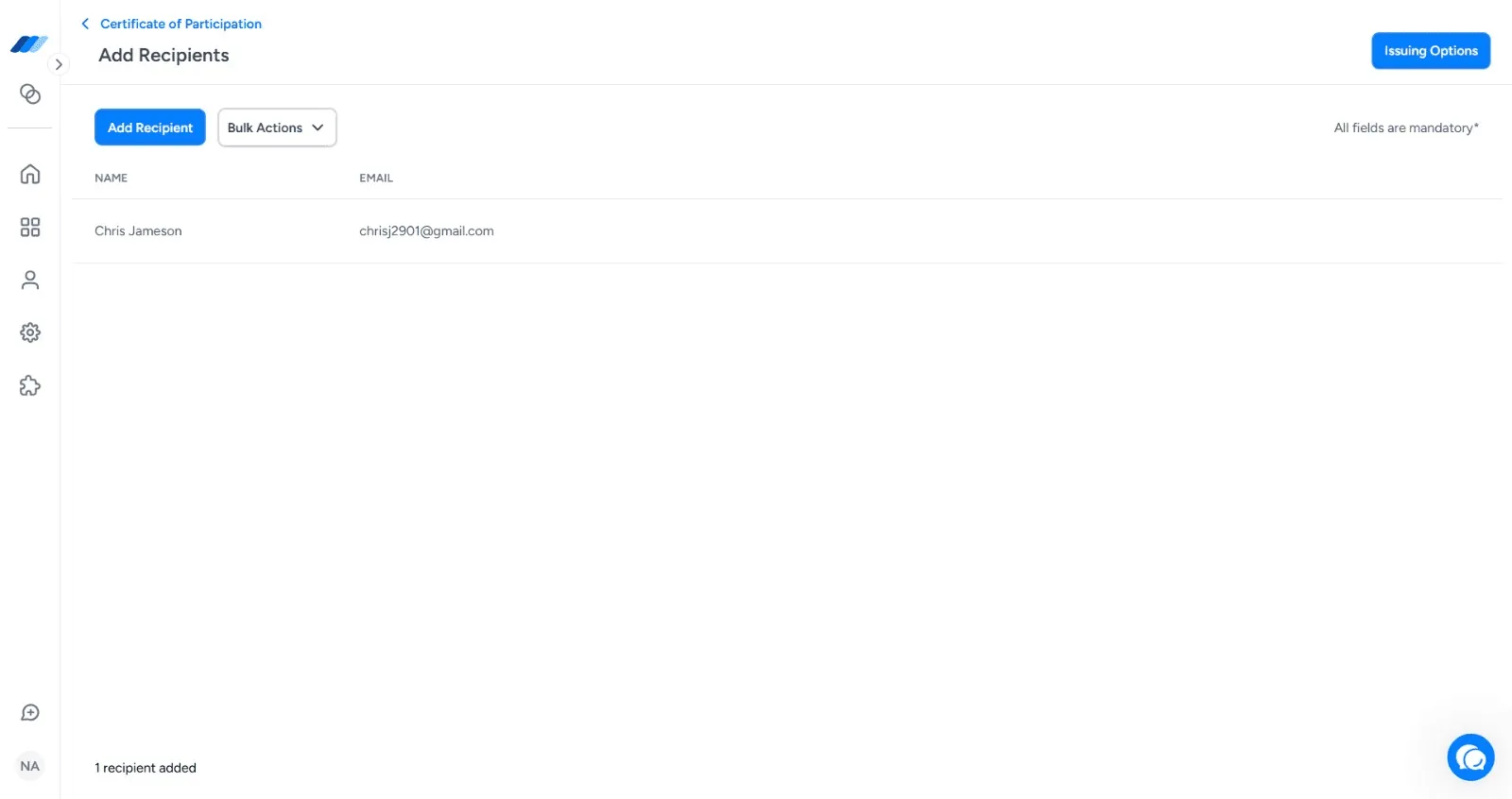
Go to the Add Recipients screen and enter recipient details individually using the "Add Recipient" button, or upload multiple recipients at once using Bulk Actions - ideal for training providers or institutions issuing certificates at scale.
Step 5: Configure issuing options
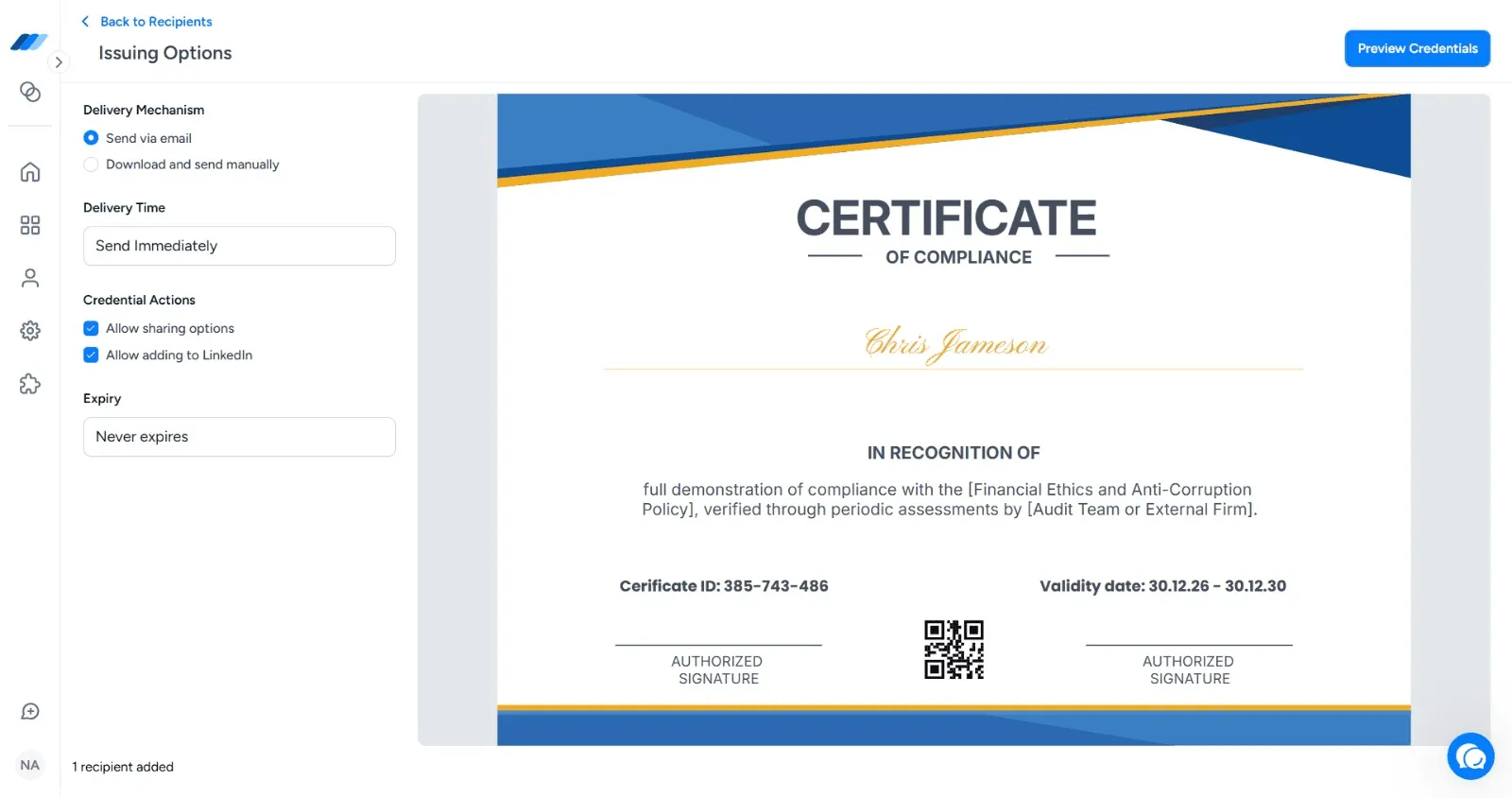
Before sending, set your delivery preferences. Choose to send directly via email or download and distribute manually. Set the delivery time (send immediately or schedule it), configure credential actions like allowing sharing and LinkedIn add-on, and set an expiry date or leave it as "Never expires."
Step 6: Preview and issue
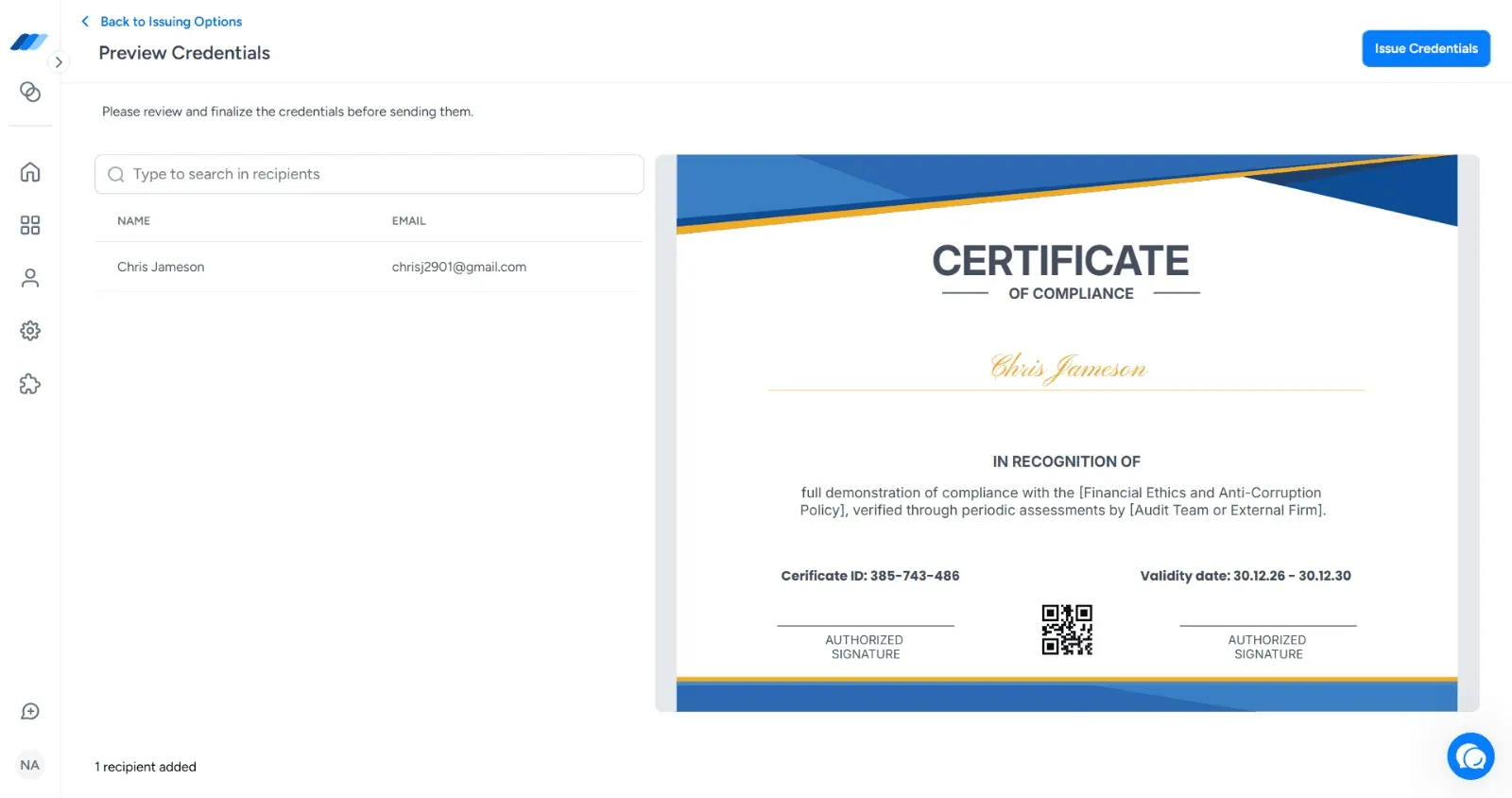
Hit "Preview Credentials" for a final check - you'll see the recipient list alongside a full-size preview of the certificate, QR code and all. Once you're satisfied, click "Issue Credentials." Recipients get their certificate delivered to their inbox, complete with a scannable QR code that works on any smartphone, no app required.
What shows up on the verification page?
This is the part that matters most to the people doing the verifying. When someone scans the QR code on a Wauld certificate, they land on a clean, professional verification page that displays:
Always shown
- Recipient name
- Certificate name / qualification
- Issuing organization
- Issue date
- Current status (valid / revoked or expired)
Optional fields for enhancing the validation process.
- Certificate number
- Expiry date
- Certificate ID
- Description or credential details
- Organization logo and branding
If a certificate has been revoked - say, a membership lapses or a license is withdrawn - that's immediately flagged on the verification page. No outdated information, no confusion. The verification system pulls live data every time someone scans.
Real-world use cases for QR code certificate verification
Adding a QR code to a certificate isn't just about preventing fraud. It improves how credentials are shared, verified, and managed throughout their lifecycle. Here are some of the most common use cases for QR code-based certificate verification.
Hiring and employee background checks: Employers often need to verify degrees, certifications, and professional qualifications before making hiring decisions. Instead of contacting issuing organizations manually, recruiters can simply scan the QR code and instantly confirm that a credential is genuine and currently valid.
Professional licensing and compliance: Industries such as healthcare, construction, finance, and safety training require professionals to maintain active certifications and licenses. QR code verification allows regulators, employers, and clients to check credential status in real time and immediately identify expired or revoked certifications.
Corporate training and employee development: Organizations issuing internal training certificates can use QR codes to verify employee achievements across departments, locations, and teams. This creates a trusted record of completed training programs while reducing administrative verification requests.
Educational institutions and academic credentials: Schools, universities, and online learning providers can issue diplomas, transcripts, and course completion certificates with embedded verification QR codes. Employers, admissions teams, and scholarship providers can verify academic achievements within seconds.
Membership organizations and associations: Professional associations, clubs, and industry bodies can use QR codes to validate active memberships. Because the verification page updates in real time, members' status can be checked instantly without requiring manual confirmation from the organization.
Event participation and conference certificates: Conference organizers, workshops, seminars, and industry events often provide attendance or participation certificates. QR code verification allows attendees to share their credentials confidently on LinkedIn, resumes, and professional portfolios.
Contractor and vendor qualification verification: Organizations working with external contractors or suppliers can quickly verify safety certifications, compliance training, and professional qualifications before granting site access or approving projects.
Digital credential sharing: Recipients can add verified certificates to LinkedIn profiles, digital portfolios, email signatures, and personal websites. Anyone viewing the credential can scan the QR code or visit the verification page to confirm authenticity instantly.
International credential verification: When certificates are used across countries or regions, verification can become difficult due to differing systems and communication delays. QR code verification provides a universal method for validating credentials regardless of location, helping employers and institutions verify achievements globally.
Pro Tip: Turn your certificate into a branding tool
Wauld's Custom QR Code lets you link any URL directly on your certificate - your website, course catalog, or next cohort sign-up. Every time a recipient shares their certificate, that QR code travels with it. One scan from a curious employer or colleague, and they're on your page. Set it once on your template, and every certificate you issue does the marketing for you.
Why Wauld is the smartest choice for QR certificate verification
There are plenty of tools that let you create certificates, and a few that let you add QR codes. But Wauld was built specifically for organizations that need both - beautiful certificate design and a rock-solid, real-time verification system - in one place.
With Wauld, you can create professional credentials that reduce the risk of fraud, let you completely customize every design detail, and give every recipient a certificate they're proud to share. The free QR code generator for certificates tool is baked right in - no third-party integrations, no code, no complexity. You design, you issue, and the verification system takes care of the rest.
Whether you're issuing ten certificates or ten thousand, Wauld scales with you. And because the verification page is always live and always up to date, you'll never have to worry about outdated information or fake certificates slipping through the cracks again.
Your certificates should be reliable. Your verification should be instant. And your process should be simple. With Wauld, it is.