Thinkific Certificates: How to Issue Verifiable Digital Certificates and Badges

Thinkific Certificates
Your student just finished the last lesson in your Thinkific course. They clicked through every module, passed the quiz, and hit 100 percent completion. Thinkific shows them a "Get your certificate" button, they download a PDF, and that is the end of the story. No verification link, no way to confirm it is real, no record of whether anyone ever looked at it again.
For internal training or casual cohorts, that is often fine. Thinkific Certificates reward and motivate your students with a clean, automated PDF, and that part works well. But once you are running paid certification or compliance training, a downloadable PDF with no verifiable certificate status starts to feel thin.
We covered the design and feature gaps in detail in our Thinkific certificates breakdown. This guide picks up where that one left off: four practical ways to connect Thinkific to Wauld so certificates and badges go out automatically as verifiable digital credentials, not just static files.
What Thinkific Certificates Do Out of the Box
Thinkific is an all-in-one platform for building, marketing, and delivering online courses. A certificate is issued as soon as a student completes all published lessons within a course, and students need to click "Complete and continue" on every published lesson to reach 100 percent completion.
Setting one up is simple:
| Step | What you do |
|---|---|
| Choose a template | Pick from seven preset layouts with fixed text and image placement |
| Set up content | Edit the title, add text above or below the course name, add optional notes |
| Customize design | Select a font and text color, upload a background image, and add your logo |
| Assign a certificate | Assign the certificate to one or more courses from the Certificates page in the admin dashboard |
| Student receives it | The student clicks "Get your certificate" within the course or from their account settings to download a PDF |
Variables like student name, course name, and issue date automatically populate based on student and course details, and you can add up to four custom fields if your site collects them. Full setup instructions are in Thinkific's own certificates guide. Editing or deleting a certificate only affects students who complete the course going forward, since previously issued certificates are not impacted.
Important Considerations Before You Rely on Native Certificates
A few quirks are worth knowing before you build a program around Thinkific's built-in system:
- Draft lessons do not count. Only published lessons count toward 100 percent completion of a course.
- Retroactive issuance is not supported. Students who completed a course before a certificate was assigned will not see the option to get one, and Thinkific does not let you manually generate a completion certificate after the fact.
- Expiry is supported, but basic. You can set an expiry date per course (after a fixed number of days or on a specific calendar date), but there is no renewal workflow once a certificate lapses.
- Bundles need Learning Paths. Thinkific's Learning Paths feature handles certificates for multi-course completion instead.
- Design is fixed. Seven templates, six built-in fonts (Source Sans Pro, Droid Serif, Lato, Montserrat, Open Sans, Raleway), no option to move or resize elements.
- No verification layer. No QR code, digital signature, or public page to confirm a certificate is genuine, so there is no way to check if a downloaded PDF is a verifiable certificate or an edited copy.
These limits are not a knock on Thinkific. The native system handles the basic case well, a clean PDF when a learner finishes a course, but it was never designed to manage the full lifecycle of a credential.
Where Wauld Fits In
Wauld is a digital credential platform built to design, issue, deliver, verify, and track certificates and badges. Connected to Thinkific, it turns every course completion into a credential that carries its own proof rather than just a name and a date.
| Feature | Thinkific Certificates | Wauld Digital Credentials |
|---|---|---|
| Templates | 7 fixed layouts | 1,000+ customizable templates |
| Fonts | 6 built in, no custom upload | 20+ fonts, full design freedom |
| Verification | None | Unique credential ID, QR code, public verification page |
| Standards | Not standardized | Open Badge 3.0 and W3C Verifiable Credential compliant |
| Sharing | Download or print only | One-click LinkedIn sharing, Apple Wallet, secure links |
| Analytics | None | Opens, downloads, shares, and verification counts |
| Retroactive issuance | Not supported | Supported via CSV bulk upload |
| Delivery | Manual download from dashboard | Automated branded email on issuance |
For course creators running professional certification, coaching credentials, or compliance training, the gap is less about design polish and more about whether the certificate can stand on its own once it leaves Thinkific.
Methods to Connect Thinkific and Wauld
There are four practical ways to wire Thinkific completions into Wauld, depending on your technical comfort and how much volume you need to handle.
Method 1: Zapier (Fastest, No Code)
Thinkific has an official Zapier app with several available triggers. The two relevant here are Course Completed, for the main certificate, and Lesson Completed, useful for issuing badges at milestones along the way.
Setup steps:
- Create a Zap with Thinkific as the trigger app and Course Completed as the event.
- Connect your account and test to confirm the payload includes name, email, and course title.
- Set Wauld as the action app, choose Issue Credential, and connect using the token from Integrations, Zapier.
- Generate Token in your Wauld dashboard.
- Map the fields, test, then publish.
Best for: Creators who want automation running within the hour with no code.
| Pros | Cons |
|---|---|
| No code, fast setup | Free Zapier plan caps at 100 tasks/month |
| Same logic works for badges via Lesson Completed | Multi-step Zaps need a paid plan |
Cost: Zapier's free plan covers light volume. The Professional plan, needed for multi-step Zaps, starts around $19.99/month billed annually.
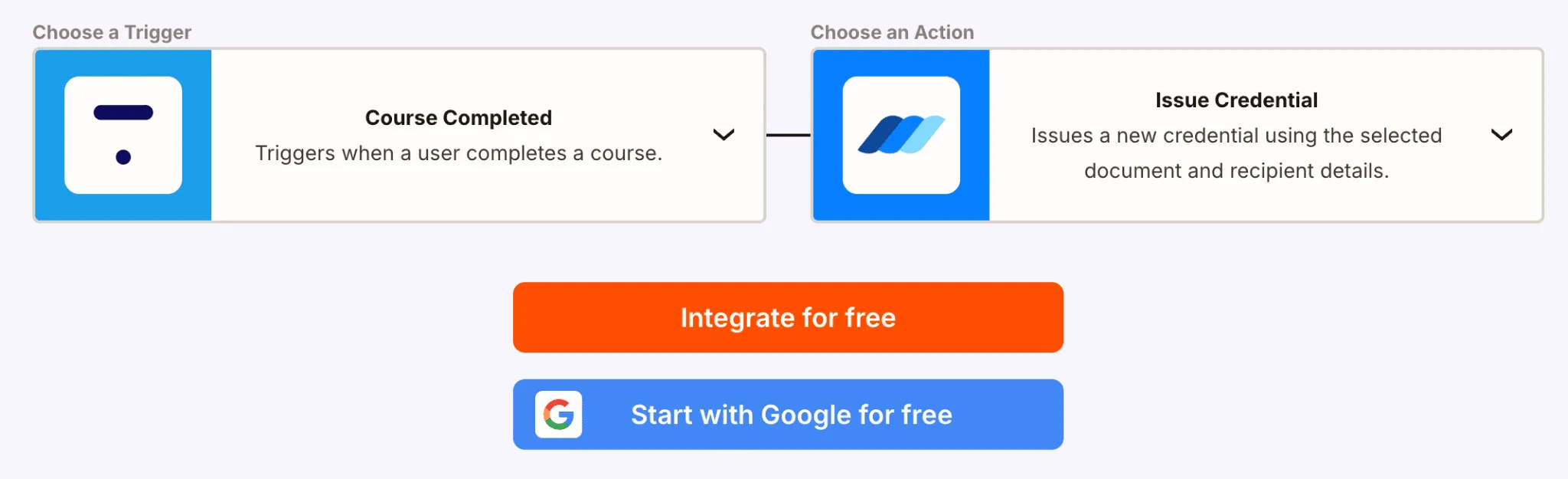
Connect Thinkific with Wauld to automatically issue verifiable digital certificates when learners complete a course.
Method 2: Webhooks (Real Time, No Subscription)
Wauld generates a custom trigger URL for a specific credential document, and any system that can send a POST request to that URL can issue a credential, skipping a Zapier subscription entirely.
Setup steps:
- Copy the custom trigger URL from the credential document in Wauld.
- In Thinkific, configure an outgoing webhook pointed at that URL (or use "Webhooks by Zapier" if your plan lacks a direct option).
- Map the payload fields and run a test completion to confirm the credential issues correctly.
Best for: Creators who want real-time issuance without paying for task volume.
| Pros | Cons |
|---|---|
| Real time, no subscription needed | Requires comfort mapping payload fields |
| No per-task billing | Less plug-and-play than the Zapier app |
Method 3: Custom Trigger or API (Developer-Grade)
For teams running custom enrollment systems or white-labeled course portals, Wauld's API and custom trigger URLs offer the most direct control. Each credential document gets a unique trigger URL, and any backend system can POST to it directly.
Best for: Developer teams building a custom pipeline at scale.
| Pros | Cons |
|---|---|
| Full control over data and timing | Requires development resources |
| Scales cleanly for high volume | Not practical for non-technical creators |
Method 4: CSV Bulk Upload (Zero Tech, Retroactive Fix)
This solves the one gap automation cannot touch: students who completed a course before you assigned a certificate, since Thinkific does not issue retroactively.
Setup steps:
- Export completed student records from Thinkific (name, email, course, completion date).
- Format the CSV to match your Wauld template's columns, upload it, map the fields, and issue the batch. Every student in the file receives a verifiable credential in one operation.
Best for: Backfilling certificates or one-off batch issuance.
| Pros | Cons |
|---|---|
| No technical setup | Manual export and upload each time |
| Solves the retroactive issuance gap | Not automated for future completions |
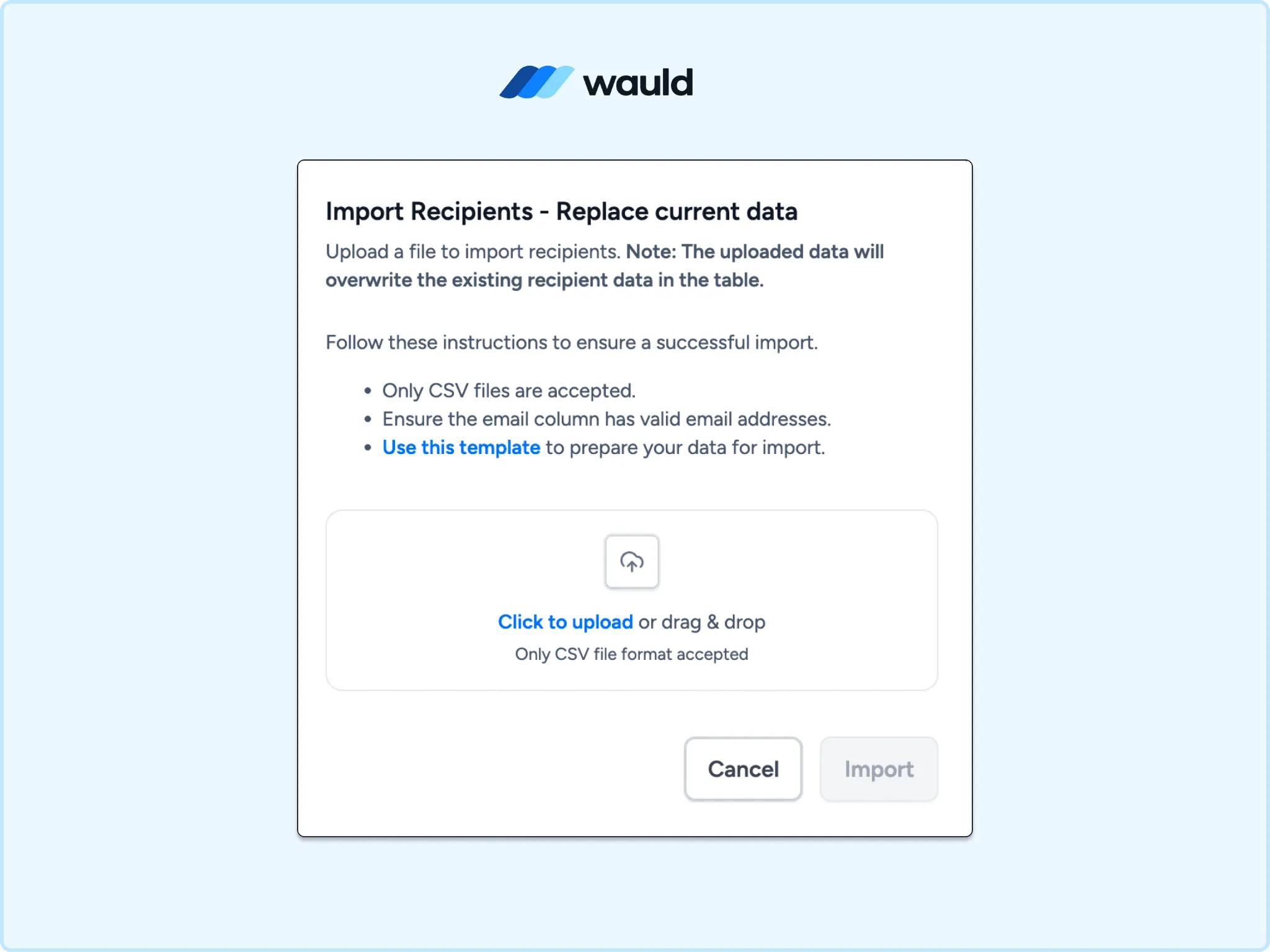
Bulk import recipients in Wauld using a CSV file to issue digital certificates and badges at scale.
Comparing the Methods
| Method | Automated | Technical Level | Cost |
|---|---|---|---|
| Zapier | Yes | Low | Free Zapier tier or from $19.99/month |
| Webhooks | Yes, real time | Medium | No subscription cost |
| Custom Trigger / API | Yes | High | Developer time only |
| CSV Bulk Upload | No | Low | Free |
Extended Use Cases: Badges for Milestones
Course completion is not the only moment worth recognizing. Since Wauld treats badges with the same automation logic as certificates, the Lesson Completed trigger opens up milestone recognition without building a second workflow:
- A welcome badge issued on enrollment to boost early engagement
- A per-module badge for each major section of a multi-part course
- A level-up badge when a student moves from a beginner to an advanced track
These badges follow the identical Zapier or webhook setup, just pointed at a badge template instead of a certificate template, giving long courses a reason for students to stay engaged before the final certificate.
Getting Started
Wauld's free plan covers up to 300 credentials and includes verifiable credentials, QR code verification, bulk CSV issuance, LinkedIn sharing, and the full template library, enough to pilot a Thinkific integration before committing to a paid plan. The Growth plan starts from $39/month for higher volume; see current tiers on the Wauld pricing page.