How to Issue Moodle Certificate of Completion

Moodle Certificate of Completion
Your learner just finished a Moodle course. They passed the quiz, completed every activity, and waited for proof of it.
What happens next depends on how your site is set up, because Moodle does not include certificates out of the box. To issue a Moodle certificate of completion, an admin has to install a plugin, build a template by hand, and hope the PDF renders the way it looked in the editor.
This guide covers how Moodle's native certificate system works, where it falls short, and how Wauld fits in as a verifiable credential layer on top of it, including the methods available to connect the two platforms.
How Moodle Handles a Certificate of Completion Natively
Moodle manages courses, enrollment, and activity completion. Certificates sit outside that core job, which is why the platform leans on plugins rather than a native feature.
Custom Certificate (mod_customcert)
This is the most widely installed certificate plugin in the Moodle ecosystem, maintained independently of Moodle Workplace. It generates a dynamic PDF you design inside the browser, element by element.
Setting one up involves:
- Adding the Custom certificate activity to a course
- Setting the width and height to match your background image's ratio
- Adding elements one at a time: background image first, then student name, course name, date, and grade
- Using the Reposition elements screen to drag each field into place, since new elements default to the upper left corner
- Saving and previewing the generated PDF
| Setting | What it controls |
|---|---|
| Options | Who can view the certificate, minimum enrollment time before issuing |
| Design | Orientation, width and height, background image, theme |
| Activity Completion | The criterion a student must meet to receive the certificate |
| Common Module Settings | Visibility, activity ID, group restrictions |
Course certificate activity (mod_coursecertificate)
This plugin is maintained by the Moodle Workplace team but is fully compatible with standard Moodle LMS and downloadable from the plugins directory at no extra cost. It works together with the Certificate manager tool (tool_certificate), which has to be installed separately and provides the interface for designing templates at the site or course category level.
Issuing through the Course certificate activity happens one of two ways:
- Automatic sending on: the certificate generates and emails the moment a learner meets the activity's restrict access rules
- Automatic sending off: the learner clicks the activity link to trigger generation manually
It is worth noting that some related features, such as Dynamic rules for automatic issuing and the Report builder sources for certificate reporting, are part of Moodle Workplace and available only through Moodle Certified Partners and Service Providers, not the open source Moodle LMS.
The Problems With Moodle's Native Certificate System
Moodle's plugins handle the basic job of generating a PDF when a student finishes a course. The gaps appear once a certificate of completion needs to work as a real credential, not just a downloadable file.
- No live design preview. Every text or spacing adjustment requires saving the template and generating a test PDF to check if it looks right.
- Fonts and special characters break easily. Custom fonts must be uploaded to the server's font directory, which many learners on shared or managed hosting cannot access. Special characters can render as question marks unless the certificate switches font families.
- Recurring plugin bugs. The Moodle plugin directory's own comment threads report issues such as blank certificate downloads, completion dates that display in preview but vanish for actual students, and bulk download timeouts once a course has a few hundred issued certificates.
- Verification still requires effort. Checking authenticity means navigating to a specific URL, sometimes after logging in. There is no public page built for an employer or a regulator to confirm a credential at a glance.
- No tracking after issuance. Once the PDF leaves Moodle, there is no record of whether the learner opened it, downloaded it, or shared it anywhere.
- Automation is limited on standard Moodle LMS. Truly automatic, rule based issuing depends on Moodle Workplace's Dynamic rules, which is not available on a standard Moodle LMS installation.
| What Moodle Gives You | What's Missing |
|---|---|
| PDF generation tied to course completion | Live design preview |
| A verification code | A public, no login verification page |
| Manual or semi automatic issuing | Bulk issuing at scale without timeouts |
| Activity completion criterion support | Engagement analytics and LinkedIn sharing |
How Wauld Steps In
Wauld is a digital credential platform built to manage the complete lifecycle of certificates and badges: design, issue, track, and verify. It does not replace Moodle's course delivery. It replaces the static PDF that comes out the other end with a verifiable digital credential.
Every credential issued through Wauld includes:
- A unique credential ID for tamperproof identification
- A QR code linked to a public verification page, viewable with no login required
- One click LinkedIn sharing
- A branded delivery email sent straight to the learner's inbox, with no need to log back into Moodle
On the admin side, Wauld's Design Studio replaces the trial and error of Moodle's template editor with a real time preview and a library of over 1,000 certificate templates. Dynamic attributes mean one design can serve every course instead of building a new template each time. The issuer dashboard also closes Moodle's biggest gap: visibility into who opened a certificate, who downloaded it, and how many verifications it received.
| Capability | Native Moodle Certificate | Wauld Credential |
|---|---|---|
| Live design preview | No | Yes |
| Public verification page | Limited, often login gated | Yes, no login required |
| QR code | Only in some configurations | Yes, on every credential |
| LinkedIn sharing | No | Yes, one click |
| Engagement analytics | No | Yes: opens, downloads, shares |
| Template library | None included | 1,000+ templates |
Methods to Connect Moodle and Wauld
There is no dedicated Wauld plugin for Moodle. Two methods are currently viable, given that Moodle's official Zapier app does not expose a completion trigger.
Method 1: CSV Bulk Upload
The simplest path, working on any Moodle deployment, including MoodleCloud, self hosted, and managed hosting, with zero plugins.
- In Moodle, go to Reports, then Course completion, and filter for students who finished the course
- Download the report as a CSV with the learner's name and email, plus any custom fields like course name or completion date
- Log in to Wauld and choose a template from the template gallery
- Upload the CSV and map each column to the matching certificate field
- Preview a sample, then issue
This suits cohort based or semester based courses where certificates go out in batches.
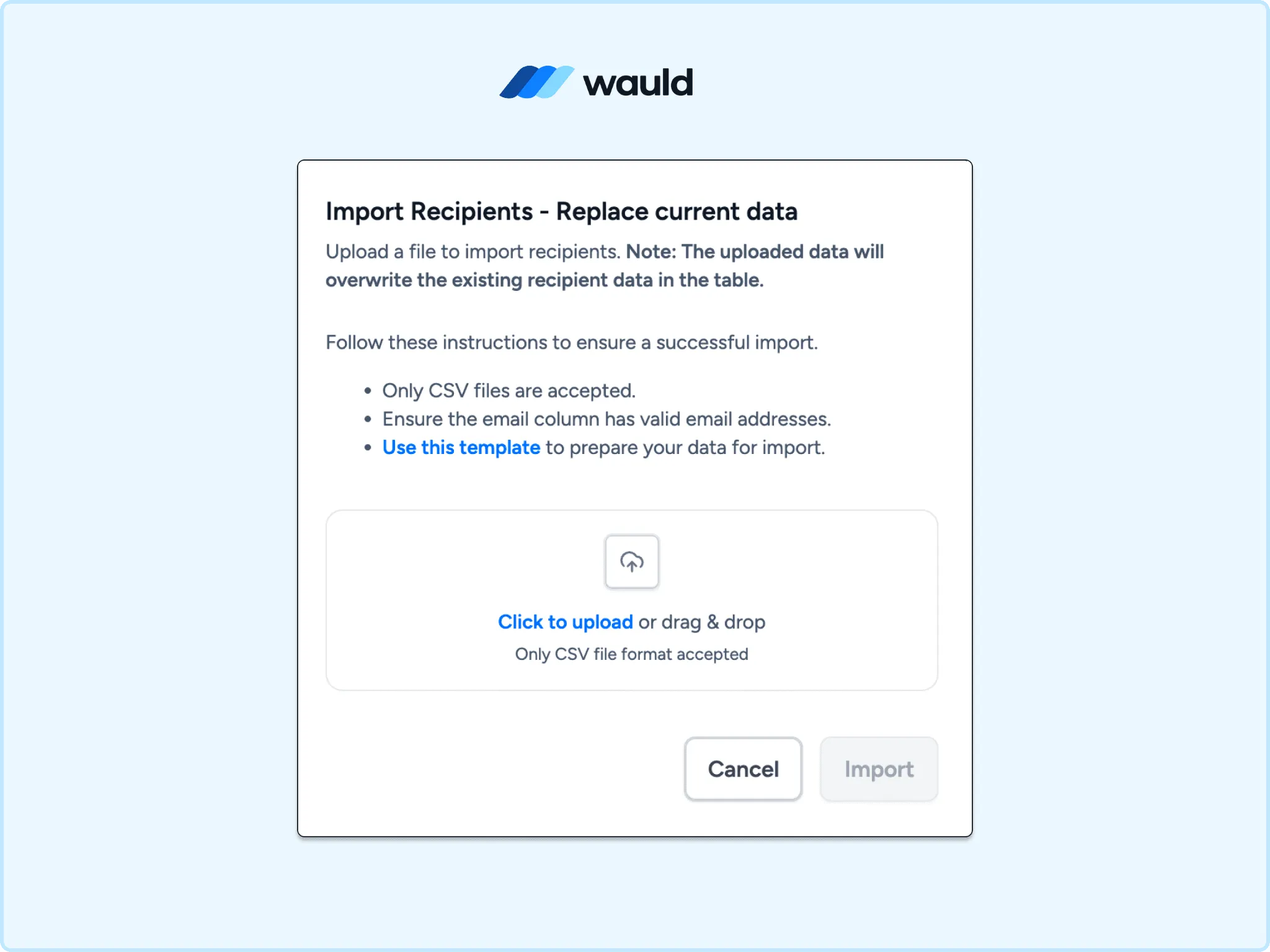
Import recipients in bulk by uploading a CSV file with validated email addresses to quickly update your recipient list.
Method 2: Webhook to Wauld's Custom Trigger
Moodle's official Zapier app currently supports only two triggers, New Course and New Enrolled Student in a Course. Both fire at the start of a course relationship, not at the end, so neither is a usable signal for issuing a certificate of completion through Zapier today.
The more direct route is to use Moodle's own internal completion event instead. Moodle fires a course_completed event natively whenever activity completion tracking marks a student as finished. A Moodle webhook plugin can listen for this event and send that data to a URL of your choice.
- Install a Moodle webhook plugin configured to listen for the course completion event
- In Wauld, set up a Custom Trigger for the certificate template you want issued
- Wauld generates a unique trigger URL for that template
- Point the Moodle webhook at that URL, mapping the payload to the learner's name, email, and any custom fields the certificate uses
- Test by completing a course as a test user and confirming the certificate arrives
This method runs in real time and does not depend on Zapier's trigger coverage at all, since it uses Moodle's actual completion event rather than working around the limited trigger list.
| Method | Setup Effort | Best For | Real Time |
|---|---|---|---|
| CSV Bulk Upload | None | Cohort or semester courses | No |
| Webhook + Custom Trigger | Medium, needs developer support | High volume, fully automated programs | Yes |
Choosing the Right Method
Issuing in batches at the end of a term suits CSV upload best, since it needs no plugin and no ongoing maintenance. Running a high volume program with learners finishing on a rolling basis suits the webhook to Custom Trigger method, since it issues certificates the moment completion is recorded rather than on a schedule.
Final Thoughts
Moodle remains one of the most capable open source platforms for building and delivering courses. What it was never built to do well is manage certificates as standalone, verifiable credentials. The native plugins handle the basic job: generate a PDF when a student finishes a course. They do not handle verification at scale, design without trial and error, or visibility into whether a certificate was ever opened, and on standard Moodle LMS, even automatic issuing depends on the plugin and activity setup rather than a built in rules engine.
Wauld closes that gap without requiring any change to how your Moodle courses are built or delivered. Connect it through a CSV export or a direct webhook, and every Moodle certificate of completion becomes a credential your learners can verify, share, and actually use.