

Key Takeaways
Kajabi automatically sends a course completion certificate as a PDF when a student reaches the final course lesson – no extra setup needed.
You can preview and customize certificates with your custom logo, branding, text fields, dates, and serial numbers directly inside Kajabi.
Sending certificates upon completion is simple – the Kajabi certificate of completion is issued automatically via email the moment a learner finishes a course.
Kajabi’s built-in certificates are great for coaching and short courses, but lack verification, metadata, and engagement tracking.
Digital credentials go beyond PDFs – they’re verifiable, shareable, and portable across LinkedIn, resumes, and digital wallets.
Tools like Wauld let you create a certificate with 900+ templates and send a certificate of completion that learners can share publicly and with confidence.
Visit the Kajabi Help Center to learn more about sending certificates and explore options for leveling up your learner recognition.
Kajabi Certificate of Completion vs Digital Credentials: What’s the Difference?
Online learning has grown a lot in recent years. Kajabi has become a top choice for course creators and teachers. Over 17,000 businesses use it, and creators have earned more than $10 billion in total sales. This shows it is a platform made for growth and success.
As more creators expand their course offerings, recognition becomes an important part of the learning experience. Certificates are often the first way students see their progress acknowledged.
Kajabi, true to its all-in-one nature, gives you a built-in way to do just that. It’s simple, automatic, and a great first step toward recognizing learner achievements.
But as your programs grow and your learners start sharing their successes publicly, you might realize your certificates deserve a little more spotlight.
Let’s take a closer look at what Kajabi actually offers, what it doesn’t, and how the world of digital credentials is reshaping learner recognition.
What is Kajabi?
Kajabi is a platform built for creators, coaches, and educators to turn their knowledge into digital products. It lets you host courses, build websites, run email campaigns, and manage your entire learning business in one dashboard. Think of it as your digital classroom, storefront, and marketing suite rolled into one.
It’s a favorite among online educators because it handles everything from video hosting and payments to automations and analytics. You can now focus on what really matters: teaching and growing your audience.
How Kajabi Handles Certificate of Completion
Kajabi keeps things uncomplicated. Once you enable certificates for a Kajabi course, the platform will automatically send a course completion certificate as a PDF to you when you complete your course. No plugins, no code, no design tools needed. This makes it easy to create and send recognition the moment a student crosses the finish line.
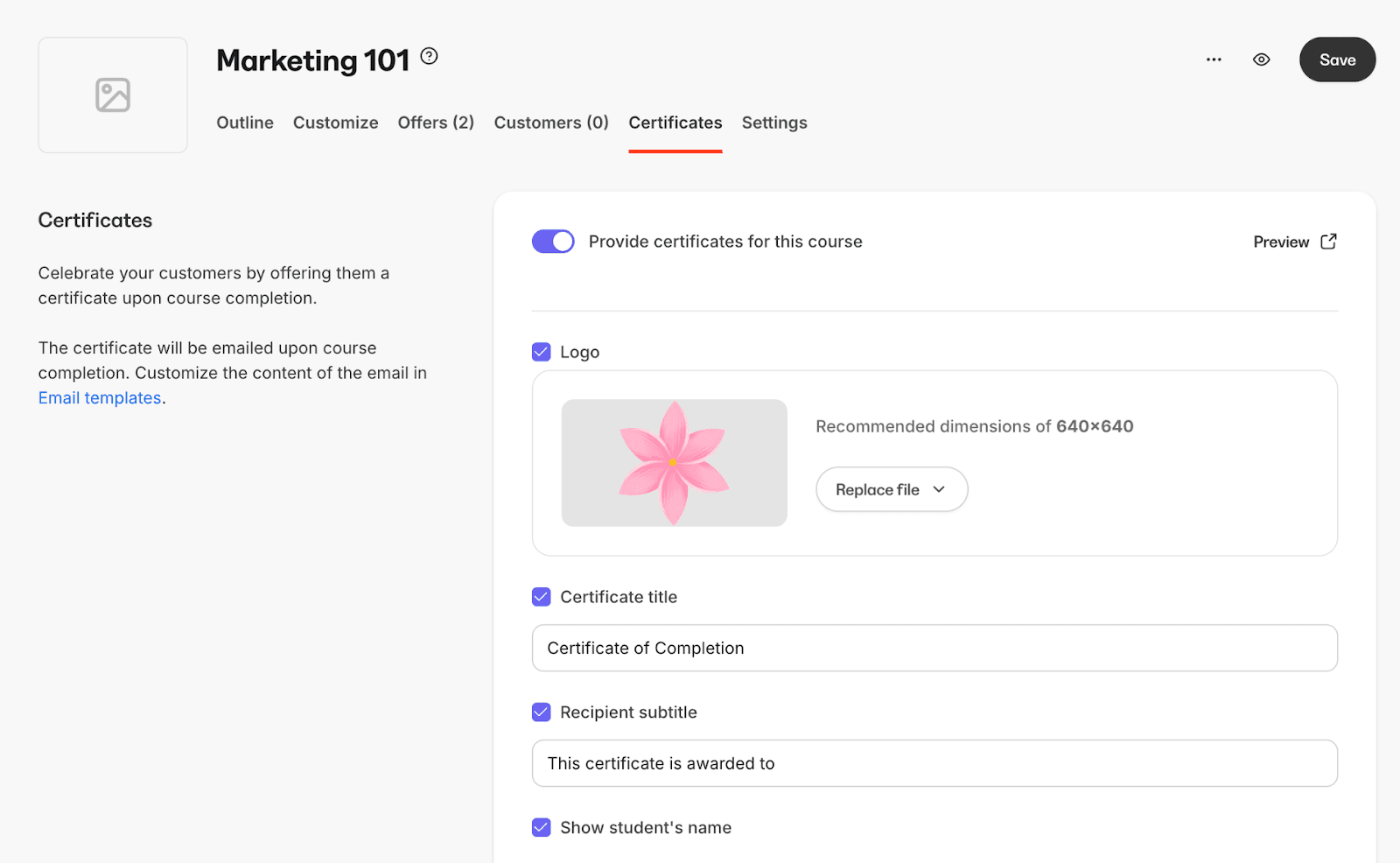
Once you enable the certificate feature in a course, Kajabi gives you a checklist of elements to include on each certificate. You can preview how it looks at any time while sending certificates to make sure everything is just right. Here’s how it works:
1. Add Your Branding
Upload your custom logo to appear at the top of the certificate.
You can also add a background image to personalize the look (think: your brand colors or a thematic visual).
Want to soften the background? There’s an overlay option that adds a semi-transparent white layer to keep text legible.
2. Customize the Content
Choose a certificate title. When you create a certificate in Kajabi, the default is the classic “Kajabi Certificate of Completion” – simple and professional.
Add a recipient subtitle, which appears just above the student’s name – handy for adding context like “Awarded to.”
Kajabi automatically displays the student’s name and allows you to include the course title, along with optional text fields and a course subtitle.
3. Include Important Dates and Tracking
You can toggle on the completion date so learners know when they finished the course.
There’s also a certificate option to generate a unique certificate serial number for each student.
If you want the certificate to expire, you can set an expiration window – X days, months, or years after completion. (Note: you can’t set a specific expiration date, just a relative timeline.)
4. Add Fine Print (Optional)
Kajabi lets you include a custom field as a line of fine print at the bottom of the certificate – perfect for notes like “Not valid for CE credit” or “Issued by [Your Organization].”
Once you’re done selecting your preferences, just hit Save. Kajabi will then automatically send a certificate of completion via an automated email to each learner when they reach the final course lesson. Every time a student completes the course, an email containing their certificate will arrive in their email inbox automatically. It’s fast, predictable, and perfect for coaches, educators, or creators who want a simple “congratulations” moment upon completion.
You can also learn to send a certificate manually or visit the Kajabi Help Center for step-by-step guidance on how to send certificates of completion to your learners.
Why Creators Love Kajabi Certificates
Despite its simplicity, Kajabi’s certificates do serve an important purpose. They make learners feel seen – and that matters more than most creators realize.
Here’s why Kajabi’s approach still works for many:
It’s within Kajabi itself – no need to connect external tools. It sends the certificate automatically when a customer completes your course.
Learners get instant gratification after completing a course.
It fits perfectly for short workshops, internal programs, or coaching sessions.
It adds a touch of professionalism to your brand and business without extra steps.
Think of it like giving your students a gold sticker at the end of class. Small, symbolic, but surprisingly motivating.
The final lesson is done - Now what?
Now, here’s where the cracks show – not because Kajabi does anything wrong, but because learner expectations have evolved. The more people share their learning online, the more they care about what that recognition looks like and represents.
Here’s what you can’t (yet) do in Kajabi:
Use templates or redesign layouts to fit your brand – Kajabi offers only one standard template. You can’t drag, reposition, or resize elements, and there are no alternate certificate templates to choose from.
Embed metadata – There’s no way to include details like skills earned, learning outcomes, or assessment results and supporting evidence.
Track engagement – Kajabi doesn’t show whether a certificate was opened, downloaded, or shared.
Verify authenticity – Since certificates are simple PDFs, there’s no built-in verification mechanism. Technically, anyone could copy or edit them.
Kajabi certificates work great as internal tokens of appreciation, but not as proof of verified learning or achievement, especially in professional or skill-based programs.
Why Verification and Shareability Matter in Online Courses
Think about this: learners today don’t just want to complete a course. They want to prove they’ve learned something valuable. A verified credential does exactly that. It’s not just a pretty certificate; it’s a digital badge of trust.
For creators, offering verified credentials helps you stand out in a crowded online education market. When your learners can share a real certificate on LinkedIn or show it in their digital wallet, it helps your brand. This can attract more students.
It’s the perfect mix of ease and professionalism.
Real talk: Learners aren’t just collecting certificates – they’re building portfolios. That PDF? It’s gotta work a little harder than just looking nice.
Enter the Era of Digital Credentials
In the last few years, online learning has shifted from “course completion” to verified achievement. Learners don’t just want to finish; they want to show what they’ve learned – publicly, credibly, and in style. That’s where digital credentials come in.
Unlike static PDFs, digital credentials are:
Verifiable: They carry unique verification links or QR codes.
Metadata-rich: Each one stores issuer info, course details, and skill evidence.
Portable: Learners can add them to LinkedIn, resumes, or digital wallets.
Dynamic: You can update, revoke, or renew them anytime.
Think of it this way: a digital credential isn’t just a pat on the back – it’s a living, shareable proof of what your learner achieved. There is information on the certificate as well as 'in' the certificate. They bring authenticity and visibility together, creating real-world value for both the learner and the educator.
How Creators Are Leveling Up Their Certificates
As more Kajabi creators grow their audiences, they’re realizing that a simple PDF doesn’t fully reflect the quality of what they teach. Their learners aren’t just completing courses, they’re building skills worth showing off.
That’s where Wauld steps in.
Wauld gives Kajabi creators a way to automate the process of turning those static completion certificates into verified, shareable digital credentials – ones that carry your brand, your authenticity, and your learners’ achievements wherever they go. It’s a powerful new feature that strengthens the connection between Kajabi and the world of modern digital credentialing.
These modern certificates allow creators to:
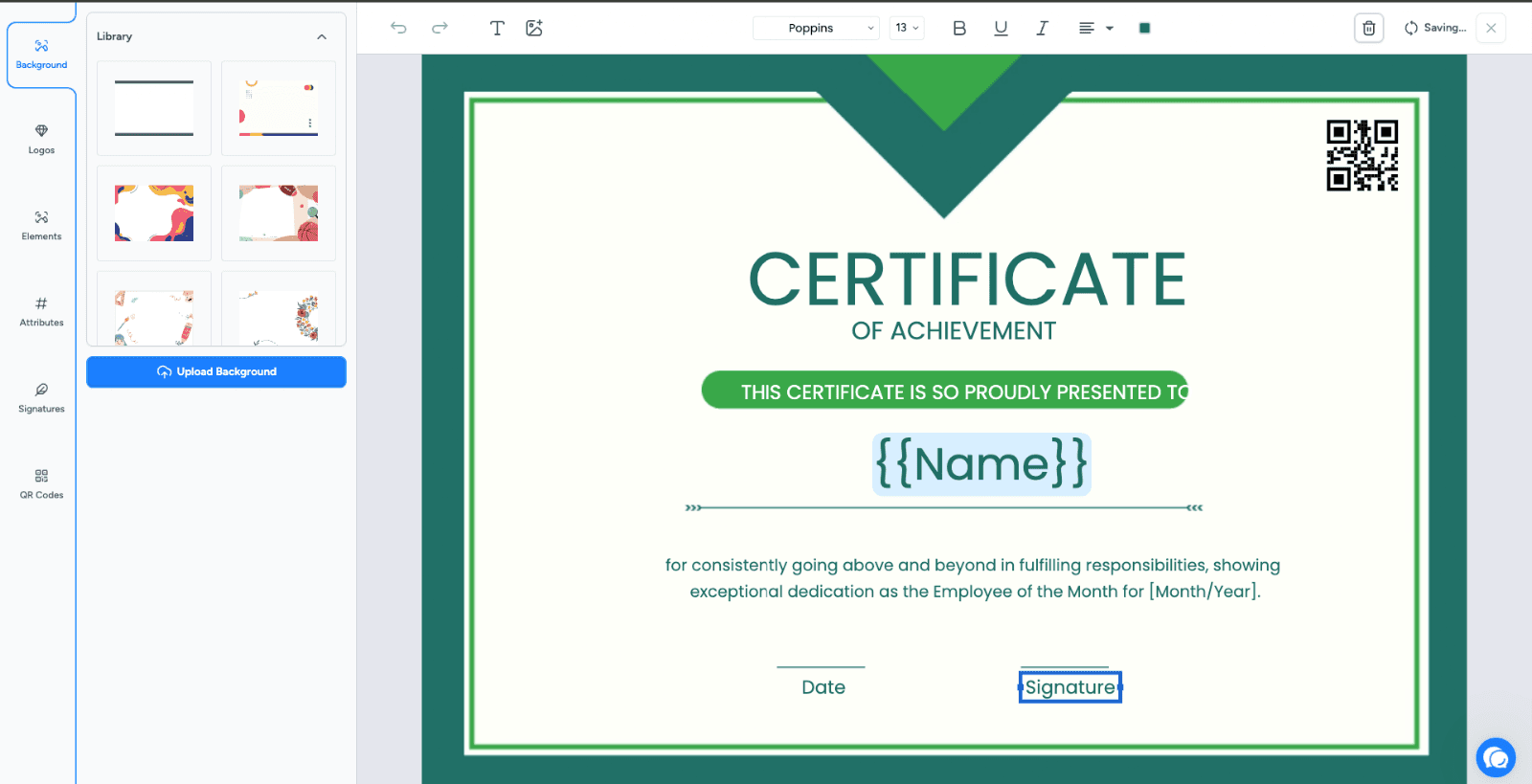
Design branded certificates from scratch or select from 900+ customizable templates (not just one) – far beyond what you’d get from a Kajabi template.
Add verification QR codes, signatures, and metadata fields.
Issue digital badges for milestones and certificates for completions.
Let learners share their credentials instantly on LinkedIn or store them in third-party wallets.
Track engagement and visibility through built-in analytics.
Once your certificate design is ready, you can learn to create and send credentials at scale – with Wauld handling the heavy lifting so you can focus on teaching. You can also send a quiz result or assessment summary alongside the credential if you’d like to give learners a fuller picture of their achievement.
If Kajabi certificates are digital postcards, digital credentials are full-fledged passports – stamped, trackable, and recognized wherever learners go.
If you have questions or need help getting started, let us know – or visit the Kajabi Help Center for additional resources on sending certificates of completion.
The Future of Recognition
Kajabi will always be a fantastic place to teach, but the way creators recognize learning is evolving fast. In an age where learners value credibility as much as content, certificates are no longer just symbolic – they’re signals of trust.
And that’s where tools like Wauld step in – giving creators the power to issue verifiable, on-brand digital credentials that don’t just celebrate learning but validate it.
Kajabi helps your learners complete courses. Wauld helps them prove they’ve mastered them. Together, they turn every learning moment into a lasting, shareable achievement.


