Certificate Verification: Step by Step Guide to Verify Digital Certificates

I still remember placement season in college.
Everyone suddenly became very serious. LinkedIn profiles were polished, resumes were redesigned, and people who had ignored group projects for three years were now "team players with leadership experience."
Funny how that works.
I studied at a reputed college, and like most students, I believed placements were simple. Work hard, build real skills, earn your certificates, apply honestly, and hope the right company notices you.
Then I saw the uncomfortable side of it.
Some students were adding certificates they had not earned. A course here, an internship there, a workshop that seemed to appear out of thin air. The certificate looked real enough. The logo was there. The signature looked official. The recruiter had no quick way to check it.
Nobody asked too many questions. The company would not know. The college would not know. And sometimes, the person with the better-looking fake certificate got the better opportunity, while more deserving students sat there wondering what they did wrong.
That stayed with me.
Later, by coincidence, I joined Wauld. That is where I learned something that genuinely changed how I saw credentials: it does not have to be this way.
Certificate verification can be simple. It can be fast. Most importantly, it can protect the people who actually did the work.
This guide explains how to verify whether a certificate is genuine, why fake certificates are so hard to catch, and what certificate issuers can do to make every credential easier to trust.
What is certificate verification?
Certificate verification is the process of checking whether a certificate is real, valid, and issued by the organization it claims to come from.
In simple terms, certificate verification answers questions like:
- Did this certificate really come from this institute, company, or training provider?
- Does this recipient actually own it?
- Was the certificate changed after it was issued?
- Is it still valid, expired, or revoked?
- Can an employer, admissions team, client, or auditor trust it?
For educational institutes, HR teams, and L&D departments, this is not just an admin task. It protects your reputation, hiring quality, learner trust, and the value of every certificate you issue.
Because once fake certificates start floating around with your name on them, your real certificates also become harder to trust.
That is unfair to everyone, especially the learners who earned them properly.
Why fake certificates are so hard to catch
The old way of checking certificates depends too much on how a document looks.
Does it have a logo? Yes.
Does the signature look official? Yes.
Is the design neat? Yes.
Great, but sadly, none of that proves much anymore.
A fake certificate can copy the layout, logo, colors, stamp, and even the language of a real certificate. Sometimes the fake one looks better than the original, which is rude, but also a real problem.
The bigger issue is time. Many organizations still rely on manual checks. Someone emails the institute, waits for a reply, follows up, calls the registrar, waits again, and eventually gives up because the hiring deadline is tomorrow.
That gap is exactly where fake certificates survive.
Research from HEDD, the UK's official degree verification service, found that only 20% of employers verify qualifications directly with the awarding body. Qualification Check also reported that forged or falsified certificates made up 40.6% of detected fraud in its 2024 data.
In other words, fake certificates are not rare edge cases. They are a practical risk for anyone who issues, checks, or accepts credentials. For the wider picture, we break down fake diploma risks and what to use instead.
How to verify whether a certificate is genuine
Here is a practical certificate verification checklist you can use before trusting a document.
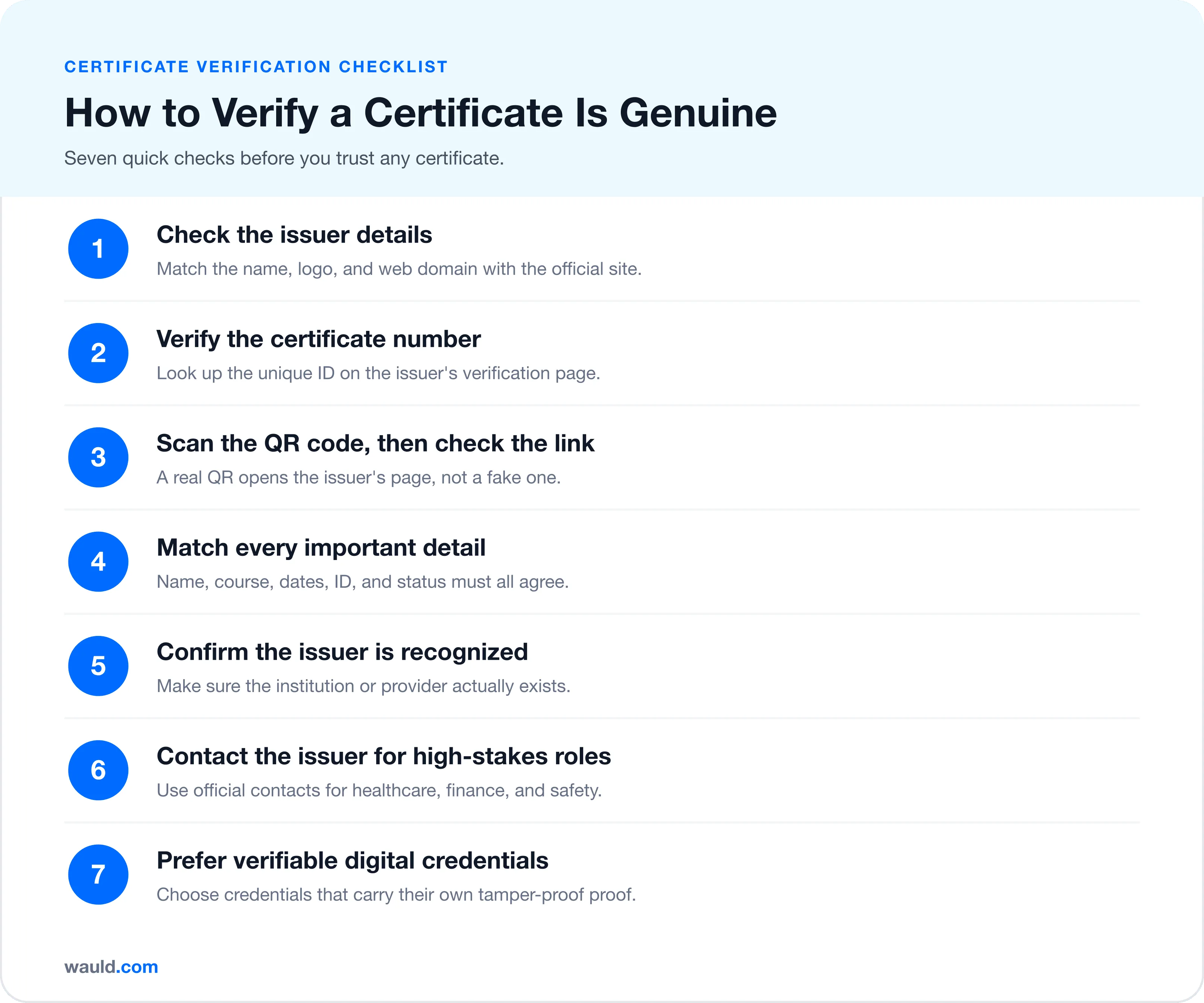
1. Check the issuer details
Start with the basics. Look at the issuing organization's name, logo, website, address, and contact details.
Then compare them with the official website of the institute, university, company, or training provider. Watch for small spelling changes in names and domains. Fraudulent certificates often use names that look almost correct.
For example, abcuniversity.edu and abc-university.org may not belong to the same organization.
If the certificate only lists a personal email address, an unknown domain, or a contact number that does not appear on the issuer's official website, treat it as a warning sign.
2. Verify the certificate number
Many genuine certificates include a certificate ID, registration number, roll number, credential ID, or serial number.
Use that number on the issuer's official certificate verification page, if one exists. A good certificate number verification system should show details like:
- Recipient name
- Course, program, or award name
- Issuer name
- Issue date
- Expiry date, if applicable
- Credential status, such as active, expired, or revoked
If the number does not work, do not immediately panic. Some older certificates may not be digitized. However, it is still a clear signal to check further.
3. Scan the QR code, then check the link
QR code certificate verification is useful, but only when the QR code points to a trusted verification page.
Do not just scan and accept the first page that opens. Check the domain.
A genuine QR code should usually take you to the issuer's official website or a trusted credential platform. A fake QR code can lead to a fake verification page that says, "Yes, this is real," with the confidence of someone who definitely made it five minutes ago.
A QR code is helpful only when the page behind it is trustworthy.
If you issue certificates, this is where platforms like Wauld help. Wauld lets issuers add unique verification links and QR codes to certificates, so employers and other verifiers can confirm certificate authenticity online. For a step-by-step walkthrough, see how to add a QR code for certificate verification.
4. Match every important detail
Once you reach the verification page, compare every important detail on the certificate against the verified record.
Check:
- Full name
- Course or achievement title
- Issuer name
- Issue date
- Expiry date
- Grade, score, level, or credential type
- Credential ID
- Current status
Even one mismatch matters. A real certificate issued to one person can be edited and used by someone else. Verification should confirm that the certificate belongs to the person presenting it.
5. Confirm the issuer is recognized
For academic certificates, check whether the institution is real and recognized by the relevant authority. For professional certificates, check whether the training provider, association, or company is legitimate.
This matters because some fake credentials do not come from fake documents. They come from fake institutions.
A certificate from a non-existent university is not "creative education." It is a problem wearing a graduation cap.
6. Contact the issuer for high-stakes cases
For roles in healthcare, finance, education, compliance, safety, or leadership, direct confirmation may still be necessary.
If there is no online certificate verification system, contact the issuer directly through official contact details listed on their website. Do not rely only on phone numbers or email addresses printed on the certificate.
This can take time, but it is still better than accepting a document that later creates legal, compliance, or reputational problems.
7. Prefer verifiable digital credentials
This is the real long-term fix.
A verifiable digital credential carries proof with it. It can show who issued it, whether it has been changed, and whether it is still valid. Instead of asking people to trust the design, it lets them verify the truth.
Standards such as W3C Verifiable Credentials and Open Badges 3.0 are helping education and training credentials become easier to verify, share, and trust.
That is a much better system for everyone involved.
Here is what fast, trustworthy verification looks like in practice, in three simple steps.
Manual verification vs digital certificate verification
Manual verification can work, although it is slow. It depends on emails, phone calls, staff availability, old records, and a lot of patience.
Digital certificate verification is faster because the proof is connected to the credential itself. A verifier can click a link, scan a QR code, or open a credential page and confirm the details quickly.
For issuers, this means fewer verification emails.
For HR teams, it means faster hiring checks.
For L&D teams, it means training certificates carry more value.
For students and learners, it means their hard work is easier to prove.
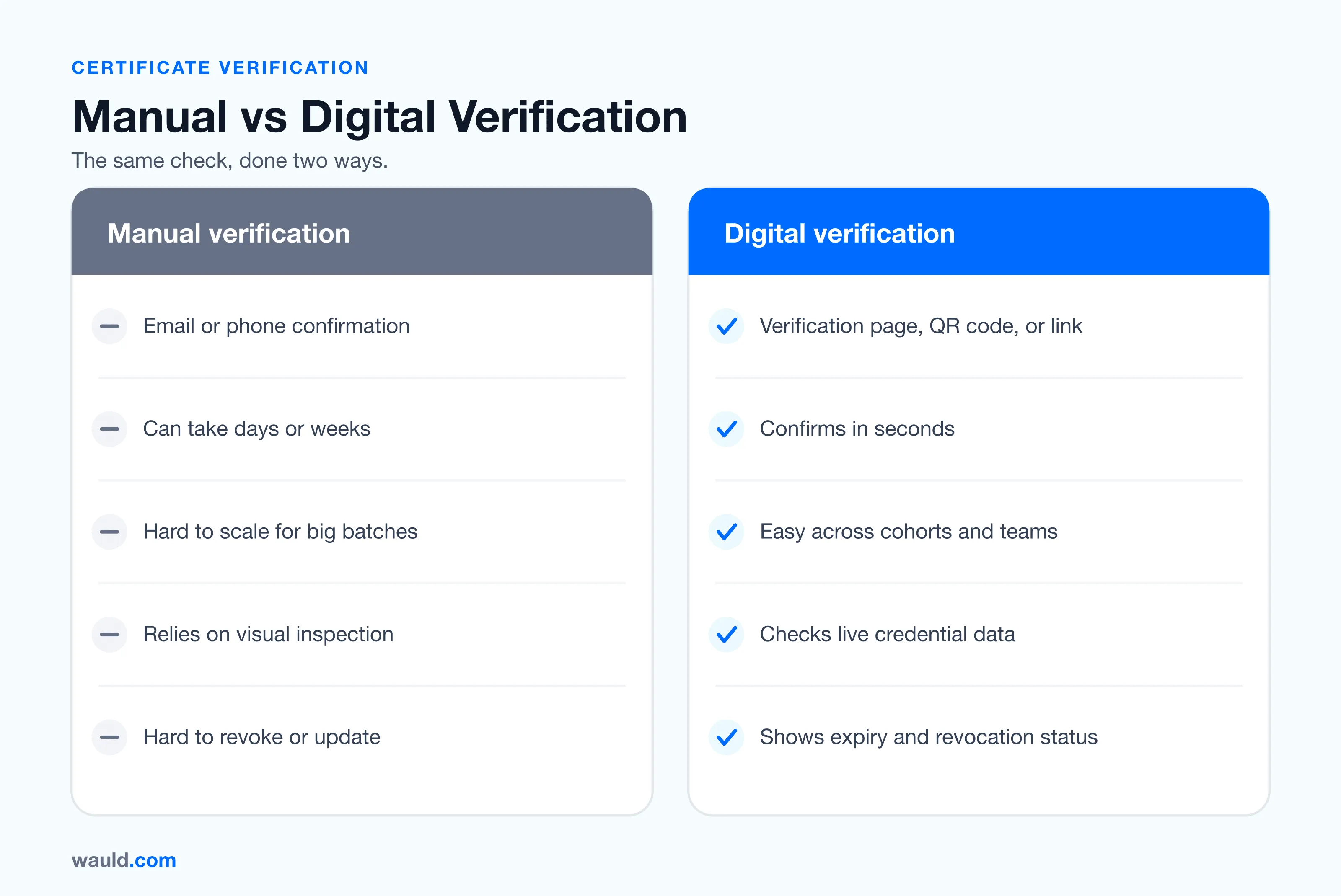
Here is the simplest way to think about it:
| Manual certificate verification | Digital certificate verification |
|---|---|
| Depends on email or phone confirmation | Uses a verification page, QR code, or credential link |
| Can take days or weeks | Can take seconds |
| Hard to scale for large batches | Easier to manage across cohorts and teams |
| Often depends on visual inspection | Checks live credential data |
| Difficult to revoke or update | Can show status changes, expiry, or revocation |
What a genuine certificate should include
A trustworthy certificate should include:
- Clear issuer name and branding
- Recipient's full name
- Course, program, or achievement title
- Issue date
- Expiry date, if relevant
- Unique certificate ID
- Verification URL or QR code
- Credential status
- Issuer contact or official website
- Tamper-resistant digital proof, where possible
The goal is not to make the certificate look fancy.
Fancy is nice, of course. We all enjoy a good border.
But the real goal is to make it verifiable.
Where Wauld fits in
Wauld is a digital credentialing platform that helps organizations design, issue, manage, and verify certificates and badges.
With Wauld, issuers can create professional digital certificates, add unique verification links and QR codes, issue credentials in bulk, and track how recipients use them. Wauld also supports structured credential metadata aligned with Open Badges 3.0, helping credentials carry richer information about the issuer, recipient, and achievement.
Here is how verifying a Wauld credential actually works:
- The recipient shares their certificate or badge with an employer, admissions team, or client.
- The verifier clicks the verify button on the credential to open its live verification page.
- Or they scan the QR code on the certificate, which opens the same verification page.
- The page confirms the details, such as the recipient name, issuer, achievement, issue date, and status.
That is it. No emails, no phone calls, no waiting.
In simple terms, Wauld helps make certificates harder to fake and easier to trust.
That is what I wish existed when I was watching deserving students lose out to people with fake certificates. Not because every recruiter was careless, but because the system gave them no easy way to check.
Whether you run a university or a training team, Wauld supports both higher education and corporate training credentials. If you are comparing tools first, see our roundup of the best credential verification software platforms ranked.
Wauld gives issuers a better option. Instead of sending certificates that only look official, you can send credentials that prove they are official.
Quick checklist for issuers
If you issue certificates, here is the practical checklist I would start with:
- Add a unique credential ID to every certificate.
- Add a QR code that points to a live verification page.
- Make sure the verification page shows the recipient, issuer, achievement, issue date, and status.
- Use official issuer branding, but do not depend on branding alone.
- Keep a searchable record of issued, expired, and revoked certificates.
- Make verification easy for employers, clients, and admissions teams.
- Move from static PDFs to verifiable digital credentials wherever possible.
This does not just help verifiers. It also protects your learners, employees, and alumni.
Final thoughts
Certificate verification matters because certificates affect real opportunities. Jobs, admissions, promotions, compliance approvals, and professional trust often depend on them.
From my own college experience, I saw how fake certificates can quietly reward the wrong people. The frustrating part was not only that students were forging certificates. It was that companies had no simple way to know.
Now, tools like Wauld show that there is a better way.
Educational institutes, HR teams, and L&D departments can issue certificates that are easy to verify, hard to fake, and useful for the people who earned them. That means less manual checking, fewer fake claims, and more trust in every credential you send out.
The people who do the work should be the ones who get the credit. Certificate verification helps make that happen.
FAQs On Certificate Verification
- How do certificate authorities enhance the verification of encrypted data? A certificate authority is a trusted party that issues digital certificates linking an identity to a public key. It signs each certificate, so a receiver can confirm the key is genuine and the encrypted data was not changed in transit. This chain of trust powers HTTPS.
- Who signs the verification on an oath or affirmation notarial certificate? A notary public signs and seals a notarial certificate for an oath or affirmation. The notary confirms the person's identity, watches them swear or affirm, then signs with an official seal. In some regions, a commissioner of oaths can do this too.
- What is certificate verification? Certificate verification is the process of checking that a certificate is genuine, valid, and issued by the organization it claims to come from. It confirms the recipient owns it, the details were not changed, and an employer or admissions team can trust it.
- What is the process of certificate verification? First, check the issuer details against the official source. Next, look up the certificate ID on the issuer's verification page. Then scan any QR code and confirm it opens a trusted page. Finally, match every detail, such as the name, dates, and status.