
What’s New in Wauld
Creating a digital credential should feel like a creative process, not a chore. We know that when you sit down to design and issue certificates, you want your tools to work with you instead of against you. To make that happen, our team took a close look at how our credential management platform is used every single day. We listened carefully to your feedback. The result is our latest product release. We packed this update with practical improvements designed to give you more control, eliminate busywork, and make the entire creation and management process smoother.
Here is a look at what is new.
A Smarter Design Studio User Experience:
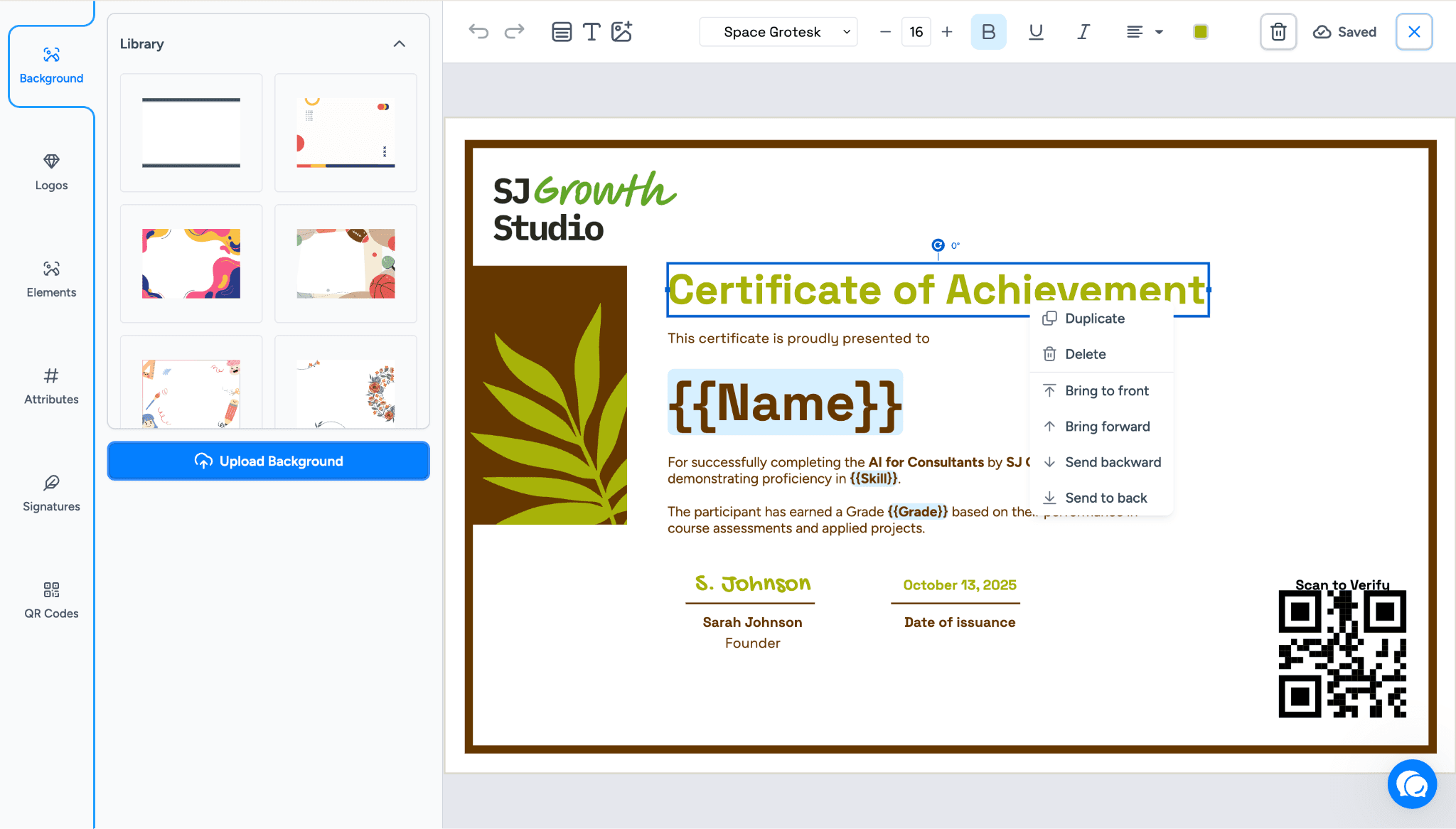
Designing a certificate can feel clumsy when you cannot easily move, rotate, or organize elements exactly how you want them. Without standard shortcuts or precise alignment tools, perfecting a design takes longer than it should. To address this, we upgraded the Design Studio to provide you with precise control over your canvas when creating customizable, verifiable credentials.
Keyboard Shortcuts:
You can now use standard copy and paste commands to easily manage the elements on your digital certificates. Use your arrow keys to nudge elements into the perfect spot. Hold Shift with the arrow keys to move elements more quickly.
Advanced Rotation:
You can hold the rotate icon to spin elements freely. The system displays the exact angle of rotation as you move it. For perfect alignment, the system automatically snaps elements at 45, 90, and 135 degrees.
Complete Layering Control:
Previously, elements were just stacked based on when they were added. This made it hard to adjust your background and foreground. Now, you have full control over the visual hierarchy. Right-click on any element to open a new context menu. From there, you can choose:
Duplicate: Creates an exact copy of the selected element and places it on top.
Delete: Removes the element from your canvas.
Bring to Front: Moves the element to the very top layer, covering anything underneath it.
Bring Forward: Moves the element up by exactly one layer.
Send Backward: Pushes the element down by exactly one layer.
Send to Back: Drops the element to the very bottom layer, placing it behind everything else.
Bulk Actions for Issued Credentials:
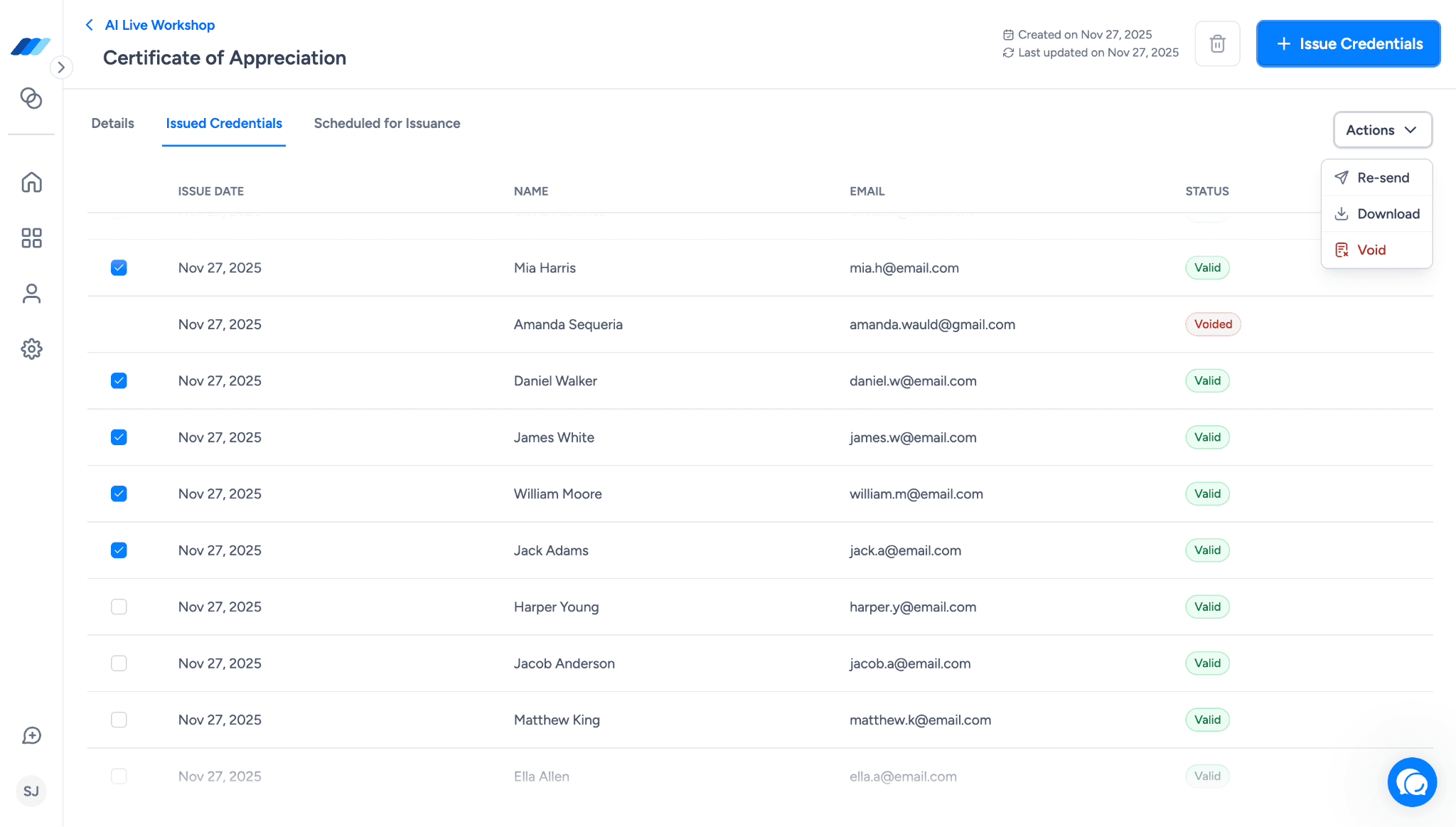
Managing issued credentials one by one is incredibly tedious. Going into each recipient's credentials just to resend an email or download a copy eats up valuable time when you are dealing with large groups. We changed that. Managing large batches of records is now much easier. Navigate to the Document Details View and open the Issued Credentials tab. Here, you can select multiple records at once to perform bulk actions.
Bulk Resend:
You can select multiple credentials and resend them all at once. This is a quick way to ensure delivery if a group missed their initial email.
Bulk Void:
Sometimes mistakes happen, or records need to be updated. You can select several credentials and void them simultaneously to keep your data accurate.
Bulk Download:
You can select multiple issued credentials and download them in one go. This saves you the trouble of saving them one by one.
Expanded Social Sharing Capabilities:
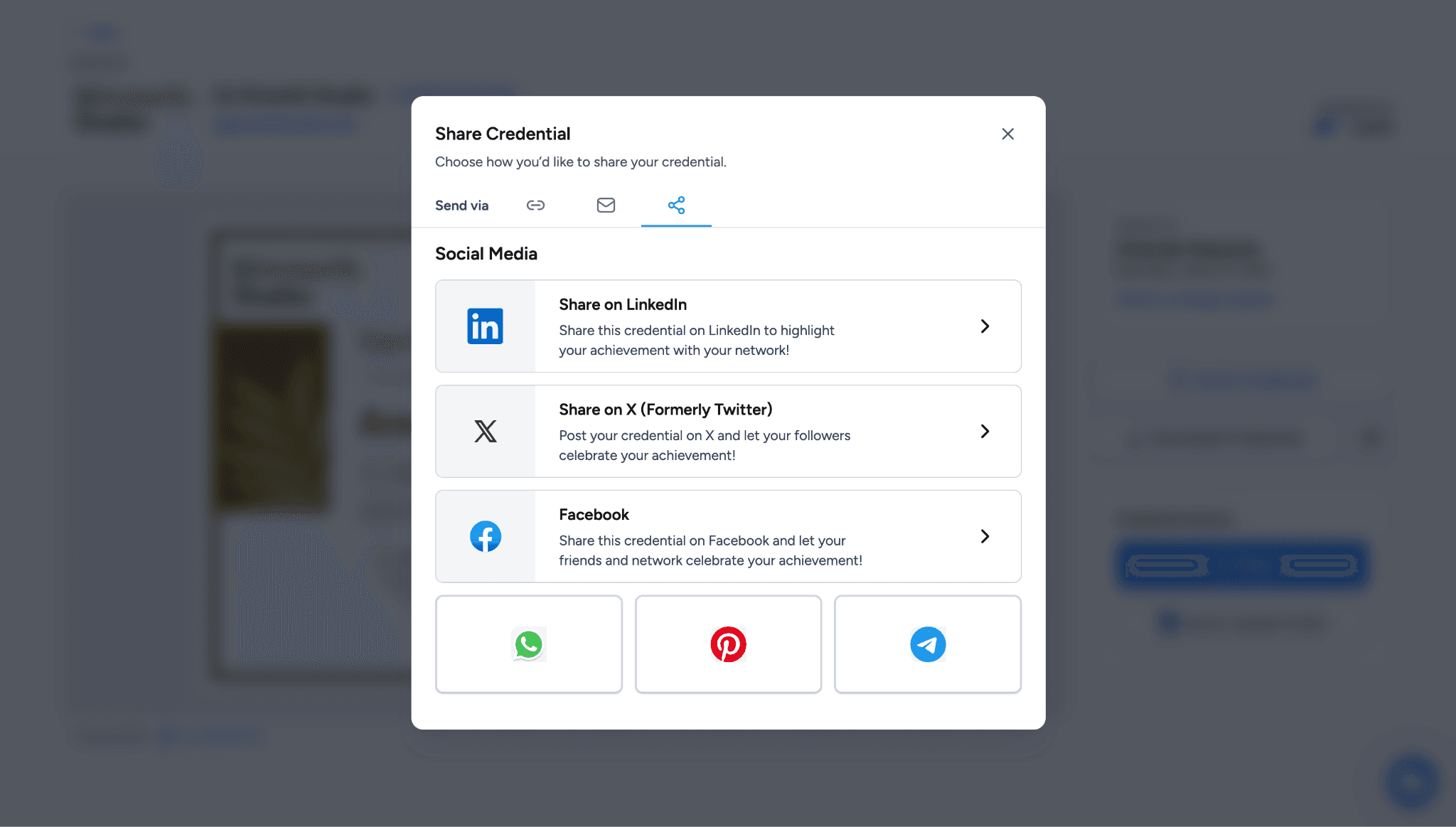
People want to share their achievements on the platforms they use the most. Limiting sharing options restricts the visibility of the credentials you worked hard to create. We want to make sure these achievements get the spotlight they deserve. Inside the recipient portal, the sharing options for your verifiable credentials have expanded far beyond LinkedIn. Credentials can now be shared directly to Twitter, Facebook, WhatsApp, Pinterest, and Telegram. To help track engagement, every single share done through these platforms is automatically logged in the credential history.
Upgraded Template Discovery for digital certificates and badges:
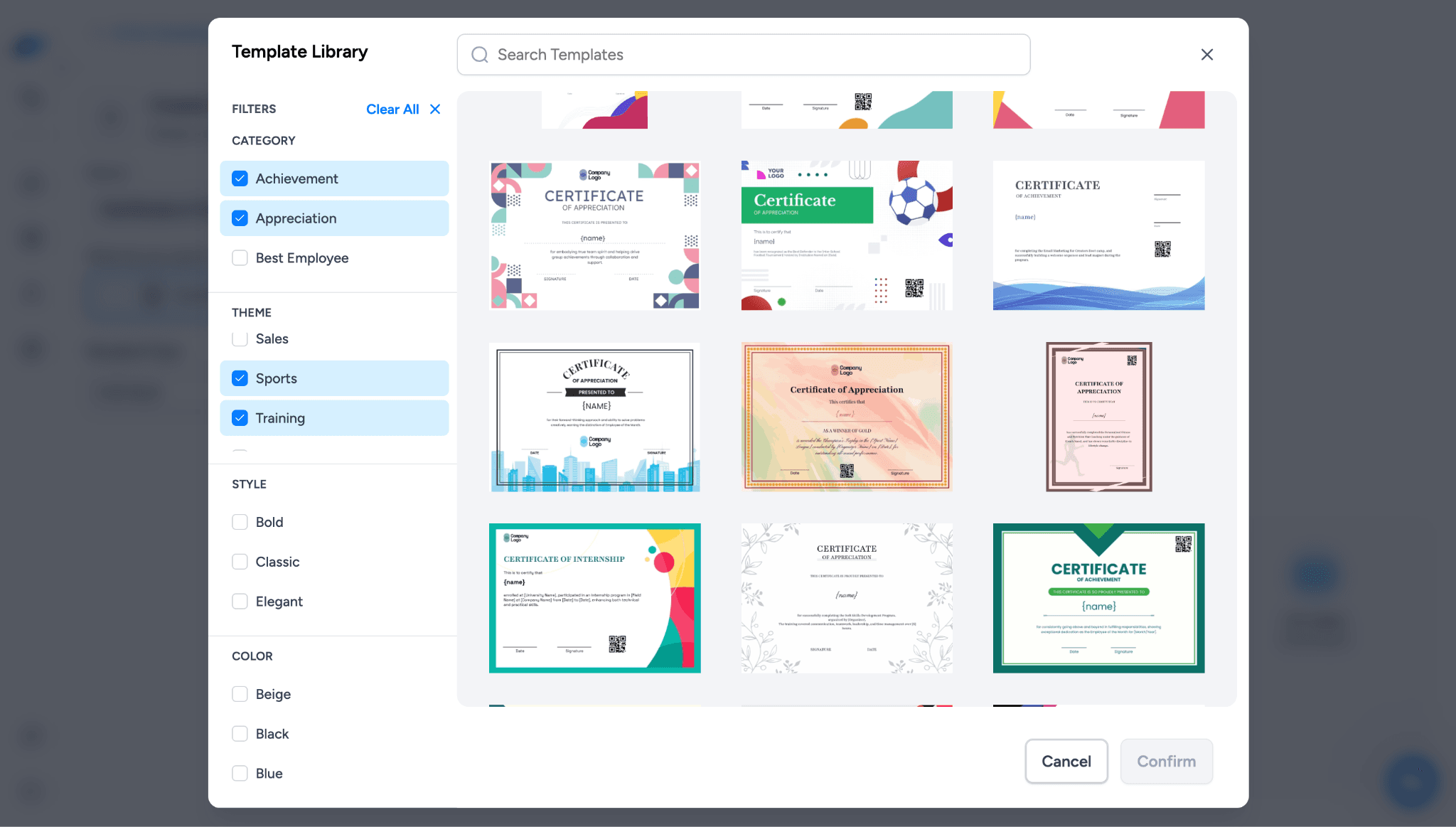
You can now find more than 900 templates in our template library, varying in different styles, categories, colors, and themes.
That being said, scrolling through a massive library of templates to find the exact style you need can be frustrating. A simple category search often leaves you sifting through options that do not match your vision. We solved this by enriching the template selector with brand new filters. Instead of only sorting by category, the template library now lets you filter by theme, style, and color. This makes finding your starting point much more straightforward.
Easier Sign In and Sign Up with Google SSO
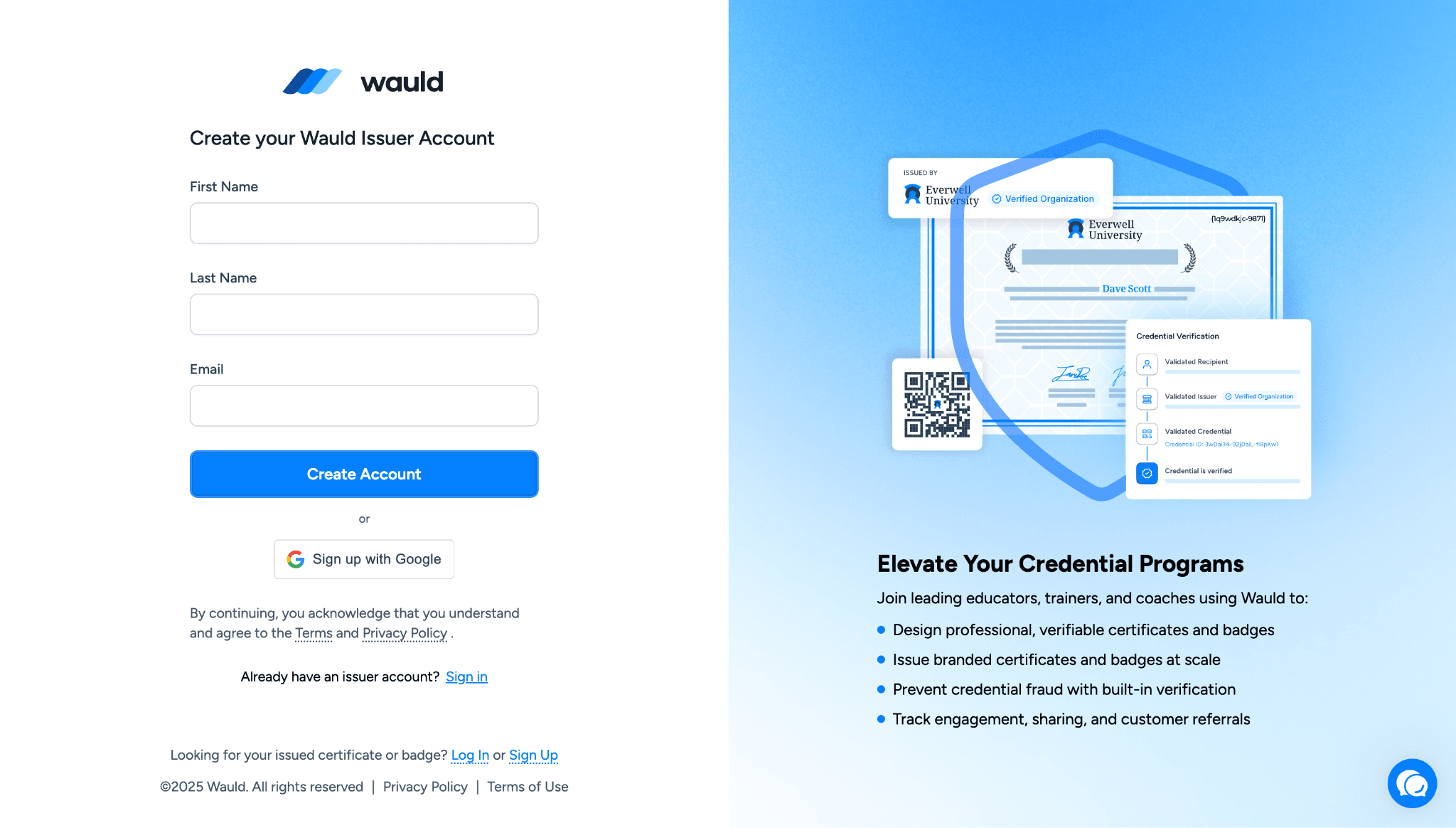
Remembering another password is an unnecessary hurdle. We removed this roadblock to give you quicker logins by adding Google Single Sign-On. You can log into your workspace faster and more securely without needing a new password.
Print Credentials with Ease
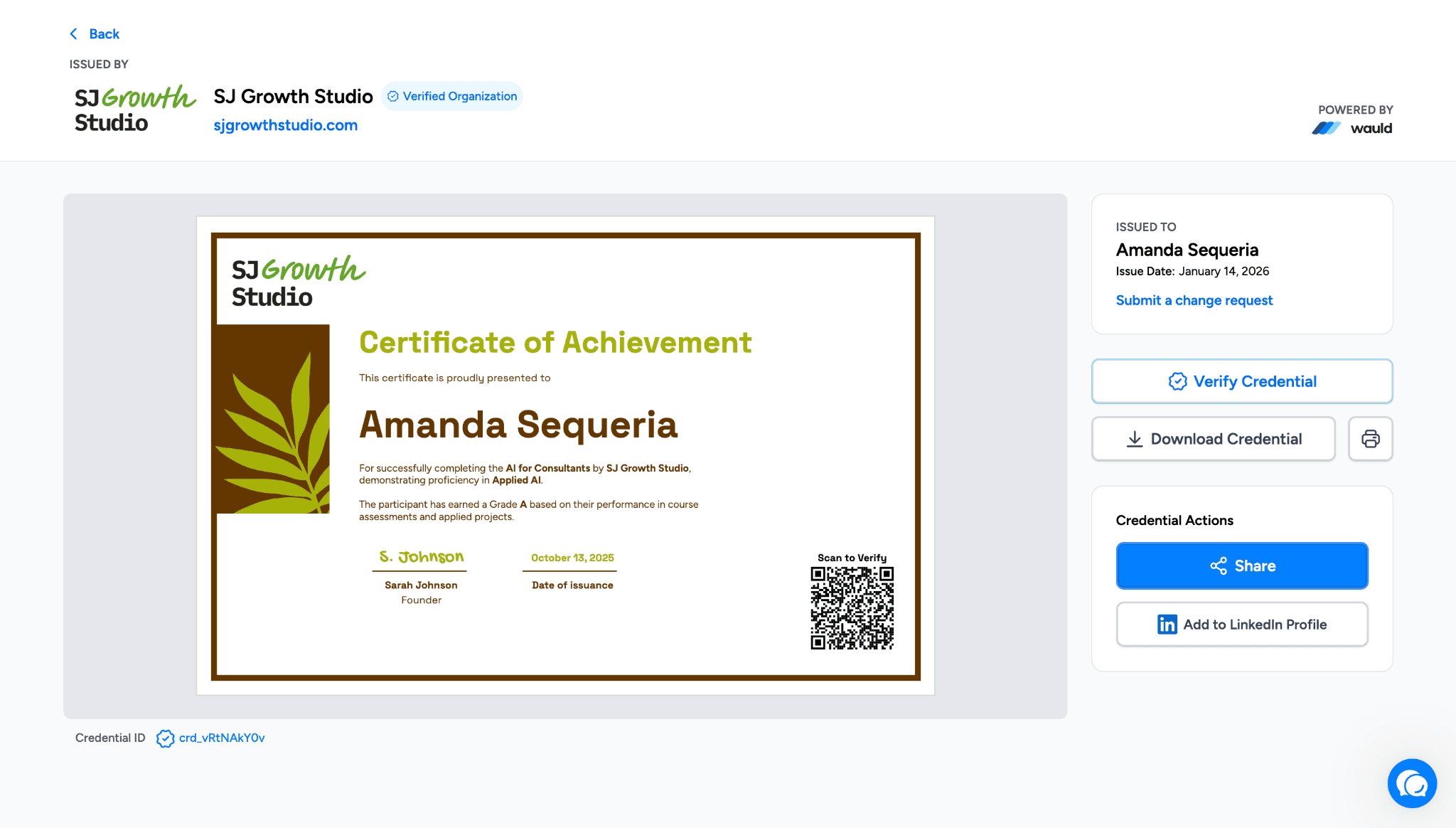
Physical copies matter. The ability to print digital certificates and badges is now available in the recipient portal under the credential details view. It is also available in the issuer portal. Just navigate through the recipient section to the credential audit log view.
Schedule Credential Issuance for the Right Moment
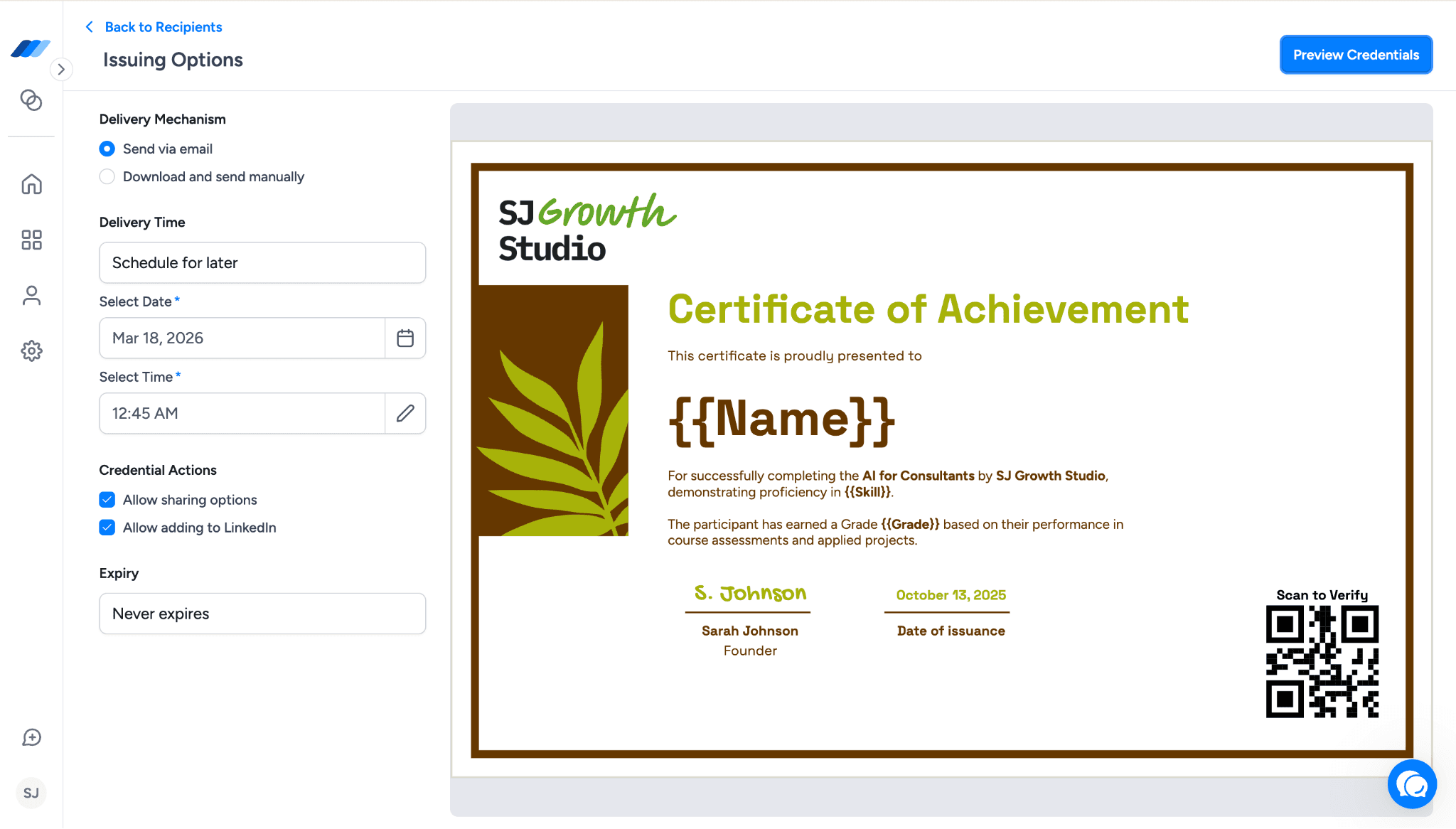
Timing matters when it comes to issuing certificates and badges. Whether it’s a graduation day, the end of a training program, or the completion of a cohort, credentials often need to be released at a very specific moment. With scheduled issuance in Wauld, you can now plan this and let the platform handle the rest.
Instead of sending credentials manually at the last minute, you can simply choose the exact date and time when they should be issued. This makes it much easier to coordinate announcements, events, or program milestones without worrying about missing the right window.
Before scheduling, you can review and confirm the batch details to make sure everything looks right. Once scheduled, all upcoming credential batches appear in a dedicated “Scheduled for Issuance” tab, so you always know what’s lined up next.
Plans can change, and the system is flexible enough to handle that. You can edit the issuance settings before the scheduled send time or cancel the batch entirely if needed. As the scheduled time approaches, you can also keep track of batches that are about to be issued.
This feature is particularly helpful for planned graduations, program completions, cohort-based certifications, and other situations where credentials need to reach recipients at just the right time. With scheduling in place, you can prepare everything in advance and focus on the moment itself while Wauld takes care of the delivery.
Download Credentials, Even Without Logging In
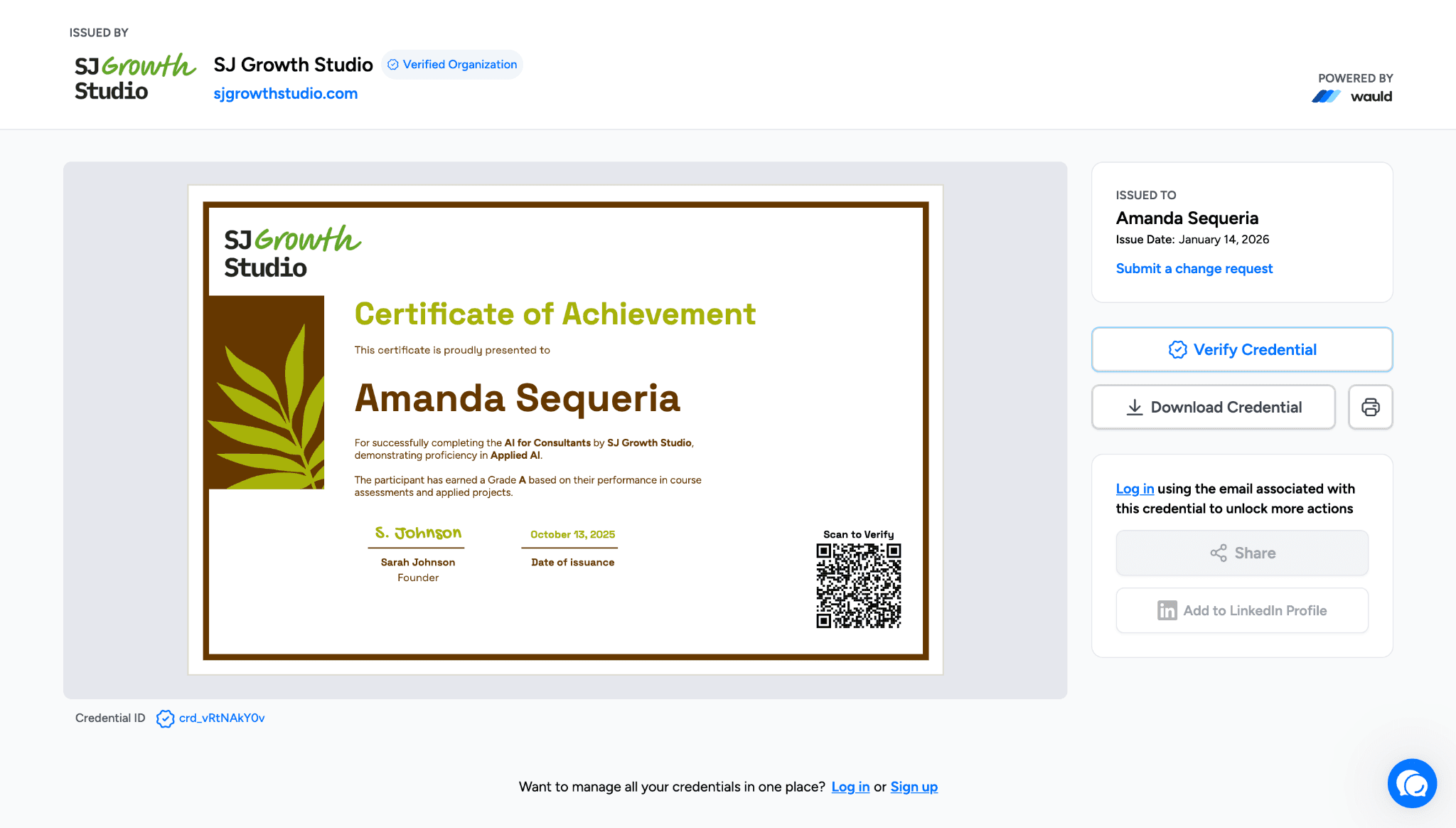
Sometimes recipients just want one simple thing: to download their certificate quickly. To make this easier, Wauld now allows recipients to download their credentials even if they are not logged in.
This small change removes an extra step that often slows people down. Instead of asking recipients to sign in before they can access their certificate, they can now download it directly when they open their credential link.
At the same time, actions that do require an account, such as sharing the credential or adding it to LinkedIn, are now shown more clearly. When recipients try to use these features, they will see a login prompt that explains what becomes available after signing in.
The result is a smoother experience for recipients who need quick access to their credentials, while still guiding them toward the additional features available once they log in.
Conclusion
Our team built these features to give you a more flexible and efficient experience in credentialing. We are always working to improve the platform, and these updates are a direct result of that ongoing effort. We hope these new tools make your daily tasks a little easier and a lot more enjoyable.
Log in to your Wauld dashboard today to try out the new Design Studio tools and see the changes for yourself!