Knowledge Anywhere LMS Digital Certificates Guide

Knowledge Anywhere LMS Digital Certificates Stop at a PDF
If you run employee training on Knowledge Anywhere LMS, you already know the platform handles course delivery well. What it does not handle is what happens to the certificate after it is issued.
Someone on your team just completed your compliance training. They passed the quiz, hit the 100% mark, and waited. A PDF landed in their downloads folder. That is where the credential journey ends. No verification link. No credential page. No way for their manager, a regulator, or a future employer to confirm the certificate is real without logging into the system.
If you run safety training, elearning programs, or compliance courses on this training platform, you have probably lived this moment. The learning management system is excellent at delivering and tracking training. But issuing certificates that work outside the platform is a different problem entirely.
This guide covers three things: what the native certificate system does, where it falls short, and how to connect it with Wauld to turn every course completion into a verifiable digital credential.
What Is Knowledge Anywhere?
Knowledge Anywhere is a cloud-based online training platform with over 25 years in the corporate training space. Built for L&D professionals, it helps organizations centralize managing, delivering, and tracking training across employees, customers, and partners. The platform is user-friendly enough for L&D teams to manage and track all programs without custom development required.
The platform covers the full training lifecycle. Admins can upload compatible courses, build learning paths, assign groups, track compliance, and generate reports. Creating and uploading LMS courses, whether SCORM courses built in-house or off-the-shelf training content, is straightforward.
The platform is designed to streamline course uploads and give learners a consistent user experience across devices. You can see the full learner experience in this official walkthrough demo.
Key LMS features include:
- AI-powered assessments: use existing training materials to auto-generate quizzes
- Badges and leaderboards: gamification to boost learner engagement
- Customization and branding: white-label and personalize the entire platform to your brand
- eCommerce: sell courses and generate passive income
- Reporting and analytics: schedulable, exportable compliance data
- Certificates: built-in credential builder tied to completions
It supports SCORM, xAPI, SSO, and integrates with OpenSesame, LinkedIn Learning, Microsoft Teams, Slack, and Zapier. The platform also supports microsites for organizational branding, enhanced reporting for compliance visibility, and scalability to meet the training needs of teams of any size.
For training teams managing compliance programs, onboarding, or extended enterprise initiatives, it is a capable and well-supported system.
The Native Certificate System: What It Does
The built-in certificate feature is documented in detail. You can also watch the design options video to see exactly what is customizable.
Here is how the four-step workflow operates in practice:
Step 1: Design. Use the positional editor in the admin dashboard. Upload a background image (recommended 994x768px), add your logo, set fonts, customize field placement by X/Y coordinates. Available fields include learner name, course name, date, score, CEUs, and course code.
Step 2: Attach. Assign the SCORM-verified certificate template to a course. Set a minimum passing score on quiz questions or a completion percentage as the threshold to recognize achievements.
Step 3: Auto-issue. Once a learner meets the criteria, the download button appears on their Course Details page and they save a PDF. See the full learner experience here.
Step 4: Optional sharing. If the admin enables LinkedIn sharing per course, users can add the completion to their LinkedIn profile from the Transcript page.
For basic compliance tracking and internal proof of completion, it works well.
The Real Gap: What Knowledge Anywhere LMS Digital Certificates Cannot Do
The native system handles the administrative side well. The problem begins the moment these digital certificates need to work outside the platform.
| Gap | What it means in practice |
|---|---|
| No public verification | No QR code, no URL. Employers cannot confirm authenticity without platform access |
| No post-issuance tracking | Zero visibility into who opened, shared, or verified their certificate |
| No expiry reminders | Completion status resets silently. No notification reaches the recipient |
| Limited sharing | LinkedIn only, buried in the Transcript page, requires admin to enable per course |
| No credential wallet | PDFs scatter across downloads folders with no central place to collect them |
| Basic design tooling | No template library. Every certificate is built from scratch using coordinate controls |
This is a limitation across most training platforms built for course delivery first and credentialing second. Knowledge Anywhere's LMS is feature-rich and easy to navigate for training managers, but its certificate output is not trackable once it leaves the platform. Wauld has documented the same gap with Thinkific and Kajabi, and the pattern is consistent across the category.
For a deeper breakdown, read Wauld's comparison of LMS certificates vs digital credentialing platforms.
What Wauld Adds to Knowledge Anywhere LMS Digital Certificates
Wauld is a dedicated digital credential platform for workforce training teams. It manages the complete lifecycle of certificates and badges: design, issue, track, verify, and share.
Whether your programs cover professional development topics, compliance requirements, or diverse learning styles, Wauld lets you leverage your existing LMS while adding a credential layer it does not have. It does not replace your training platform. It picks up exactly where course delivery stops.
Here is what changes when you connect the two.
For admins and training teams:
- 1000+ professional templates. Choose from a library of professionally designed certificate and badge templates covering welcome badges, event attendance certificates, CPD completion credentials, certification program badges, committee recognitions, and anniversary milestones.
- Bulk issuance via CSV. Upload a spreadsheet of completions and issue credentials to hundreds of recipients in one operation. See how much time this saves per certificate.
- Engagement analytics. Track open rates, downloads, LinkedIn shares, and verification counts per credential. Turn certificates into a measurable training metric.
- Automated expiry reminders. Wauld sends multiple reminders as credentials approach expiration. Recipients are notified before the status resets, not after.
- Full lifecycle control. Edit, revoke, or reissue any credential from the dashboard. The verification page updates instantly.
For learners:
- Proactive inbox delivery. Instead of downloading a PDF from the Transcript page, learners receive a branded credential email seconds after issuance.
- One-click sharing. LinkedIn, Facebook, X, email links, and secure credential URLs. No buried menu, no admin opt-in required.
- Personal credential wallet. Every certificate earned lives in one secure place, accessible 24/7 from any device and addable to Apple Wallet.
- Instant public verification. Each credential has a unique UUID, a public verification page, and a QR code. Anyone confirms authenticity in one click. No login needed.
For compliance teams:
- Open Badge 3.0 compliant. Open Badges is the international portability standard. Wauld certificates and badges are recognized across any platform that supports the standard. Knowledge Anywhere PDFs are not.
- KYC-verified organization badge. Organizations can complete identity verification to earn a trust badge visible on every credential they issue, adding data security and advanced security to the credentialing process.
- eCommerce capabilities. For organizations with eCommerce enabled on their LMS, Wauld credentials add visible proof of value that helps convert and retain paying learners.
Want to understand why this matters beyond the PDF? Read Wauld's guide on why course certificates are a must for your training program. Or see LMS certificates vs digital credentialing platforms for a side-by-side breakdown.
How to Connect the Two Platforms
As the screenshot in this post shows, the Knowledge Anywhere Zapier app currently has only one action available: Create User. There is no native completion trigger. The two methods below are how you connect them today.
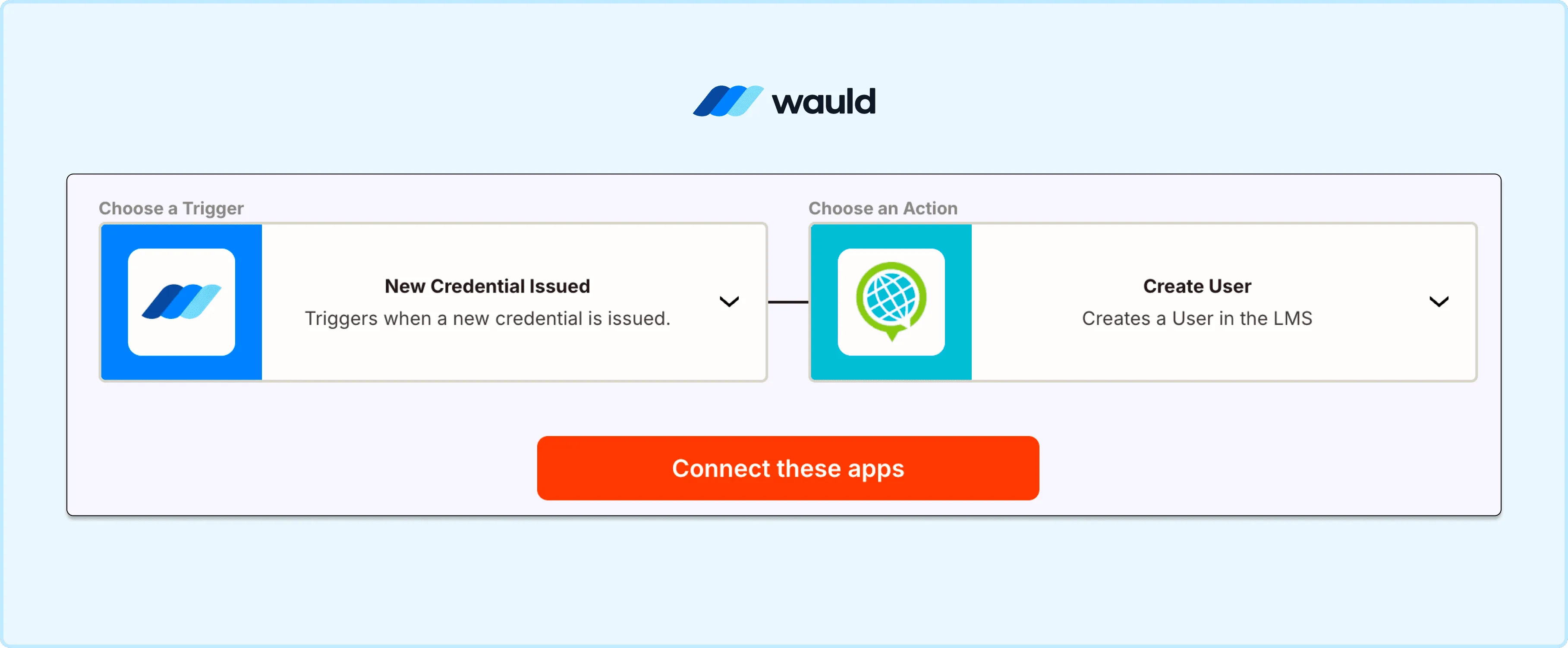
Automate learner onboarding by connecting Wauld and Knowledge Anywhere LMS.
The two methods below are how you connect them today.
Method 1: Zapier via API Polling (Near Real-Time, No Code)
This method pairs the Public REST API with Wauld's Zapier integration. For a full step-by-step walkthrough, Wauld's Zapier guide covers the complete workflow.
Before you start, you need:
- An admin account with API access enabled (Admin View → Settings → Public API Keys)
- A Zapier paid Starter plan for multi-step Zaps (~$19.99/month)
- A Wauld account with at least one certificate template ready
Setup steps:
- Generate API keys. Go to Admin View → Settings → Public API Keys → Add Public API Key. Enter your site name and URL. Copy your Client and Secret keys to generate your bearer token.
- Create a Zap. Use Schedule by Zapier as the trigger. Set it to run hourly or daily based on your completion volume.
- Add a Webhooks by Zapier step. Make a GET request to your API endpoint for learner completion records. Pass the bearer token in the Authorization header. Filter results for completions since your last run.
- Add Wauld as the action. Select Issue Credential, connect your Wauld account via the access token from Wauld Integrations, then map learner name, email, course name, and completion date to your template fields.
- Test and publish. Review the mapped data, run a test credential, confirm delivery to inbox, then publish the Zap.
Once live, every new completion triggers an automatic Wauld credential. It is branded, verified, and delivered to the learner's inbox without any manual work.
The native Zapier app only supports Create User and does not have a native completion trigger. The polling setup above is the current workaround until a native trigger is available.
Cost breakdown:
| Tool | Plan needed | Cost |
|---|---|---|
| API access | Any paid plan | Included |
| Zapier | Starter (multi-step Zaps) | ~$19.99/month |
| Wauld | Free (up to 300 credentials) | $0 to start |
Method 2: Bulk CSV Upload (Zero Setup, No Code)
This is the simplest path and needs nothing beyond a spreadsheet. Ideal for historical completions or teams that run weekly and monthly credentialing batches.
Step 1: Export. Go to Reporting → Course Reports → Course Details (or Learner Reports → Learner Details). Filter by course and date range. Export to a spreadsheet.
Step 2: Format. Your CSV needs: recipient first name, last name, email, course name, and completion date. Add any custom fields your Wauld template requires.
Step 3: Upload to Wauld. Select your certificate template, click bulk issue, and upload the file. Wauld generates personalized certificates for every row and delivers them to each inbox in one operation.
A batch of 200 completions takes roughly 20 minutes. Every recipient gets a verifiable, shareable credential the same day. See exactly how much time bulk issuance saves vs manual certificate creation.
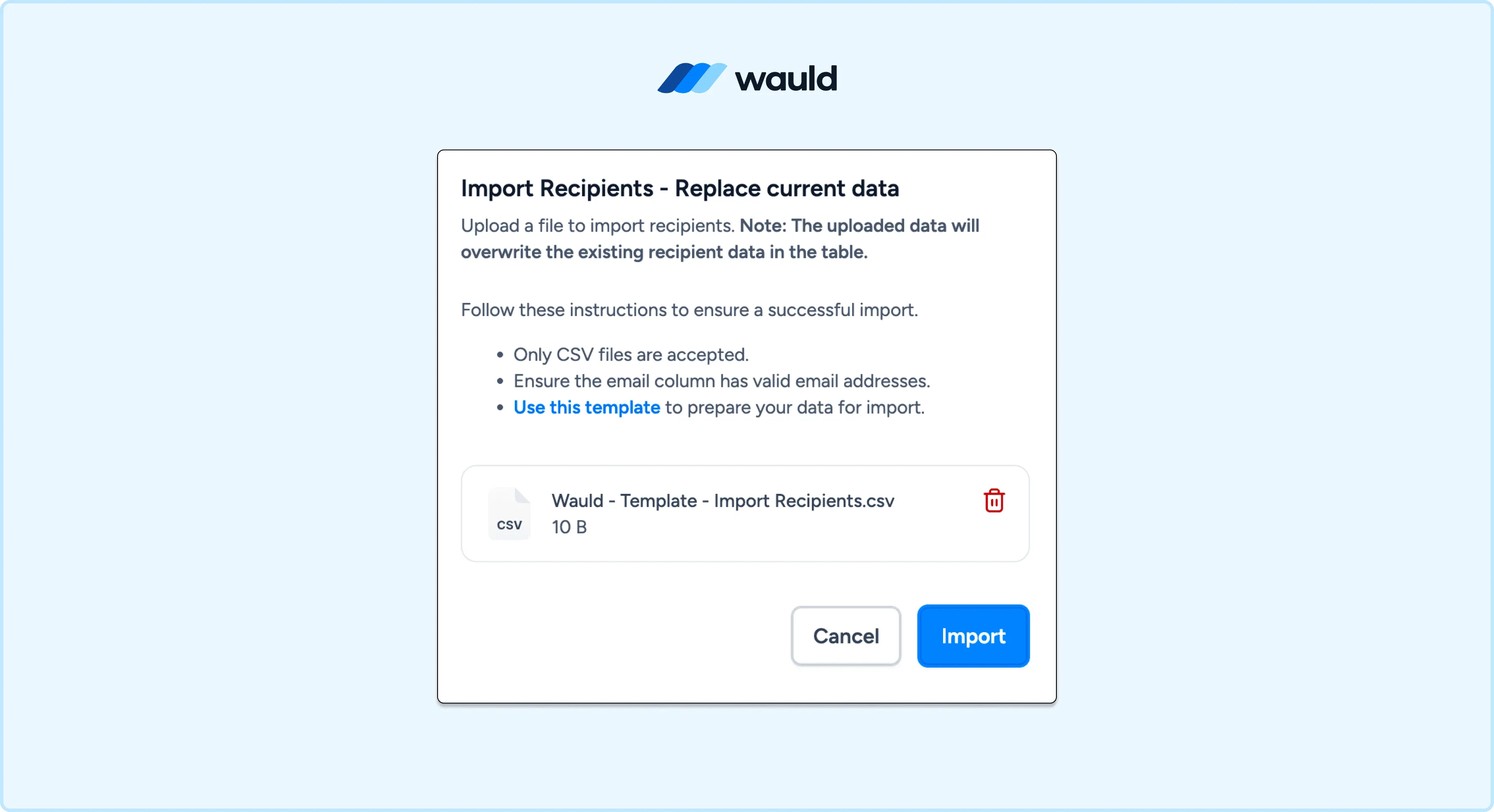
Issue digital credentials at once with Wauld’s bulk CSV issuance feature.
Comparing All Three Options
| Method | Automated | Verifiable | Best for |
|---|---|---|---|
| Native certificates (PDF) | Yes | No | Basic internal compliance |
| Zapier + Wauld | Near real-time | Yes | Ongoing automated issuance |
| Bulk CSV to Wauld | Batch only | Yes | Historical records, small teams |
What Happens After the Credential Goes Out
With Wauld, the certificate does not stop being useful once it lands in an inbox.
Recipients get a personal credential page to view, download, and share their certificate. They can add it to LinkedIn, send a verification link to a manager, or let anyone confirm authenticity with a single QR scan. Every Wauld credential is built for this from the start.
On the issuer side, the dashboard shows open rates, shares, and verifications across all issued credentials. If a certification expires or needs to be voided, you revoke it from the dashboard and the verification page updates instantly.
This is the difference between issuing a PDF and issuing a digital credential. The PDF sits in a downloads folder. The credential keeps working.
Ready to Upgrade Your Knowledge Anywhere LMS Digital Certificates?
The platform is an excellent solution for workforce training programs. Its reporting, learning paths, standards-based course support, and compliance tracking are genuinely strong.
The certificates just need to do theirs.