Whova Certificates: How to Issue Verifiable Digital Credentials

Whova Certificates
Your attendee just finished every session your event required. Whova tracked it, qualified them, and emailed out a certificate. Then that certificate just sits in an inbox.
There is no verification page and no QR code attached to it. There is no way for an employer to confirm it is real without contacting your team directly. If your event issues CEU hours or CPD credits, a Whova certificate alone is not built to carry that weight.
This guide on Whova certificates covers what the native tool does well and where it falls short. It also shows three ways to connect Whova to Wauld so every certificate becomes a verifiable digital credential.
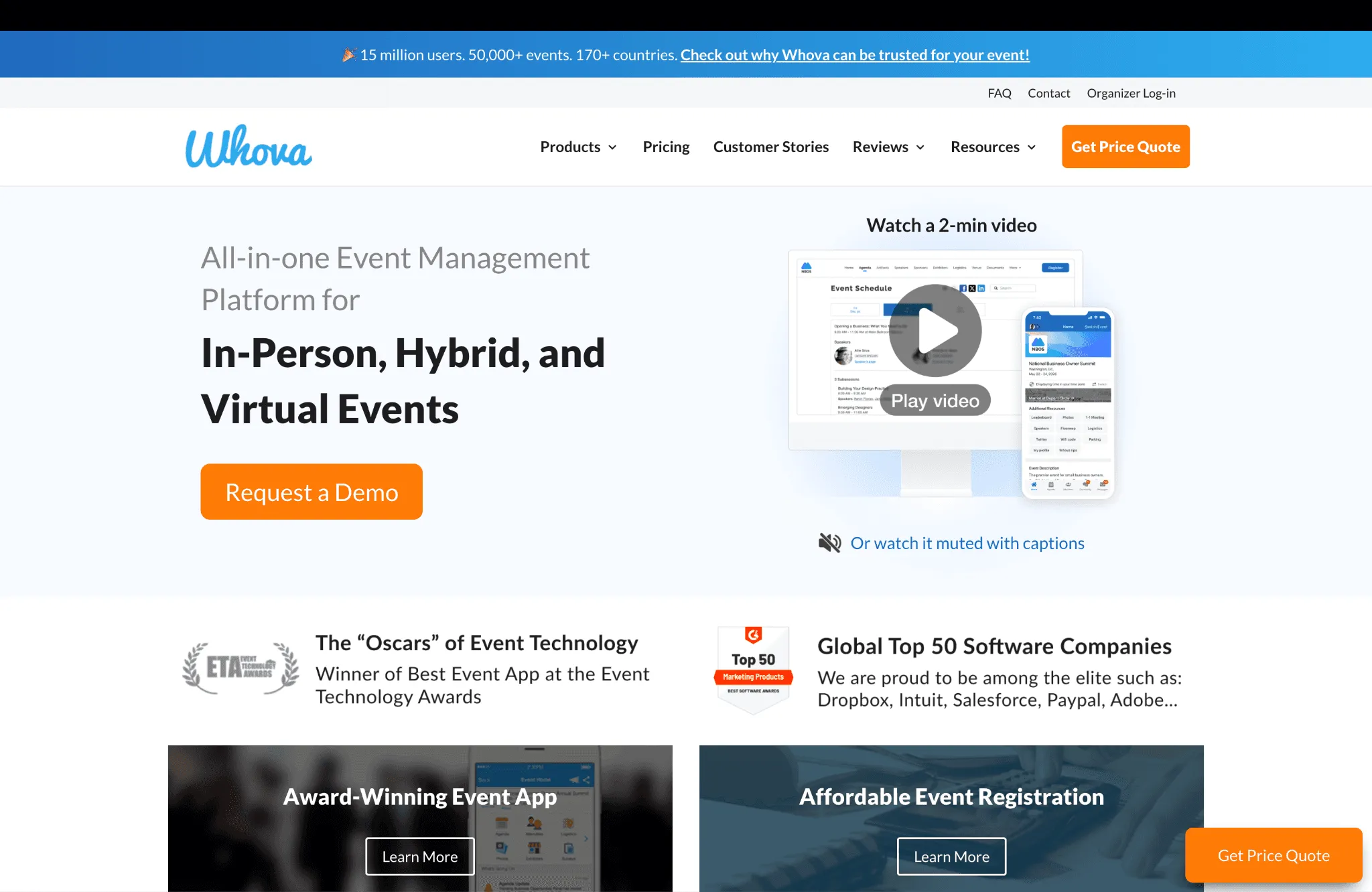
Whova's event management platform
How Whova Lets Organizers Generate and Distribute Certificates
Whova is an all in one event management platform built for in person, hybrid, and virtual events of any size. Alongside its event app and registration system, Whova includes built in certificate generation with no third party software required.
Whova first introduced Certificate Generation and Distribution in 2022. The feature lets organizers identify qualifying attendees and issue certificates directly inside one platform, using the same attendance tracking organizers already rely on to run sessions.
Here is how the native flow actually works, per Whova's own release notes:
- Qualification. Organizers set which sessions an attendee must attend to qualify. Virtual attendance tracks automatically, while in person attendance tracks through session check in.
- Design. Certificates use professionally designed templates with drag and drop tools that make certificate design simple. Standard fields include event name, logo, award description, and a signature.
- Tiered customization. Whova expanded this with Premium and Enterprise Certificates. Enterprise specifically adds six fields, including credit hours, session name, and professional affiliation, and the upgrade also enabled multiple certificate designs per event, such as separate versions for in person and virtual attendees.
- Distribution. Recipients are selected through session tracking or manually by the organizer, then certificates go out by email or in app message. Batch size is capped at 1,000 certificates on Whova's Premium plan and 3,000 on Enterprise, as detailed on Whova's pricing page.
Whova also lets organizers qualify recipients by survey or feedback completion, which works alongside attendance rather than instead of it.
Where Whova's Native Certificates Fall Short
Whova's certificate tool genuinely solves the hard part well. Tracking session attendance and matching it against a certificate design template is real operational work, and Whova handles it in one dashboard. The gaps show up after the certificate is generated, not before.
Here is what is missing once a certificate leaves Whova:
- Unique identifier or QR code attached to the file
- Public verification page for employers or licensing boards
- Structured LinkedIn integration built into the share flow
- Engagement tracking after a certificate is sent
- Workflow for editing or voiding a certificate
- Automated revocation or renewal reminder for expired certificates
- Way to combine credentials across multiple Whova events
A recipient can still add a Whova certificate to LinkedIn manually, through LinkedIn's Licenses and Certifications section. Without a credential URL, though, it shows no verify button for viewers. If a name is misspelled afterward, there is no described workflow for fixing it, since the process runs in one direction: generate, send, done.
Whova's own certificate enhancement post does not describe what happens when an expiration date arrives. There is no automatic revocation and no renewal reminder sent to the recipient.
The table below summarizes what each gap costs an organizer in practice.
| Gap in Whova's Native Tool | Practical Cost to the Organizer |
|---|---|
| No QR code or unique ID | Recipients cannot prove authenticity independently |
| No LinkedIn credential URL | Shared certificates carry no verify button |
| No engagement tracking | No visibility once a certificate is sent |
| No edit or void workflow | Mistakes require a full manual resend |
| No expiry automation | Renewals must be tracked outside Whova |
| Batch cap by subscription tier | Volume tied to event plan, not certificate need |
| Single event qualification scope | No way to issue one multi event credential |
None of this is a flaw in what Whova is built for. Whova is an event management platform first, and certificates are one feature inside a much larger toolset. The certificate layer was not built to be a standalone, verifiable credentialing system, and that is exactly where Wauld comes in.
What Wauld Adds to Whova Certificates
Wauld is a dedicated digital credential platform built to design, issue, verify, and track certificates and badges at scale. It does not replace Whova. It is the credential layer Whova's certificate tool was never built to be.
What Every Recipient Gets With a Wauld Certificate Template
Here is what changes once a Whova certificate routes through Wauld:
- A unique ID and QR code on every certificate, linked to a public verification page.
- One click LinkedIn sharing that auto fills the credential URL field.
- An issuer dashboard to manage certificates from issuance through expiry, showing opens, downloads, and third party verifications.
- Full post issuance control to edit, reissue, or void a credential.
- Automated expiry and renewal reminders for CEU or CPD recertification.
- Over 1,000 certificate and badge templates, available on every plan.
An employer or licensing board can confirm authenticity in seconds, with no contact with your organization required. One click LinkedIn sharing is built into every credential, so a viewer sees a working verify button on the credential page. A manually entered Whova certificate cannot offer that on its own. For the full mechanics, see Wauld's guide to leveraging digital credentials on LinkedIn.
Wauld's issuer dashboard tracks engagement after issuance, showing who opened a credential and when, plus download counts and third party verifications. None of this exists in Whova's native flow. Organizers also get full post issuance control to edit and reissue a credential when a detail needs correcting, void a credential to mark it invalid, and process change requests through a structured workflow.
Whova can resend certificates to attendees who qualify later, but it does not describe a way to edit or correct a certificate that has already been sent. Wauld supports both from one dashboard. Expiry dates also trigger automated renewal reminders, which matters for any program tied to CEU or CPD recertification, a use case covered in CPD Certification: What It Is and Why It Matters.
Credential volume is not tied to an event subscription tier either. For a deeper comparison of native tools versus dedicated software, see LMS Certificates vs Digital Credentialing Platform.
Whova Certificates vs Wauld Digital Credentials
| Feature | Whova Native Certificate | Wauld Digital Credential |
|---|---|---|
| Verification | No QR code or unique ID | Yes, QR code plus unique ID |
| LinkedIn credential URL | Manual, no verify button | Auto filled, one click |
| Post issuance editing | Not supported | Edit, reissue, or void |
| Renewal reminders | Field only, no automation | Automated |
| Engagement analytics | Send confirmation only | Opens, shares, verifications |
| Batch limit | 1,000 to 3,000 per send | Scales by plan, not by event |
| Multi event credentials | Not supported | Supported |
| Template count | Tiered, count not published | 1,000 plus, all plans |
How to Connect Whova and Wauld
There is no single right method for every team. The right choice depends on your Whova plan and whether your certificates are tied to registration or to session attendance.
Method 1: Bulk CSV Upload
This is the fastest path, and it works regardless of your Whova plan. Whova already builds a qualified attendee list using its own session tracking, and that export is everything Wauld needs to start.
- In Whova, export your qualified recipient list with name, email, and session details.
- Clean the file, removing duplicates or anyone who did not meet the criteria.
- Log in to Wauld and pick a template from the gallery.
- Upload the CSV and map the name and email columns.
- Preview a sample certificate to confirm every field is correct.
- Click Issue. Wauld emails a verifiable certificate to every recipient at once.
This method needs no Zapier subscription and no technical setup, making it the right starting point for most single event organizers.
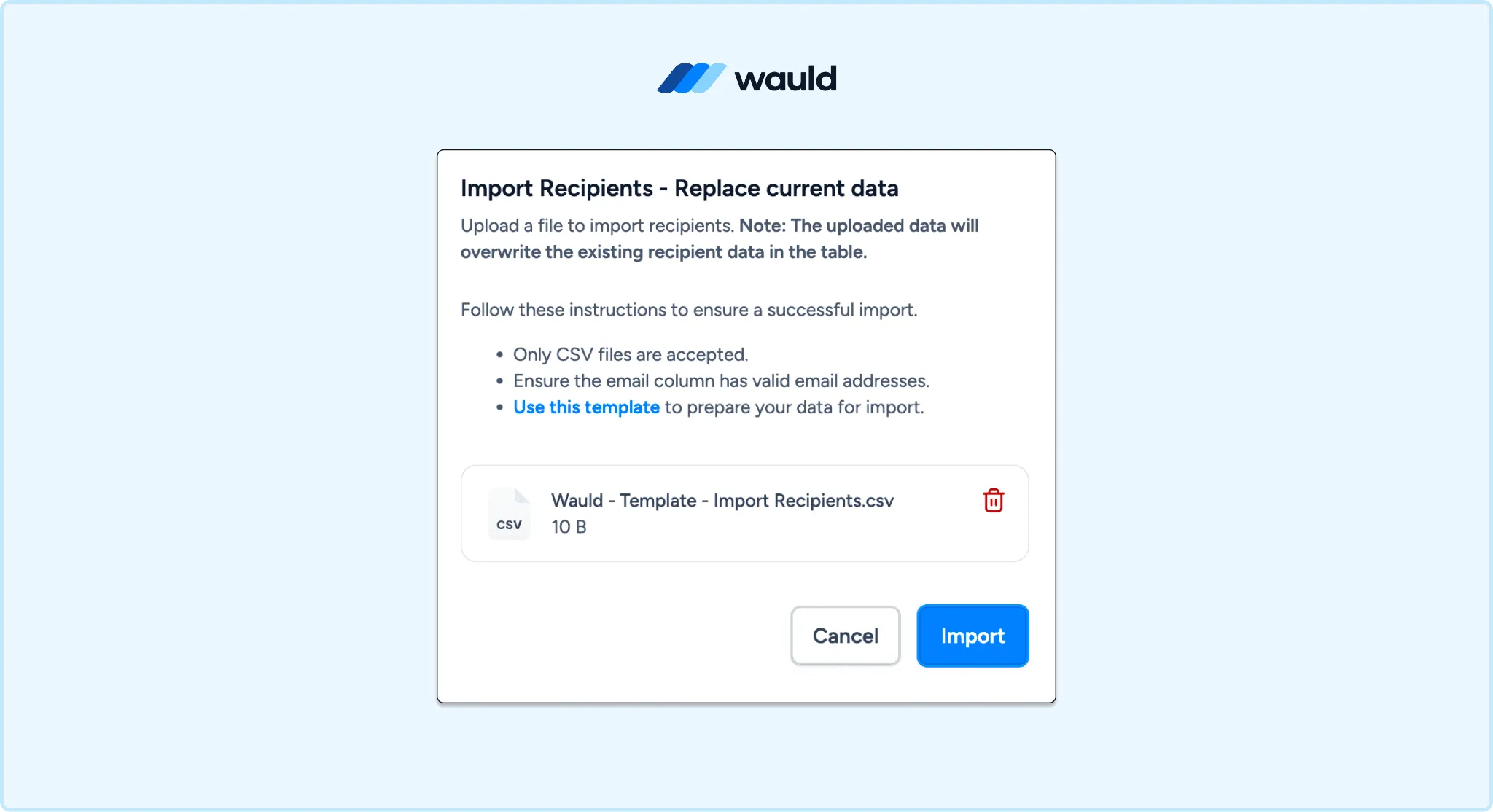
Import attendee data into Wauld using a CSV file to bulk issue verifiable certificates and digital credentials.
Method 2: Zapier Automation
Whova has a documented Zapier app. For background, Zapier explains triggers and actions in general, and the screenshot below shows the exact trigger menu in Whova's case..
Three triggers are available. Get Attendees fires on any change to the attendee list, Get Registrants fires when someone submits a registration form, and Get Orders fires on any order change. The available action is Create or Update Attendee, which accepts name, email, title, affiliation, location, and ticket type.
A Zapier flow can issue a credential the moment someone registers, which works well for a welcome badge or entry confirmation. It does not cover attendance based certificates natively, since session completion data is not exposed as a trigger today.
For registration triggered credentials, create a new Zap with Whova as the trigger, choose Get Registrants, and connect your account. Set Wauld as the action app and choose Issue Credential, then map the registrant's name and email and select your design.
For attendance qualified certificates, the practical workaround is a Google Sheets bridge. Export your qualified list into a Sheet after the event, and let a New Row trigger fire the Wauld Issue Credential action. This mirrors the middleware approach used for platforms without a native completion trigger, covered further in How to Automate Certificate Issuance With Zapier and Wauld.
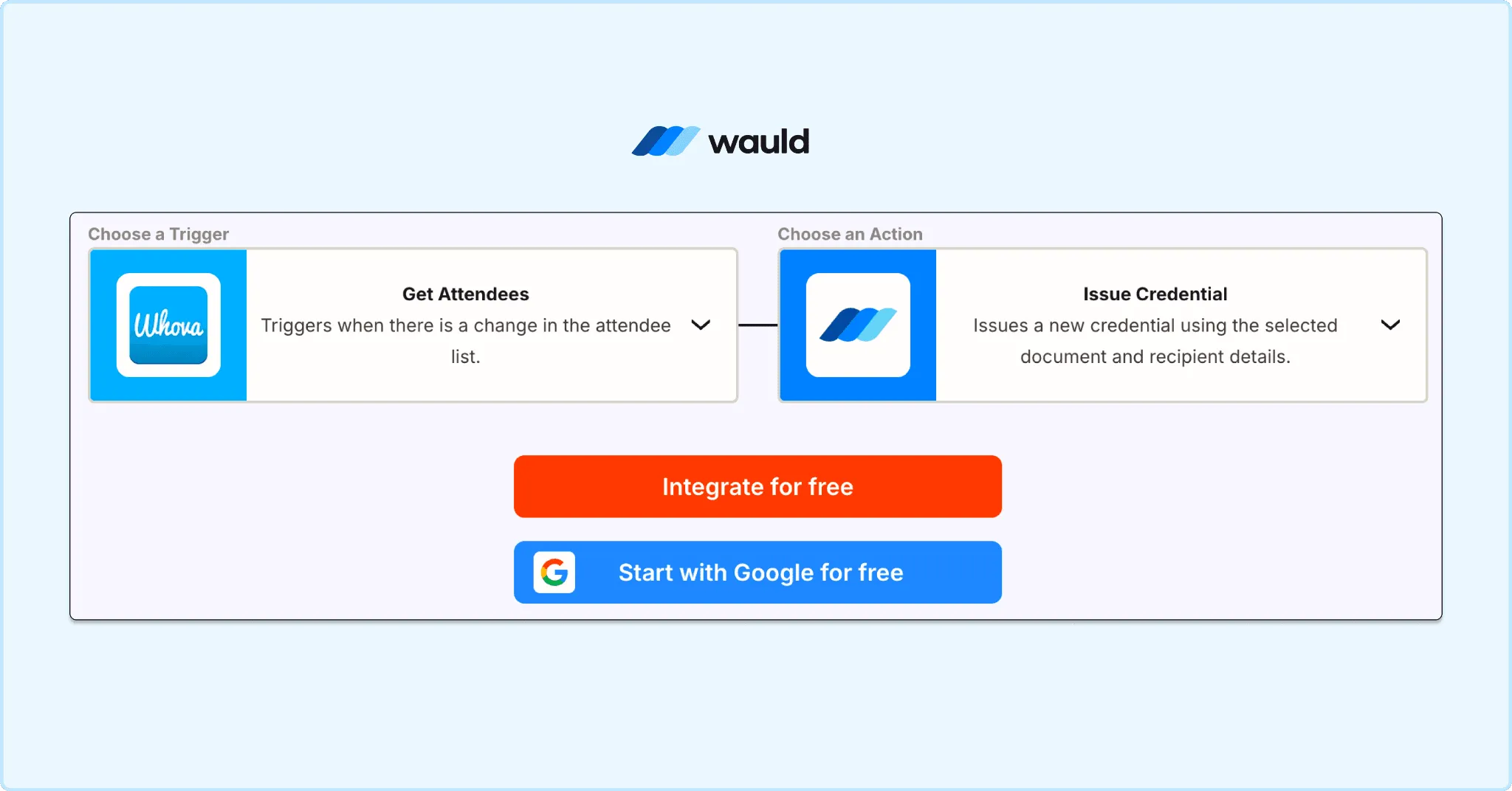
Automate credential issuance by connecting Whova attendee data with Wauld through Zapier
Which Method Should You Use?
| Bulk CSV | Zapier Registration | Zapier Sheets Bridge | |
|---|---|---|---|
| Technical skill | None | Low | Low to moderate |
| Setup time | Under 30 minutes | Under 1 hour | 1 to 2 hours |
| Covers attendance certificates | Yes | No | Yes |
| Best for | One off events | Welcome badges | Recurring qualification |
For most Whova organizers, Method 1 is the right place to start. It works with the list Whova already generates, takes under 30 minutes, and costs nothing on Wauld's free tier for events under 300 attendees.
Why This Matters for Professional Events
Whova is widely used for conferences and professional development programs, exactly the categories where a certificate needs to hold up outside the platform that issued it. Healthcare events need documented CEU hours for licensing boards, and association events use member-facing credentials to drive renewal, a pattern explored in Digital Credentials for Associations.
Corporate training events need completion evidence that holds up during an audit, which is especially true for workforce training programs. A Wauld credential is hosted, shareable, and independently verifiable, and it keeps working long after the event closes its doors.
Start Issuing Verifiable Whova Certificates Today
Whova already does the hard part. It tracks who showed up, who qualified, and who earned a certificate. Wauld picks up from there, turning that certificate into something the recipient can actually use: shareable to LinkedIn, verifiable by anyone, and editable if something needs correcting later.
Organizers who generate certificates through Whova today can route them through Wauld in the same afternoon. Wauld's free plan covers up to 300 verifiable credentials with no credit card required, enough to pilot a full Whova event before upgrading. Non profit organizations also receive 50 percent off Growth and Enterprise plans permanently.