Teachery Certificates: How to Issue Verifiable Digital Credentials

Teachery Certificates
Your Teachery student just finished your course. They watched every lesson, hit every milestone, and clicked through to the end. Then nothing happens. No certificate, no credential, no proof that any of it occurred.
If you sell online courses on Teachery, this moment is familiar. Teachery is built for creators who want full control over branding and course design on their online course platform, but certificate issuance was never part of that promise. Teachery's own help center confirms there is no built in certificate generator, no credential ID, and no verification link at the end of a lesson.
This guide covers what Teachery does today for course completion, where it falls short, and how to connect it to Wauld so every completed course becomes a verifiable certificate students can actually show off.
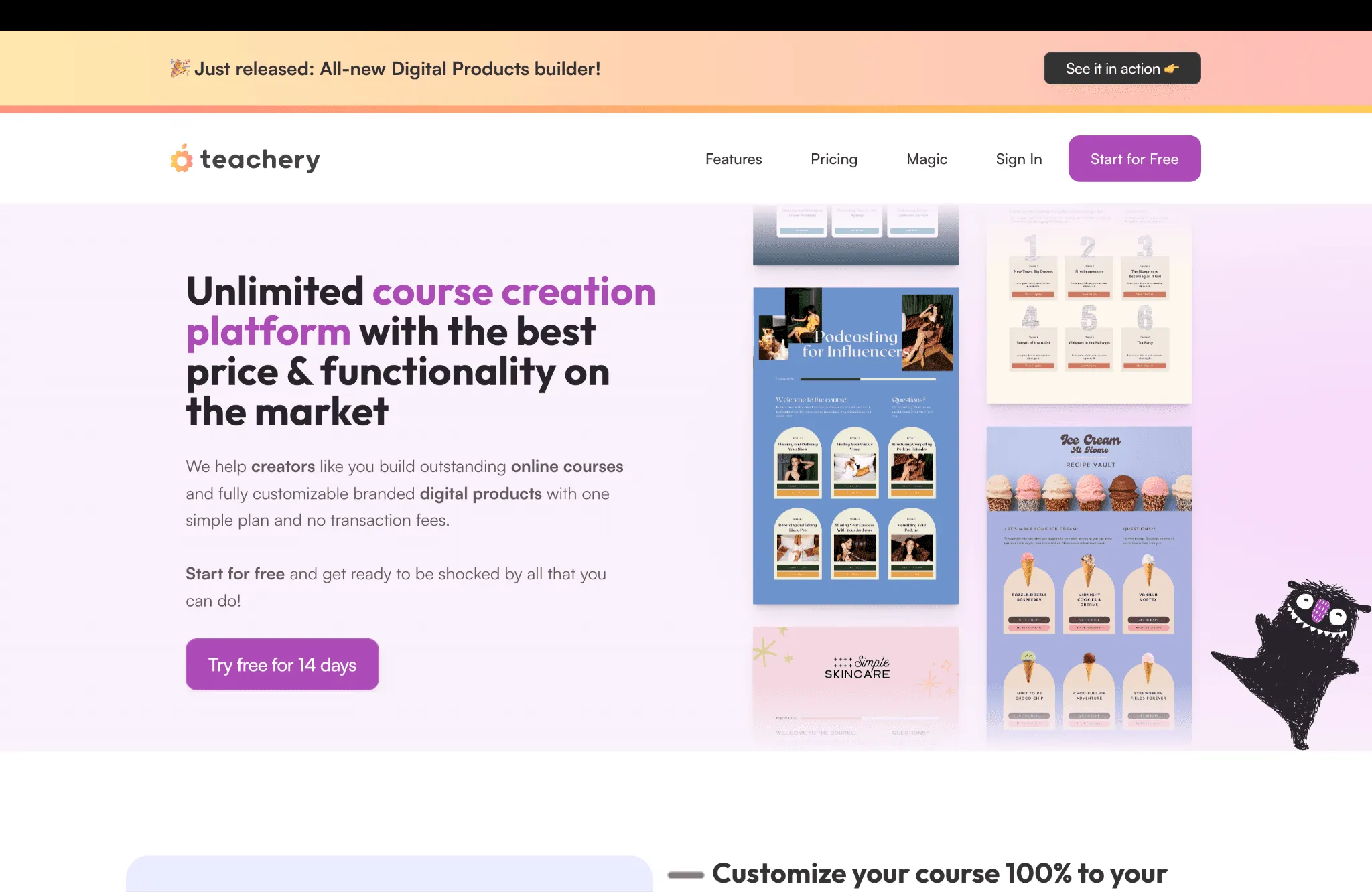
Teachery Home Page
What Teachery Does Well for Course Creators
Teachery is an unlimited courses creation platform for solopreneurs, coaches, and creators who want to create courses and sell online courses, digital downloads, and digital products without paying transaction fees. Every design element is customizable from the ground up.
Design and branding:
- Full control over color palette, custom domain, fonts, and custom css
- Global color palettes you can reuse across courses
- Every course, membership, or hub matches your brand instead of looking templated
Building and selling:
- Create and sell courses using content blocks and a live course editor
- Embed widgets like Canva slides directly into lessons
- Custom payment pages with fixed or recurring pricing, promo codes, and upsells
- A 14-day free trial before you commit
Teachery is frequently compared against Thinkific, Teachable, Kajabi, and Kartra for its one simple plan with no added transaction fee. Where it falls short is the moment a student finishes a course and expects something to show for it.
How Teachery Handles Certificates Today
Teachery does not have a certificate builder. Teachery's own help documentation confirms this, explaining that automatically generated certificates can create support headaches, so the platform keeps things simple instead.
Every course has a Course Completed Email that fires once a student marks every lesson complete. Teachery recommends one of two manual workflows:
| Workflow | How it works | Who receives it |
|---|---|---|
| Generic certificate of completion | Design in Canva or any tool, export as PDF, JPG, or PNG, then upload into the Course Completed Email | The same file goes to every student |
| Person specific certificate | Build an individual certificate per student and email it directly | One unique file per student, sent manually |
Both work for a small live course with a handful of completions. Neither scales. There is no credential ID, verification page, or QR code, and no way to confirm a certificate was ever opened.
Teachery does invest in security elsewhere, automatically securing custom domains with ssl certificates at no extra cost. That same care has never extended to course completion certificates.
Where the Native System Falls Short
The Course Completed Email solves the notification problem. It does nothing for the certificate itself:
| Gap | What it means in practice |
|---|---|
| No automation for individual completions | The same static file goes to every learner |
| No verification | No public link or QR code an employer can check |
| No LinkedIn integration | Students cannot add a Teachery certificate to LinkedIn as a verified entry |
| No analytics | No visibility into opens, downloads, or shares |
| No lifecycle management | A correction means manually recreating and resending the file |
Wauld has documented the same gap with Skool and Owwlish. Teachery follows the identical pattern: strong customization, zero credentialing layer.
What Wauld Adds to Teachery Certificates
Wauld is a dedicated digital credential platform built to design, issue, track, and verify certificates and badges, and a strong fit for coaches and creators.
For course creators:
- 1,000+ professional templates. Browse the full template gallery instead of building one in Canva each time.
- Bulk issuance via CSV. Export completions and issue credentials to hundreds of students at once.
- Engagement analytics. See who opened, downloaded, and shared their credential.
- Full lifecycle control. Edit, reissue, or void any credential from one dashboard.
For students:
- Proactive inbox delivery. A branded certificate arrives the moment the course is complete.
- One-click LinkedIn sharing. Students add their credential to LinkedIn as a verified entry.
- Instant public verification. Every certificate carries a unique credential ID, a QR code, and a permanent verification page, independent of Teachery.
- Open Badge 3.0 compliance. Wauld credentials follow the Open Badges portability standard, which a PDF attachment does not offer.
How to Connect Teachery to Wauld
Teachery's Zapier integration exposes a Completed Course trigger, also available natively on Pabbly Connect and Make. Wauld's Zapier action is live today. Its Pabbly and Make actions are listed as coming soon on Wauld's pricing page, so those two route through Wauld's incoming webhook for now.
Method 1: Teachery and Zapier and Wauld (Recommended)
This is the most direct path since Wauld's Zapier action is already live.
| At a glance | Details |
|---|---|
| Trigger | Completed Course |
| Action | Wauld: Issue Credential |
| Coding required | No |
| Cost | From $29.99/month for Zapier's Professional plan |
Setup steps:
- Design your certificate in Wauld using the template gallery, with dynamic fields for name, course, and date.
- In Zapier, set Teachery as the trigger app and choose Completed Course. Connect your account and select the course to track.
- Test the trigger to confirm Zapier pulls a sample completion correctly.
- Add an action step, choose Wauld's Issue Credential, and map the student's name, email, and course title.
- Test the full workflow, confirm the QR code works, then turn the Zap on.
Zapier's free plan caps at 100 tasks a month on two-step Zaps only, so production use typically needs the Professional plan above.
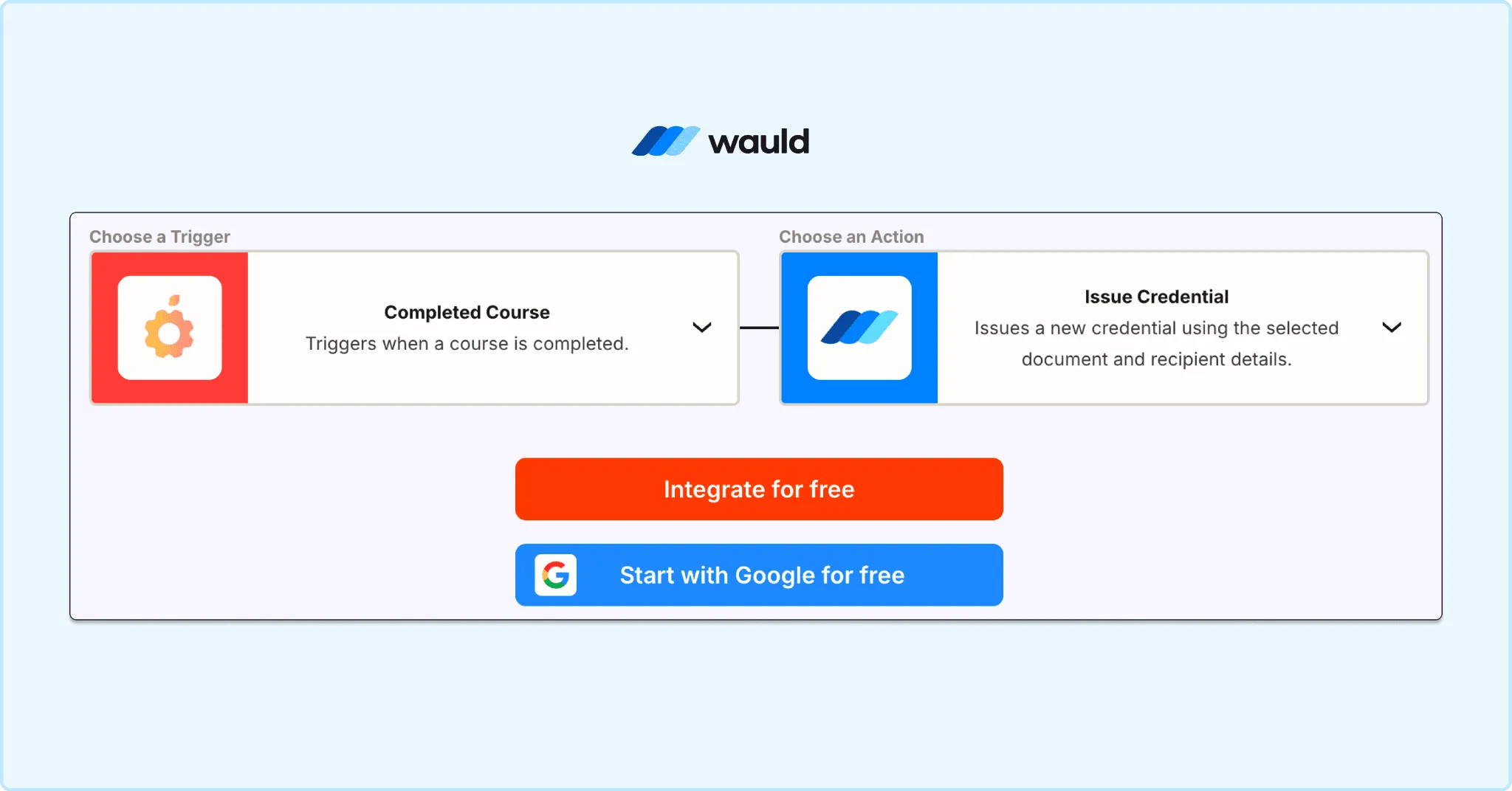
Automate credential issuance by connecting course completion events to Wauld through a no-code workflow integration.
Method 2: Teachery and Pabbly Connect and Wauld (via webhook)
Pabbly Connect lists three native Teachery triggers, confirmed on Teachery's own integration guide: New Order, New Lead, and Completed Course. Wauld has no native Pabbly action yet, so until it ships, send the trigger to Wauld's incoming webhook instead.
| At a glance | Details |
|---|---|
| Trigger | Completed Course |
| Action | Webhooks by Pabbly, posting to Wauld's webhook |
| Coding required | Minimal, just pasting a URL |
| Cost | From around $19 to $25/month, or $249 lifetime |
Setup steps:
- In Wauld, create an incoming webhook for your certificate template and copy the URL.
- In Pabbly, set Teachery as the trigger app and choose Completed Course. Connect using your Teachery API key from Account > Integrations.
- Add a Webhooks by Pabbly action, set it to POST, and paste in Wauld's webhook URL.
- Map the student's name, email, and course title into the payload, then activate the workflow.
Pabbly does not count filters as tasks, which keeps multi step workflows cheaper at volume than Zapier.
Method 3: Teachery and Make and Wauld (via webhook)
Teachery also has a documented Make integration, a free-to-start alternative to Zapier and Pabbly. Wauld has no native Make action yet, so the same webhook workaround applies.
| At a glance | Details |
|---|---|
| Trigger | Completed Course |
| Action | HTTP module in Make, posting to Wauld's webhook |
| Coding required | Minimal, just pasting a URL |
| Cost | Free to start, paid plans scale with usage |
Setup steps:
- In Wauld, create an incoming webhook and copy the URL.
- In Make, create a Scenario with Teachery as the trigger, choose Completed Course, and connect using your Teachery API key.
- Add an HTTP module set to POST, paste in Wauld's webhook URL, and map the student's name, email, and course title.
- Run the Scenario once to test, then turn it on.
This suits creators already comfortable with Make's builder or anyone who wants more free-tier headroom than Zapier offers.
Method 4: Bulk CSV Upload
No plugin and no automation tool needed here. For any backlog of students who completed a course before you set up automation, bulk CSV upload is the fastest path.
| At a glance | Details |
|---|---|
| Trigger | Manual upload |
| Action | Wauld: Bulk Issuance |
| Coding required | No |
| Cost | Free on Wauld's free plan |
Setup steps:
- Export your list of completed students from Teachery, including name, email, and completion date.
- Format the data into a CSV matching Wauld's certificate fields.
- In Wauld, open Bulk Issuance, upload the file, and map each column to the matching field.
- Preview a sample certificate to confirm the data populated correctly, then send.
This method works at any volume and needs no ongoing connection between the two platforms. Many creators run this once to clear a backlog, then turn on the Zapier or Pabbly automation for everything going forward.
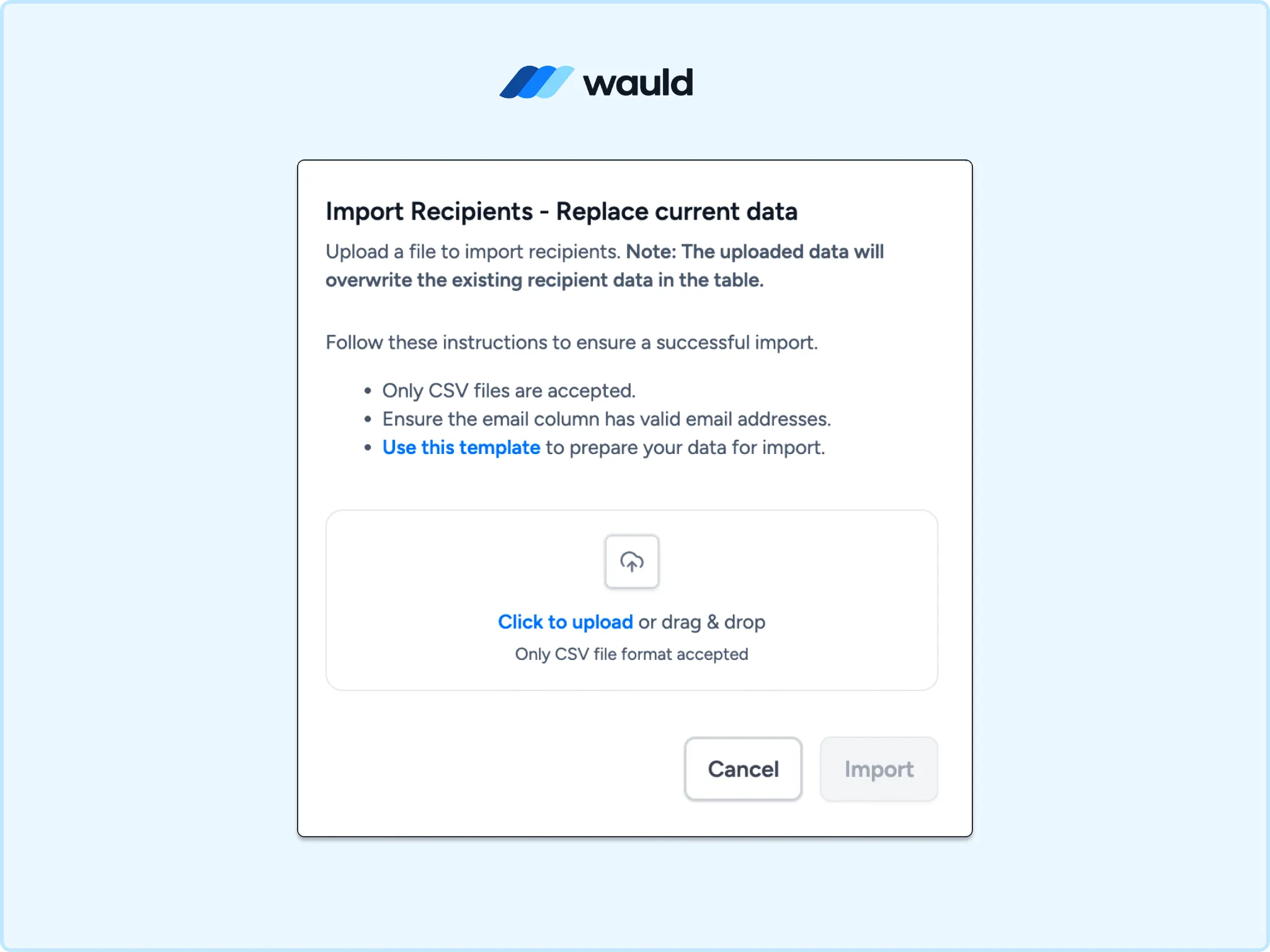
Import recipient data in bulk using a CSV file to streamline large-scale credential issuance in Wauld.
Comparing the Methods
| Method | Automated | Verifiable | Cost |
|---|---|---|---|
| Native Course Completed Email | No, manual attach | No | Free |
| Teachery and Zapier and Wauld | Yes, instant | Yes | From $29.99/month |
| Teachery and Pabbly and Wauld via webhook | Yes, instant | Yes | From $19/month or $249 lifetime |
| Teachery and Make and Wauld via webhook | Yes, instant | Yes | Free to start |
| Bulk CSV to Wauld | No, manual upload | Yes | Free Wauld plan |
See Wauld's pricing page for full plan details, including the free tier.
Which Method Should You Use?
- Want the simplest live setup today? Use Zapier. Wauld's action is native, no webhook step needed.
- Already on Pabbly? Use the Pabbly plus webhook route, cheaper at volume once set up.
- Want more free-tier room than Zapier? Use Make plus webhook.
- Clearing a backlog of past students? Use bulk CSV, no automation tool needed.
- Running both an active course and a backlog? Combine an automated path going forward with one bulk upload for stragglers.
Final Thoughts
Teachery gives course creators real flexibility over branding, pricing, and course design without extra transaction fees. What it deliberately leaves out is a credential system, and Teachery says so directly in its own help documentation.
That gap is exactly what Wauld closes. Connect Teachery to Wauld through Zapier today, or through Pabbly Connect or Make using a webhook bridge, and every course completion turns into a branded, verifiable certificate students can check, share, and add to LinkedIn. No more attaching a Canva file to an email and hoping it gets noticed.