How to Issue Course Completion Certificates in Skool (Free Setup)

Issue Skool Certificates
Your member just finished your course. They aced every lesson and module. Then Skool hands them nothing. No certificate, no proof, no credential to show.
That gap is fixable, fast and free. This guide shows how to issue certificates of completion in Skool. You can automate Skool certificates with Zapier when members join. Or bulk-issue them with Wauld when learners finish a course.
Can You Issue Course Completion Certificates in Skool?
Not on its own. Skool has no certificate generator built in. So you connect it to a credential platform instead. That tool designs, delivers, and verifies each document for you.
Skool has no public API, so every connection runs through an automation tool. Three tools connect to Skool today: Zapier, Make, and Pabbly Connect.
But there's a catch worth knowing first. Only Zapier can watch Skool and start a workflow from an event. Make and Pabbly connect one way only, to invite a member into Skool. They can't trigger off a Skool event, so they can't kick off a certificate.
With no public API or outgoing webhooks, custom triggers aren't an option either. That's why this guide uses Zapier to issue certificates automatically. For course completions, you'll use the bulk method shown later.
Skool exposes only two automation triggers in Zapier. New Paid Member fires when a member completes payment and joins. Answered Membership Questions fires when someone submits your application. There is no course-completion trigger and no level trigger.
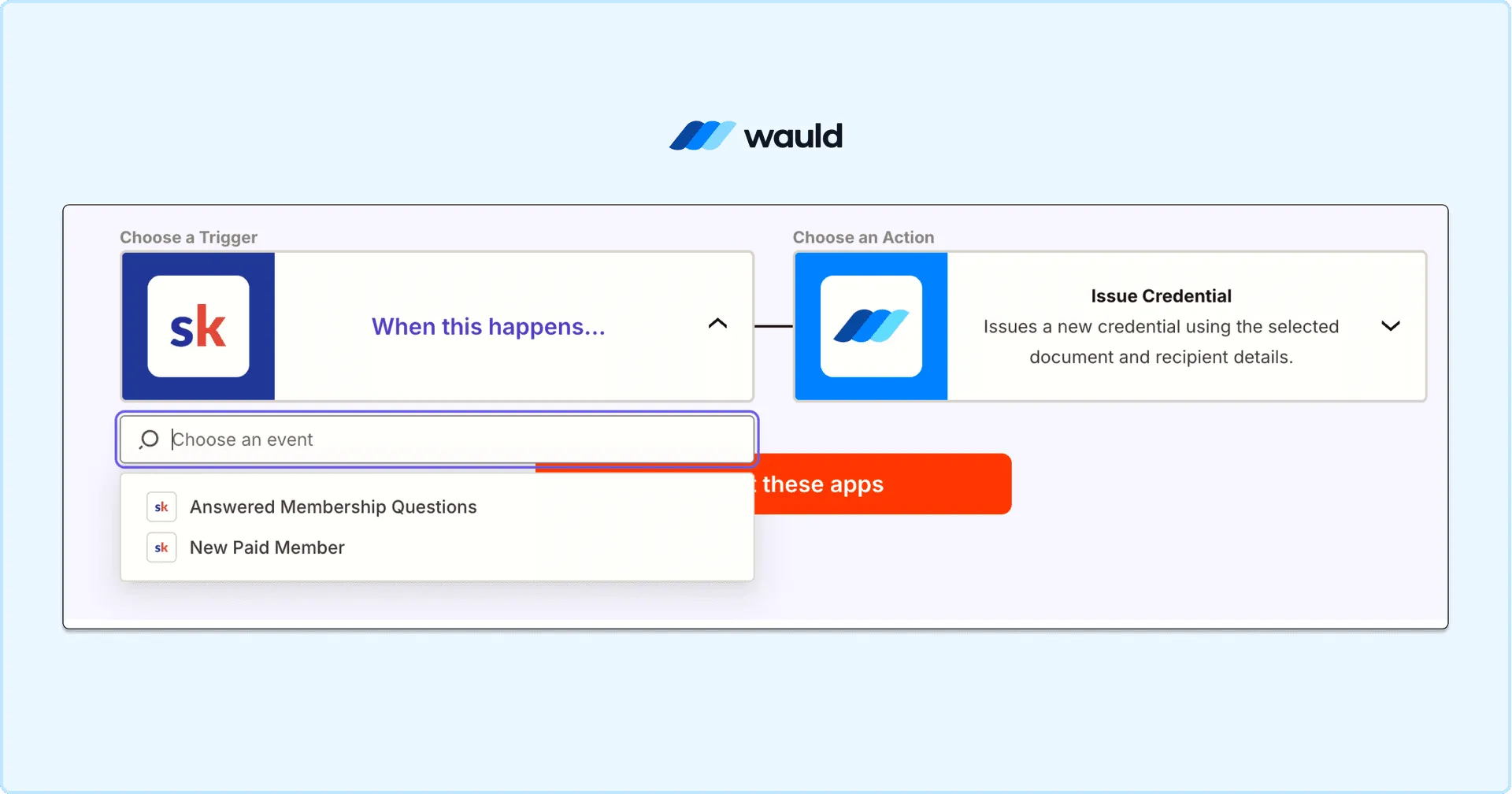
Connecting Skool to Wauld in Zapier: choose a Skool trigger (New Paid Member or Answered Membership Questions), then set Wauld's Issue Credential as the action.
So real-time delivery fits membership events only. A finished-course document is sent in bulk instead. Confirm the live list on the official Skool Zapier page.
What You Need: A Credential Platform and Automation
- A Skool community with members (your users) to recognize.
- A credential platform like Wauld to build and send each document.
- A Zapier account for the automated method; the free tier works.
Everything Wauld produces is verifiable, not just a static PDF. Each one carries a unique ID, a QR code, and a public verification page. Coaches and creators can start from the Coaches & Creators setup.
Build your design once before you connect anything. Then pick the method that matches the moment you want to reward.
Method 1: Automatically Issue Skool Certificates with Zapier
Use this to deliver a credential the moment someone joins your paid community. When the trigger fires, the integration passes the member's details to Wauld. Wauld then generates and emails a branded, verifiable document automatically.
Set Up the Skool and Wauld Integration
Step 1: Design your certificate in Wauld. Build it from the template gallery or a blank canvas. Add your logo, colors, and fonts, plus dynamic name and email fields.
Step 2: Get your Skool API key. Open your group settings and copy the API key and group URL. Skool's Zapier setup guide shows exactly where to find them.
Step 3: Build the Zap. Create a new workflow and set Skool as the trigger app. Choose New Paid Member, then paste in your API key and URL.
Step 4: Test the trigger. Run the test so Zapier pulls a recent member record. Confirm the name and email arrive correctly before moving on.
Step 5: Set Wauld as the action. Add an action step, select Wauld, and choose Issue Credential. Connect Wauld and pick the design from Step 1.
Step 6: Map the fields. Map the member's name and email into Wauld's recipient fields. Set the group or membership name as the credential title.
Step 7: Test and publish. Send a test to yourself and check it verifies correctly. Then switch the workflow on. New paid members are credentialed automatically.
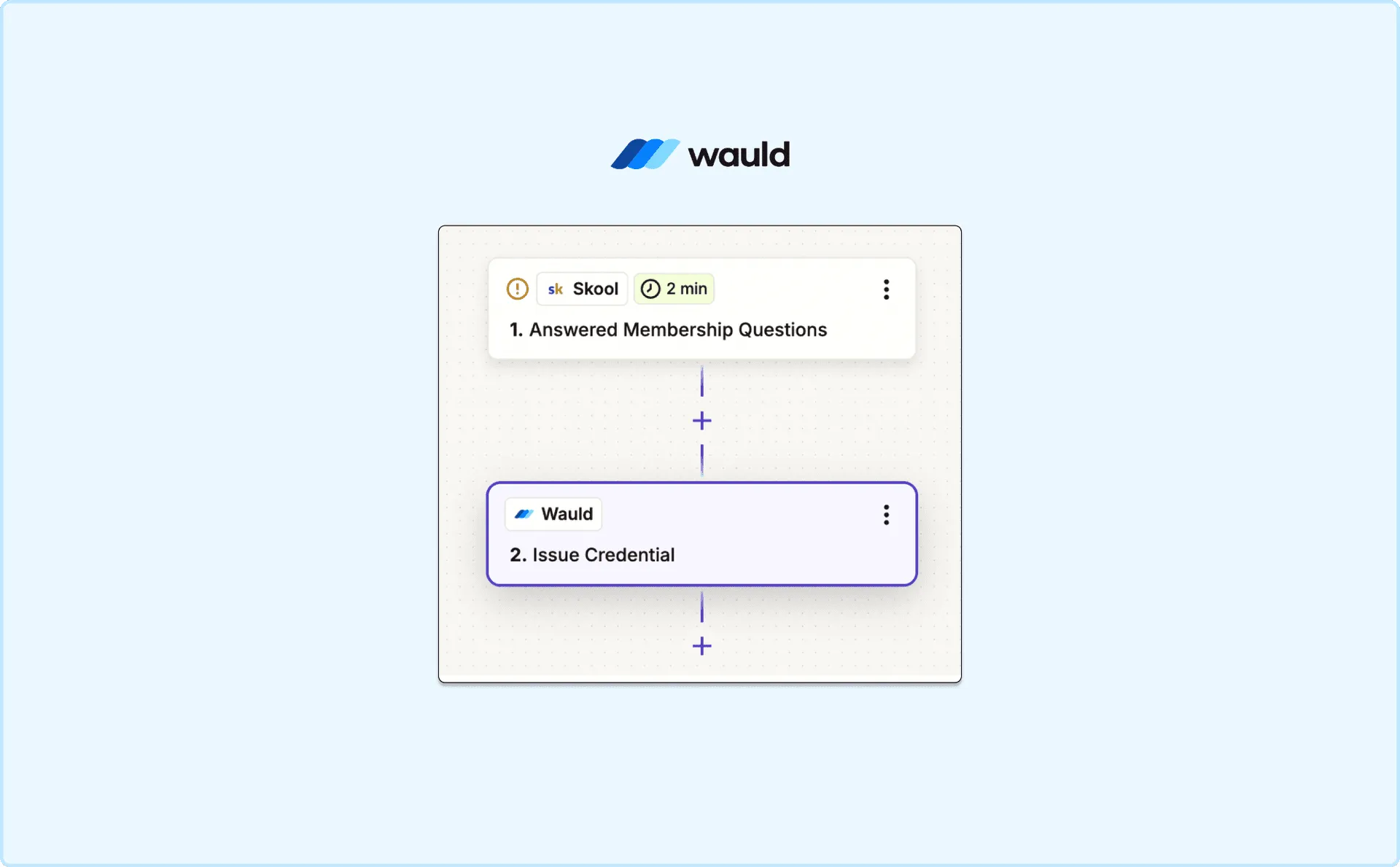
Skool New Paid Member trigger in Zapier
Method 2: Bulk Issue Course Completion Certificates with Wauld
The platform can't trigger on a finished course, so bulk upload is the answer. It sends course completion certificates dependably, at any scale. It also suits past completions, cohorts, and one-time certification runs.
Step 1: Export your finishers from Skool. Pull the members who completed the course from your classroom. Include each name, email, and finish date.
Step 2: Build your CSV file. Put each recipient on a row with matching columns. Wauld lists the exact field names your design expects.
Step 3: Upload the file to Wauld. Choose bulk issuance and upload your file. Then map each column to the matching certificate field.
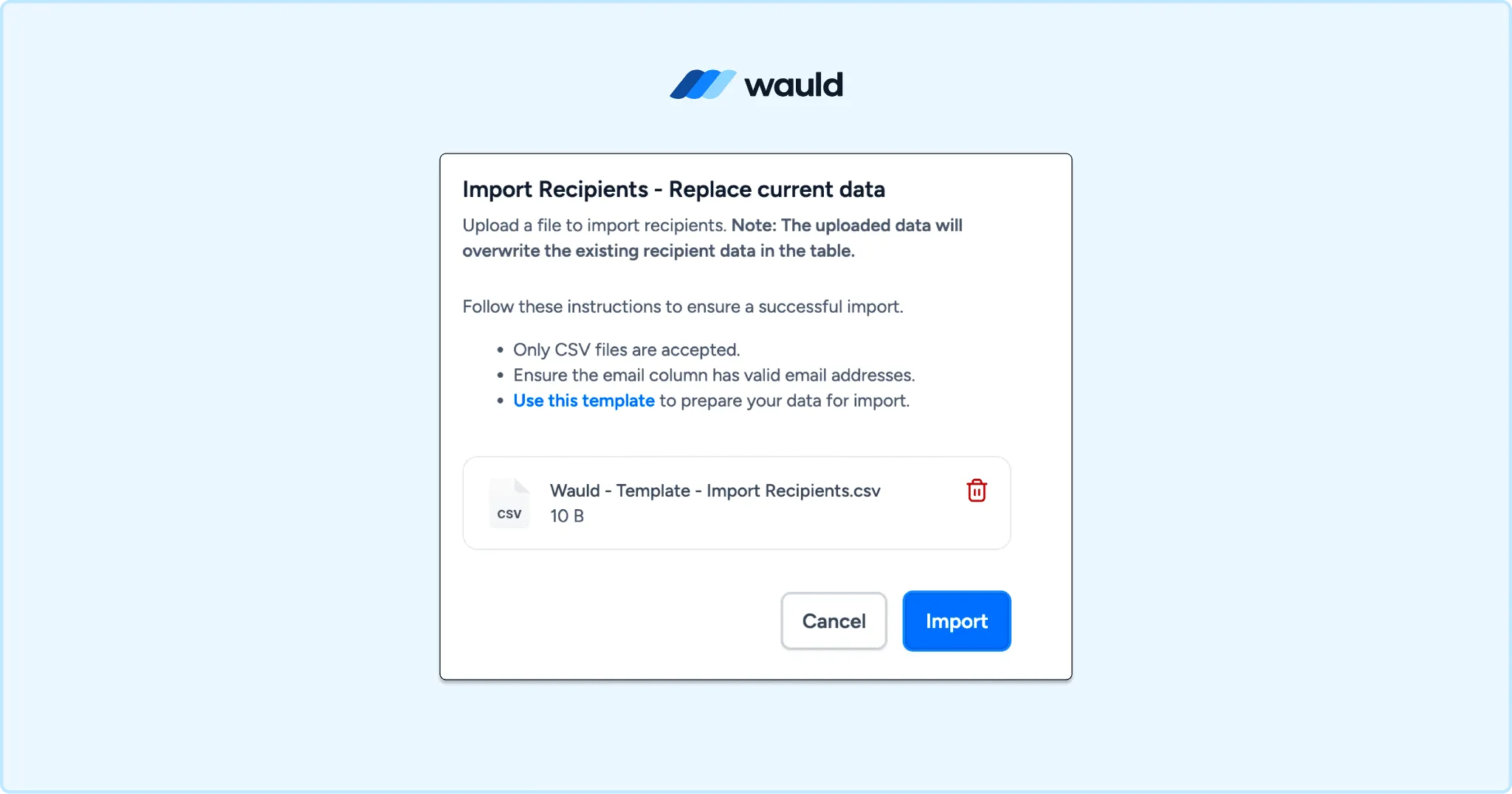
Import Recipient CSV using Bulk Issuance in Wauld
Step 4: Preview and send. Preview a sample to confirm the data maps correctly. Then send. Wauld emails a personalized, verifiable document to every recipient.
Run this weekly or at the end of each cohort. You get steady certificates to students without a trigger Skool lacks.
Personalize and Brand Your Certificates
A generic file undersells the work your members did. With Wauld you start from a template or design a custom certificate. Apply your logo, brand colors, and signatures so it looks like you.
Dynamic fields produce personalized certificates at scale. Every recipient sees their own name, course, and date. Each verifiable credential gets a QR code and a public link.
This is how creators using Skool turn finished courses into digital certificates. Members are proud to share them, which puts your community in front of new people.
Which Method Is Right for Your Online Courses?
Want recognition when someone joins your paid community? Use Method 1 with Zapier.
Sending documents for finished courses instead? Use Method 2, the bulk upload route. Most Skool creators rely on the bulk method for completions.
Many communities run both at once. A welcome credential goes out on signup, automatically. A periodic bulk send then covers everyone who finished. Compare plans on the Wauld pricing page.
Issue Your First Skool Certificate
Skool builds the achievement. A verifiable credential makes it visible and provable. Design once, then connect through the integration or a quick upload.
Every member walks away with proof they earned something real. They can share it on LinkedIn, send it to a client, or keep it.