
Key Takeaways
Skool does not natively issue certificates, but you can automate verifiable credential delivery using Skool, Zapier, and Wauld.
Verifiable digital credentials give learners proof of achievement they can share on LinkedIn, portfolios, resumes, and with employers.
Wauld automates the entire credential lifecycle, from certificate design and issuance to verification, analytics, and social sharing.
Automate Certificate Issuance in Skool
Your Skool members finished the course. Every lesson. Every module. Every milestone. And when they hit that final lesson? Skool gives them absolutely nothing.
No certificate. No credential. No proof the work ever happened.
That is not just a missing feature. It is a missed moment. If you run a Skool community, automating certificate issuance is the step most creators overlook. It is the moment your member's effort becomes something they can actually show the world. This blog covers what Skool offers, why certificates matter, and exactly how to automate the whole thing.
What is Skool?
Skool is a community platform built for coaches, creators, and educators. It combines courses, discussions, live events, and gamification in one place. Communities on Skool can be free or paid, and thousands of creators earn full-time income running them.
The platform has four main areas. The Community tab is a social feed for posts and discussions. The Classroom tab hosts structured courses with modules and video lessons. The Calendar tab manages live events and webinars. The Leaderboard runs a points and levels system to drive engagement.
Skool is genuinely strong at course delivery and community building. Members progress through lessons, unlock content, and track their activity inside the platform. But when a member completes your course, Skool records it internally and stops right there.
No certificate goes out. No credential is created. No verification link exists. That gap is real, confirmed, and fixable.
This is especially noticeable because Skool already gives creators powerful tools to track progress through courses, lessons, levels, challenges, events, and memberships. Certificates and badges are often the missing layer that turns those achievements into something members can showcase outside the community.
Beyond Course Completions: More Ways to Use Certificates and Badges in Skool
Certificate automation in Skool is not limited to course completions. You can use certificates and badges throughout the member journey to reward participation, recognize achievements, and create additional engagement opportunities within your community.
Because Skool already tracks learning progress, community engagement, levels, and event participation, certificates can be attached to almost any meaningful milestone inside your community.
Welcome and Membership Recognition
Issue digital member badges when someone joins your community or subscribes to a paid membership. This helps strengthen community identity and gives members a credential that represents their association with your brand.Events, Workshops, and Webinars
Award certificates to attendees of live events, workshops, masterminds, coaching calls, webinars, and other learning experiences hosted through your Skool community.Lessons, Classes, and Learning Milestones
Recognize progress by issuing badges after completing lessons, classes, modules, or key learning milestones instead of waiting until the end of an entire course.Quizzes, Assessments, and Challenges
Reward members who pass quizzes, complete assessments, or finish community challenges with verifiable credentials that showcase their accomplishment.Course Completion and Community Achievements
Automatically issue certificates for course completions, level progression, top contributors, community champions, mentors, and other notable achievements. Skool already rewards participation through levels and leaderboards. Certificates and badges add a formal recognition layer that members can keep and share.
Why Your Skool Members Need a Certificate
Certificates do more than recognize completion. They help members showcase their achievements while helping creators increase the value and impact of their programs.
Give Members Proof of Achievement
Members can add certificates to LinkedIn profiles, portfolios, resumes, and client proposals, turning course completion into a credential they can showcase professionally.Provide Verifiable Proof of Learning
Members can demonstrate that they completed a course, attended an event, or passed an assessment using a credential that can be verified online.Reward Community Participation, Not Just Learning
Certificates and badges can recognize event attendance, challenge completions, mentorship, community contributions, and milestone achievements. This creates a stronger sense of progression and recognition within your community.Increase the Perceived Value of Your Programs
Courses, coaching programs, webinars, and workshops feel more professional and complete when members receive an official credential upon completion.Motivate Learners to Finish What They Start
A certificate gives members a clear goal to work toward, encouraging them to complete courses, training programs, and other learning activities.Create Organic Marketing for Your Community
Every certificate shared on LinkedIn or social media introduces your community to new audiences without additional advertising spend.Strengthen Trust and Credibility
Verifiable credentials with unique IDs, QR codes, and public verification pages provide significantly more credibility than a static PDF certificate.
Once you've decided to offer certificates, the next step is choosing a platform that can design, issue, verify, and automate them at scale.
Meet Wauld: The Credential Layer Skool Is Missing
Wauld is a digital credentialing platform built to manage the full lifecycle of certificates and badges. Design, issue, track, and verify. All from a single dashboard.
Wauld gives Skool community owners two things the platform does not: a professional certificate design studio and an automated issuance system. It delivers verifiable credentials the moment members qualify, with zero manual work from your end.
What Every Wauld Certificate Comes With
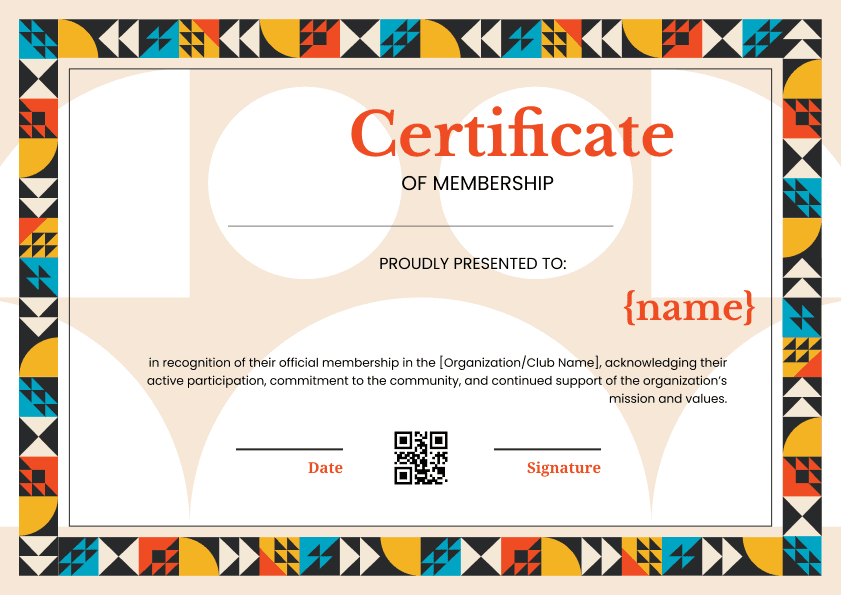
Every certificate issued through Wauld carries a unique credential ID tied to that specific issuance. It includes a public verification page with a shareable URL. Members receive a QR code linked to the verification page, one-click LinkedIn sharing, and a downloadable PDF.
This is not a static cert with a name on it. It is a verifiable, shareable digital credential that members can use and share with confidence anywhere they go.
Everything You Get as an Issuer
900+ Professional Templates - Choose from certificate and badge templates designed for course completions, training programs, coaching certifications, memberships, and more.
Full Brand Customization - Add your logo, brand colors, fonts, signatures, and custom text to create credentials that match your organization's identity.
Dynamic Certificate Attributes - Use placeholders for member name, course title, completion date, certificate ID, and other fields that automatically populate during issuance.
Individual and Bulk Issuance - Issue credentials one at a time or send certificates to hundreds of learners at once using bulk workflows.
Credential Management Dashboard - Manage all issued credentials from a single dashboard, including editing, reissuing, revoking, and handling recipient update requests.
Built-In Analytics - Track certificate email opens, downloads, LinkedIn shares, and verification activity to understand how recipients engage with their credentials.
Verification and Security Controls - Maintain credential integrity with unique credential IDs, public verification pages, and the ability to revoke credentials when needed.
Everything Your Members Get
Every member receives a personal credential wallet that holds all their certificates and badges. It is accessible from any device, at any time, without logging into a dashboard. Members can share directly to LinkedIn, Facebook, or email with a single click. They can even add certificates to Apple Wallet for instant on-the-go access.
Wauld's free plan covers up to 300 credentials. No credit card required. It includes the full template library, verifiable credentials, QR code verification, LinkedIn sharing, and bulk CSV issuance.
Setting Up the Automation: Skool, Zapier, and Wauld
There are multiple ways to automate certificate issuance in Skool depending on your workflow. Whether you prefer no-code automation, webhook-based integrations, or bulk issuance, Wauld provides several options to automate credential delivery at scale.
Three Ways to Automate Certificate Issuance in Skool
Depending on your workflow, you can automate certificate issuance in Skool using direct integrations, automation platforms, or bulk issuance.
Option 1: Automate Using Zapier
Zapier is the easiest no-code option for most creators. When a qualifying event happens in Skool, Zapier automatically sends the member data to Wauld, which generates and delivers the credential.
Common Skool triggers include:
Member reaches a level
Course access granted
New member joins
New paid member joins
To set this up:
Create and customize your certificate in Wauld.
Create a new Zap in Zapier.
Select Skool as the trigger app and choose your trigger event.
Select Wauld as the action app and choose Issue Credential.
Map recipient details such as name, email, course name, and completion date.
Test the workflow and publish the Zap.
Once enabled, certificates are automatically generated and delivered whenever the trigger conditions are met.
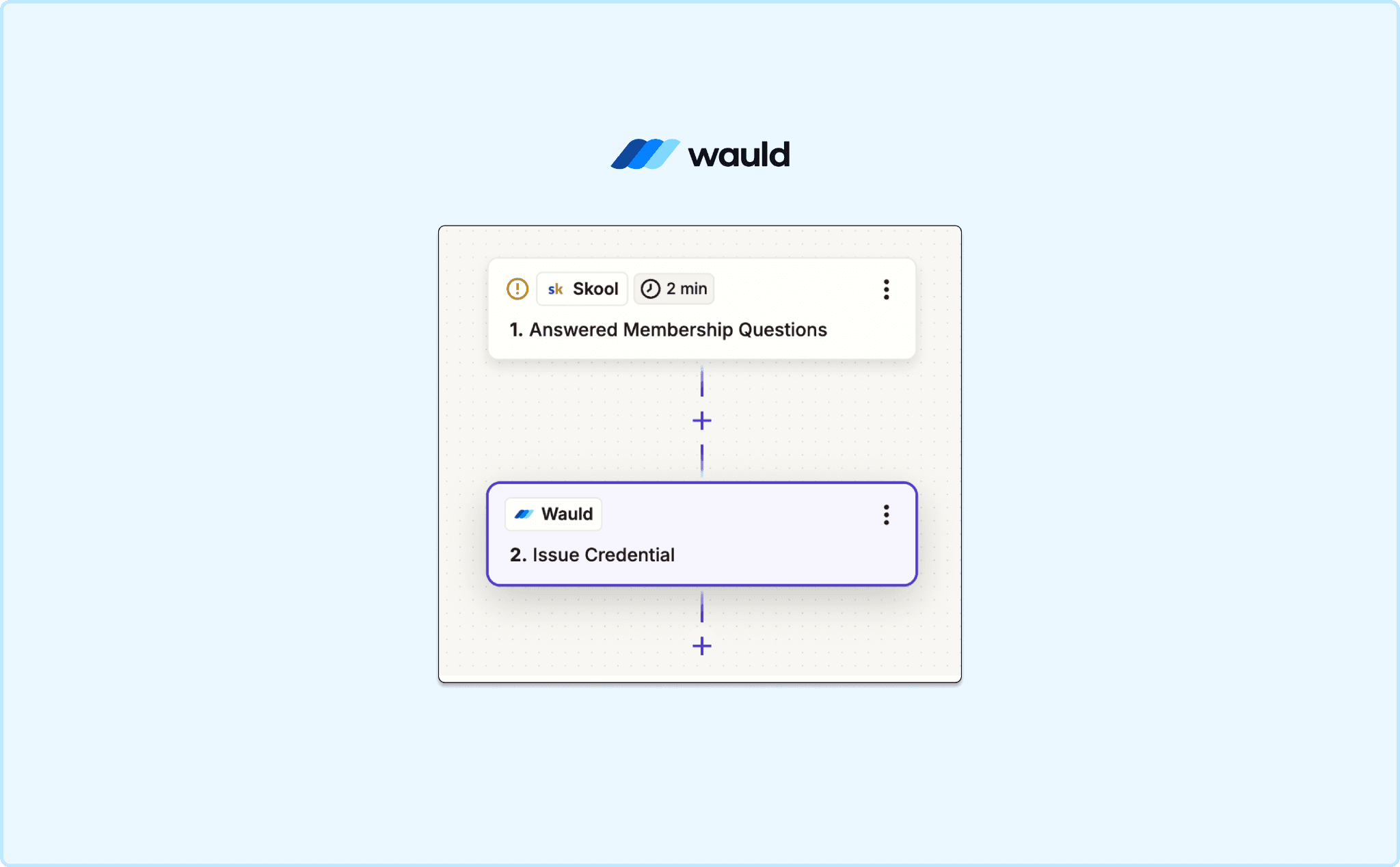
Add Triggers for Skool and Wauld
Option 2: Automate Using Webhooks and Other Automation Platforms
If you already use automation tools, Wauld can fit directly into your existing workflows.
Wauld supports webhook-based automation and integrates with platforms such as:
Make
Pabbly Connect
Microsoft Power Automate
Custom internal systems and applications
This allows you to build more advanced workflows, connect multiple systems together, and automate certificate issuance as part of larger business processes.
For example, you can automatically issue a credential when:
A learner completes a custom workflow
A payment is received
An event registration is marked as attended
A learner passes an assessment
A CRM status changes
Option 3: Bulk Issue Certificates with CSV Upload
Not every workflow needs real-time automation.
If learners have already completed your Skool courses, events, webinars, or programs, you can issue credentials in bulk using a CSV file.
Simply:
Export your learner data from Skool.
Format the CSV with the required fields.
Upload the file to Wauld.
Issue hundreds of personalized certificates at once.
This is ideal for historical completions, cohort-based programs, events, and one-time certification projects.
Whether you prefer Zapier, webhooks, Make, Pabbly, Microsoft Power Automate, or simple CSV uploads, Wauld gives you multiple ways to automate credential issuance without manual certificate creation.
Your Community Built the Achievement. Wauld Makes It Official.
Your Skool community is where real learning happens. Members show up, complete your courses, and grow. The one thing missing is a credential that makes that growth visible, shareable, and verifiable outside the platform.
Wauld adds that layer without changing how you run your Skool group. Design your certificate once, connect it through Zapier, and let the automation handle the rest. Every member who completes your course walks away with a branded, professional credential they can share on LinkedIn, send to a client, or add to a portfolio.
And every certificate shared puts your community's name in front of a new audience. One that did not know you existed until a member showed them proof of what they built inside your community.
Wauld's free plan covers up to 300 credentials. No credit card needed to start.
Frequently Asked Questions About Automating Certificates in Skool
Learn how to automate certificate issuance in Skool, choose the right completion triggers, customize credentials, and deliver certificates automatically to your learners