7 Ways to issue certificates automatically from LearnDash

7 Ways to issue certificates automatically
Your learner just finished your LearnDash course. They passed the quiz, completed every lesson, and hit every milestone. And then nothing arrives. No certificate, no credential, no recognition.
That moment matters more than most course creators realize. A certificate is tangible proof that learning happened. For many learners, it is the main reason they enrolled in the first place.
If you run online courses on LearnDash, you already have a powerful LMS plugin on WordPress. But when it comes to automatically issuing digital certificates, especially verifiable and branded ones, LearnDash alone has real gaps.
This blog walks through seven methods to issue certificates in LearnDash. From the native certificate builder to Zapier automation, we cover them all. At the end, we show you where Wauld fits in as the cleanest solution.
What LearnDash Does Natively: The Built-In Certificate System
LearnDash includes a certificate system out of the box. You can create certificates and award them on course completion, quiz passing, or group milestone completion. The limitations, though, are just as real as the features.
The Classic Certificate Editor
The default method opens a blank WordPress editor. You manually insert shortcodes like [courseinfo show="course_title"], [courseinfo show="completed_on"], and [usermeta show="user_firstname"] to pull dynamic learner data.
You upload a background image, layer text blocks on top of it, and generate a PDF. There is no live preview until you attach the certificate to a course, create a test user, and complete the course yourself.
Spacing, font sizing, and alignment are all done through trial and error. If the certificate design needs updating, you go back, adjust, test again, and repeat. For every course.
The shortcodes are the main pain point for non-technical users. Using a quiz shortcode on a course certificate means the dynamic data simply does not appear. There is no warning and no validation.
The Certificate Builder Add-On
LearnDash offers a Certificate Builder add-on using the WordPress Gutenberg block editor. Instead of typing raw shortcodes, you insert LearnDash-specific blocks: Course Info, Quiz Info, User Meta, and Groups Info.
Each block pulls dynamic data relevant to its context. You can also upload custom fonts through the LearnDash LMS > Certificates > Fonts settings page. The builder is a genuine improvement over the classic editor.
However, the core limitations remain. There are no ready-made certificate templates. You still start from a blank canvas with a background image. Branding and typography still require significant manual setup.
Bulk issuance is not supported. Automated email delivery is not built in. The generated certificate is a static PDF with no verification link and no way to share it as a verifiable digital credential.
Assigning Certificates to Courses and Quizzes
Once created, you assign a certificate to a course or quiz from its settings page. LearnDash supports three award conditions: completion of a course, passing a quiz, and completing all courses within a group.
You can optionally set a minimum passing score on a quiz before the certificate is awarded. When the learner meets the condition, LearnDash generates the certificate as a PDF.
The PDF is made available from the learner's course dashboard. There is no automatic email. The learner has to know where to look.
Cost: The Certificate Builder add-on is free. It requires an active LearnDash license. It is available through Liquid Web's storefront starting at $259/year, which includes different support options.
Method 1: Use the LearnDash Notifications Add-On to Email Certificates
The LearnDash Notifications add-on lets you set up triggered email notifications based on actions on your site. These include course completion, quiz passing, lesson completion, and more.
You can configure a notification to fire when a course is completed. The email body can include the course URL using the shortcode [ld_notifications field="course" show="url"]. The learner clicks the link and downloads their certificate from the course dashboard.
Steps:
- Install the Notifications add-on from LearnDash LMS > Add-Ons and activate it.
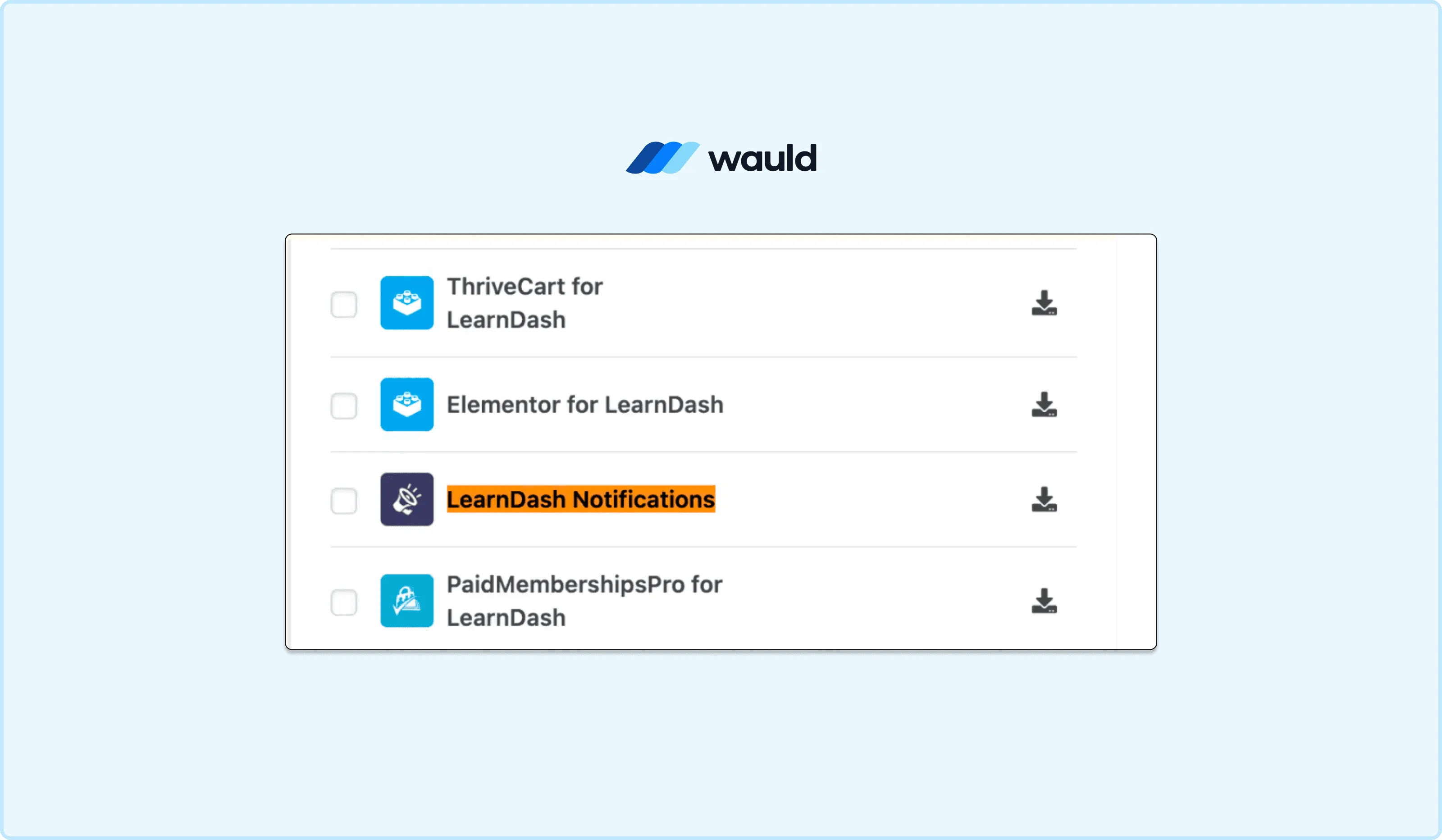
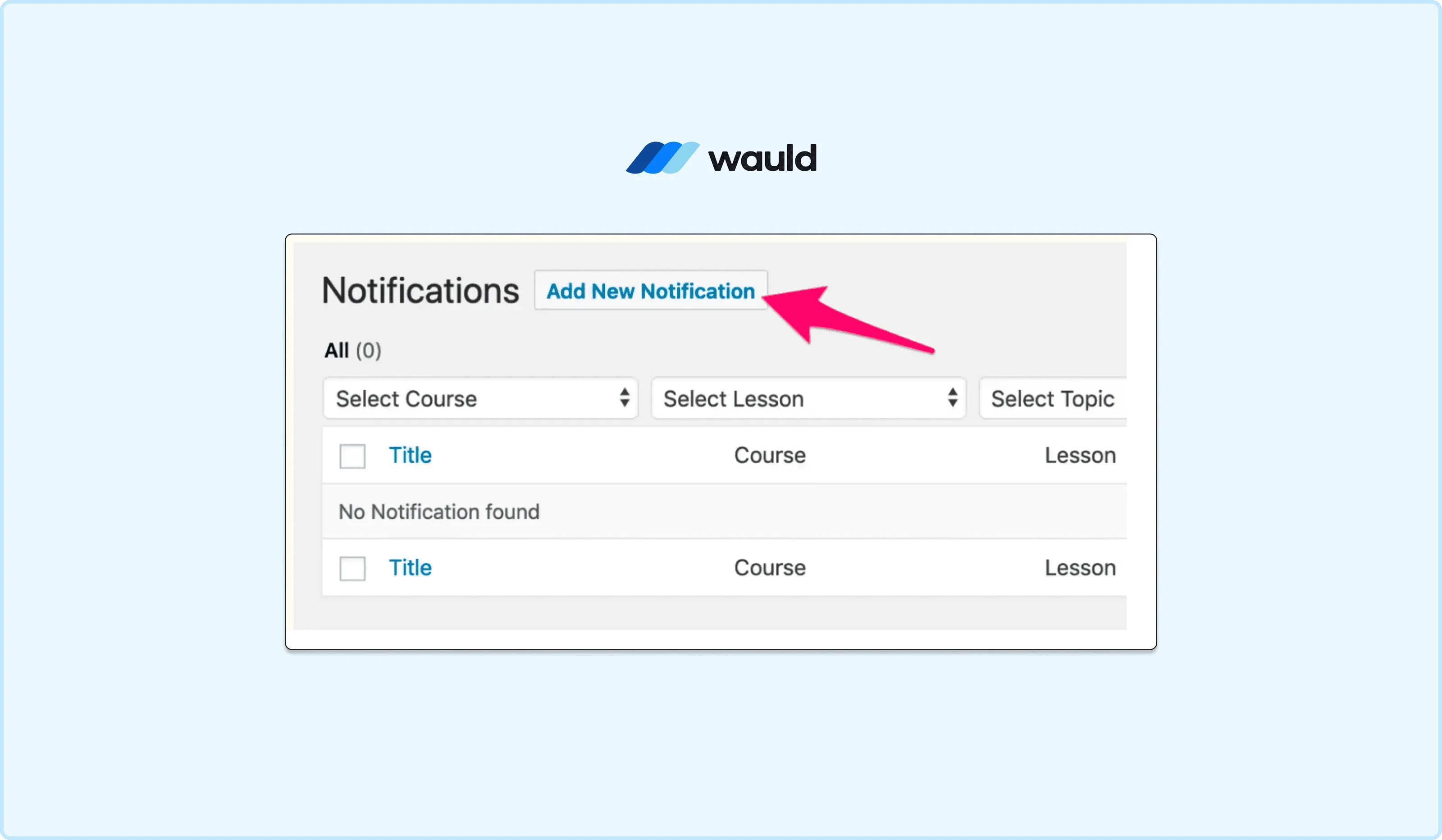
- Navigate to LearnDash LMS > Notifications and click Add New Notification.
- Set the trigger to "User completes a course" and select the specific course or all courses.
- Compose the email using shortcodes like
[ld_notifications field="user" show="first_name"]and[ld_notifications field="course" show="title"].
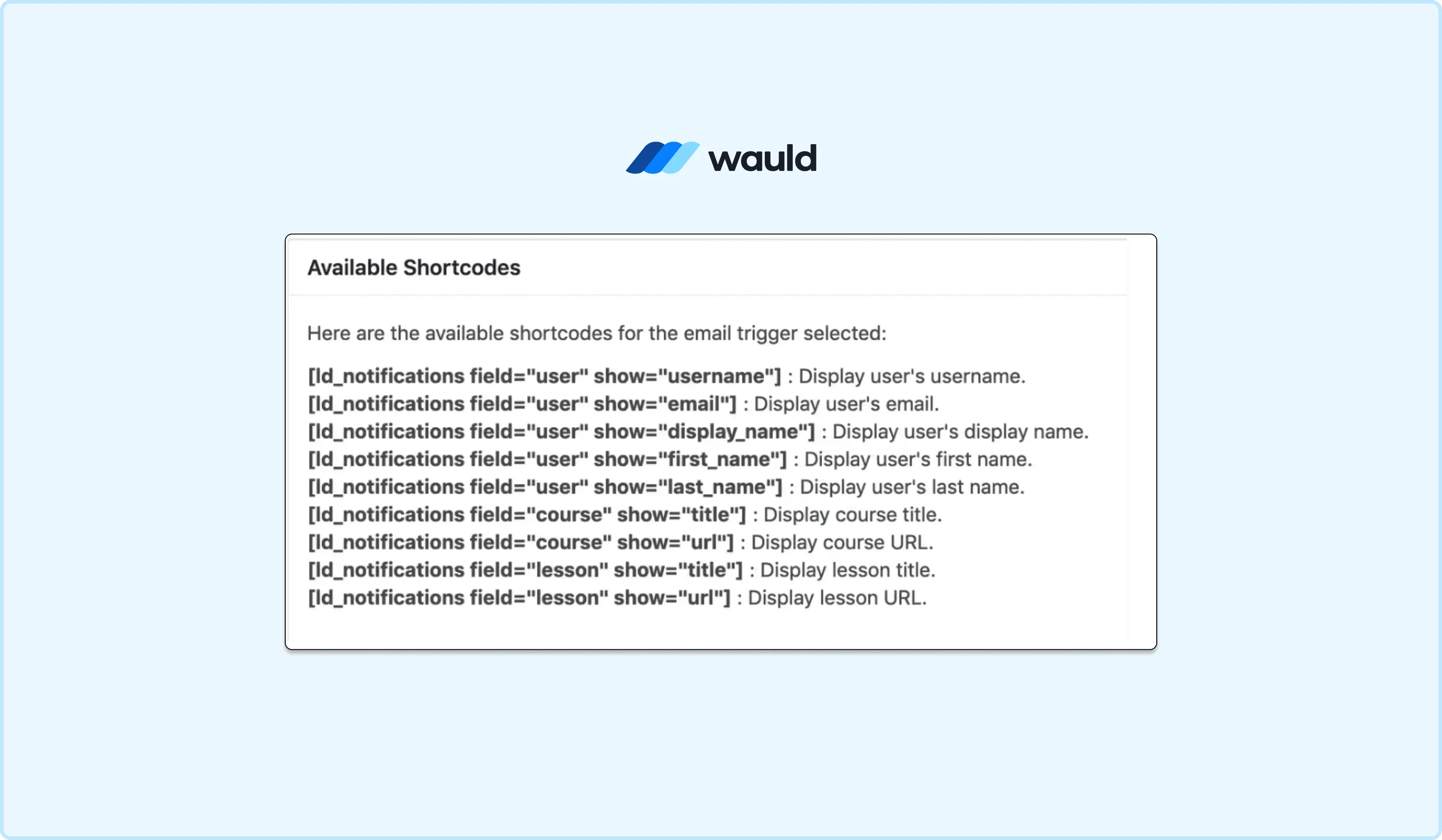
- Add the course URL to the email body using
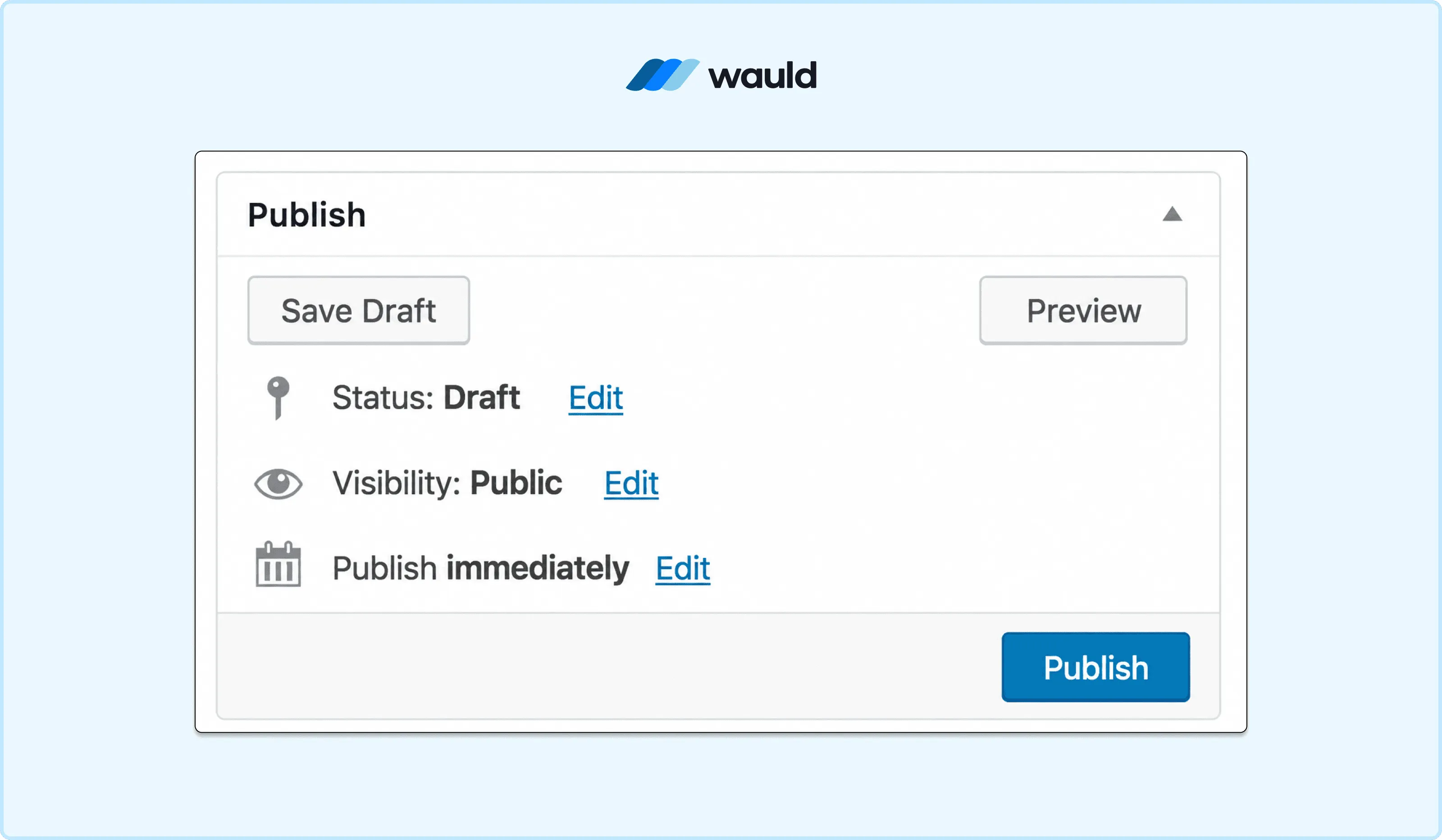
[ld_notifications field="course" show="url"]. - Set the recipient to "User," publish the notification, and activate it.
Pros:
- Officially supported and maintained by LearnDash.
- Triggers reliably on completion events including course, lesson, quiz, and group.
- Easy to configure for non-technical users.
- Supports a delay setting if you want to send the email after a set number of days.
Cons:
- The certificate is still a static PDF with no verification layer.
- The learner receives a link to the dashboard, not the certificate directly in the email.
- No branded certificate email design. The email is plain-text by default.
- No QR code, no unique credential ID, and no shareable public verification page.
This method solves the notification problem. It does nothing to improve the certificate itself.
Cost: The Notifications add-on is free for any active LearnDash license holder. No extra purchase is required beyond your existing LearnDash plan.
Method 2: Use Google Forms and Google Slides to Generate Certificates
A popular workaround among budget-conscious creators is to move certificate generation outside LearnDash entirely. You use Google Forms to collect learner data, then Autocrat (a free Google Workspace Marketplace add-on) to merge that data into a Google Slides certificate template and email the PDF automatically.
Steps:
- Create a Google Slides certificate template with placeholder text like
{{Name}},{{Course}}, and{{Date}}. - Build a Google Form to collect the learner's name, email, and course name.
- Install the Autocrat add-on from the Google Workspace Marketplace.
- Set up an Autocrat job to merge form responses into your Slides template, convert each to a PDF, and email it to the learner.
- Paste the Google Form URL as a link on the final lesson or topic page in your LearnDash course.
- Test the full workflow end to end before publishing.
Pros:
- Completely free if you already use Google Workspace.
- The certificate design is fully customizable in Google Slides.
- Autocrat has a straightforward interface that does not require coding.
- Certificates are automatically emailed to learners as PDF attachments.
Cons:
- No actual course completion verification. Anyone with the form URL can submit it and claim a certificate, regardless of course progress.
- The workflow depends on three separate systems: LearnDash, Google Forms, and Google Slides via Autocrat. Any one failing breaks the whole process.
- Managing the Google Sheet, Slides templates, and form responses becomes unwieldy at scale.
- Generated certificates are static PDFs. There is no credential ID, no verification link, and no LinkedIn sharing.
- The form link is manually embedded in your course. It does not integrate natively with LearnDash completion events.
Cost: Autocrat is free from the Google Workspace Marketplace. Google Forms and Google Slides are free with a personal Google account. If your organization uses Google Workspace for business, paid plans start at $7/user/month (Business Starter, billed annually).
This method is creative and costs nothing to try. But it is hard to maintain across multiple courses and has no completion integrity at all.
For a full step-by-step walkthrough of how to design and distribute certificates using Google Slides, including screenshots and templates, read our detailed guide: Google Slides Certificates: Design and Distribute Seamlessly with Wauld
Method 3: Use Uncanny Toolkit Pro to Download Certificates in Bulk
For teams that need bulk certificate management within LearnDash itself, the Uncanny Toolkit Pro plugin adds a "Download Certificates in Bulk" module. This was a widely requested feature from the LearnDash community for years.
The module works by adding the shortcode [uo_download_certificates] to a WordPress page. When an admin or Group Leader visits that page, they can select a group, course, or quiz and download a zip file of PDF certificates for every qualifying learner.
Because some criteria can generate hundreds of certificates, processing happens in the background. An email is sent with a download link when complete. Zip files are automatically purged after 12 hours to free server space.
Steps:
- Install and activate Uncanny Toolkit Pro for LearnDash.
- Enable the Download Certificates in Bulk module in the plugin settings.
- Create a new WordPress page and add the shortcode
[uo_download_certificates]. - Visit the page as an admin or Group Leader. Select the certificate type (Group, Course, or Quiz) and the specific course or group.
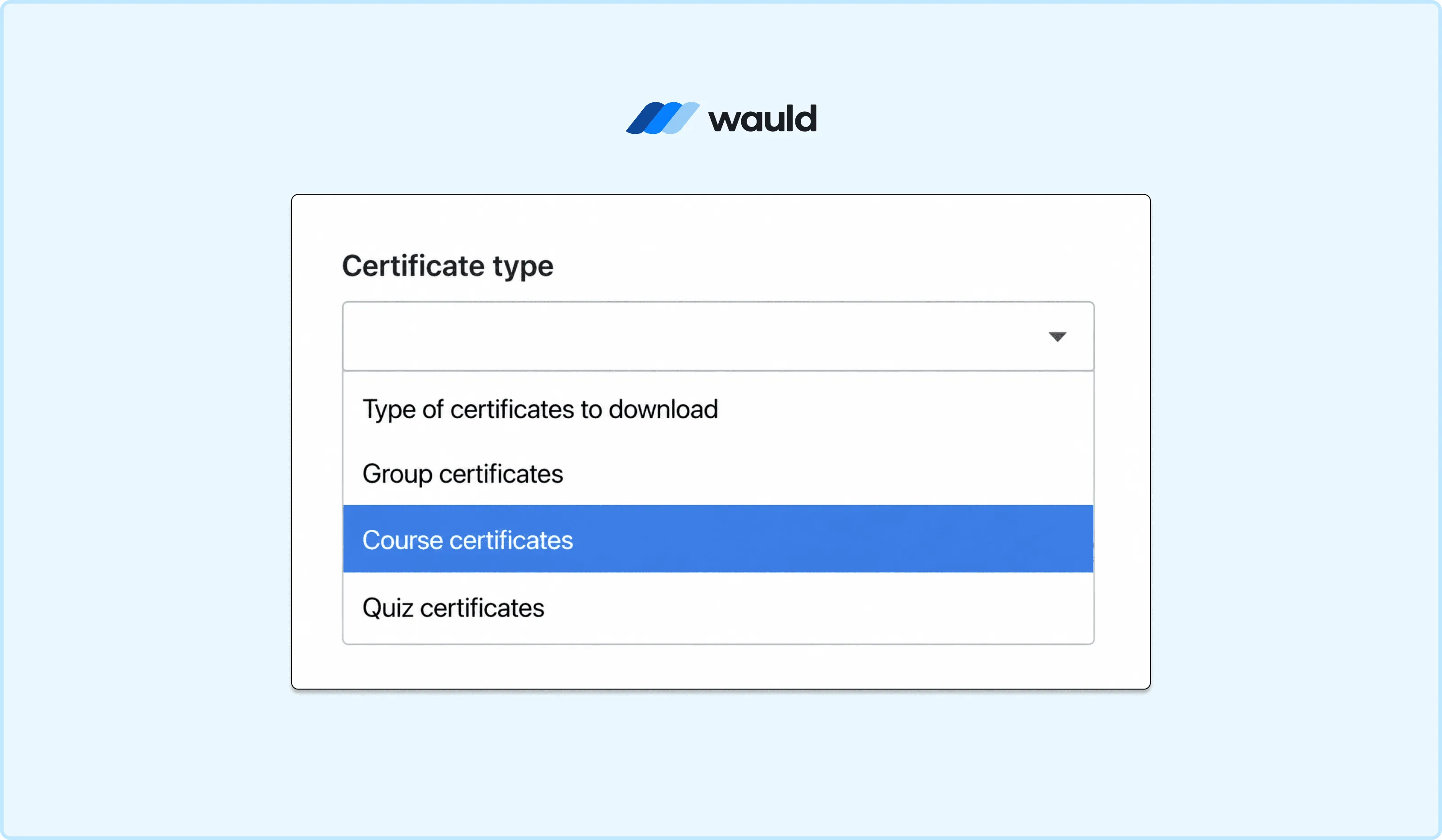
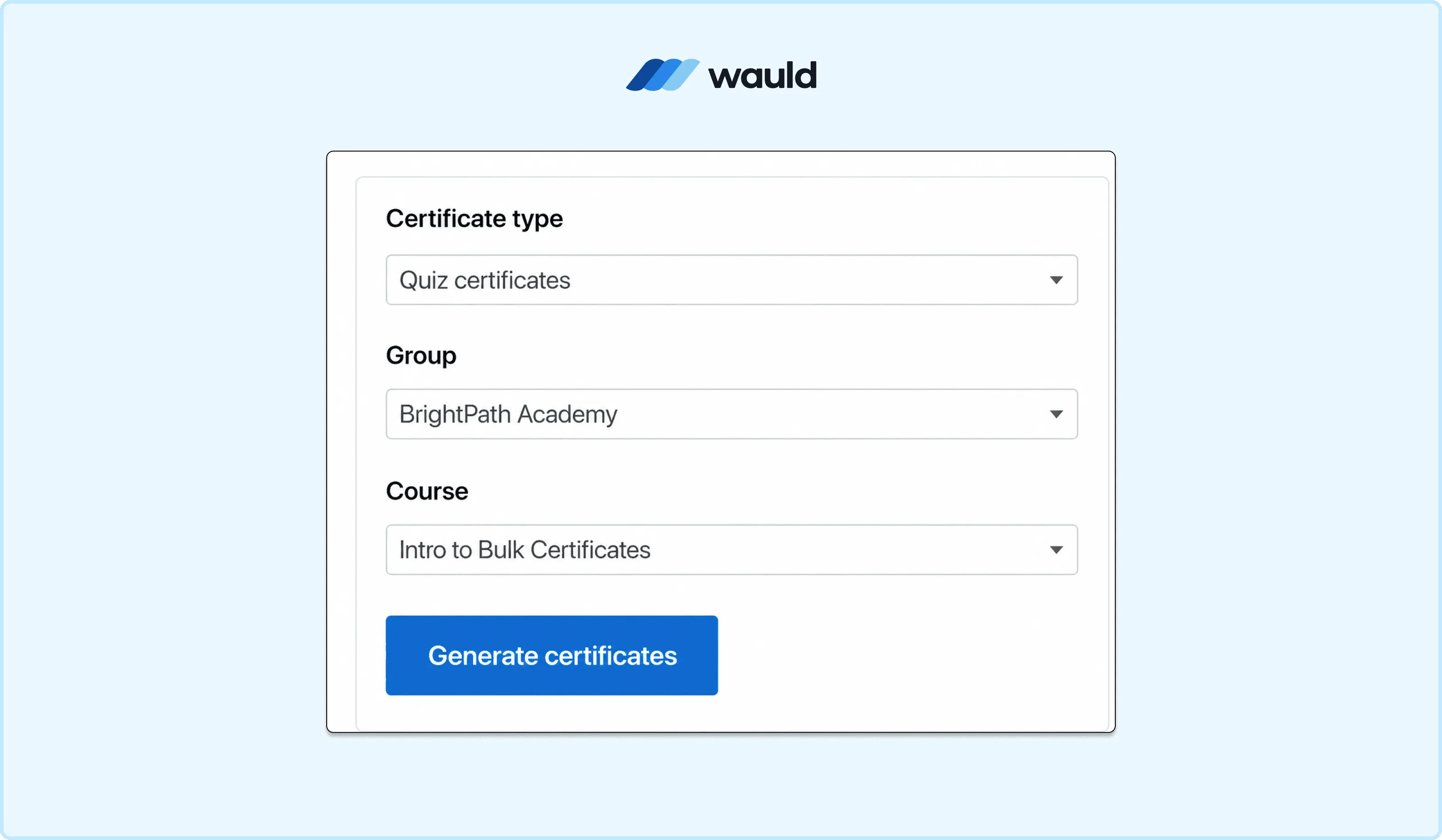
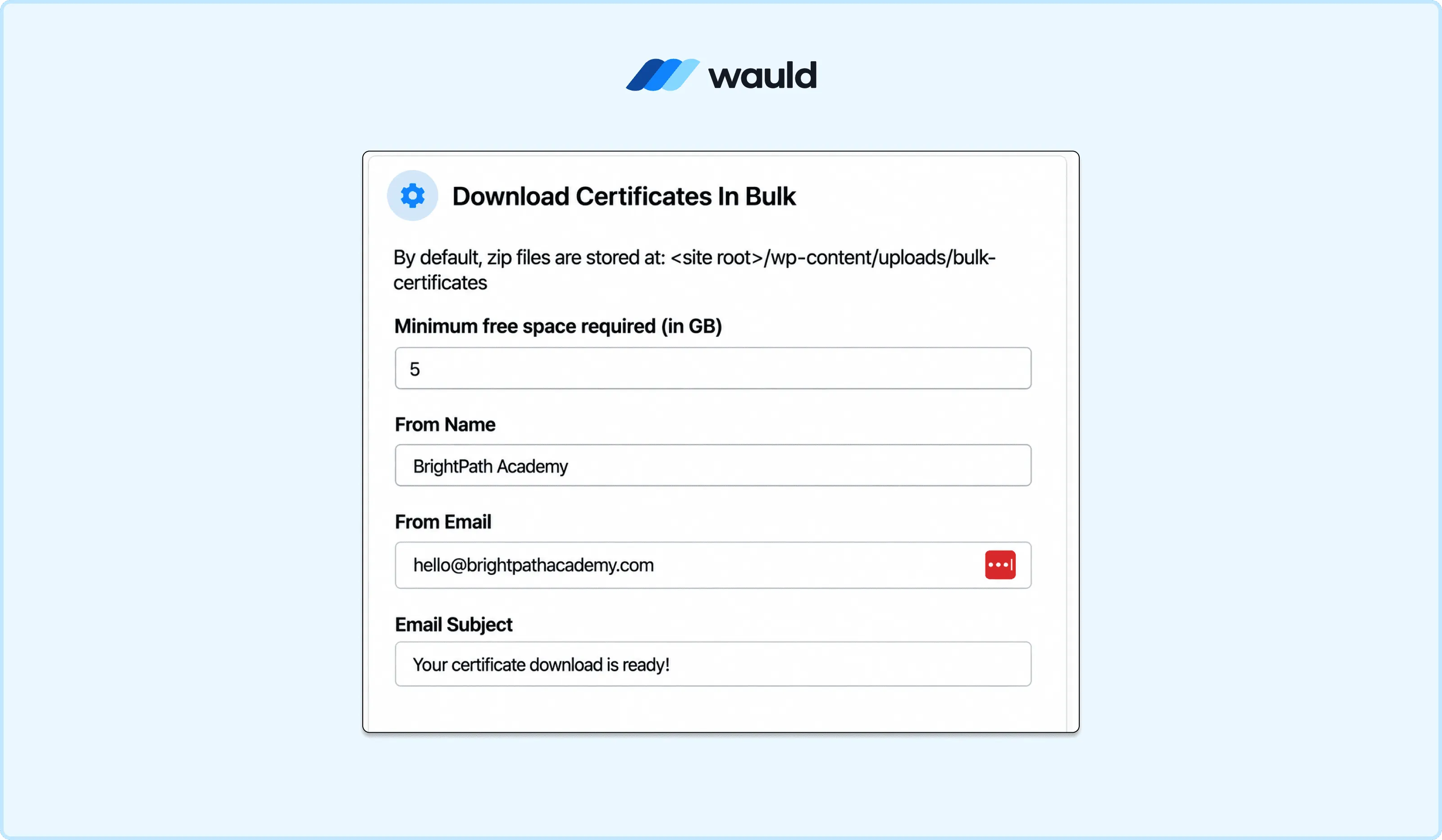
- Click to generate. The process runs in the background and an email arrives with the download link.
Pros:
- Solves the bulk generation problem directly within WordPress without third-party tools.
- Group Leaders can manage their own teams without admin involvement.
- Supports course, quiz, and group certificates from one interface.
Cons:
- Certificates are still static PDFs with no verification, QR codes, or credential IDs.
- Background generation can take up to 10 minutes for large groups.
- Requires a paid Uncanny Toolkit Pro license on top of your LearnDash subscription.
- There is still no automated delivery. Certificates are downloaded by an admin and distributed manually.
Cost: Uncanny Toolkit Pro starts at $149/year for a single site (introductory price; renews at $199/year). The Business plan for up to 5 sites is $249/year (introductory; renews at $349/year). The Agency plan for up to 50 sites is $349/year (introductory; renews at $499/year). These are on top of your LearnDash plan cost.
This method is useful for compliance training teams who need to pull records for audits. It does not solve the automation or verifiability problem.
Method 4: Use the LearnDash Zapier Integration to Trigger External Certificates
LearnDash has a well-maintained Zapier add-on available to all active license holders. It connects LearnDash to over 1,500 other applications by firing trigger events when specific things happen on your site.
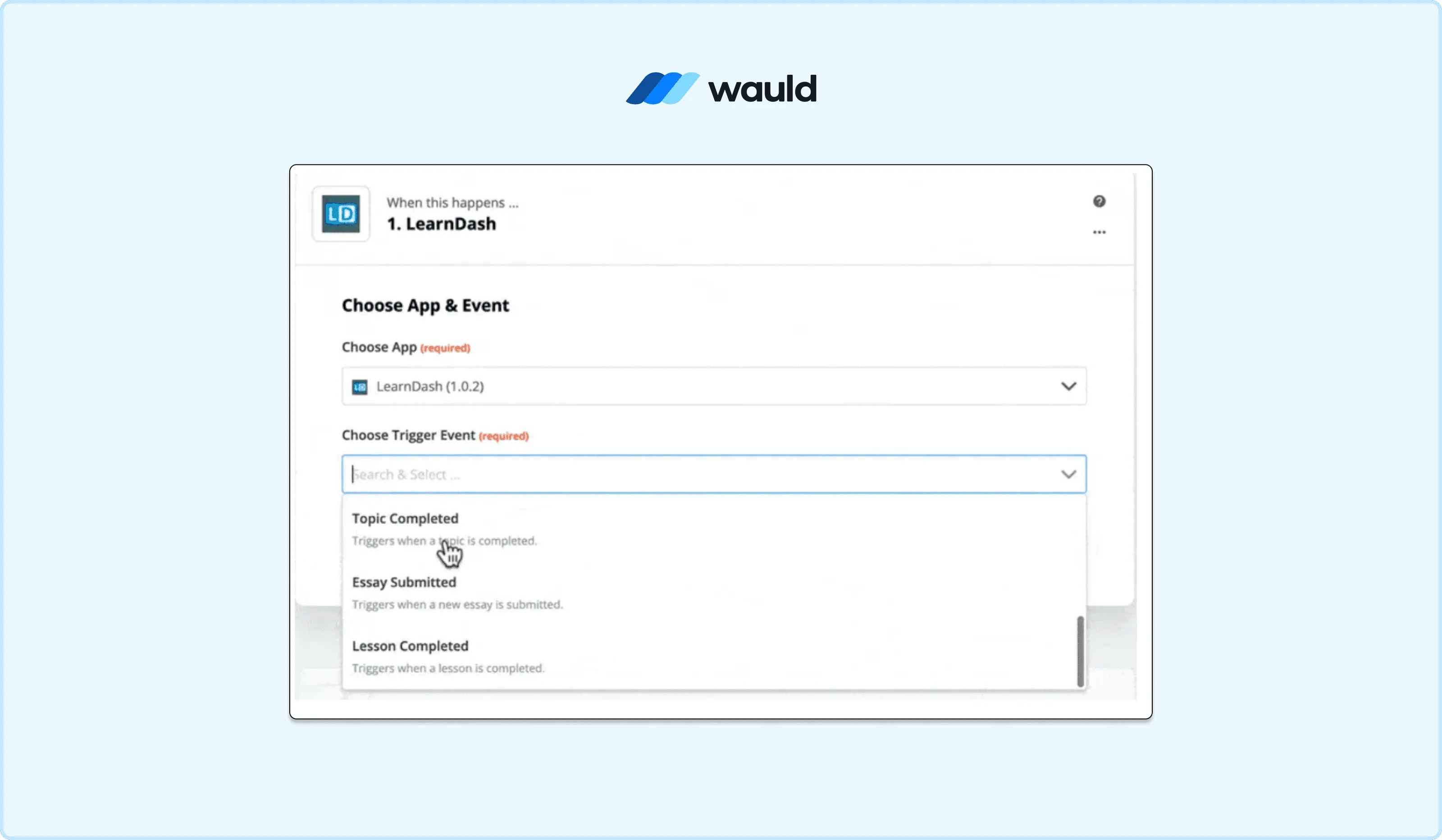
The supported trigger events include: course completed, lesson completed, topic completed, quiz taken, quiz completed, essay submitted, enrolled into course, enrolled into a group, and group completed.
When you set "Course Completed" as the trigger, Zapier receives a payload from LearnDash. This includes the learner's name, email, course title, and completion data. You then route that data to any action app of your choice.
The most common use is connecting LearnDash to a certificate platform via Zapier. The learner completes the course, Zapier fires, the certificate platform receives the data, generates a personalized certificate, and delivers it by email automatically.
Steps:
- Install the Zapier add-on from LearnDash LMS > Add-Ons and activate it.
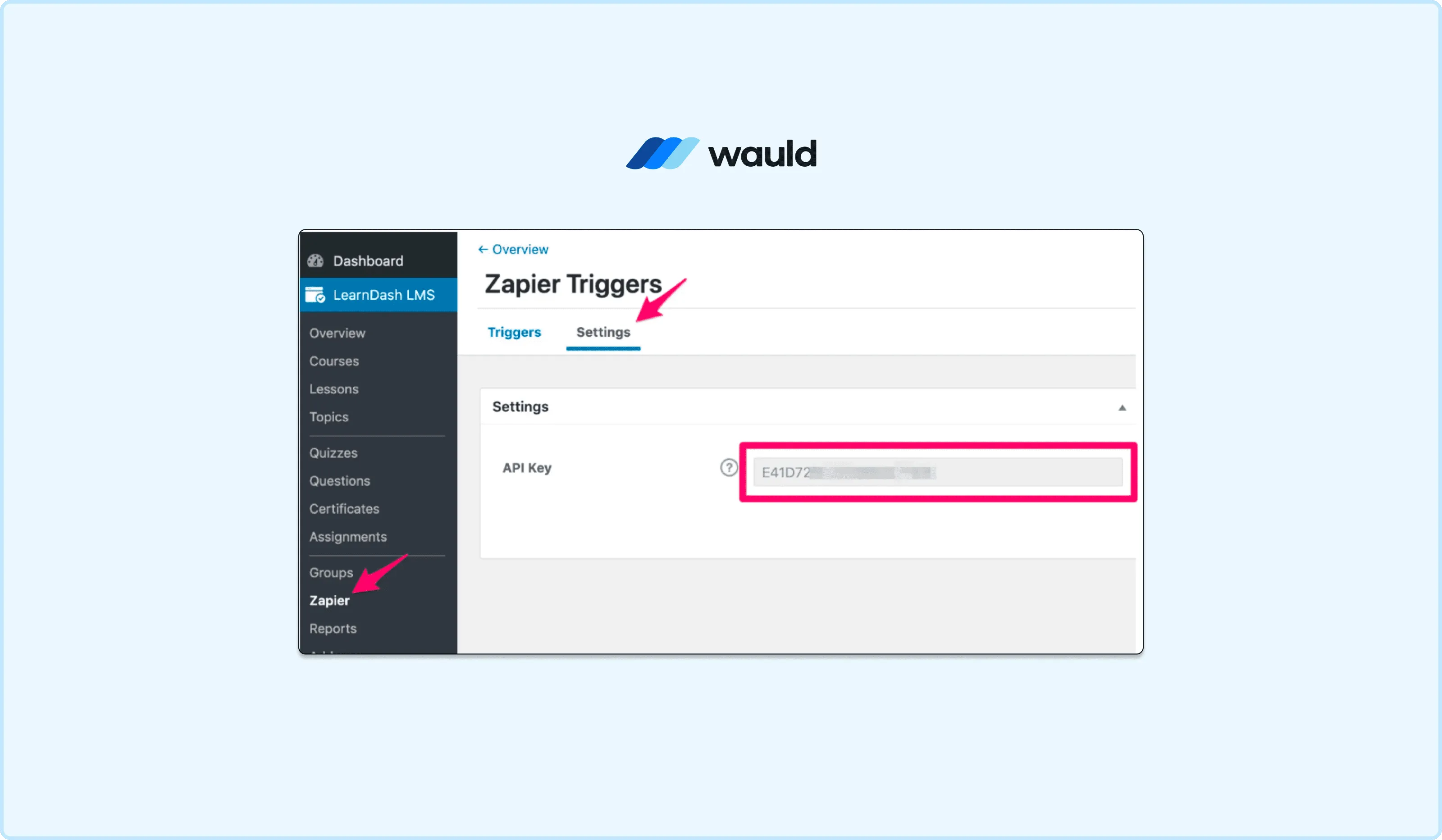
- In WordPress, go to LearnDash LMS > Zapier > Settings and copy your API key.
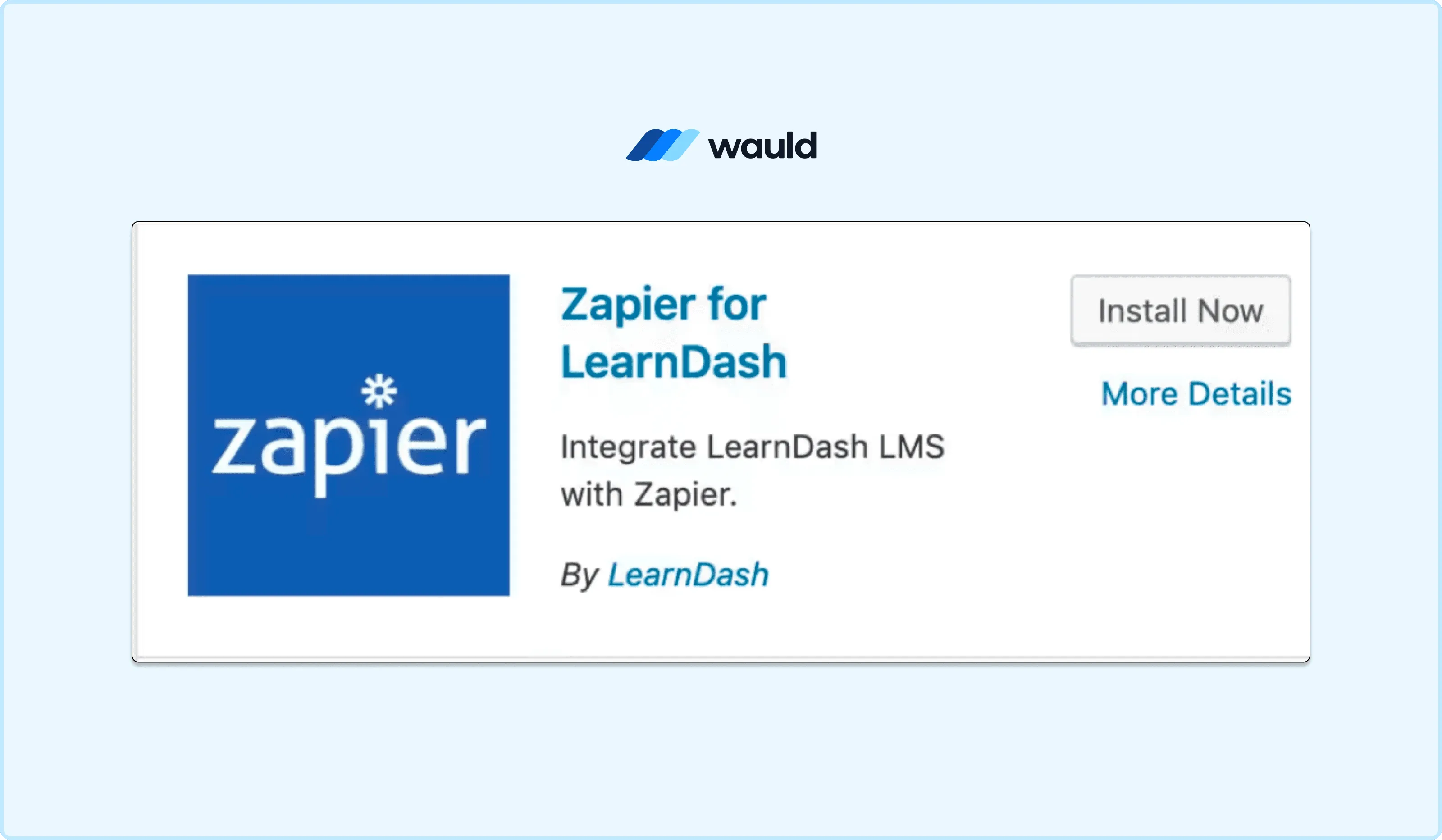
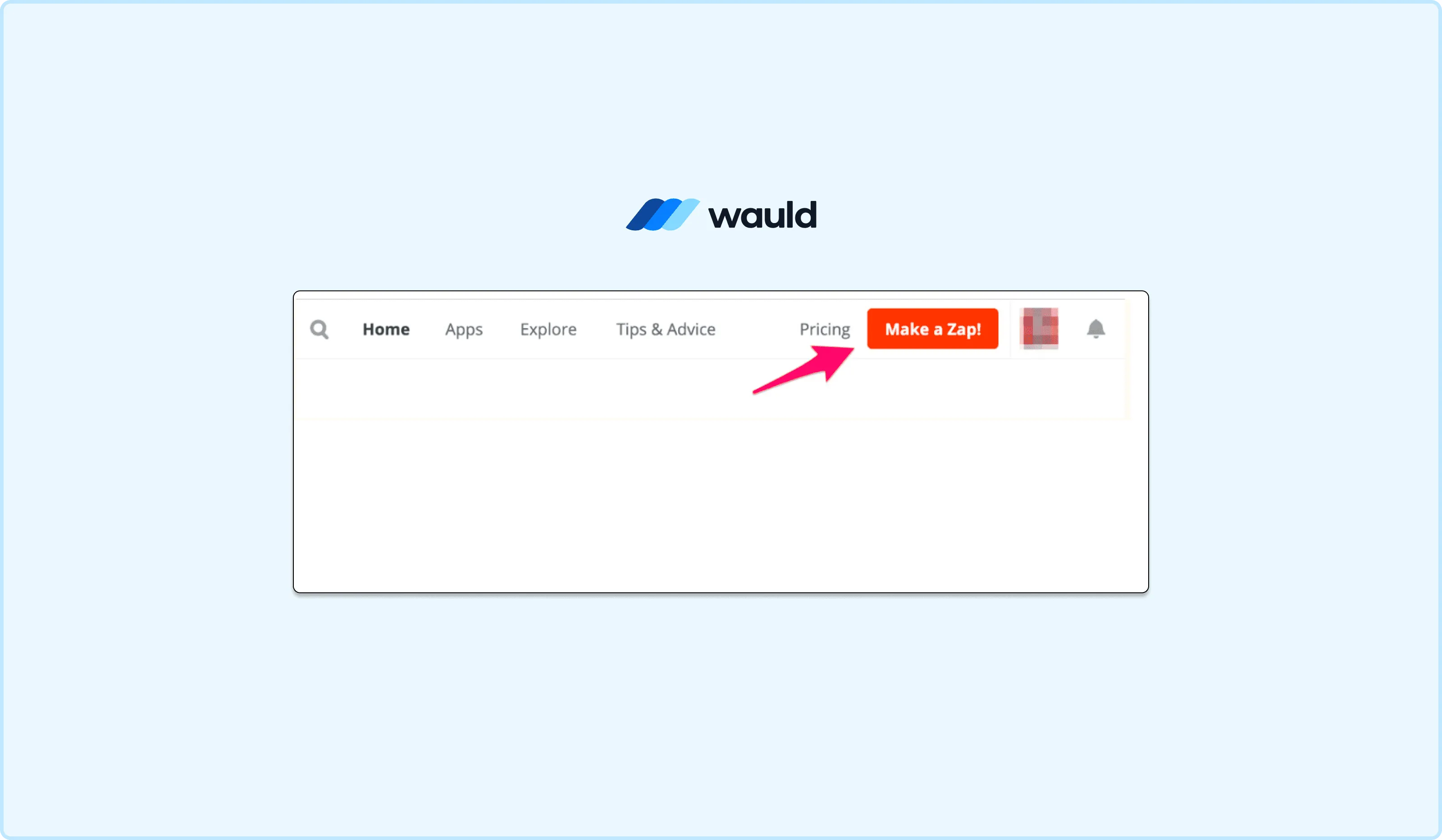
- Log in to Zapier and click "Create Zap."
- Set LearnDash as the trigger app and "Course Completed" as the trigger event.
- Connect your LearnDash account by entering your site URL and API key.
- Test the trigger to confirm Zapier is receiving completion data correctly.
- Set your certificate platform as the action app. Map the learner's name, email, course title, and completion date to the certificate fields.
- Test the workflow and turn the Zap on.
Pros:
- Uses an official, natively supported LearnDash add-on.
- Fully automated. The certificate is issued the moment the course is completed.
- No code required. The setup is accessible to non-technical admins.
- Compatible with a wide range of certificate and credential platforms.
Cons:
- The free Zapier plan is limited to 100 tasks/month and two-step Zaps only. This is not sufficient for real production workflows.
- Multi-step Zaps and access to premium apps require a paid Zapier plan.
- You depend on a third-party system. If Zapier has downtime, the trigger may be delayed.
- The quality and verifiability of the certificate depend entirely on which action app you connect to.
Cost: The LearnDash Zapier add-on is free for active license holders Zapier itself offers a free plan capped at 100 tasks/month with two-step Zaps only. For real automation workflows, you need a paid plan. The Professional plan starts at $19.99/month (billed annually) and unlocks multi-step Zaps, webhooks, and premium app access.
The Zapier route is the most scalable automation path for LearnDash. The trigger is reliable, the data is complete, and the setup is accessible to non-developers. The main variable is which platform you connect it to.
Method 5: Use Pabbly Connect as a Cost-Effective Zapier Alternative
If the Zapier pricing feels steep for your volume, Pabbly Connect is a strong alternative. It supports the same LearnDash trigger events and works on the same principle: a course completion in LearnDash fires a trigger, Pabbly routes the data to your certificate platform, and the certificate is delivered automatically. No code is required.
Pabbly Connect supports the following LearnDash triggers out of the box: course completed, lesson completed, topic completed, quiz completed, enrolled into a course, and new essay submitted. The workflow setup is nearly identical to Zapier, using a visual editor.
The main reason course creators switch from Zapier to Pabbly is cost and task efficiency. Pabbly does not count internal steps like filters, routers, and formatters as tasks. Only actual app-to-app actions count toward your monthly limit. This means a multi-step workflow on Pabbly costs significantly less to run than the same workflow on Zapier.
Pabbly also offers a lifetime deal, which is rare in the automation space. You pay once and use the platform with a fixed monthly task allowance that resets each month, forever.
Steps:
- Sign up at pabbly.com/connect.
- Click "Create Workflow" and give it a name.
- Set LearnDash as the trigger app and select "Course Completed" as the trigger event.
- Connect your LearnDash site using your site URL and API credentials.
- Test the trigger to confirm Pabbly is receiving the learner's completion data.
- Set Wauld (or your chosen certificate platform) as the action app.
- Map the LearnDash data fields to your certificate template and test.
- Activate the workflow.
Pros:
- No code required. Setup is nearly identical to Zapier.
- Filters and routers do not consume tasks, making high-volume workflows cheaper.
- Lifetime deal option eliminates recurring automation costs entirely.
- All paid plans include unlimited workflows from the start.
Cons:
- Fewer app integrations than Zapier (2,000+ vs 9,000+).
- The Wauld native integration is not yet live. You can connect via webhooks or custom API in the meantime.
- The lifetime deal plans have limited tasks/month compared to higher-tier monthly subscriptions.
Cost: Pabbly Connect offers a free plan with 100 tasks/month to test the platform. Monthly subscription plans start at approximately $19/month for 12,000 tasks (billed annually). The standout option is the lifetime deal starting at $249 one-time for 3,000 tasks/month with no recurring fees.
Method 6: Use LearnDash Webhooks to Connect Directly Without a Middleware Tool
Webhooks give you the most direct path from a LearnDash completion event to any external platform, without needing Zapier or Pabbly in the middle. When a learner completes a course, LearnDash sends an HTTP POST request to any URL you configure, immediately and in real time.
LearnDash supports outgoing webhooks natively via its REST API at the endpoint /wp-json/learndash/v2/webhooks. You can register a webhook for the course_completed event and point it directly at Wauld's incoming endpoint. The moment the course is complete, the learner's data arrives at Wauld, the certificate is generated, and it is delivered automatically. No polling, no middleware, no delay.
This method is faster and more reliable than Zapier or Pabbly because there is no third-party system in the chain. It requires a small amount of technical setup to register the webhook, but once configured it runs silently and indefinitely.
Steps:
- In your WordPress admin, navigate to LearnDash LMS > Settings and confirm REST API access is enabled.
- Generate your LearnDash REST API credentials (Consumer Key and Consumer Secret) under Users > Your Profile.
- Use the LearnDash REST API to register a webhook. Send a POST request to
https://your-site.com/wp-json/learndash/v2/webhookswith the payload:name: a label for your webhookdelivery_url: your Wauld or receiving endpoint URLevents:["course_completed"]``status:"active" - Authenticate with your Consumer Key and Consumer Secret.
- In Wauld, configure the incoming webhook to accept LearnDash completion payloads and map the fields to your certificate template.
- Complete a test course to confirm the webhook fires and the certificate is generated and delivered.
Pros:
- No Zapier or Pabbly account or subscription required.
- The most direct and fastest connection between LearnDash and your certificate platform.
- No middleware means no third-party downtime risk.
- Highly reliable for high-volume course programs.
Cons:
- Requires basic technical knowledge to register and manage the webhook via the REST API.
- Debugging requires access to server logs or a webhook testing tool.
- Not suitable for non-technical course creators without developer support.
Cost: No additional cost beyond your existing LearnDash license. The LearnDash REST API and webhook capability are included in the core plugin.
The Real Problem with LearnDash's Native Certificate System
It is worth naming the structural issue that none of the above methods fully resolve. LearnDash is an excellent LMS. It is built to manage courses, track progress, handle enrollment, run quizzes, and deliver content.
Certificate issuance sits at the edge of what an LMS is designed to do. LearnDash’s native certificate system reflects that. It handles the basic case well: generate a PDF when a learner completes a course or passes a quiz. But it was not built to manage the full credential lifecycle.
What is missing across every native method and workaround is a combination of things:
- Verifiability: each certificate should carry a unique credential ID and a verification page anyone can check.
- Shareability: learners should be able to share it directly to LinkedIn or send a public link.
- Branded delivery: the certificate email should come from your brand.
- Tracking: you should know when a learner opens, downloads, or shares their certificate.
The static PDF certificates that LearnDash generates, whether through the native builder, the certificate builder add-on, or Google Slides, do not do any of these things.
- Files can be forged.
- Files get lost in email.
- Files do not tell you whether the learner ever engaged with their credential.
Method 7: Issue Verifiable Digital Certificates with Wauld
This is where Wauld comes in. Wauld is a digital credential platform built to manage the full lifecycle of certificates and badges: design, issue, track, and verify. It integrates directly with LearnDash via Zapier, using the same "Course Completed" trigger described in Method 4. The difference is what happens on the other side of that trigger.
What Wauld Does Differently
When a LearnDash completion event fires and reaches Wauld, a branded certificate is generated automatically. Wauld’s certificate designer gives you full control over the credential experience, including:
- Backgrounds and layouts
- Typography and colors
- Logo placement and branding
- Custom or pre-designed templates
The certificate is delivered instantly by email as soon as the course is completed.
- The email comes from your branded domain
- Learners do not need to log into a dashboard
- Credentials arrive directly in their inbox within seconds
Every certificate issued through Wauld includes:
- A unique credential ID
- A public verification page
- A QR code and verification link
This transforms LearnDash certificates from static PDFs into trusted, verifiable digital credentials.
Wauld also makes credentials easier to share and promote:
- One-click LinkedIn sharing
- Public credential links
- Downloadable PDF versions
When learners share their certificates, they effectively promote your course to their professional network at no additional cost.
On the administrative side, Wauld provides analytics that LearnDash’s native certificate system does not.
- See who opened their certificate
- Track downloads and shares
- Monitor certificate views and verifications
- Measure actual learner engagement with credentials
How to Connect LearnDash to Wauld
There are three ways to connect, depending on your technical comfort and existing tools:
Via Zapier - Use the LearnDash Zapier add-on with "Course Completed" as the trigger and Wauld as the action app. Requires a paid Zapier plan for multi-step workflows. Full setup steps in Method 4.
Via Pabbly Connect - The same workflow as Zapier but with lower per-task cost and a lifetime deal option. Wauld's native Pabbly integration is currently being built. Full setup steps in Method 5.
Via Webhooks - Register a LearnDash webhook pointing directly at Wauld's endpoint. No middleware required. The fastest and most reliable path for technical teams. Full setup steps in Method 6.
Bulk Issuance via CSV
If you need to issue certificates to learners who completed courses before setting up the Zapier automation, Wauld also supports bulk issuance via CSV upload. Export your completed learner records from LearnDash, format the CSV with the required fields, and upload it to Wauld. The platform generates and delivers personalized certificates to every learner in the batch in one go.
Cost: Wauld offers a free plan that covers up to 300 credentials. It includes verifiable credentials, bulk issuance, LinkedIn sharing, QR verification, and access to the full 900+ template library. The Growth plan uses credential-volume-based pricing scaled to your issuance needs, and adds unlimited admin users, QR code verification logs, expiry management, and a verified badge for your organization. Enterprise pricing is custom and includes white labeling, API access, and on-premise hosting. Start free and check current pricing at wauld.com/pricing.
Comparing the Methods: A Quick Summary
The table below provides a quick comparison of the available methods. For a more detailed explanation of each option, refer to the sections above.
| Method | Automated Delivery | Technical Complexity | Cost |
|---|---|---|---|
| Native Certificate Builder | No | Low | Free add-on |
| Certificate Builder Add-On | No | Low | Free add-on |
| Notifications Add-On | Link only | Low | Free add-on |
| Google Forms + Google Slides + Autocrat | Yes (email PDF) | Medium | Free |
| Uncanny Toolkit Pro (Bulk) | No (admin download) | Medium | From $149/year |
| LearnDash + Zapier + Certificate Platform | Yes | Medium | From $19.99/month (Zapier) |
| LearnDash + Pabbly + Certificate Platform | Yes | Medium | From $19/month or $249 lifetime |
| LearnDash + Wauld via Zapier | Yes (instant email) | Low | Free plan available |
| LearnDash + Wauld via Pabbly | Yes (instant email) | Low | Free plan available |
| LearnDash + Wauld via Webhooks | Yes (instant email) | Medium | No extra cost |
Final Thoughts
LearnDash gives you everything you need to build and run professional online courses on WordPress. What it does not give you out of the box is a credential system that matches the quality of the learning experience you have built.
The native certificate builder is functional but limited. The third-party workarounds, whether Google Slides with Autocrat, the Notifications add-on, or Uncanny Toolkit Pro, solve individual pieces of the problem but not the whole thing.
The fundamental issue remains: LearnDash certificates are static PDFs with no verification, no branded delivery, and no analytics. Wauld is built to close that gap. It connects to LearnDash through Zapier in under an hour, works without changing how you build or deliver your courses, and turns every course completion into a verifiable digital credential that learners are proud to share.
If you are running courses on LearnDash and want your certificates to actually mean something beyond the download, Wauld is the fastest path to getting there.