What's New
Product updates, improvements, and fixes from the Wauld team.
Connect Wauld to Pabbly Connect for no-code credential automation
You can now use Pabbly Connect with Wauld to automate credential workflows across more of the apps and systems your team uses. With this update, you can use Wauld in Pabbly Connect in two ways:

Connect Wauld to Pabbly Connect for no-code credential automation
You can now use Pabbly Connect with Wauld to automate credential workflows across more of the apps and systems your team uses. With this update, you can use Wauld in Pabbly Connect in two ways:
You can now use Pabbly Connect with Wauld to automate credential workflows across more of the apps and systems your team uses. With this update, you can use Wauld in Pabbly Connect in two ways:
- Issued Credential as a trigger, to start a Pabbly workflow after a credential is issued in Wauld
- Issue Credential as an action, to issue a credential in Wauld from another app or workflow step
The Issued Credential trigger lets you send credential data from Wauld into Pabbly Connect when a credential is issued. You can then use that data to update records, notify a team, send information to another app, or start a follow-up process.
The Issue Credential action works the other way around. You can collect recipient data from another app - such as a form, spreadsheet, CRM, or internal workflow - and use that data to issue a credential in Wauld. This gives you another no-code way to bring Wauld into your existing workflows, especially when your team wants credential issuance or post-issuance actions to happen without manually moving data between tools.
Visit the Wauld Pabbly Connect integration page to explore available Wauld integrations, choose the tools you want to connect with Wauld, and view the workflows you can build. The Pabbly Connect integration is available on all Wauld plans, including the Free plan.
Make integration for credential workflow automation
You can use Make with Wauld to connect credential workflows to other applications in your Make scenarios. With this integration, you can use Wauld in Make in two ways:
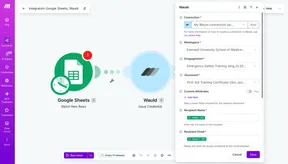
Make integration for credential workflow automation
You can use Make with Wauld to connect credential workflows to other applications in your Make scenarios. With this integration, you can use Wauld in Make in two ways:
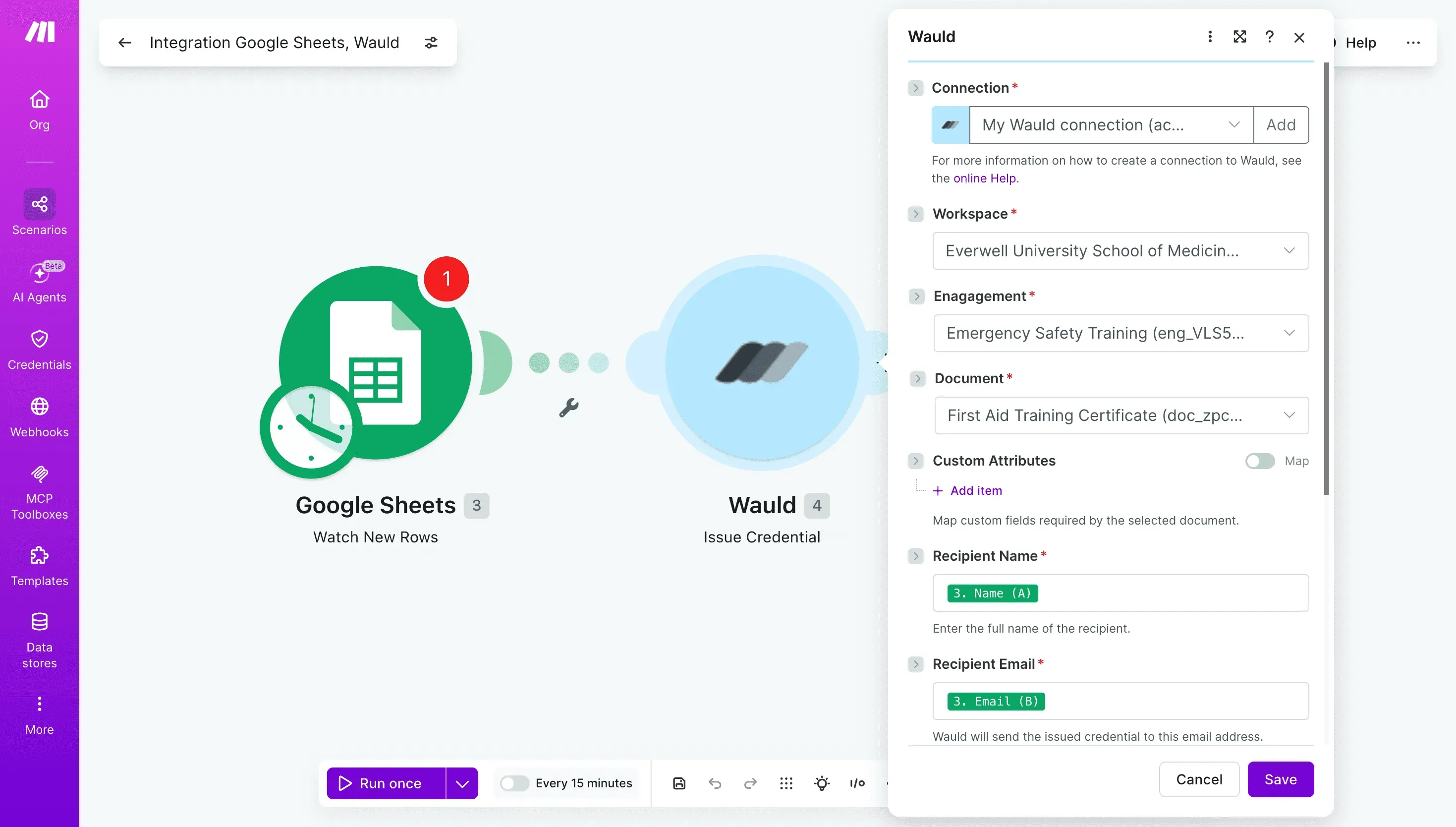
You can use Make with Wauld to connect credential workflows to other applications in your Make scenarios. With this integration, you can use Wauld in Make in two ways:
- Credential Issued as a trigger, to start a Make scenario when a credential is issued from a selected Wauld Document
- Issue Credential as an action, to issue a credential in Wauld from a step in your Make scenario
The Credential Issued trigger lets you select the specific Wauld Document you want to monitor. When a credential is issued from that Document, your Make scenario starts and receives credential, issuer, recipient, and related data. You can use that data to send information to another app, update a database, notify a team, or trigger follow-up actions.
The Issue Credential action lets another app or scenario step pass recipient data into Wauld and issue a credential. For example, you can collect information from a form or another platform earlier in your scenario, then use that information to issue a credential in Wauld at the right point in the workflow.
The Make integration will be available on all Wauld plans, including the Free plan.
Note: The Make integration is pending approval from Make and is not yet live.
To learn how to set up and use this integration, read the Wauld Make Integration Guide
Verify your organization's domain ownership through DNS
You can now complete the domain ownership step of organization verification yourself through DNS, directly from Admin Center → Account. For a step-by-step walkthrough of the verification flow, see How to do organization verification.
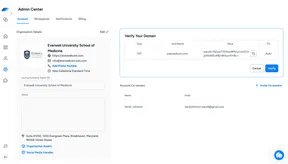
Verify your organization's domain ownership through DNS
You can now complete the domain ownership step of organization verification yourself through DNS, directly from Admin Center → Account. For a step-by-step walkthrough of the verification flow, see How to do organization verification.
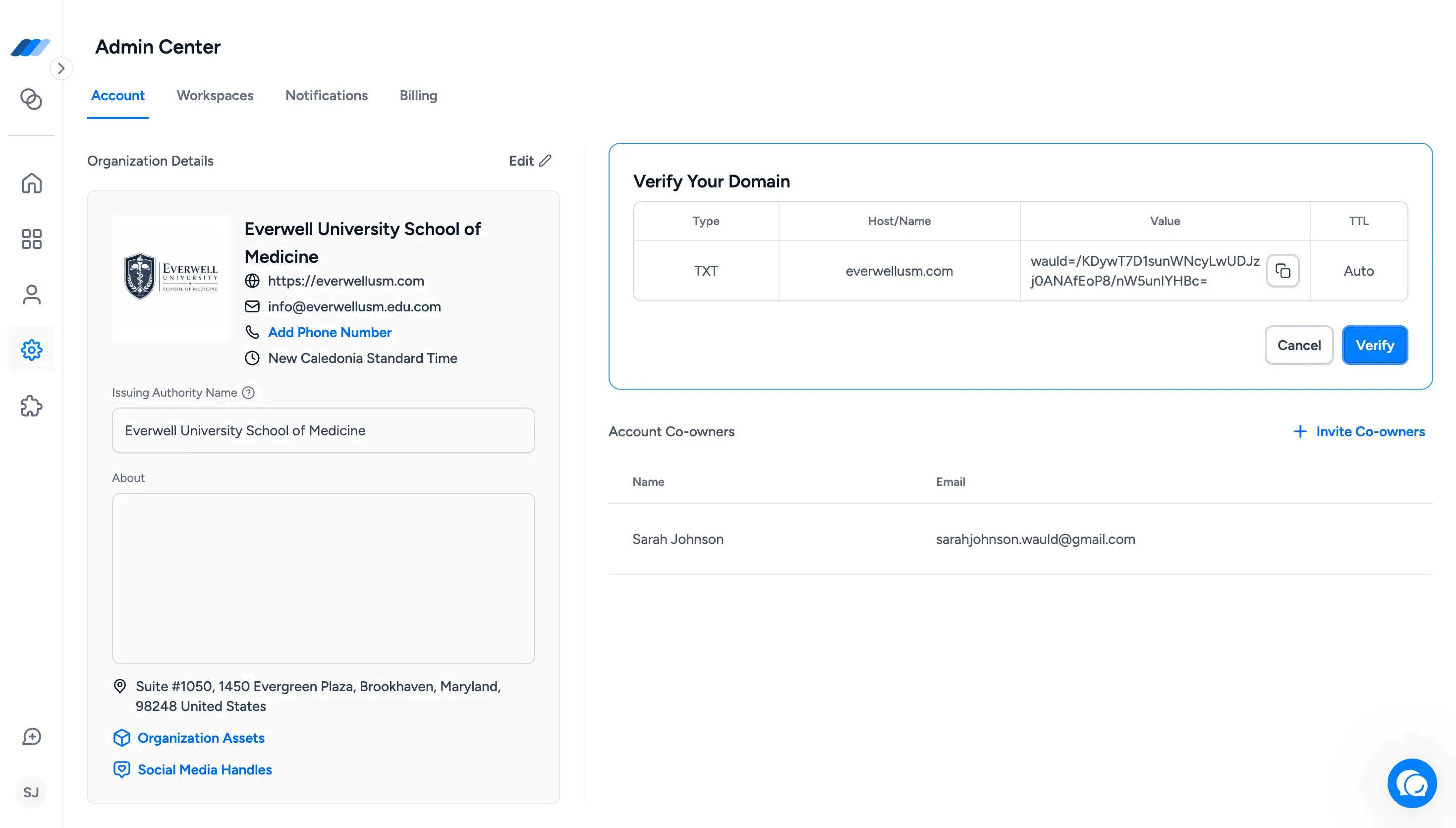
You can now complete the domain ownership step of organization verification yourself through DNS, directly from Admin Center → Account. For a step-by-step walkthrough of the verification flow, see How to do organization verification.
To get started, click the Get Verified banner in Admin Center → Account. Wauld shows you the DNS record details you need - including record type, hostname, TXT value, and TTL. Add that record through your domain registrar, return to Wauld, and click Verify. If the record is in place and publicly available, Wauld confirms domain ownership automatically. Your organization then moves to Under Review while Wauld's team reviews your organization name, issuing authority, logo, verified domain, and other public details before approving your account and assigning a Verified status and badge.
What this means for you:
- Complete the domain ownership step yourself without waiting for extended manual verification back-and-forth
- Give recipients, employers, and institutions a clear signal that credentials come from a verified source
- Find the full verification setup in Admin Center → Account under the Get Verified banner
To understand what Verified status means for your organization and the credentials you issue, read Benefits of organization verification in Wauld.
Note: The Verified badge applies only to credentials issued after your organization is approved. Credentials issued before verification are not updated retroactively.
Attach the credential PDF to the delivery email
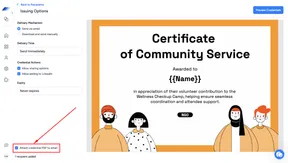
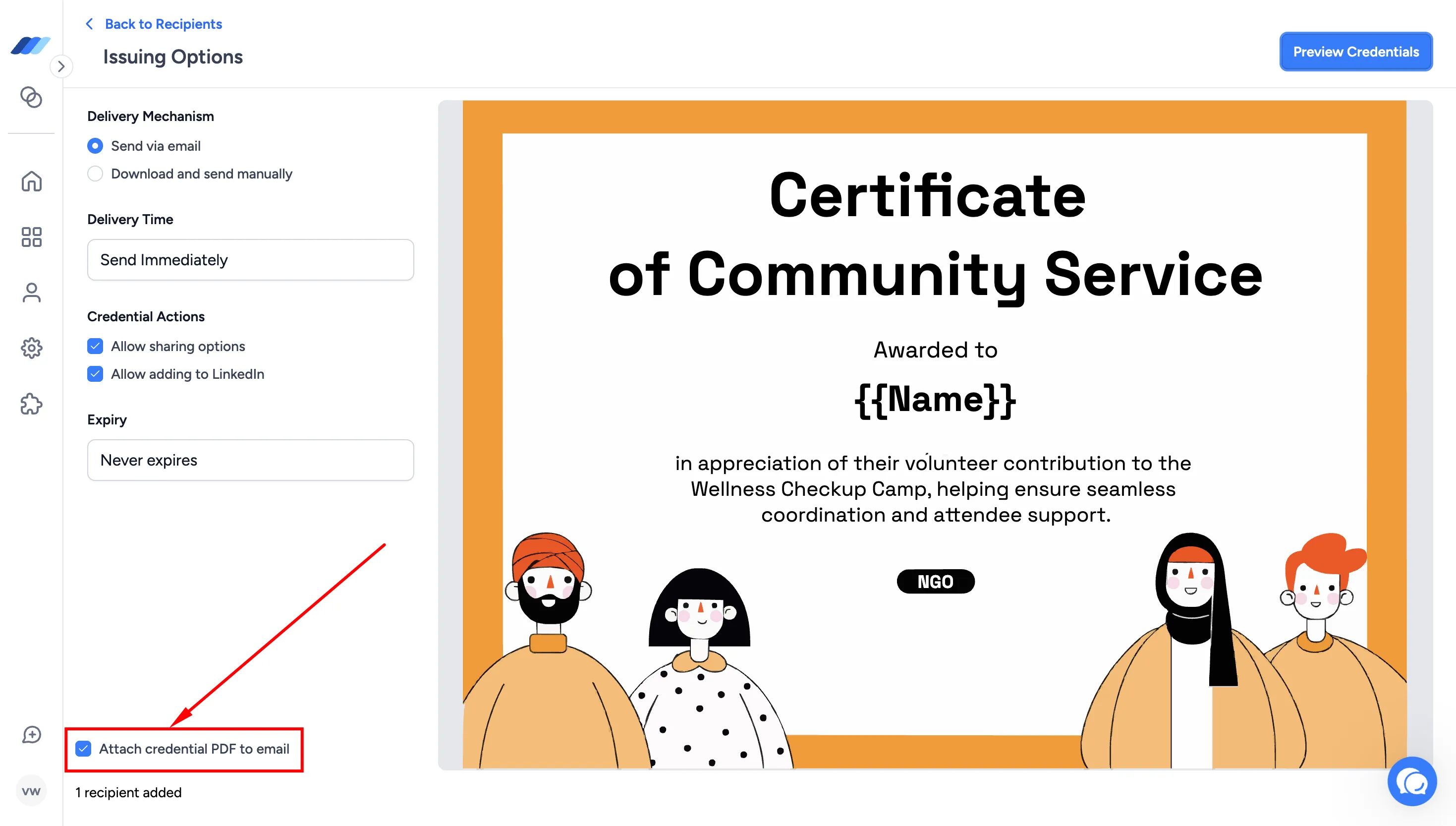
You can now include the credential PDF as an attachment in the credential delivery email. When issuing credentials, select the Attach credential PDF to email option in Issuing Options, and recipients receive both the credential access link and the attached PDF in the same email. The option is available for immediate and scheduled issuance, and also appears in the Resend Credential modal and the Edit Credential reissue flow.
Attach the credential PDF to the delivery email
You can now include the credential PDF as an attachment in the credential delivery email. When issuing credentials, select the Attach credential PDF to email option in Issuing Options, and recipients receive both the credential access link and the attached PDF in the same email. The option is available for immediate and scheduled issuance, and also appears in the Resend Credential modal and the Edit Credential reissue flow.
You can now include the credential PDF as an attachment in the credential delivery email. When issuing credentials, select the Attach credential PDF to email option in Issuing Options, and recipients receive both the credential access link and the attached PDF in the same email. The option is available for immediate and scheduled issuance, and also appears in the Resend Credential modal and the Edit Credential reissue flow.
What this means for you:
- Give recipients their credential PDF immediately in their inbox for formal submissions, compliance, or records
- Reach recipients whose organizations restrict external links by delivering the credential as a PDF attachment
- Stay in control of PDF delivery whether issuing, resending, or reissuing credentials
Connect Wauld with your everyday tools through Zapier
You can now connect Wauld with 9,000+ apps through Zapier, helping you bring credential issuance into the workflows your team already uses.

Connect Wauld with your everyday tools through Zapier
You can now connect Wauld with 9,000+ apps through Zapier, helping you bring credential issuance into the workflows your team already uses.
You can now connect Wauld with 9,000+ apps through Zapier, helping you bring credential issuance into the workflows your team already uses.
With this update, you can use events from other tools to issue credentials in Wauld, or use credential activity in Wauld to start follow-up actions elsewhere. This can support workflows such as issuing a credential after a course completion, form submission, webinar attendance, spreadsheet update, CRM status change, or other activity captured in your connected apps.
Wauld currently supports two Zapier events:
- Issue Credential - an action that lets you issue a credential in Wauld when something happens in another app.
- Credential Issued - a trigger that starts a workflow in another app after a credential is issued from Wauld.
We have also added Wauld Zap templates to help you start faster. These templates provide ready-made workflow structures for common credentialing use cases, so you can choose a relevant flow, map your recipient and credential data, and adjust it based on how your team works.
You can visit the Wauld app page on Zapier to explore available Wauld integrations, view Zap templates, and see the apps you can connect with Wauld.
To learn how to set up and use this integration, read the Wauld Zapier Integration Guide .
Trigger credential issuance from external workflows
You can now set up custom triggers in Wauld to issue credentials from the systems and workflows your team already uses.

Trigger credential issuance from external workflows
You can now set up custom triggers in Wauld to issue credentials from the systems and workflows your team already uses.
You can now set up custom triggers in Wauld to issue credentials from the systems and workflows your team already uses.
With this update, you can create a trigger for a specific document, set an expiry, and configure the credential issuance action. Once the trigger is created, Wauld generates a unique trigger URL for that document.
When the defined payload is sent to this URL, Wauld uses the submitted data to issue the credential automatically. This helps you turn actions from another system, such as a course completion, assessment result, event attendance, form submission, or internal approval, into credential issuance without adding recipients manually each time.
Custom triggers are useful when Wauld needs to be the final step in a broader workflow. Your external system can complete its own process first, then send the required data to Wauld so the right credential is issued from the right document.
This gives you a more flexible way to connect credential issuance with your existing processes, while keeping the credential design, document setup, and issuance configuration managed inside Wauld.
Add image attributes to credential designs
You can now add image attributes to your credential designs, giving you more flexibility to personalize credentials with recipient-specific visuals.
Add image attributes to credential designs
You can now add image attributes to your credential designs, giving you more flexibility to personalize credentials with recipient-specific visuals.
You can now add image attributes to your credential designs, giving you more flexibility to personalize credentials with recipient-specific visuals.
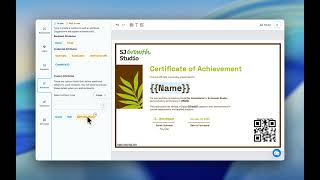
With this update, custom attributes can be created as either Text or Image attributes. Image attributes can be used for details such as profile photos, signatures, logos, ID photos, or other visuals that may be different for each recipient.
Once an image attribute is added to the Design Studio, you can place it on the canvas and resize it however you need. The image preserves its original aspect ratio and expands to fit the selected area, so it stays clean and consistent in the design.
You can also use the existing resizing, snapping, and layering options in the Design Studio to position image attributes more precisely and create better credential layouts. Before issuing, these images are shown in the credential preview, helping you review how each recipient’s credential will look.
This helps you create credentials that feel more personal, branded, and complete, while giving your recipients credentials that include the right visual details for their achievement or identity.
Use webhooks to keep your systems updated after credentials are issued
You can now use webhooks to send credential issuance data from Wauld to other systems automatically.

Use webhooks to keep your systems updated after credentials are issued
You can now use webhooks to send credential issuance data from Wauld to other systems automatically.
You can now use webhooks to send credential issuance data from Wauld to other systems automatically.
With this update, whenever a credential is issued, Wauld can send a structured payload to a webhook URL configured by your team. This helps you keep external systems updated, trigger follow-up workflows, and pass issuance details to the tools that need them.
The webhook payload includes key issuance information, such as issuer details, recipient details, credential details, and related issuance data. This allows your connected systems to understand who issued the credential, who received it, what was issued, and when the issuance happened.
Webhooks can be used to support workflows such as updating learner records, syncing issued credential details with a CRM, sending data to an internal reporting system, triggering notifications, starting an approval or follow-up process, or storing issuance activity in your own database.
This gives you more flexibility to use Wauld issuance data across the systems where your team already manages recipients, records, reporting, or follow-up actions.
You can review the sample webhook payload below to see what data is sent when a credential is issued:
{
  "id": "crd_1iHwsHUou",
  "document": {
    "id": "doc_CiXhqs4FQ",
    "name": "Certificate of Achievement",
    "type": "CERTIFICATE",
    "skills": [
      "LLM Prompt Engineering",
      "Business Process Optimization Using AI"
    ],
    "earningCriteria": [
      {
        "type": "Portfolio Submission",
        "description": "Submitted solutions using ChatGPT on potential business problems",
        "supportingLink": "https://docs.google.com/document/d/1ZdIRfly48bx-l5ZxVmdG22S4k1pT_8_GRgeLaj1coew/edit?tab=t.0"
      }
    ]
  },
  "issuer": {
    "id": "acc_vOioZS4a0",
    "name": "SJ Growth Studio",
    "website": "https://sjgrowthstudio.com",
    "verified": true
  },
  "attributes": [
    {
      "name": "Grade",
      "value": "A"
    },
    {
      "name": "Skill",
      "value": "Applied AI"
    }
  ],
  "issueTime": "2026-06-04T19:59:12.409978Z",
  "recipient": {
    "name": "Vikranth",
    "email": "vik@wauld.com"
  },
  "expireTime": "2026-06-11T19:59:11.010Z"
}Issue credentials with stronger Open Badges 3.0 support
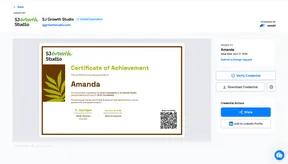
You can now issue credentials through Wauld with alignment to the 1EdTech Open Badges 3.0 specification, giving your credentials a stronger standards-based foundation for verification, portability, and trust. Instead of being just a visual badge, each credential now carries structured achievement data in a format designed for broader compatibility across platforms and ecosystems.
Issue credentials with stronger Open Badges 3.0 support
You can now issue credentials through Wauld with alignment to the 1EdTech Open Badges 3.0 specification, giving your credentials a stronger standards-based foundation for verification, portability, and trust. Instead of being just a visual badge, each credential now carries structured achievement data in a format designed for broader compatibility across platforms and ecosystems.
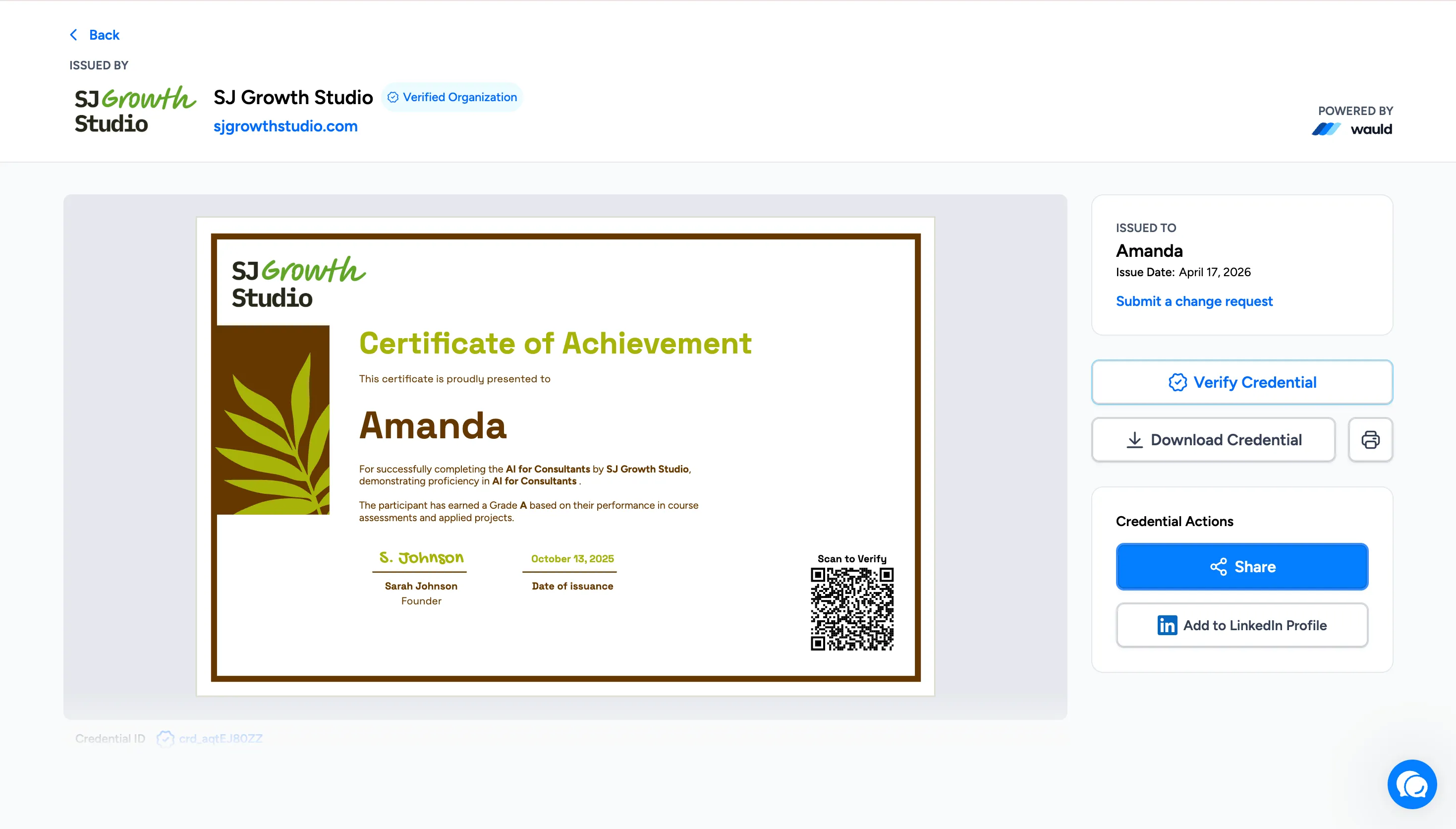
You can now issue credentials through Wauld with alignment to the 1EdTech Open Badges 3.0 specification, giving your credentials a stronger standards-based foundation for verification, portability, and trust. Instead of being just a visual badge, each credential now carries structured achievement data in a format designed for broader compatibility across platforms and ecosystems.
With Open Badges 3.0 support, all credentials include structured metadata for the issuer, recipient, achievement, criteria, skills, evidence, and related context. That metadata is represented in JSON-LD format.
{
  "@context": [
    "https://www.w3.org/ns/credentials/v2",
    "https://purl.imsglobal.org/spec/ob/v3p0/context-3.0.3.json"
  ],
  "credentialStatus": {
    "id": "https://wauld.com/issuer/revocation/crd_LpheUTInq",
    "type": "1EdTech RevocationList"
  },
  "credentialSubject": {
    "achievement": {
      "description": "Awarded Certificate of Achievement",
      "id": "https://wauld.com/crd_LpheUTInq",
      "image": {
        "id": "https://wauld.com/preview/crd_LpheUTInq/png",
        "type": "Image"
      },
      "name": "Certificate of Achievement",
      "type": ["Achievement"]
    },
    "type": ["Person"]
  },
  "id": "https://wauld.com/crd_LpheUTInq",
  "issuer": {
    "id": "https://wauld.com/issuer/acc_v0ioZS4a0",
    "name": "SJ Growth Studio",
    "type": ["Profile"],
    "url": "https://sjgrowthstudio.com",
    "wauld:dnsProof": "wauld=acc_v0ioZS4a0",
    "wauld:policyVersion": "v1",
    "wauld:verification": {
      "dnsVerification": "2026-03-31T20:25:32Z",
      "manualVerification": "2026-03-31T20:25:32Z"
    }
  },
  "proof": {
    "created": "2026-05-13T06:24:33Z",
    "cryptosuite": "eddsa-rdfc-2022",
    "proofPurpose": "assertionMethod",
    "proofValue": "z5HAuXRQmmA9YgXkWeFSV3nGofchMxirZCLtRxgwmngPtbKQtCeScEspT5PnQxevYxzH9Yo425HDKch7zjrjTwC4w",
    "type": "DataIntegrityProof",
    "verificationMethod": "https://wauld.com/issuer/acc_v0ioZS4a0"
  },
  "type": ["VerifiableCredential", "OpenBadgeCredential"],
  "validFrom": "2026-05-06T19:22:35Z",
  "validUntil": "2027-05-06T19:22:34Z"
}
This gives issuers a more future-ready way to issue digital credentials and helps ensure achievements are represented in a format that is easier to validate and interpret across different platforms.
For recipients, this means the credentials they earn carry richer and more trustworthy information about what they achieved, who issued it, and what it represents. That makes credentials more meaningful when shared with employers, institutions, digital wallets, or other platforms, while also making it easier for others to understand and trust the achievement behind them.
Add attributes to designs faster with a simpler click flow
Working with attributes in the Design Studio is now quicker and more intuitive.
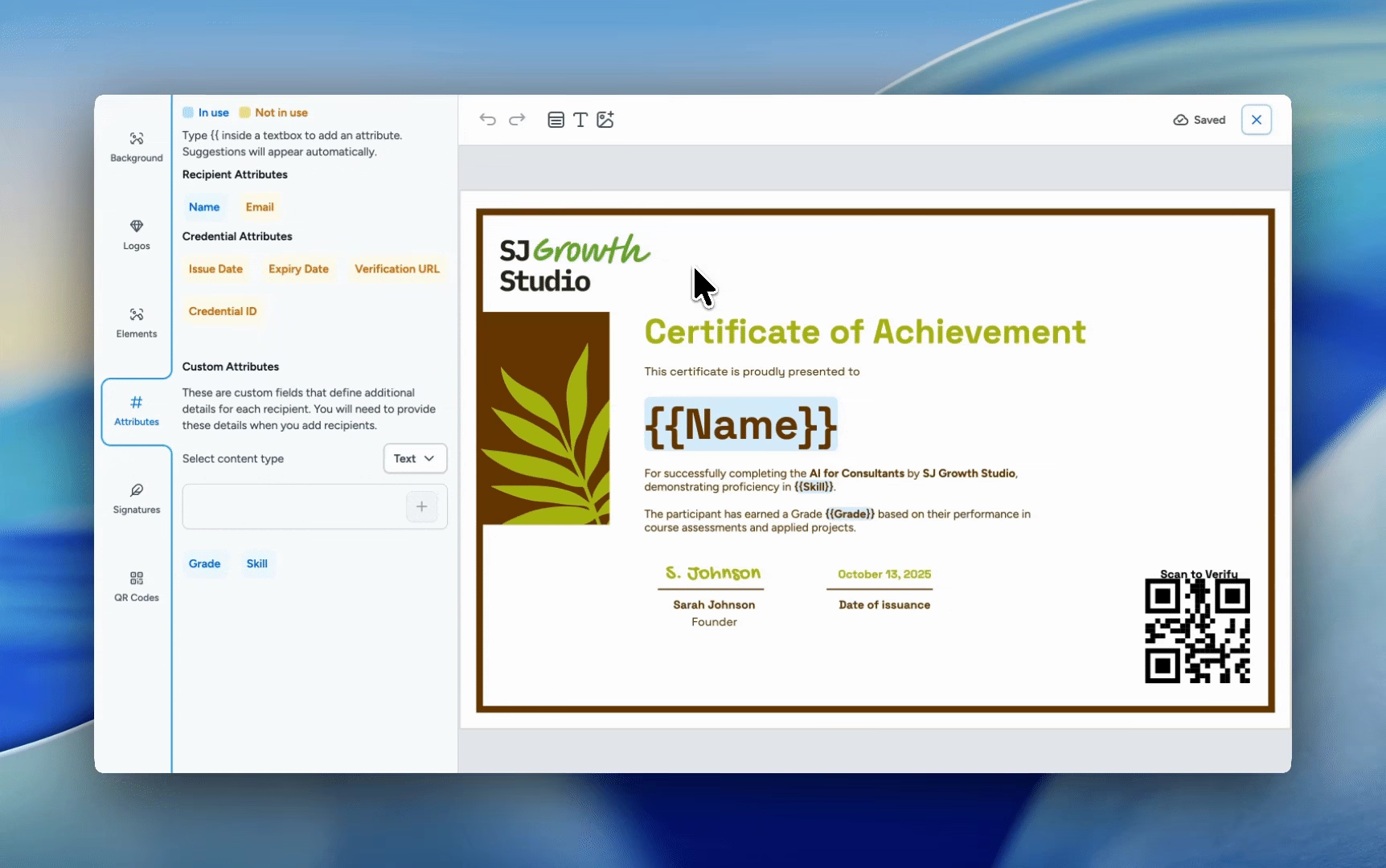
Add attributes to designs faster with a simpler click flow
Working with attributes in the Design Studio is now quicker and more intuitive.
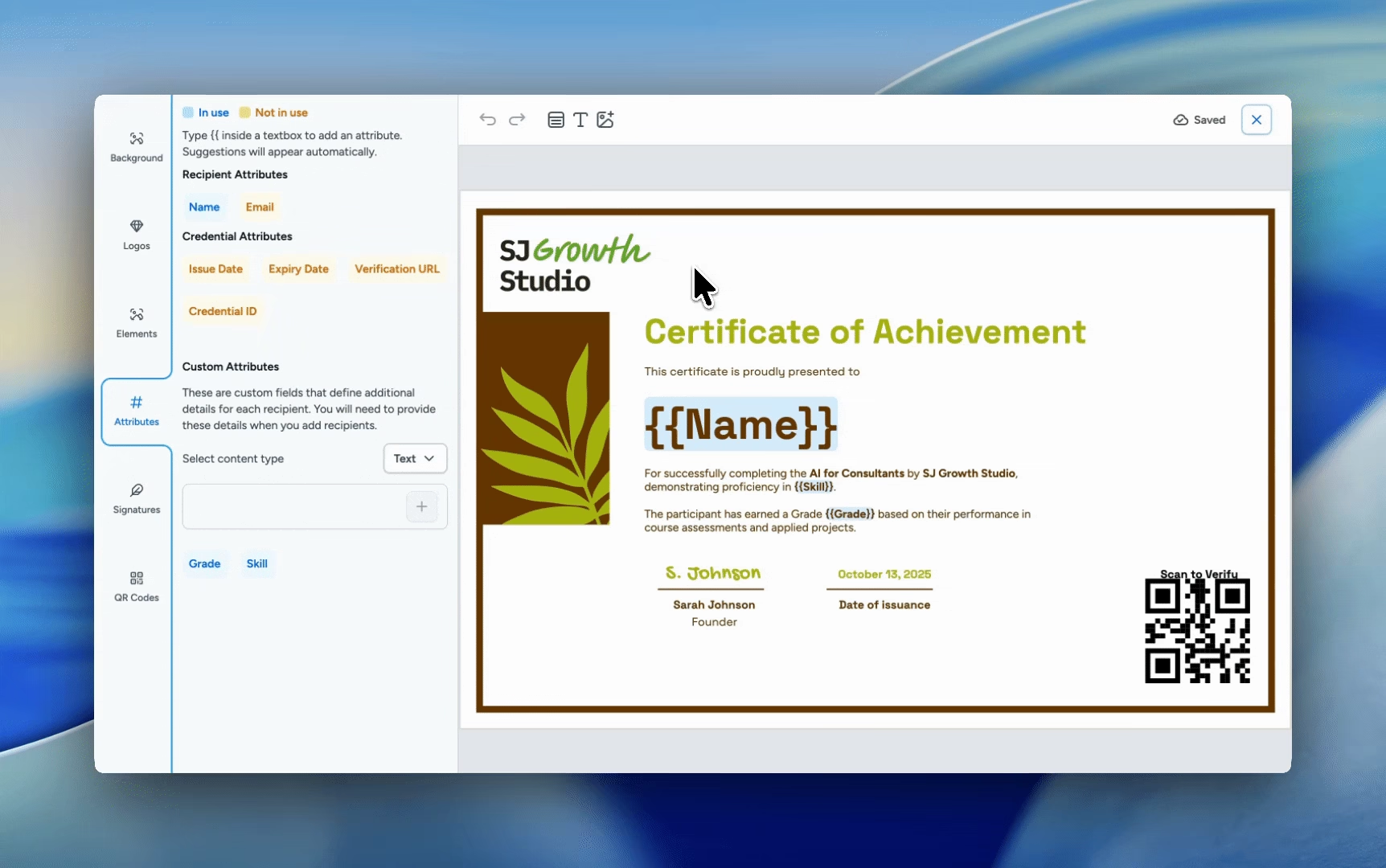
Working with attributes in the Design Studio is now quicker and more intuitive.
Users can now add attributes directly by clicking on the attribute chips in the left-side panel. Image attributes are added straight to the canvas, while text attributes work in a more flexible way based on what the user is doing. If a user is typing inside a text box, the attribute is inserted right at the cursor position. If not, it is added as a new text box on the canvas.
This makes it easier to build credential designs faster, reduces extra steps while editing, and gives users a more natural way to place dynamic content exactly where they need it.
Add more value and meaning to credentials with Skills and Earning Criteria
Credentials can now include Skills and Earning Criteria, helping issuers show not just that someone earned a credential, but what that credential represents and how it was achieved. These details can be added during document creation or updated later, making it easier to keep credential information accurate, useful, and relevant over time.
Credentials can now include Skills and Earning Criteria, helping issuers show not just that someone earned a credential, but what that credential represents and how it was achieved. These details can be added during document creation or updated later, making it easier to keep credential information accurate, useful, and relevant over time.
With this update, issuers can make credentials more informative by adding:
- Skills to highlight the key abilities, competencies, or areas of knowledge the credential holder possesses
- Earning Criteria to explain what the recipient had to do to earn it, such as completing a course, passing an assessment, demonstrating a skill, or meeting any other specific requirement
- Supporting links to add further context where needed
This helps recipients better understand and present their achievements, while also giving employers, institutions, and other viewers a clearer picture of the value behind each credential. Recipients will also now see dedicated sections for Skills, Earning Criteria, and About Issuing Authority whenever this information is available, adding more depth and credibility to the credential experience.
Easier access to print credentials
Recipients and issuers can now print credentials directly from the credential detail view.
Easier access to print credentials
Recipients and issuers can now print credentials directly from the credential detail view.
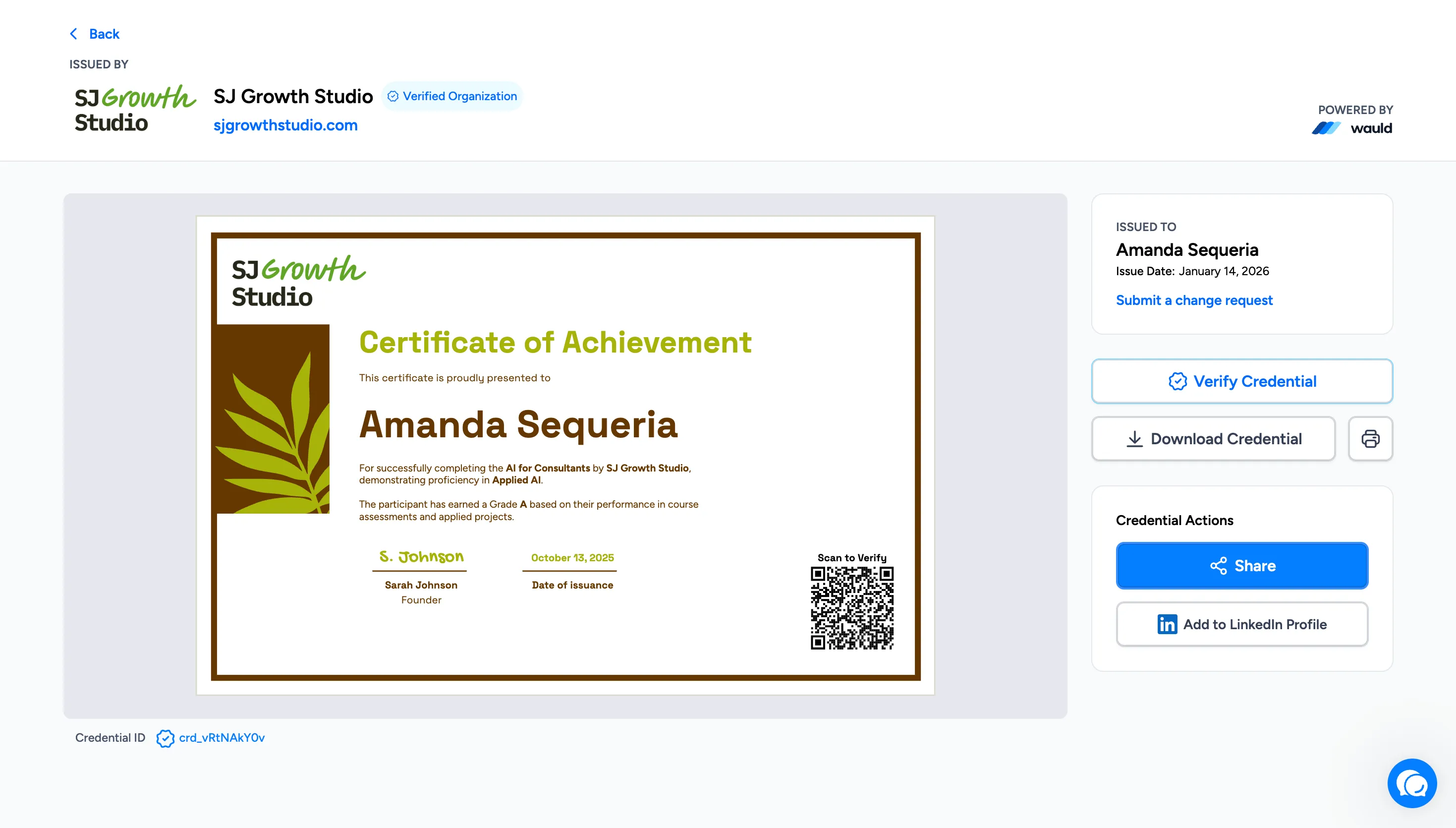
Recipients and issuers can now print credentials directly from the credential detail view.
A new Print option is now available alongside download, making it easier to create physical copies when needed. This is also available in the logged-out recipient experience, so recipients can access printed copies without login.
Logged-out recipients can now download credentials
Credential download is now always available, even for logged-out recipients.
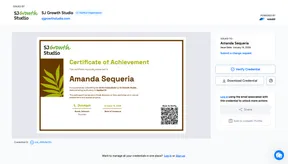
Logged-out recipients can now download credentials
Credential download is now always available, even for logged-out recipients.
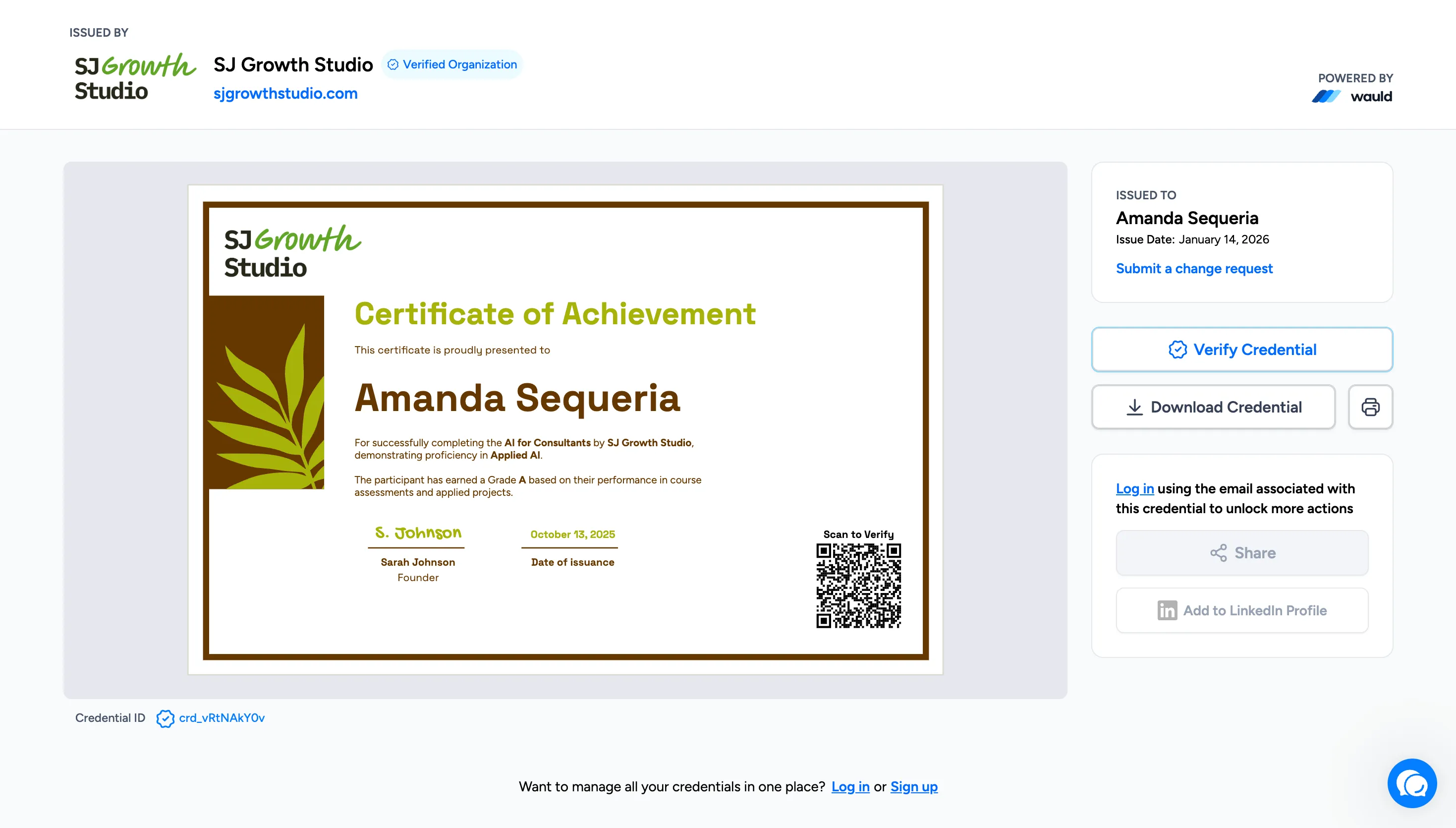
Credential download is now always available, even for logged-out recipients.
This removes unnecessary friction for recipients who simply want quick access to their credential. At the same time, actions that still require login, such as sharing or adding to LinkedIn, are now shown more clearly through a login prompt so users understand what becomes available after signing in.
Improved Template Library and easier template switching
Finding the right template is now faster and more intuitive.
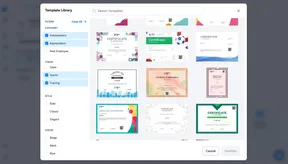
Improved Template Library and easier template switching
Finding the right template is now faster and more intuitive.
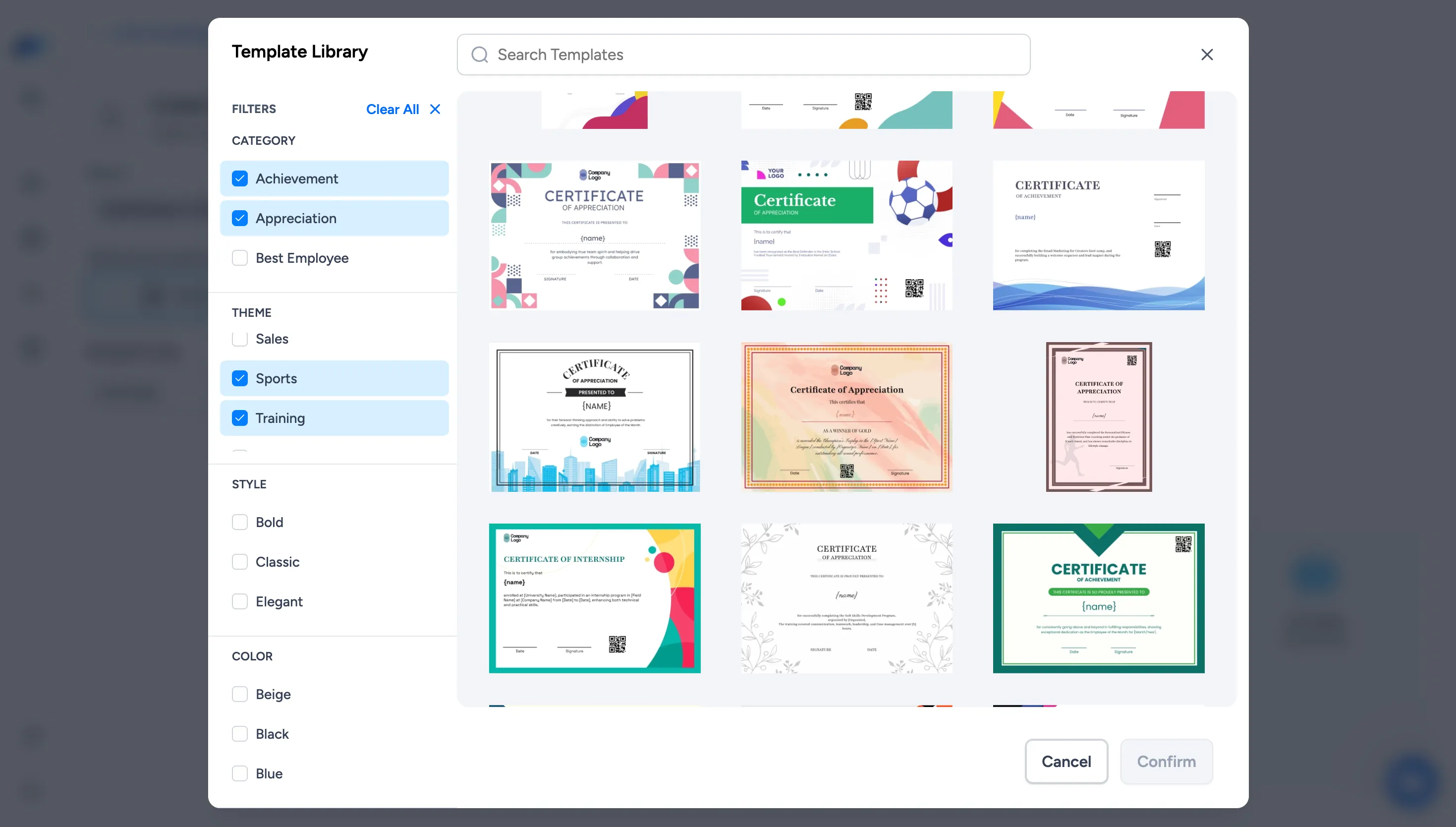
Finding the right template is now faster and more intuitive.
The Template Library now includes:
- Better filtering across Category, Theme, Style, and Color
- Dynamic filter updates that only show valid combinations
- Search across template names and filters
- With 300 new templates added, the library now features over 900 templates
We have also added template switching inside the Design Studio, so users can change templates without leaving the design experience. This gives teams more flexibility early in the design process while making it easier to explore options.
More ways for recipients to share credentials
Recipients now have more options for sharing achievements across popular platforms.
More ways for recipients to share credentials
Recipients now have more options for sharing achievements across popular platforms.
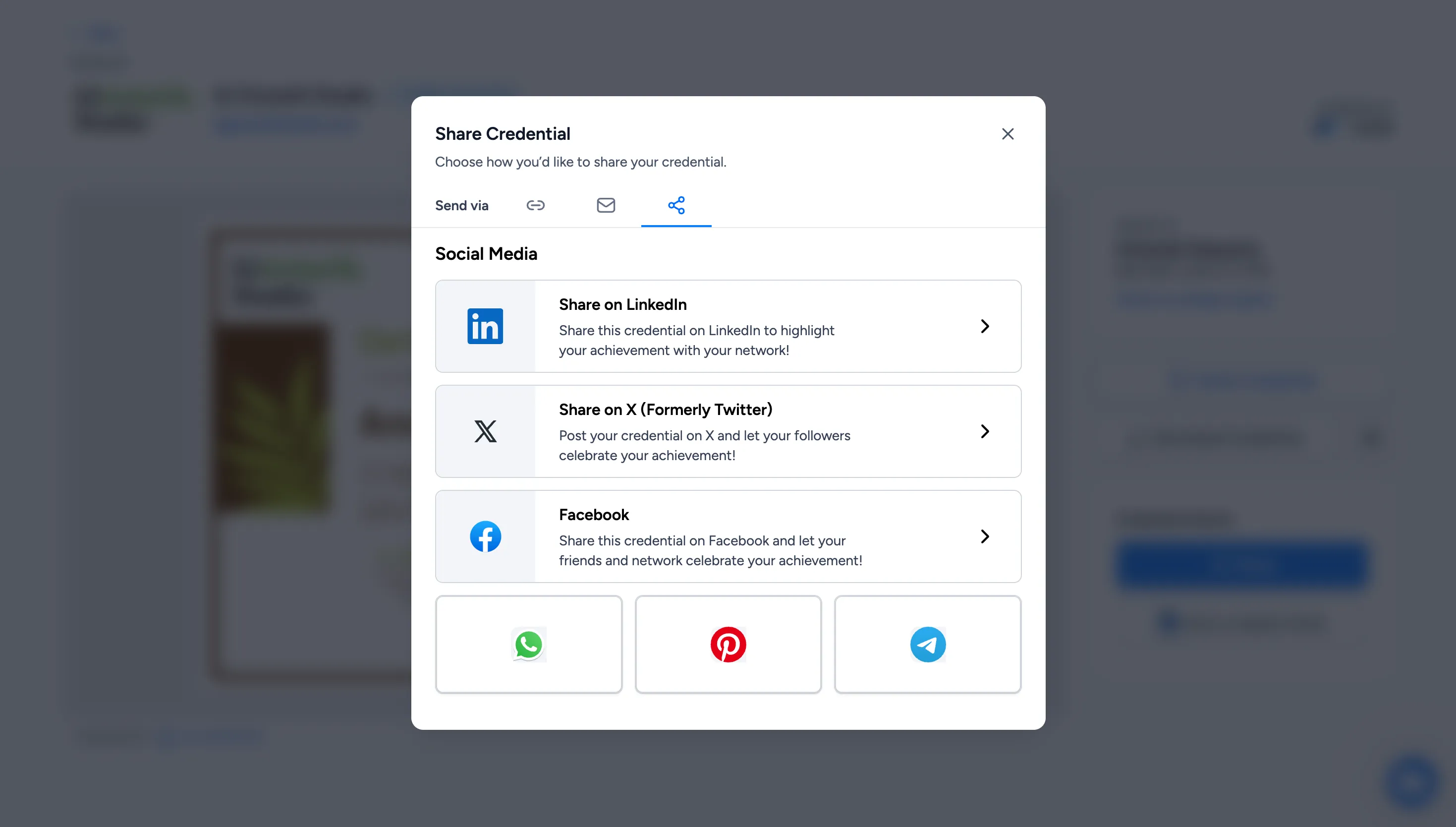
Recipients now have more options for sharing achievements across popular platforms.
In addition to LinkedIn, credentials can now be shared through:
- X (formerly, Twitter)
- Telegram
This helps recipients promote their achievements more easily and gives issuers better visibility for the credentials they issue.
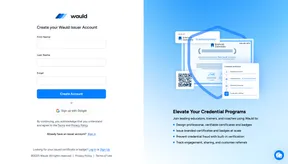
Sign-up and sign-in faster with Google
You can now create a Wauld account through your Google account.
Sign-up and sign-in faster with Google
You can now create a Wauld account through your Google account.
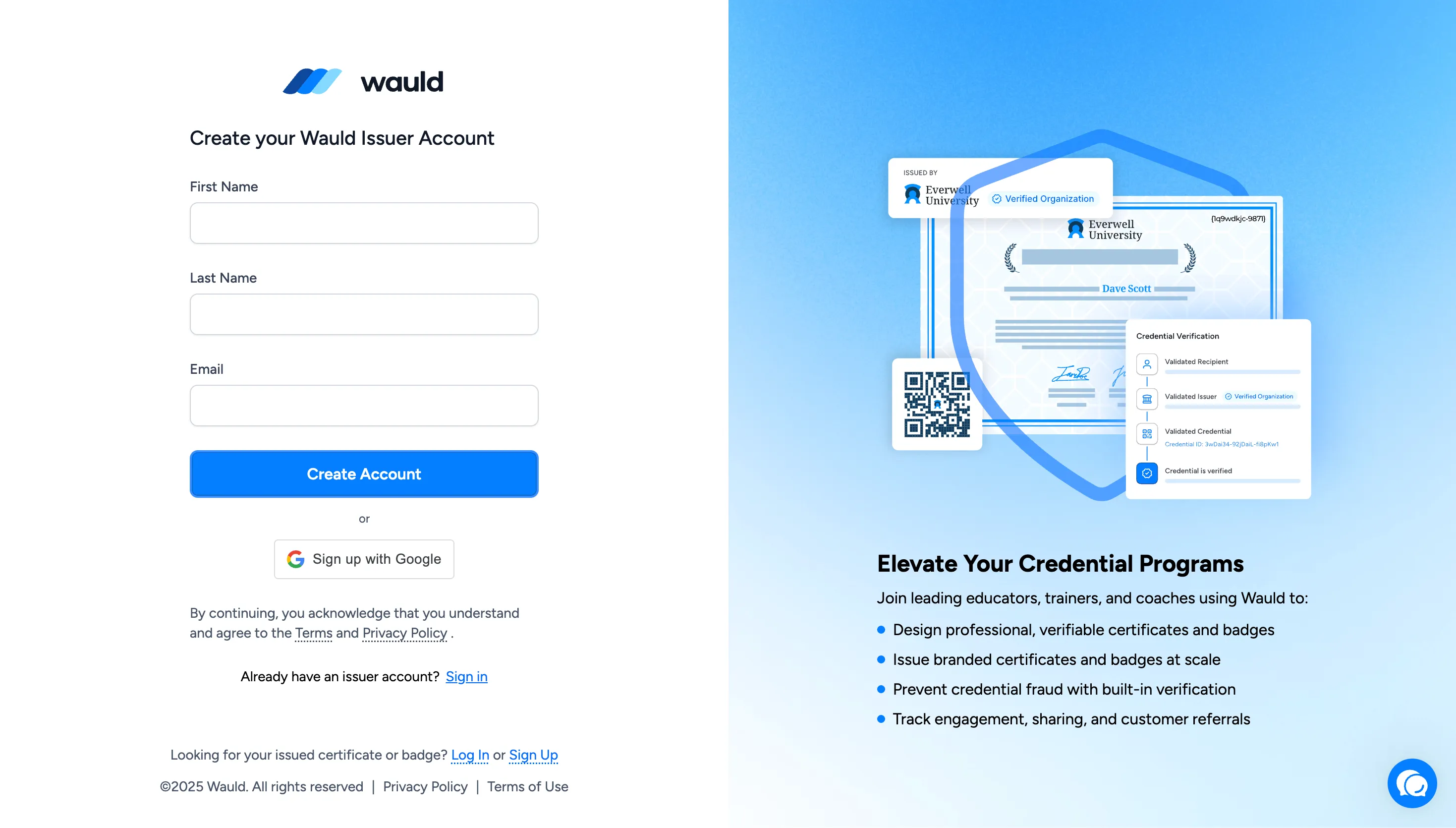
You can now create a Wauld account through your Google account.
This gives new users a faster and more convenient way to get started. After signing up with Google, users are taken to a short account setup step where their email is prefilled and their name can still be updated before account creation.
Once completed:
- Issuers are guided into the onboarding flow
- Recipients are taken to their recipient dashboard
When users return to the platform, they can simply continue with Google again instead of relying on remembering a password, making sign-in faster and more convenient over time.
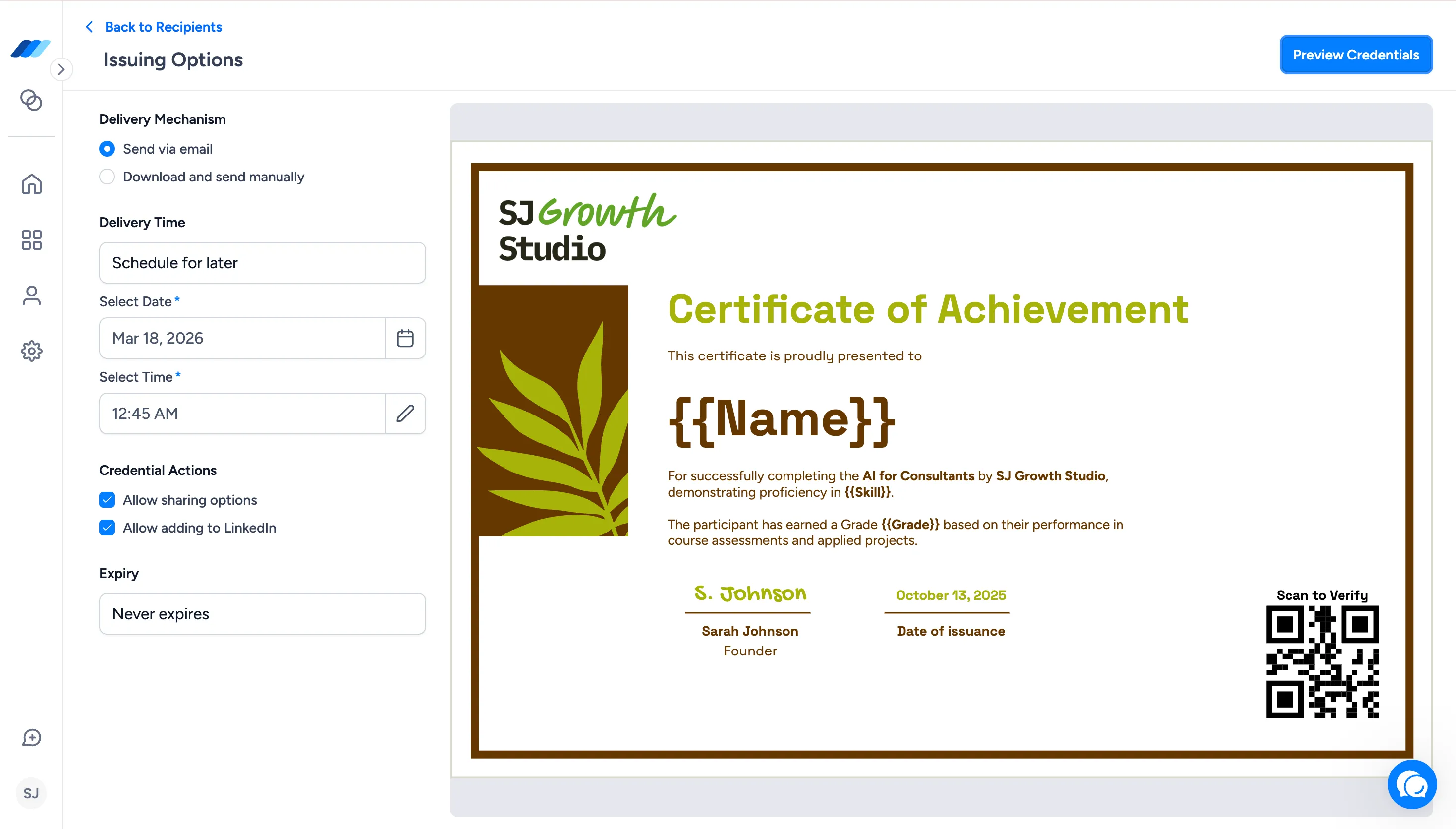
Scheduled credentials to be issued at a specific date & time
With scheduled issuance, users can:
Scheduled credentials to be issued at a specific date & time
With scheduled issuance, users can:
With scheduled issuance, users can:
- Select a date and time when credentials should be issuance
- Review and confirm batch details before scheduling
- View all upcoming batches in a dedicated Scheduled for Issuance tab
- Edit issuance settings before the scheduled send time
- Cancel a scheduled batch if plans change
- Monitor batches that are approaching their issuance time
This is especially useful for planned graduations, program completions, cohort-based issuance, and other time-sensitive workflows where credentials need to go out at the right moment.
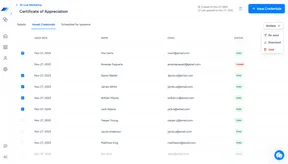
Bulk actions for issued credentials
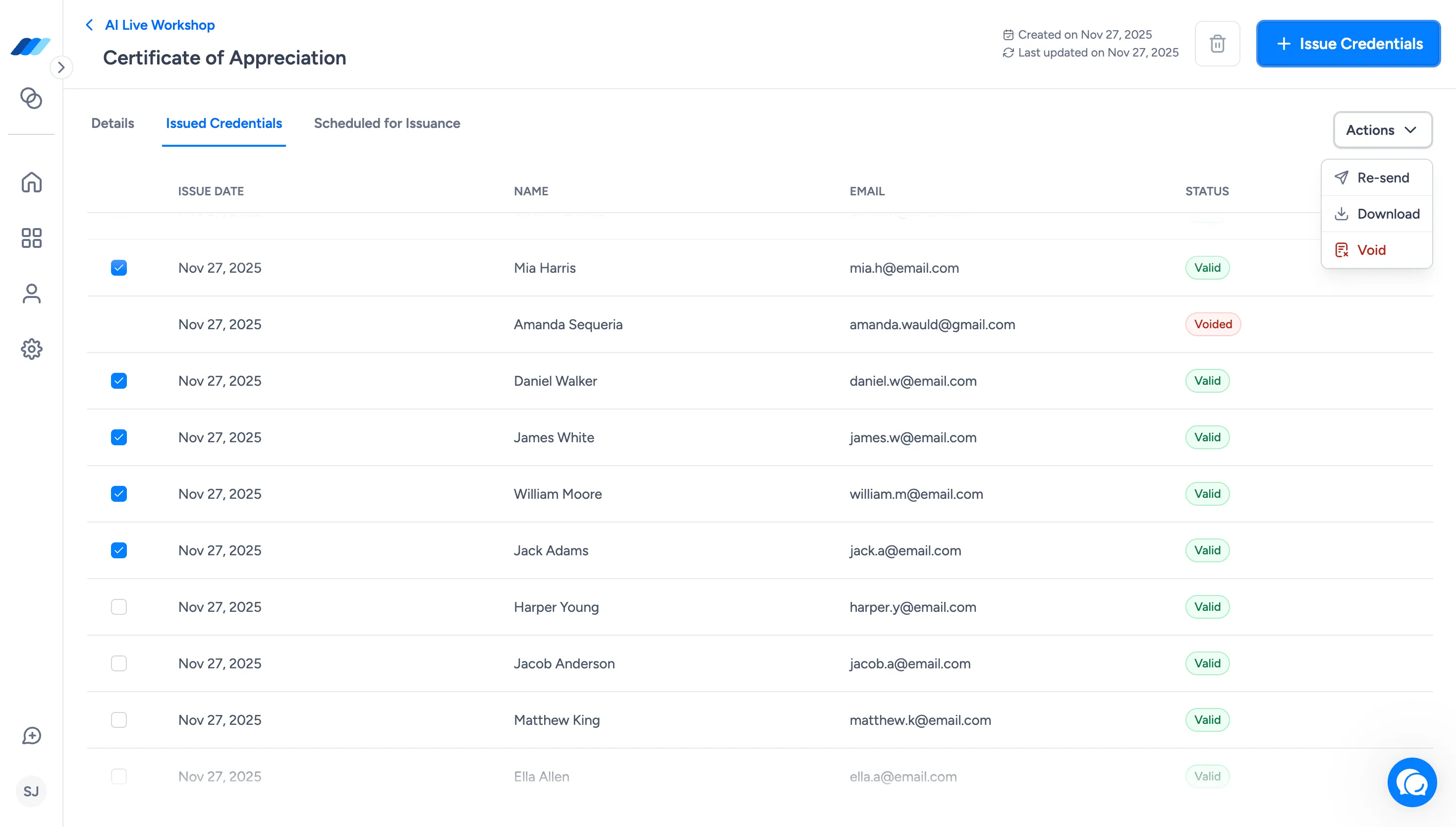
Managing large groups of issued credentials is now much faster.
Bulk actions for issued credentials
Managing large groups of issued credentials is now much faster.
Managing large groups of issued credentials is now much faster.
You can now select multiple valid credentials at once and perform the following bulk actions:
- Void
- Resend
- Download
This helps issuers save time on repetitive admin work, especially when handling high-volume credential batches. To make bulk actions safer and more accurate, only valid credentials can be selected. Expired and voided credentials are clearly marked with a new Status column and are excluded from bulk actions.
More control in the Design Studio
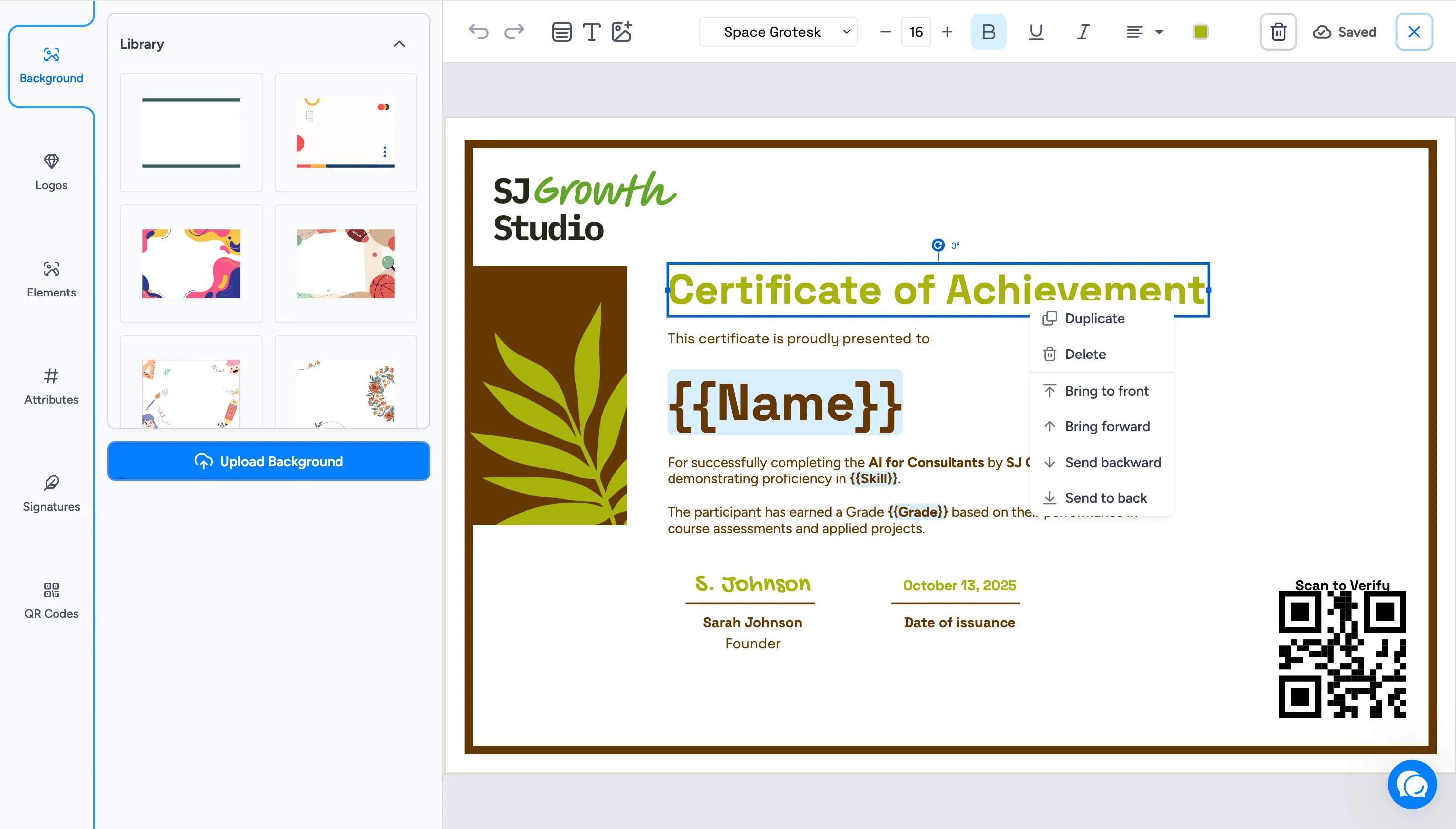
The Design Studio is now more flexible and efficient for teams creating and refining credential layouts.
More control in the Design Studio
The Design Studio is now more flexible and efficient for teams creating and refining credential layouts.
The Design Studio is now more flexible and efficient for teams creating and refining credential layouts.
You can now:
- Rotate design elements, text, and images freely
- See the rotation angle in real time while adjusting
- Snap more easily to common angles for cleaner alignment
- Use improved snapping behavior that feels smoother and less aggressive while positioning elements
- Change the layering order of elements; bring items forward or backward
- Use keyboard shortcuts to copy, paste, and move elements
These updates make it easier to create polished designs, position elements more precisely, and work faster without relying only on manual adjustments.