Tutor LMS Certificates: How to Issue Verifiable Digital Credentials

Tutor LMS Certificate Builder
Tutor LMS certificates are static, site-dependent files. Once a student downloads their PDF, you have no way to verify it independently, track who shared it, or connect it to LinkedIn. Wauld fixes every one of those gaps by layering a permanent, verifiable digital credential system on top automatically.
This guide covers how the Tutor LMS certificate builder works, where it falls short for professional programs, and the exact steps to connect Wauld today.
What Is the Tutor LMS Certificate Builder and How Does It Work?
Tutor LMS is a WordPress LMS plugin developed by Themeum. It powers over 100,000 online learning websites and includes a dedicated drag-and-drop certificate builder as a Pro add-on.
The builder lets course creators design fully custom credentials using a visual editor, assign them to individual courses, and issue them automatically on completion. The setup guide covers everything from enabling the add-on to assigning templates. For a design walkthrough, read How to Design Certificates for Your eLearning Courses.
Key Features of the Tutor LMS Certificate Builder
| Feature | Details |
|---|---|
| Drag and drop certificate builder | Visual editor, no coding required |
| Certificate templates | Pre-designed layouts ready to customize |
| Custom fonts and font size | 1,000+ Google Fonts supported |
| Brand colors, backgrounds, illustrations | Full visual customization |
| QR code element | Scannable code linking to credential URL |
| Verification ID | Unique ID printed on each certificate |
| Credential URL | Shareable link to certificate page (site-dependent) |
| Certificate download | PDF or JPG export for students |
| Automatic certificate issuance | Issued on course completion |
| Per-course certificate templates | Assign a unique template per course |
| Bundle course certificates | Supported from v3.9.0 Pro |
The system has expanded steadily with per-course templates in v1.9.0, credential showcasing in v2.2.3, and bundle support in v3.9.0.
How to Create a Certificate Course in Tutor LMS
Creating a course with credentials involves two parts: building the course content and designing a template, then assigning it.
Step 1: Enable the Certificate Add-On
Navigate to your dashboard, go to Tutor LMS and then Add-ons, and activate the Certificate extension. This requires an active Pro license.
Step 2: Design Your Certificate Template
Go to Tutor LMS and then Certificates and click Add New. The visual editor opens with a blank canvas or a pre-designed layout. From here you can:
- Upload your logo and set your brand colors
- Add text elements including student name, course name, and completion date
- Insert the QR code element and unique verification ID
- Adjust fonts, font size, and layout
- Set background images and certificate design patterns
For a step-by-step visual guide with screenshots, read the official design walkthrough.
Step 3: Assign the Certificate to a Course
Open the course editor for any course. Under the settings panel, find the Certificate option and select the template you designed. Save the course. From this point, a credential is issued automatically to any student who completes it.
Step 4: How Certificate Verification Works in Tutor LMS
Tutor LMS introduced a public verification URL in v1.5.0. Each issued credential includes a unique ID and a scannable QR code. Anyone can scan or visit the link to view the credential page. The limitation is that this page lives on your own site, so if your domain or hosting goes down, the link breaks permanently.
How Much Does Tutor LMS Cost?
Certificates are part of the Pro plan. Here is a quick overview of pricing:
| Plan | Price | Certificates |
|---|---|---|
| Free plan | Free | Not included |
| Pro Annual | From $149/year | Included as add-on |
| Pro Lifetime | One-time fee | Included as add-on |
For current pricing and plan details, visit the Tutor LMS pricing page.
Where Tutor LMS Certificates Fall Short
For casual learning, the native system covers the basics. For professional certification programs, compliance training, or continuing education, these are the gaps that matter:
- Verification depends on your site. The QR code and credential URL both point to your own hosting. If your domain lapses or server goes down, every link breaks instantly. There is no independent permanent record outside your hosting environment.
- No LinkedIn credential integration. LinkedIn's Licenses and Certifications section requires a live permanent verification URL from a recognized provider. The native system does not supply this in a compatible format. Learners cannot add their credential as a verified LinkedIn entry with one click.
- No post-issuance analytics. Once a student downloads their PDF or JPG, all visibility ends. There is no data on opens, social shares, or third-party verifications. You cannot measure the real-world impact of your certification program.
- No digital badges. There is no badge format built in. Digital badges are compact, verifiable credentials embeddable in emails, portfolios, and LinkedIn profiles. Without them, there is no way to recognize quiz passes, module completions, or individual skill achievements. To understand how the two formats compare, read the Wauld guide on LMS certificates vs digital credentialing platforms.
- Certificates require a Pro license. The free plan does not include certificate functionality. An active Tutor LMS Pro subscription is required.
How Wauld Closes Every Gap
Wauld is a dedicated digital credential platform built to design, issue, verify, and track certificates and badges at scale. It connects directly to Tutor LMS and handles the full credential lifecycle from one dashboard.
| What Tutor LMS Gives You | What Wauld Adds |
|---|---|
| Site-dependent credential URL | Permanent URL independent of your hosting |
| Scannable code pointing to your site | Permanent verification page hosted by Wauld |
| No LinkedIn credential integration | One-click Add to LinkedIn for every recipient |
| No post-issuance analytics | Opens, downloads, shares, and verifications all tracked |
| No digital badge format | Open Badge 3.0-compliant digital badges |
| Pre-built templates only | 1,000+ brandable credential templates |
| No expiry management | Automated expiry reminders and renewal credential delivery |
| No bulk credentialing for past cohorts | CSV bulk upload for any number of past students |
- Permanent independent verification. Every Wauld credential has a unique UUID and a permanent public verification page hosted by Wauld, not your site. An employer can scan the code or visit the link and confirm authenticity even if your site is completely offline.
- LinkedIn integration that works natively. Wauld gives every recipient a one-click Add to LinkedIn button. Their profile updates with your organization name, course name, issue date, and a live verification URL. Every credential shared drives organic awareness of your online course at no cost. For the full walkthrough, read the Wauld guide to leveraging digital credentials on LinkedIn.
- Digital badges for every milestone. Alongside certificates, Wauld issues Open Badge 3.0-compliant digital badges for quiz passes, module completions, skill recognitions, and multi-course pathway achievements. Each badge is verifiable and can be added to LinkedIn directly.
- Full analytics on every credential. After every delivery, Wauld tracks open rates, downloads, LinkedIn additions, social shares, and third-party verification events. To see how much time automated certificate issuance saves versus manual management, read the Wauld breakdown.
- 1,000+ professional templates and expiry management. Wauld's template library covers 1,000+ designs you can customize with your own colors, fonts, and logo. It also handles automated expiry reminders and re-delivery for compliance training and continuing education programs.
How to Connect Tutor LMS to Wauld
There is no native Zapier app for this platform. The two recommended integration methods below are both officially listed on the Tutor LMS integrations page.
Method 1: Uncanny Automator and Wauld Webhook
Uncanny Automator is an official Tutor LMS integration. It is a no-code automation plugin for WordPress that creates trigger-and-action workflows inside your site. When a learner completes a course, Uncanny Automator fires a webhook to Wauld's incoming endpoint. Wauld generates a personalized verifiable credential and delivers it automatically. This is the best path for most course creators with no developer support.
Setup steps:
- Install and activate Uncanny Automator on your site. A free version is available.
- In your Wauld dashboard, go to Automations, create a new incoming webhook, and copy the Wauld URL.
- In Uncanny Automator, create a new Recipe and set the trigger to Tutor LMS: A user completes a course.
- Add a Send Webhook action and paste the Wauld webhook URL as the destination.
- Map learner name, email, course title, and completion date to the Wauld payload fields.
- Add a filter condition for score gating if needed, for example only continue if quiz score is 75 or above.
- Set the recipe to Live and test with a sample completion to confirm the credential is issued.
What you can also automate:
- Quiz passed at a defined score, issue a digital skill badge
- Course pathway completed, issue a program-level certificate
- New enrollment, send a welcome badge to improve the learning experience
| Uncanny Automator | |
|---|---|
| Requires coding | No |
| Fully automated | Yes |
| Score gating | Via filter condition (Pro) |
| Badge delivery | Yes |
| Best for | Most Tutor LMS course creators |
Cost: Uncanny Automator has a free version. The Pro Basic plan starts at $149/year for one site.

Use Uncanny Automator to connect Tutor LMS with Wauld and automatically issue verifiable certificates and digital badges when learners complete courses.
Method 2: WP Webhooks and Wauld
WP Webhooks is another official Tutor LMS integration. It is a WordPress plugin that sends outgoing HTTP POST requests directly from course events, including course completion, quiz completion, and lesson completion, to any external URL. It posts directly to Wauld's incoming endpoint with no middleware required. This is the most direct path for high-volume programs or teams with basic technical familiarity.
Setup steps:
- Install and activate WP Webhooks on your site. A free version is available.
- In Wauld, go to Automations, create a new incoming webhook, and copy the Wauld URL.
- In WP Webhooks, navigate to Send Data and create a new outgoing webhook trigger.
- Set the trigger event to Course Completed inside Tutor LMS.
- Paste the Wauld webhook URL as the target endpoint.
- Map learner name, email, course title, and completion date to the Wauld payload fields.
- Test with a sample completion. Wauld issues and emails the credential automatically.
| WP Webhooks | |
|---|---|
| Requires coding | Minimal configuration |
| Fully automated | Yes |
| Score gating | Via conditional logic |
| Multi-course pathway support | Yes |
| Best for | High-volume programs and developers |
Cost: WP Webhooks has a free version. The Pro version adds conditional logic, advanced field mapping, and IP whitelisting.
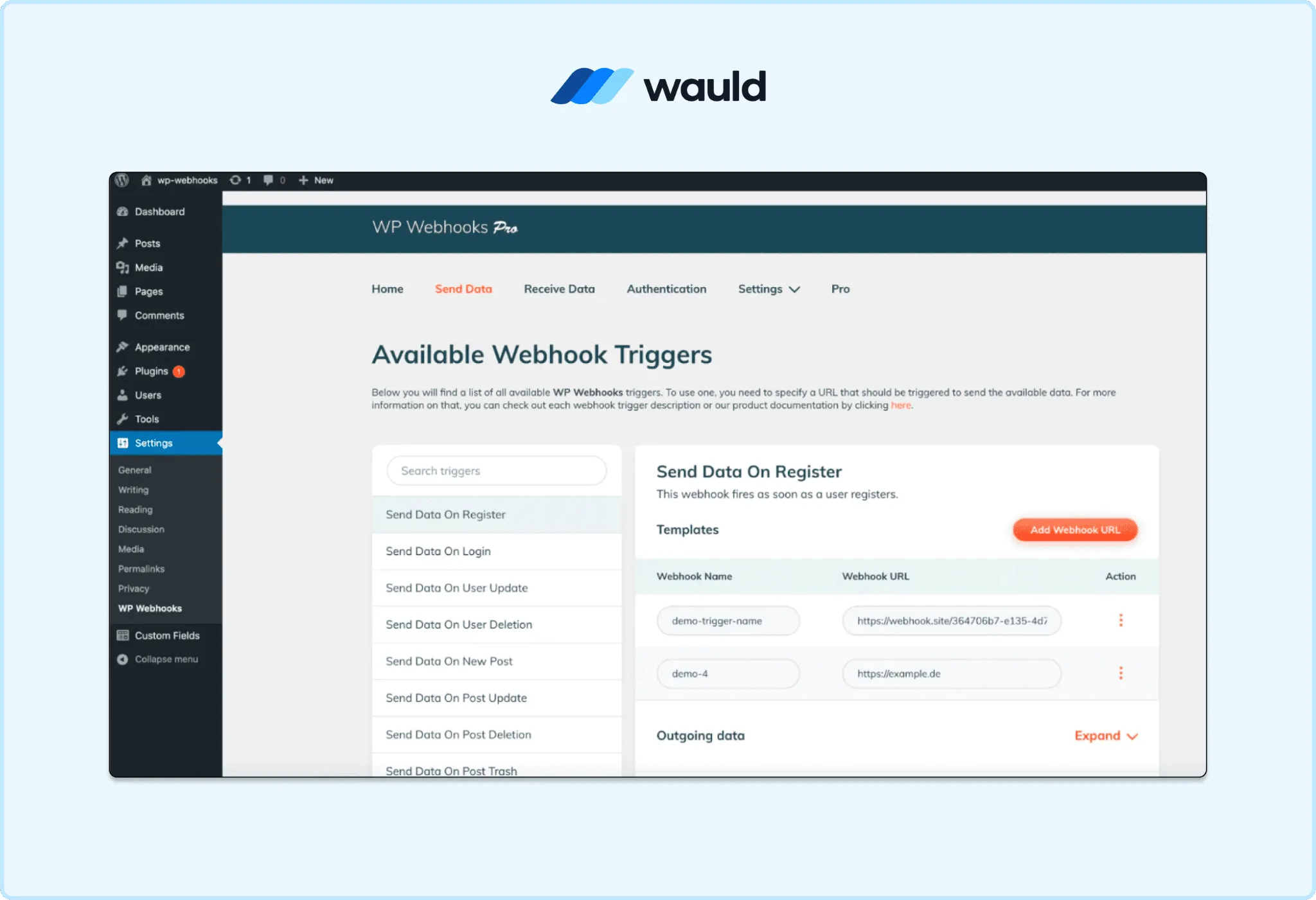
Configure WP Webhooks to send Tutor LMS course completion data directly to Wauld for real-time certificate and badge delivery.
Method 3: Bulk CSV Upload
No plugin, no automation setup, and no ongoing connection needed. Export your completion records, upload them to Wauld, and verifiable credentials go out to every student at once. This is the fastest way to credential past cohorts or run a one-time certification drive with zero setup overhead.
Setup steps:
- Export course completion records including student names, emails, course titles, and dates.
- Format into a CSV using Wauld's required column structure.
- In Wauld, go to Bulk Issuance, upload your CSV, and map each column to the matching credential field.
- Preview a sample and click send. Every recipient gets a personalized verifiable credential by email.
| Bulk CSV | |
|---|---|
| Requires coding | No |
| Fully automated | No, manual upload |
| Works without any additional plugin | Yes |
| Best for | Past cohorts and one-time certification drives |
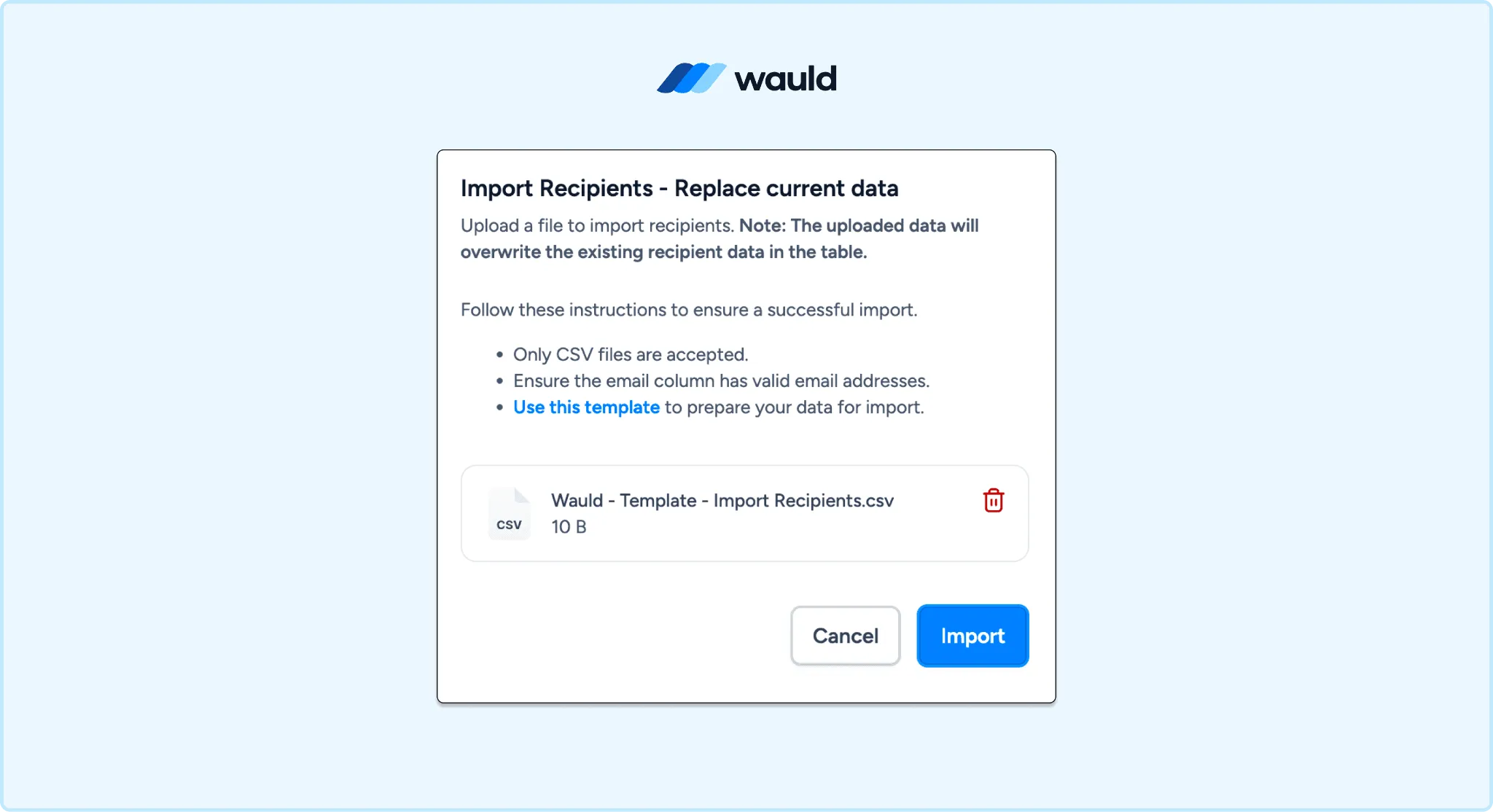
Upload a CSV file to Wauld and issue verifiable certificates and badges to entire learner cohorts in minutes.
Which Method Should You Use?
- Use Uncanny Automator if you want a no-code setup and want to be running in under an hour. It is the best starting point for most course creators on this platform. The free version supports the core completion trigger and send webhook action. Upgrade to Pro for score-gating based on quiz percentages.
- Use WP Webhooks if you want a more direct connection with no reliance on a third-party automation layer. It posts directly to Wauld's endpoint, making it faster and more reliable at high volume. It is the better choice for developers and enterprise programs.
- Use Bulk CSV if you have existing learner records and want to issue verifiable credentials to past students right now with no automation setup. It is also right for periodic cohort-based programs where you review completions before credentialing in one batch.
- Combine methods if your program has both ongoing real-time completions and a backlog of past students. Set up Uncanny Automator or WP Webhooks for new completions going forward, and use Bulk CSV once to handle everyone who completed a course before the integration was live.
Start Issuing Verifiable Tutor LMS Certificates Today
Tutor LMS handles course creation and manages the learning journey. Wauld makes the credential at the end of that journey mean something in the real world.
Your learners walk away with a certificate when they finish a course, and a badge when they pass a quiz or hit a milestone. Both shareable to LinkedIn with one click. Both verifiable by any employer, permanently and independently of your site.
Wauld is built for coaches and creators running professional learning programs on platforms like Tutor LMS, from healthcare training and corporate compliance to professional development and continuing education.