LiveWebinar: How to Issue Post-Webinar Certificates

LiveWebinar Certificates
Your LiveWebinar session just ended. Fifty participants showed up, stayed engaged, and left satisfied. Now they want proof. You open the certificate panel, realize the Thank You email has not been configured, and the afternoon disappears into manual work.
LiveWebinar does have a native certificate tool. But "has a certificate feature" and "has a credentialing system" are two very different things. This guide walks through what LiveWebinar's built-in certificate does, where it stops, and how to connect it with Wauld to issue verifiable, personalized certificates your attendees will actually use and share.
How LiveWebinar's Native Certificate Feature Works
LiveWebinar includes a Certificate of Participation tool inside its Engagement tab. It is available across paid plans as an add-on and requires no external tools to activate. Here is how to create a certificate inside LiveWebinar:
Step 1: Enable the Thank You Email
Go to your event's Advanced tab and toggle on the Thank You Email option. This is mandatory; without it, the certificate feature stays locked. LiveWebinar's FAQ explains this in detail.
Step 2: Open the Engagement Tab
Navigate to Engagement in the upper event menu, find the Certificates section, and click Design New.
Step 3: Choose a Template
Pick from LiveWebinar's small library of pre-built templates and give it a name. You can also tailor the design using HTML if the defaults do not fit your brand. Full template guidance is in LiveWebinar's certificate FAQ.
Step 4: Customize the Certificate
Inside the editor you can apply your branding and personalize every detail:
- Choose horizontal or vertical orientation
- Set a background image, add your logo, and drag-and-drop badges
- Fill in dynamic fields: participant name, certificate name, course name, organizer, and completion date
- Adjust font, size, color, and alignment
- Add custom registration form fields like date of birth via the Variables panel
Step 5: Save and Distribute
Once the online event ends, the certificate becomes available on the Thank You page and inside the Thank You email. Saved templates live under Attendees > Certificates and can be reused across future events, including recording-based or evergreen webinar sessions.
The Real Gap in LiveWebinar's Native Certificate System
LiveWebinar's certificate handles the administrative basics well. It automates delivery, supports custom fields, and works without any third-party tools. The gap appears the moment your certificates need to do more than sit in an inbox.
What LiveWebinar certificates cannot do:
- No verification. Every certificate is a static file with no public verification page, no QR code, and no unique credential ID. An employer or licensing body cannot confirm it is authentic.
- No engagement tracking. Once the Thank You email is sent, LiveWebinar has zero visibility into who opened, downloaded, or shared their certificate.
- No LinkedIn integration. Participants who want to add their certificate to LinkedIn's Licenses and Certifications section must do it entirely by hand. Most will not bother.
- No badge support. LiveWebinar issues one format only. There are no digital badges, no micro-credentials, and no Open Badge 3.0 support for stacking credentials.
- No lifecycle management. Certificates cannot expire, be revoked, renewed, or updated. For compliance training or annual certifications, this is a hard blocker.
- No attendance-gating. The certificate goes to anyone who reaches the Thank You page. A presenter and an attendee who joined for two minutes get the same document.
- Limited template library. There is no large professional template gallery, no AI certificate generator, and no badge format option.
These limitations matter for training providers, coaches, and compliance programs. They are also exactly what platforms like Zoom, BigMarker, and WebinarJam face, and they are solved the same way. See how LiveWebinar stacks up in this webinar platform certificate comparison.
How Wauld Fixes Every One of Those Gaps
Wauld is a dedicated digital credentialing platform built for training providers and online event organizers. It handles the full credential lifecycle (design, issue, track, and verify) and connects to LiveWebinar through three integration paths.
| What LiveWebinar Provides | What Wauld Adds |
|---|---|
| Static PDF certificate | Verifiable credential with unique ID and QR code |
| Thank You email delivery | Permanent credential page at a stable URL |
| Basic template editor | 1000+ professional certificate and badge templates |
| No post-issuance tracking | Opens, downloads, LinkedIn adds, shares, verifications |
| No LinkedIn integration | One-click "Add to LinkedIn" button |
| No badge support | Digital badges and Open Badge 3.0 |
| No lifecycle management | Expiry, renewal, revocation, bulk void |
| No attendance-gating | Rules-based issuance tied to real attendance data |
Every Wauld credential includes a public verification link any employer or licensing body can open to confirm it is real. That single feature enhances the value your virtual events and online training programs deliver to every participant.
How to Connect LiveWebinar with Wauld: 3 Methods
Method 1: Zapier (Automatic on Registration)
Best for: Welcome credentials, registration confirmations, and membership acknowledgements
LiveWebinar has a native Zapier integration with a New Registrant trigger. When someone registers for your webinar, Zapier passes their name and email to Wauld, which generates and delivers a branded credential automatically. Learn the full setup in this Zapier and Wauld integration guide.
How to set it up:
- Generate your Zapier access token inside Wauld under Integrations > Zapier
- In Zapier, create a new Zap and connect Wauld on Zapier
- Set LiveWebinar as the trigger app and select New Registrant
- Set Wauld as the action app, choose Issue Credential, and map recipient fields
- Select your certificate template, test, and publish
Pros:
- Fully automatic after setup, works on the free Zapier tier
- Takes under 30 minutes to configure
Cons:
- Fires on registration, not attendance, so it is not suitable for participation certificates
- No post-attendance trigger exists in LiveWebinar's Zapier app
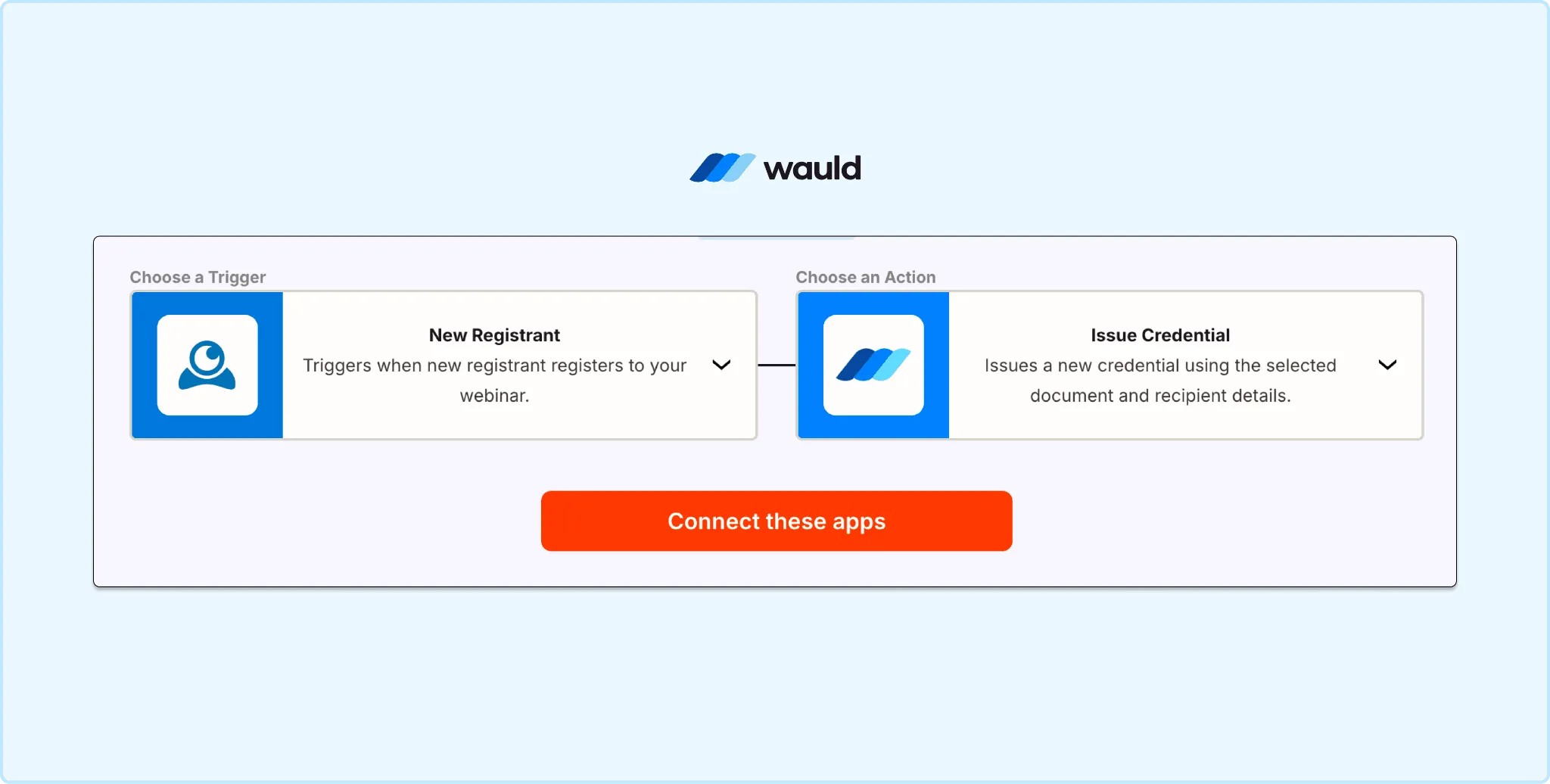
Connect LiveWebinar to Wauld in Zapier using the New Registrant trigger to automatically issue verifiable certificates on registration.
Method 2: Webhooks (Automated Post-Attendance Issuance)
Best for: Real-time participation certificates, attendance-gated credentials, and compliance training
LiveWebinar supports REST hooks, a subscription-based webhook system that fires events in real time without polling. This is the most powerful and strategic path for post-attendance certificate automation.
How it works:
A developer sets up a lightweight server or serverless function that:
- Receives the webhook payload from LiveWebinar when a session ends
- Queries LiveWebinar's Advanced API for the participant list and attendance duration
- Evaluates eligibility, for example whether the attendee was present for 60% or more
- Sends eligible attendee data to Wauld's webhook integration, which triggers certificate generation and delivery
Pros:
- Real-time delivery, fully automated at scale
- Supports attendance-gating so only qualifying participants receive credentials
Cons:
- Requires developer setup and a hosted endpoint
- Not a no-code option
Method 3: Bulk CSV Issuance (Reliable Post-Session Workflow)
Best for: One-time events, cohorts, past sessions, and teams without developer resources
This is the most reliable no-code path for issuing participation certificates after a session ends. It is the same bulk issuance approach Wauld recommends for Crowdcast and Demio, which also lack real-time attendance triggers.
How to do it:
- Go to LiveWebinar's Statistics and Reports and open the Participants List
- Export the attendee list as a CSV with names, emails, and attendance duration
- Filter by your eligibility criteria and format the CSV for Wauld
- In Wauld, open Bulk Issuance, upload the CSV, map the columns, and send
Every participant gets a personalized, verifiable certificate in their inbox. The full process takes about 15 minutes. You can also award certificates only to attendees who complete a post-webinar survey for an extra layer of engagement.
Pros:
- No code or integrations needed, free on Wauld's free plan up to 300 credentials
- Full control over eligibility before issuing
Cons:
- Manual step after each session, not ideal for high-frequency recurring webinars
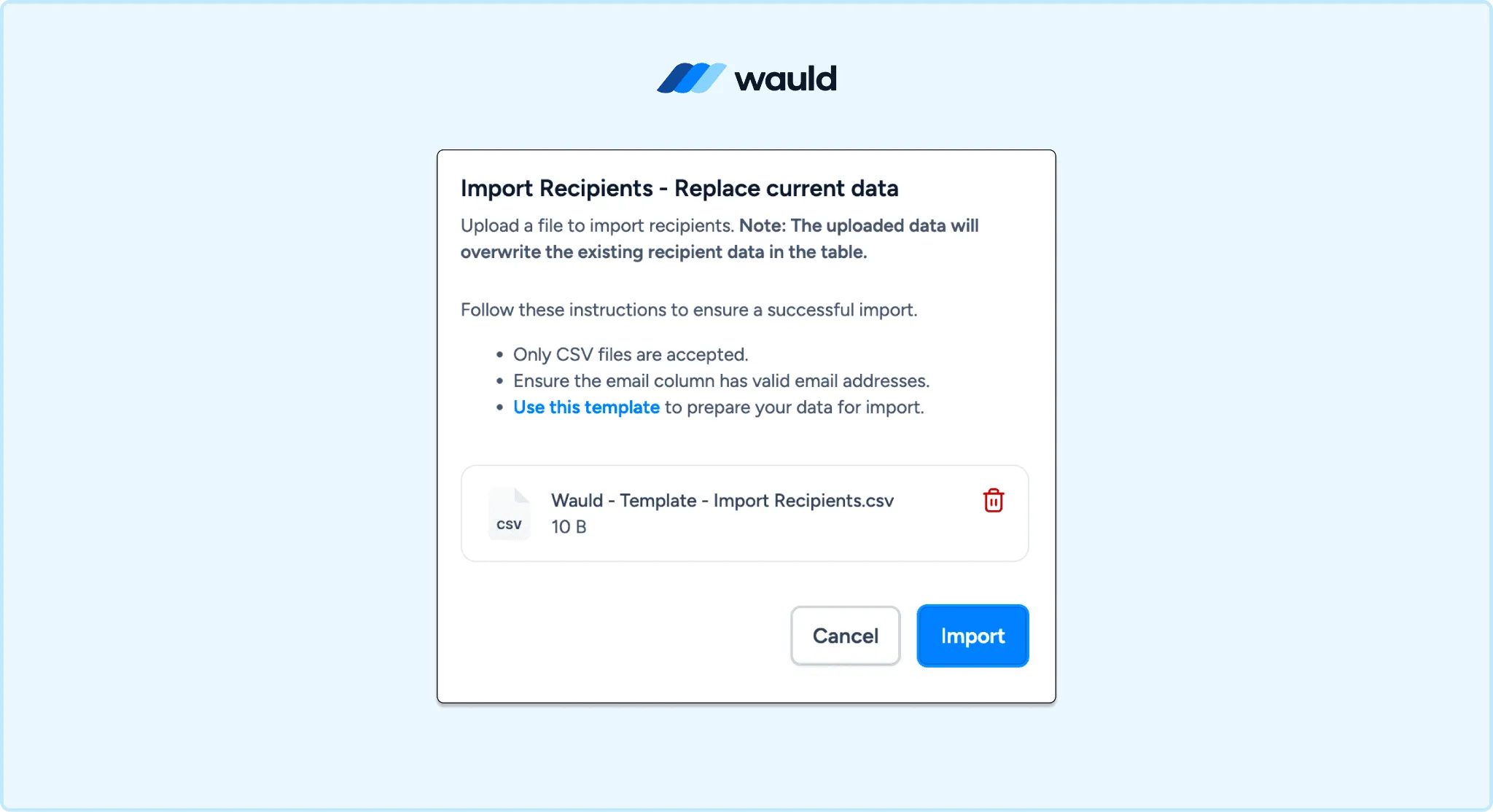
Upload your LiveWebinar attendee CSV to Wauld's Bulk Issuance tool, map the columns, and send personalized verifiable certificates to every participant in minutes.
Which Method Is Right for You?
| Your situation | Best method |
|---|---|
| Want to reward registrants automatically | Zapier with New Registrant trigger |
| Need real-time post-attendance certificates | Webhooks and Wauld webhook integration |
| Running a one-time event or cohort | Bulk CSV upload |
| No developer, recurring webinars | Bulk CSV now, webhooks later |
| Compliance training with attendance rules | Webhooks with attendance-gating |
What Your Attendees Get with Wauld
Every certificate issued through Wauld includes a unique credential ID, a public verification page, a QR code, a downloadable PDF, and one-click LinkedIn sharing that auto-populates all credential fields. The certificate lives at a permanent URL, not tied to an inbox or a Thank You page, so attendees can access and reshare it any time. Browse webinar certificate templates to see how professional these credentials look.
For your organization, the issuer dashboard shows who opened, shared, and verified each credential. None of this data is available inside LiveWebinar's native certificate system.
Cost: LiveWebinar Certificate vs Wauld
LiveWebinar's certificate feature is a paid add-on at $11/month, not included in any base plan. For that you get a basic template editor and Thank You email delivery. No verification, no LinkedIn sharing, no analytics. REST Webhooks for automated post-attendance issuance require the Premium plan. See the full breakdown on LiveWebinar's pricing page.
Wauld's free plan covers up to 300 verifiable credentials per month with bulk issuance, QR verification, LinkedIn sharing, and 900+ templates, at no cost. The Growth plan scales with credential volume for teams that need unlimited admins, expiry management, and engagement analytics. Non-profits receive 50% off permanently. See Wauld pricing for full details.
For most LiveWebinar users, Wauld's free plan delivers better certificates than LiveWebinar's $11/month add-on, with zero extra cost and no changes to how you run your webinars.
Start Issuing Verifiable LiveWebinar Certificates Today
LiveWebinar is a powerful webinar platform built for online events of all sizes. Its native certificate covers the basics for simple use cases. But to truly enhance the value of your sessions and give participants credentials they can verify, share, and build a professional profile around, the native tool hits its ceiling.
Wauld connects to LiveWebinar in under an hour and turns every session into a credentialing moment your attendees remember. See Wauld pricing to find the right plan, or contact us with any questions.