LearnUpon Certificates: How to Automate Issuance

The Certificate Gap in LearnUpon
A learner finishes a course in LearnUpon. A PDF certificate lands in their inbox as a completion notification. That is usually the end of the story.
Nobody can confirm the certificate is real. Nobody can see if the learner opened it again, or shared it.
For internal compliance training, that gap rarely matters. For customer or partner certification, it matters a lot. That is why many LearnUpon admins add a credentialing layer. It sits on top of the LMS they already run.
LearnUpon Overview: What the LMS Offers Natively
LearnUpon is an enterprise learning management system, or LMS. It serves employee, partner, and customer training programs. It supports SCORM and xAPI content for delivering training. It also supports learning paths and instructor-led training, alongside self paced courses.
LearnUpon's branded portals also support multiple audiences. A multi-audience setup runs separate, branded portals from one account. Employees, partners, and customers each get their own portal. Every step, from course creation to certificate delivery, lives inside LearnUpon's Knowledge Base documentation.
How LearnUpon Certificates Work
Set up certificates in LearnUpon in two steps:
- Upload a background image and place variables in the certificate editor (learner name, course name, completion date, custom fields).
- Assign that certificate to a course, learning path, or learning journey from the course's Info page, under the "Certs and Credits" tab.
A course author typically owns this setup. LearnUpon released a redesigned certificate editor in August 2024. Older certificates still use the legacy editor. LearnUpon recommends migrating them over for better layout control.
Once a certificate is attached, delivery is automatic. A completion notification email triggers the PDF attachment. So learners receive a certificate the moment they finish, no manual step needed. Learners can also download their own certificates later from their course page. They can share it to LinkedIn or X from there too.
Course Completions, Learning Credits, and Recertification
Certificates are not limited to single courses:
| Certificate scope | How it works |
|---|---|
| Course | Assigned from a course's Certs and Credits tab |
| Learning path | Carries its own certificate template |
| Learning journey | Inherits course-level certificates automatically, plus an optional journey certificate |
| Association learning credits | CPD, CEU, CME, or custom credits tied to a course or certificate |
Association members earn these learning credits toward professional development. Admins go to Settings, then Association Settings, to set up credits. Wauld's guide on credentialing for memberships and associations covers this use case further.
LearnUpon also handles recertification. A certificate can carry an expiry date. When it lapses, LearnUpon auto re-enrolls the learner in the latest version. No manual tracking is needed before a certificate can expire.
Where LearnUpon Certificates Fall Short
| What LearnUpon does | What it does not do |
|---|---|
| Generates a branded PDF from a custom template | Issue a public verification link or QR code |
| Attaches the certificate to a completion email | Track opens, downloads, or shares after delivery |
| Lets learners share to LinkedIn or X | Use a real, independently verifiable credential ID (it uses the internal enrollment ID) |
| Supports courses, learning paths, and journeys | Issue digital badges as a credential type |
| Offers a REST API, by plan | Offer built-in, no-code analytics |
None of this makes LearnUpon's certificate feature broken. It does exactly what a completion PDF is meant to do. The gap only shows up once a credential needs outside trust.
Where Wauld Helps: Verification, Badges, and Analytics
Wauld picks up right where LearnUpon certificates stop. Wauld is a digital credential platform. It manages the full lifecycle: design, issue, deliver, verify, and track. Layered on LearnUpon, it fills the gaps listed above.
| Wauld feature | What it adds to LearnUpon |
|---|---|
| Instant verification | QR code and secure link, no account needed to confirm authenticity |
| Digital badges | Open Badge 3.0 badges alongside certificates, a credential type LearnUpon lacks |
| Real analytics | Opens, downloads, shares, LinkedIn adds, and verification checks per recipient |
| Branded delivery | Certificates and badges sent from your own domain, not a generic LMS export |
| Customization | A drag and drop editor for logos, colors, backgrounds, and signatures |
| Personalization | Dynamic fields auto-fill each recipient's name, course, and date |
| Template library | 1000+ templates plus AI assisted design tools |
Credentials also carry only your organization's identity, not a generic LMS look. For a broader look at the market, see Wauld's roundup of digital certificate platforms. Wauld's digital badge platforms guide covers badges in more depth.
How to Automate LearnUpon Certificate Issuance
There are four ways to automate LearnUpon certificates from course completions. Pick one based on your plan and technical comfort.
Method 1: Zapier (Fastest, No Code)
LearnUpon publishes its own Zapier app. The setup uses two building blocks:
| Zapier step | What it does |
|---|---|
| Trigger: Enrollment Completion Trigger | Fires when a learner completes a course in LearnUpon |
| Action: Issue Credential | Issues a new Wauld credential using a selected document and recipient details |
Setup steps:
- In Wauld, open Integrations, select Zapier, and generate an access token.
- In Zapier, create a new Zap and search for LearnUpon.
- Choose "Enrollment Completion Trigger" and connect your LearnUpon account.
- Pick the specific course you want to watch for completions.
- Test the trigger to pull a sample record (name, email, course).
- Add Wauld as the action app and choose "Issue Credential."
- Paste your Wauld access token to connect the account.
- Select the workspace, engagement, and certificate design to issue.
- Map LearnUpon's fields to Wauld's recipient fields.
- Test the full Zap, then turn it on.
| Pros | Cons |
|---|---|
| No code required at any step | Depends on Zapier staying connected and running |
| Live the same day, often in under an hour | Zapier's paid add-on tiers cost more at higher volumes |
| Works on any LearnUpon plan with Zapier access | Runs on Zapier's polling schedule, not instant |
Best for: teams that want branded delivery live the same day. No developer is needed for this method.
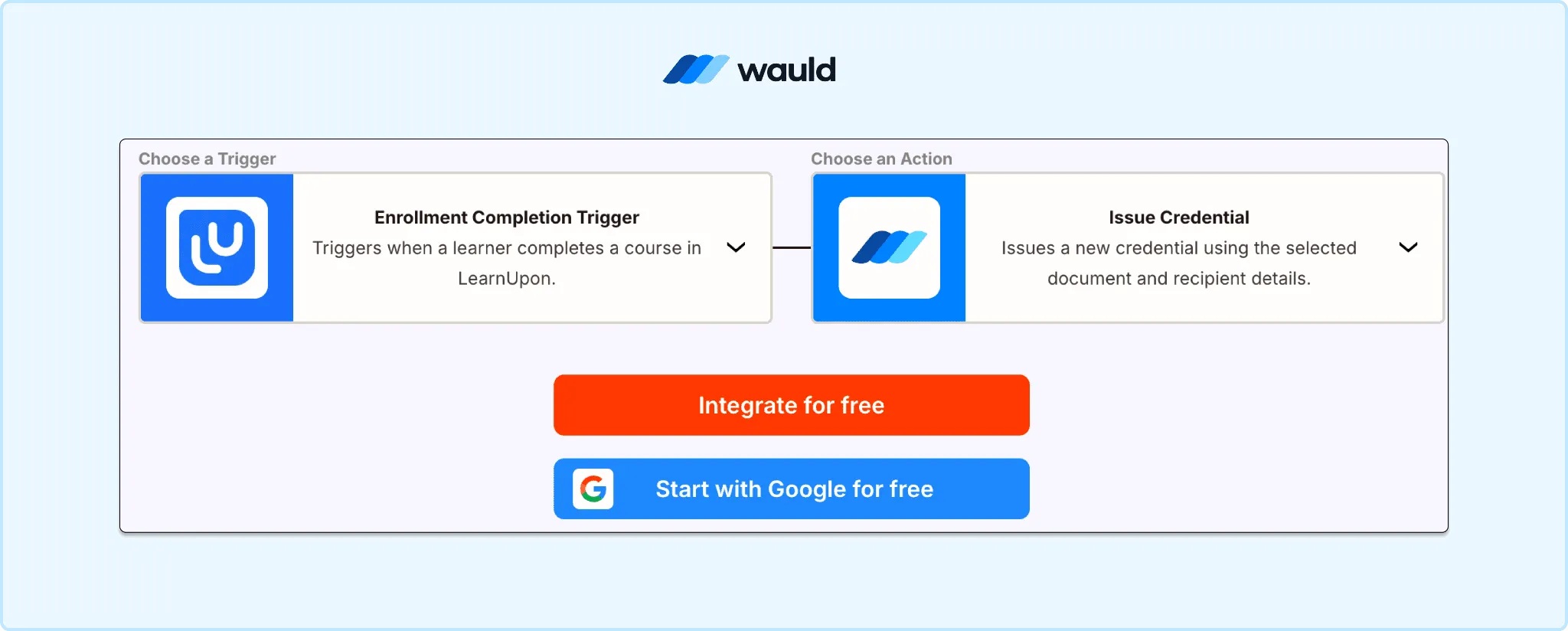
LearnUpon and Wauld integration workflow that automatically issues a digital credential when a learner completes a course.
Method 2: Native Webhooks
LearnUpon's webhooks v2.0 can send a real time payload on course completion. The payload is signed for security. Point it at a URL you control.
Setup steps:
- In your LearnUpon portal, open the webhooks v2.0 configuration.
- Select "Course completion" as the event type to send.
- In Wauld, open the certificate document and generate its custom trigger URL.
- Enter that trigger URL as the destination endpoint in LearnUpon.
- Verify the webhook signature settings so payloads are trusted on arrival.
- Trigger a test completion and confirm the credential issues correctly.
- Monitor the first few live completions before relying on it fully.
| Pros | Cons |
|---|---|
| True real time issuance, no polling delay | Needs an HTTPS endpoint and signature verification |
| No Zapier subscription required | Field mapping may need a small relay step |
| Signed payloads add a layer of security | Setup takes more technical familiarity than Zapier |
Best for: teams without Zapier access. Also fits anyone who wants instant issuance the moment a webhook lands.
Method 3: Custom Trigger / API
Wauld generates a unique trigger URL per credential document. Any system that can send a POST request can issue credentials through it. This includes a script built against LearnUpon's REST API. API availability depends on your LearnUpon plan.
Setup steps:
- In Wauld, create or select the certificate document to automate.
- Generate that document's unique custom trigger URL.
- Build a script or middleware that pulls completions from LearnUpon's API.
- Format each completion record into the payload Wauld's trigger URL expects.
- Send a POST request per completion, or batch them on a schedule.
- Log responses so failed issuances can be retried or flagged.
- Test with a small batch before pointing it at live data.
| Pros | Cons |
|---|---|
| Full control over timing, filtering, and batching | Requires developer time to build and maintain |
| Works even without a live Zapier connection | LearnUpon API access depends on your plan tier |
| Scalable to large or complex pipelines | More moving parts to monitor and debug |
Best for: technical teams building a custom pipeline. Full control over payload and timing matters most here.
Method 4: CSV Bulk Upload
Export completed learner records from LearnUpon. Upload them to Wauld for one-time or batch issuance.
Setup steps:
- In LearnUpon, run a report of completed enrollments for the course.
- Export the results as a CSV file.
- Format the columns to match Wauld's template (name, email, course, date, custom fields).
- Log into Wauld and open the bulk issuance screen.
- Upload the formatted CSV file.
- Map each column to the matching certificate variable.
- Preview a sample certificate, then confirm the batch issuance.
| Pros | Cons |
|---|---|
| No coding, no live integration to maintain | Not real time, issuance happens in batches |
| Handles large historical backlogs quickly | Manual export step needed for every new batch |
| Works even on LearnUpon plans without API access | Formatting errors in the CSV can block a row |
Best for: back-issuing credentials to learners who completed a course before automation existed.
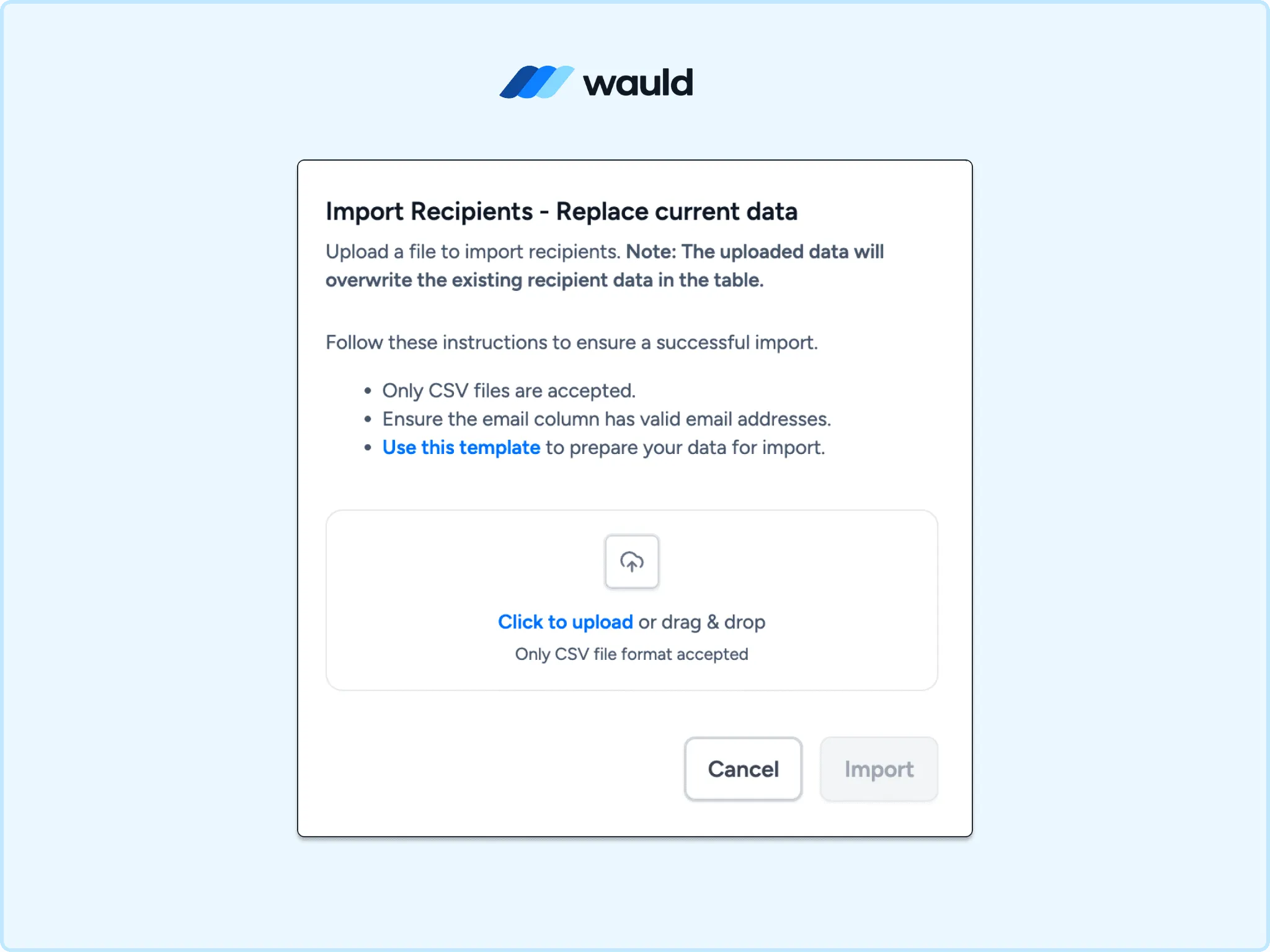
Wauld bulk recipient import interface for uploading a CSV file to issue digital credentials at scale.
Method Comparison
| Method | Setup time | Real time? | Coding required |
|---|---|---|---|
| Zapier | Under an hour | Near real time | No |
| Native webhooks | A few hours | Yes | Minimal |
| Custom trigger / API | Varies | Yes | Yes |
| CSV bulk upload | Minutes per batch | No | No |
Why Automate LearnUpon Certificate Issuance
Manual certificate work does not scale well. Automation removes the admin layer entirely.
- Speed. Learners get their credential seconds after completion.
- Consistency. Every certificate uses the same branding and data fields.
- Auditability. Analytics show who opened, shared, or verified a credential.
- Scale. The same setup works for ten learners or ten thousand.
Extended Use Cases for LearnUpon LMS Credentialing
Wauld issues certificates and badges from one dashboard. LearnUpon customers commonly extend automation past a single certificate:
- Per-module badges. A badge per module, with a full certificate at the final milestone.
- Onboarding programs. A welcome badge on day one keeps new hires engaged early.
- Association learning credits. LearnUpon's credits pair with a shareable Wauld badge for LinkedIn.
- Partner and customer training. Outside trust matters more here than an internal PDF.
- Recertification programs. A fresh credential issues each time LearnUpon re-enrolls a learner.
Wauld has covered this same pattern for other platforms. See the guide to automating certificates from LearnDash for another example.
Getting Started
Already running courses in LearnUpon? Wauld's certificate tool and badge tool are free to try. The free plan includes 300 credentials a year, no sales call needed.
Connect it to LearnUpon through Zapier in under an hour. Still setting up the native template first? Check LearnUpon's own certificate setup documentation for the full walkthrough.