How to Issue Verifiable Blackboard LMS Certificates and Badges

Your Student Just Finished a Blackboard Course. Now What?
A learner completes the final module, passes the assessment, and meets every criterion you set in Blackboard. What happens next depends on how the course was configured. Often, nothing happens automatically. The student has to check their Achievements page, claim a badge through Badgr Backpack, or wait for an administrator to generate a certificate by hand.
For a learning management system used by thousands of universities and corporate training teams, that gap is bigger than it should be. Faculty and course managers rely on Blackboard for course management, grading, and content delivery, and it handles that core job well. Certification was never its primary job.
This post covers what Blackboard offers natively for certificates and badges, where the real limitations sit, and three ways to automate verifiable certificate delivery using Wauld.
What Blackboard Offers Natively for Certificates and Badges
What Blackboard offers natively depends on which course view your institution runs, and the answer is changing. There are three relevant systems: Achievements in Original Course View, Achievements in Ultra Course View, and Course Catalog Certificate Management, a separate product entirely.
Achievements in Original Course View (Being Phased Out)
In the classic Original Course View, instructors can create three achievement types: Course Completion, Milestone, and Custom. Each is built on Blackboard's adaptive release technology, so trigger criteria can include grades, test scores, or content completion. The reward can be a badge, a certificate, or both, as described in Blackboard's own Create and Manage Achievements help documentation.
Blackboard has confirmed Original Course View will be sunset on December 31, 2026, and all institutions must move to Ultra by then. That makes this certificate path a shrinking option, not a long-term strategy.
Achievements in Ultra Course View (Current and Future Default)
Ultra Course View has its own Achievements feature, introduced in the October 2024 Blackboard release and refined in February 2026. It only supports two reward types: course badges and Open Badges, following the Open Badges 3.0 standard Anthology adopted in 2025. There is no certificate reward option in Ultra at all.
As institutions complete the move to Ultra, the native path to a certificate disappears from Achievements entirely. Badges remain, but certificates do not.
Course Catalog Certificate Management
For institutions running Blackboard Course Catalog (formerly Training and Development Manager), certificates are managed as a separate add-on product, regardless of course view. Administrators upload a PDF template, map fields to learner and course data, and assign it to an offering. The certificate generates as a downloadable, printable PDF with a certificate authenticity link recipients can share for verification.
Where Native Blackboard Certificates Fall Short
| Capability | Achievements (Original) | Achievements (Ultra) | Course Catalog |
|---|---|---|---|
| Certificate reward available | Yes | No | Yes |
| Badge reward available | Yes | Yes | No |
| Branded, customizable design | Limited to catalog images | Limited to badge images | Limited to uploaded PDF layout |
| Automated email delivery | No | No | No |
| LinkedIn sharing | No | No | No |
| Recipient account required | Yes, for Badgr Backpack | No | No |
| Bulk issuance | No | No | Limited, admin download only |
| Engagement analytics | No | No | No |
| Future support | Sunsetting December 31, 2026 | Active and current | Active, separate license required |
None of these systems were built to manage the credential as a marketing or recognition asset. Blackboard provides no insight into certificate opens, downloads, or shares. Certificate-generating Achievements disappear as Original Course View phases out.
Where Wauld Helps with Blackboard Certification
Wauld is a digital credentialing platform built to design, issue, deliver, and track certificates and badges. When you integrate Blackboard with Wauld, it picks up exactly where the native tools stop, without changing your institution's underlying technology stack.
Benefits Wauld adds on top of Blackboard's Achievements or Course Catalog data:
- Branded certificate and badge templates from a library of 900 plus designs, fully customizable to your institution's colors and logo
- Automated, branded email delivery the moment a course completion or achievement criterion is met
- A unique credential ID, QR code, and public verification page on every certificate
- One-click LinkedIn sharing so students can add their credential directly to their profile
- Analytics showing learner engagement and drive, including who opened, downloaded, or shared their certificate, so you can measure program outcomes and skill development over time
| What you need | Blackboard alone | Blackboard plus Wauld |
|---|---|---|
| Verifiable credential | No, only a static link | Yes, unique ID and verification page |
| Branded design | Limited | Full control |
| Delivery | Manual, dashboard-based | Automatic, branded email |
| Social sharing | None | One-click LinkedIn |
| Tracking and analytics | None | Open, download, and share data |
3 Ways to Issue Blackboard Certificates Automatically with Wauld
Unlike Canvas or LearnDash, Blackboard does not have a dedicated Zapier app. Its integration surface is built around LTI, REST APIs, and Grade Center or Achievement data, so automating certificate delivery means working through one of the methods below rather than a single native trigger.
Method 1: Webhooks by Zapier
Since Blackboard has no native Zapier trigger, this method uses Blackboard's REST API to push achievement or grade data to a webhook URL each time a session or course is completed, which Zapier's generic Webhooks trigger picks up and routes to Wauld to certify the learner.
Steps:
- In Blackboard, set up a script or Building Block that calls the Blackboard REST API when a course completion or achievement is recorded.
- Configure that script to send a POST request to a Webhooks by Zapier catch hook URL.
- In Zapier, create a Zap using Webhooks by Zapier as the trigger app.
- Set Wauld as the action app and use the Issue Credential event.
- Map the learner's name, email, course title, and completion date from the webhook payload to your Wauld certificate fields.
- Test the workflow and turn the Zap on.
Pros:
- Works around Blackboard's lack of a native Zapier app
- Once configured, runs automatically on every qualifying completion
- Compatible with thousands of action apps beyond Wauld
Cons:
- Requires a developer to build the initial REST API call or Building Block
- Adds Zapier as a dependency, with paid plans needed for multi-step Zaps
- Setup time is longer than platforms with a direct Zapier app
Cost: Zapier's free plan supports two-step Zaps at 100 tasks a month. The Professional plan, needed for most production workflows, starts at $19.99 a month billed annually.
Method 2: Blackboard REST API Direct to Wauld
For technical teams, the most direct route skips Zapier entirely. A script polls Blackboard's REST API for Grade Center columns or Achievement records that meet your completion criteria, then posts that data straight to Wauld's API or custom trigger endpoint.
Steps:
- Register a developer account and application in the Blackboard REST API to obtain OAuth credentials.
- Build a scheduled script that queries the relevant Grade Center column or Achievement endpoint for newly qualifying students.
- Format the returned learner, course, and completion data to match Wauld's API requirements.
- POST the data to your Wauld custom trigger or API endpoint to issue the certificate.
- Test with a small batch before scheduling the script to run continuously.
Pros:
- No middleware or automation tool required
- Full control over polling frequency and data mapping, following your own development best practices
- No per-task automation costs
Cons:
- Requires developer resources to build and maintain
- Polling introduces some delay versus instant, event-based delivery
- Harder to debug than a no-code workflow
Cost: No extra subscription cost beyond engineering time, since the Blackboard REST API and Wauld API access are included in their respective plans.
Method 3: CSV Bulk Upload
For one-off certification runs, retroactive issuance, or institutions without developer support, a CSV export and upload is the fastest path with zero technical setup.
Steps:
- In Blackboard Course Catalog, download certificate or completion data using the Download as CSV option in Certificate Management, or export Grade Center data for Achievement-based criteria.
- Format the CSV to match the columns Wauld requires, typically name, email, course title, and completion date.
- Upload the CSV in Wauld and select your certificate template.
- Review the preview, then issue certificates to the entire batch in one action.
Pros:
- No coding or third-party tools required
- Works for past completions, not just new ones going forward
- Fastest setup of all three methods
Cons:
- Not automated. Someone has to export and upload manually each time
- Best for periodic batches rather than real-time delivery
Cost: Free, included in Wauld's free and paid plans.
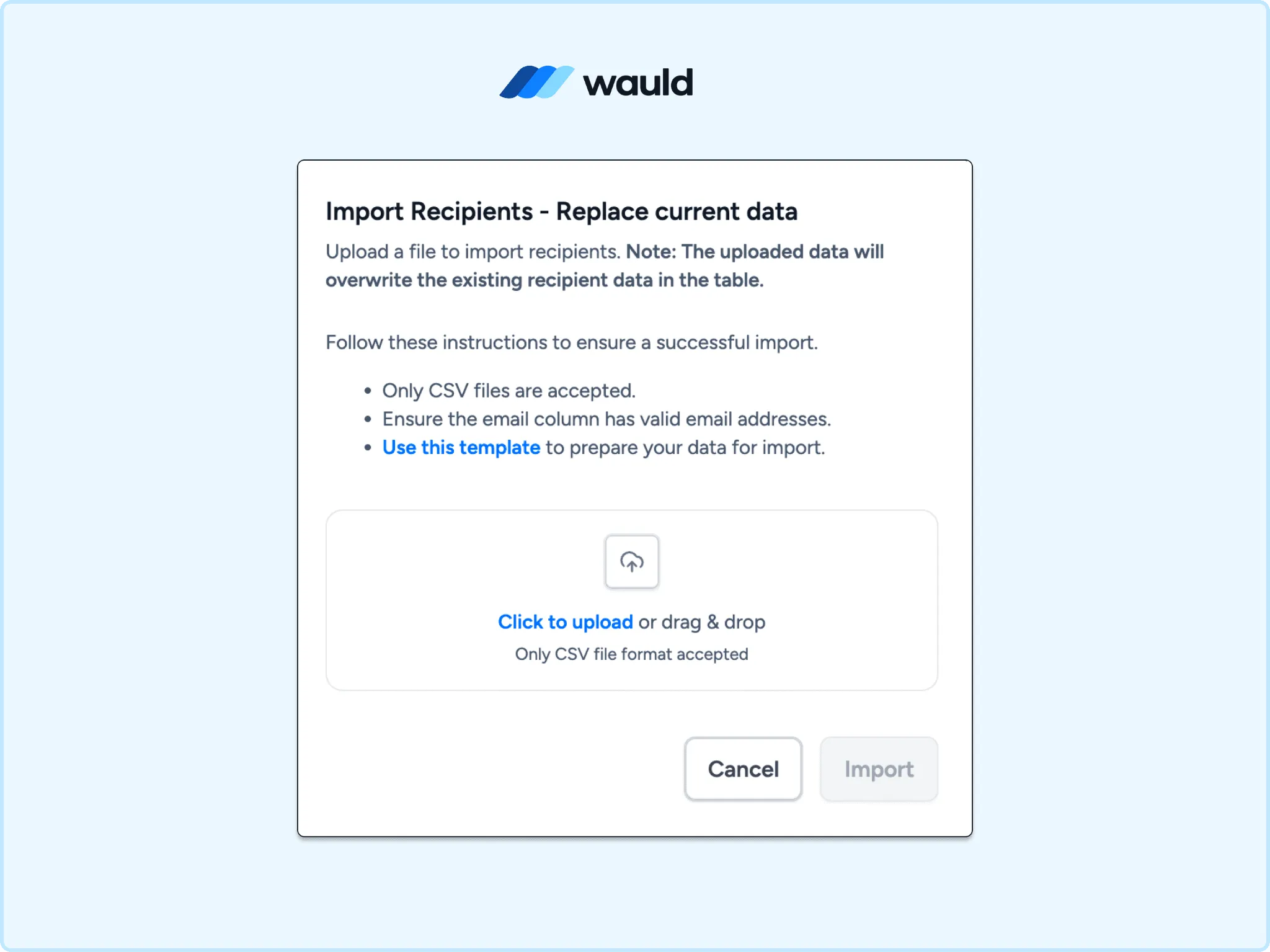
Bulk import recipients to issue certificates at scale in Wauld.
Comparing the Methods
| Method | Automated | Technical Complexity | Best For |
|---|---|---|---|
| Webhooks by Zapier | Yes | Medium to High | Teams wanting Zapier's ecosystem without a native Blackboard app |
| Blackboard REST API to Wauld | Yes | High | Developer teams wanting full control, no middleware |
| CSV Bulk Upload | No | Low | One-off runs, retroactive issuance, non-technical admins |
Extended Use Cases for Blackboard and Wauld
Beyond a single course completion certificate, Wauld supports several use cases common to Blackboard institutions:
- Performance-based badges, awarded alongside Blackboard's native Achievement criteria in either course view, with branded design and LinkedIn sharing layered on top
- Continuing education and CPD credentials, where students need a verifiable record for licensing, not just a course dashboard download
- Multi-course program credentials, issued once a learner completes a defined set of Blackboard courses or a Course Catalog program track
- Staff and faculty training compliance, where HR teams need proof of completion that auditors can verify without logging into Blackboard
- Workplace online training, where corporate Blackboard deployments need credentials that meet internal educational policy requirements without manual sign-off from an educator each time
- Pedagogical recognition programs, where instructors want a credential that reflects specific learning outcomes rather than a generic completion record
These use cases all draw on the same student information already captured in Blackboard, routed somewhere designed to make the credential itself valuable. If your institution also runs courses on other platforms, see how Wauld handles a similar setup in our guide on issuing Moodle certificates of completion.
Final Thoughts
Blackboard's certificate options are narrowing. Original Course View Achievements and Course Catalog can produce a badge or PDF certificate when a student finishes a course, but Original is sunsetting by the end of 2026, and Ultra Course View Achievements supports badges only. Neither handles what comes after a credential is issued: branded delivery, verification, sharing, and visibility into whether it mattered to the recipient.
Because Blackboard has no native Zapier app, connecting it to a credentialing platform takes more setup than platforms like Canvas or LearnDash. Webhooks by Zapier, a direct REST API connection, or a CSV upload each get you there, depending on your technical resources and how quickly you need it running.
If your Blackboard courses deserve a credential as polished as the learning experience itself, Wauld is built to close that gap.