Create Digital Certificates from SurveyMonkey Responses

SurveyMonkey is great for gathering insights, but it can also be a recognition engine. With Wauld, your survey data can create participation certificates, achievement badges, completion credentials, or compliance acknowledgements that are all instantly verifiable.
In this guide, we'll show you exactly how to turn your SurveyMonkey responses into shareable certificates or badges using Wauld. It's a simple yet powerful way to give your participants credentials they'll actually want to show off.
Step-by-Step: Issuing Credentials from SurveyMonkey Forms
Step 1: Download the List of Participants from SurveyMonkey
To export your survey results:
- Go to the Analyze Results section and click Save As at the top, then select Export file.
- Choose All Responses Data as your export type and select CSV as the format.
Now, sign in to your Wauld dashboard with your account credentials.
Step 2: Create a New Engagement in Wauld
Click 'Create Engagement', then define it with basic details (eg: Foundations - Prompt Engineering). Or choose an already created engagement.
Step 3: Design or Upload Certificate Template
Create a document.
- Choose a certificate or badge template from Wauld’s library with 600+ templates.
- Upload your own design if you already have a branded certificate/badge template.
- Start from scratch with our visual editor to design a customized certificate or badge.
In Wauld, you can design credentials with QR codes for instant verification, official signatures, logos, custom color schemes, design elements, and dynamic attributes. This makes every certificate both professional and personalized at scale.
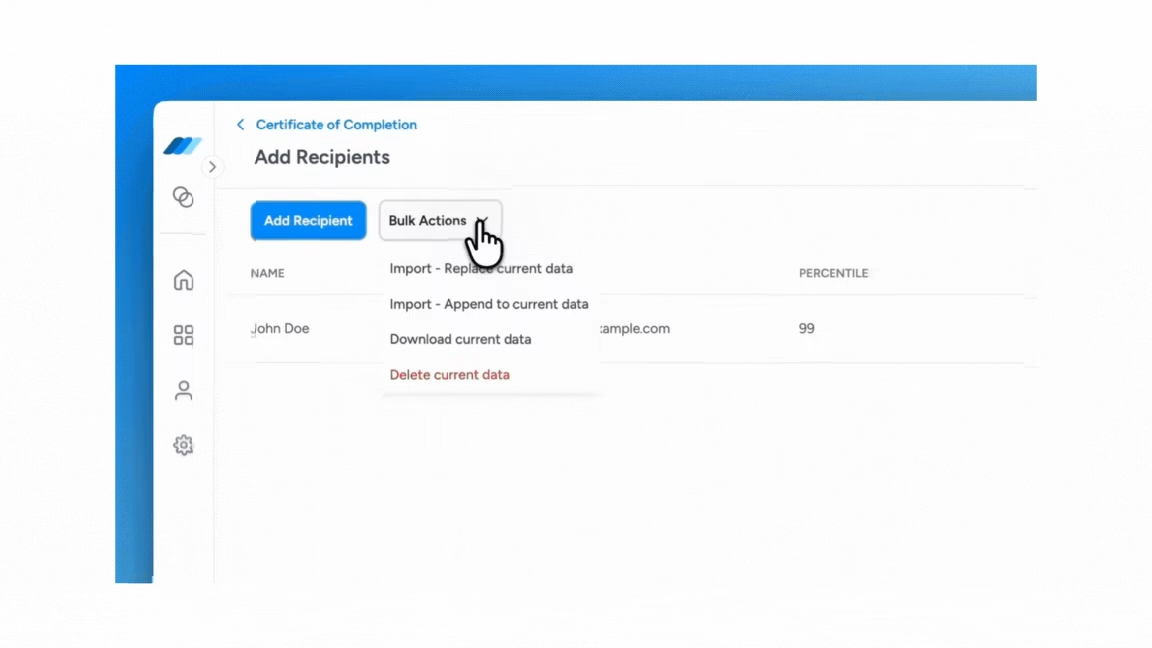
Step 4: Upload Recipient Data (gathered via Survey Monkey)
Upload the CSV file from Google Forms. Wauld maps the data into your template via dynamic attributes. You can preview some or all credentials before issuing.
Step 5: Issue Certificates or Badges
Certificates or badges will be created instantly and emailed to all responders of the survey form.
Issuing Certificate Isn't the End. It's the Starting Line.
Remember the last paper certificate you got? That quick moment of "nice!"
And then it disappeared into a drawer somewhere between old receipts and takeout menus.
Digital credentials? They're built different. They don't just sit there collecting dust. With Wauld, they keep working for you and your participants long after you hit send.
What Happens After You Issue a Certificate
Digital credentials give the issuer full control even after certificates are issued. They can be managed, edited, or revoked anytime from a single dashboard.
Manage Everything in One Place
Typo in someone's name? Course details changed? Need to send a replacement? No sweat. Wauld gives you one clean dashboard where you can edit, revoke, or reissue certificates whenever you need to. Zero printing. Zero hassle.
See the Real Impact
Your certificates aren't just digital trophies. They're proof of achievement that people actually want to show off. With Wauld, you can see exactly what's happening:
- Who opened their certificate
- How many times it's been viewed
- Where it got shared (hello, LinkedIn!)
This isn't just data. It's evidence that your participants are celebrating their wins and telling others about your program at the same time.
Verification That Just Works
Nobody likes playing phone tag to confirm if a certificate is legit. Every Wauld certificate comes with a QR code and secure verification link. Anyone can check authenticity in seconds. Easy, transparent, done.
From SurveyMonkey Data to Meaningful Recognition
You're already using SurveyMonkey to collect responses and gather insights. Why not turn those completions into something people can actually celebrate?
With Wauld, you can quickly transform your survey data into professional certificates or badges that participants are proud to share. It's straightforward, secure, and way faster than doing it manually.
Ready to make your recognition count? Start using Wauld with your SurveyMonkey results and give your participants credentials that actually matter.