How to Automate Hotmart Certificates and Badges

The certificate is ready. Nobody sent it.
A student finishes every lesson in your Hotmart course. They hit 100% progress. They technically qualify for a certificate.
Then nothing happens. Hotmart certificates only appear once the student manually claims it back in the course. They have to click their name and press "Issue certificate." Most never do.
The proof of their achievement sits unclaimed. You lose the moment they were most likely to share it.
For one small course, that manual step is a minor annoyance. For creators selling multiple products or running cohorts, it is a real gap. This post covers what Hotmart certificates do natively, plus where they stop. It also covers four ways to connect them to Wauld.
Hotmart itself is a broad marketplace for digital businesses. Creators buy and sell online courses, ebooks, and memberships worldwide. An affiliate network promotes those products for a commission.
Course creators sit at the center of that ecosystem. The certificate is usually the last touchpoint in the learner journey. It is the moment a course description's promise gets turned into proof.
What Hotmart offers natively
Hotmart Club is Hotmart's built-in members area. It ships a genuinely useful certificate feature, not a bare-bones tool. Many platforms leave certificates to a generic certificate maker with no course link.
Creators go to a course's Certificate tab. They follow Hotmart's own setup steps to upload a background image. A simple editor handles text boxes, fonts, colors, and layers.
The system pulls in dynamic tags automatically. Student name, course, completion date, organizer, and class fill in on their own. Nothing has to be typed manually per student.
Every issued certificate carries a QR code. Recipients and third parties can scan it to verify authenticity. That code points to a Hotmart page or the course itself, depending on setup.
Students unlock the certificate once they complete all required lessons. Progress from additional or free modules, ads, and livestreams does not count toward it. Once issued, students can save, print, share to social, or copy a link.
Where Hotmart certificates stop:
- One design per course. There is no reusable template library. Every certificate is built from scratch each time.
- No automation. The certificate only generates when the student manually issues it. There is no trigger from completion.
- No badges. Hotmart has no equivalent for milestones or per-module recognition. It is certificate or nothing.
- No analytics on the certificate itself. Insights tracks progress, not certificate opens or shares.
- No dedicated LinkedIn flow. Sharing exists, but there is no one-click profile add.
Where Wauld helps
Wauld does not replace Hotmart certificates. It picks up where they stop.
Hotmart proves the student finished the course. Wauld turns that proof into something delivered automatically, tracked, and actively shared. Creators weighing other options can see how tools compare in this platform comparison.
| Hotmart certificates (native) | Hotmart + Wauld | |
|---|---|---|
| Delivery | Student manually clicks "Issue certificate" | Auto-issued the moment completion fires |
| Design | One canvas editor, one design per course | 1000+ templates, reused across every product |
| Badges | Not supported | Milestone, module, and level-up badges |
| Sharing | Copy-link or post to social networks | One-click LinkedIn add from a digital wallet |
| Analytics | Course progress only, not certificate activity | Opens, downloads, verifications, LinkedIn shares |
| Recipient record | Lives only in that one course | Central wallet for every credential earned |
| Corrections | Locked once issued | Edit, void, or bulk-reissue anytime |
Badges deserve their own emphasis. Hotmart has no equivalent for them at all.
A course certificate only recognizes the finish line. Badges let creators recognize everything before it:
- A welcome badge on first access, using the trigger Hotmart already fires for logins
- A badge per completed module, so a six-module course gets six moments of recognition
- Milestone badges for cohorts or membership tiers, tied to Hotmart's plan events
- A capstone certificate at the end, matching what Hotmart already unlocks at 100%
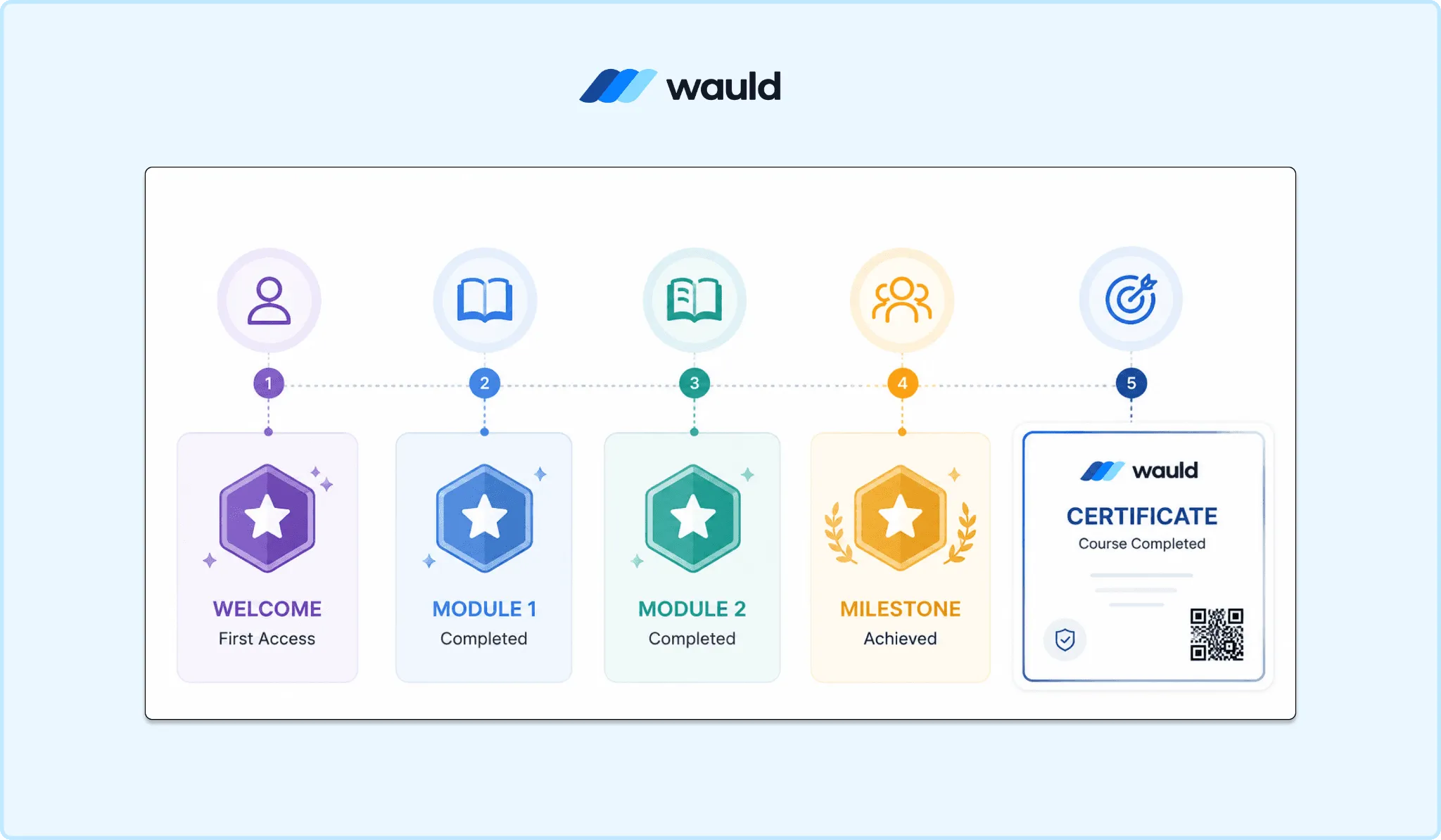
Reward learner progress with digital badges at every milestone and automatically issue a verifiable certificate upon course completion using Wauld.
Badges and certificates run through the same automation logic in Wauld. One trigger can issue both, just pointed at different templates.
Methods to integrate Hotmart certificates with Wauld
The gap in Hotmart certificates is automation, not design. Every method below solves the same question: what fires the trigger.
1. Zapier (via Webhooks by Zapier)
Hotmart's own Zapier app only exposes commerce triggers. That means Cart Abandonment, Transaction Event, Change Plan, and Subscription Cancellation. The first and last are Producer Only.
There is no "course completed" or "certificate issued" trigger built in. A plain Hotmart-to-Wauld Zap is not available out of the box.
The workaround is Hotmart's native Completed Module webhook. Hotmart added this event to Webhook 2.0 to help creators manage students. It fires whenever a student finishes a course module.
Hotmart's changelog names the fields, not a full technical schema. It lists module ID and name, plus student name and email. It also lists course ID and product name.
Setup:
- Register a webhook in Hotmart under Tools, then Webhook
- Select the Completed Module event as the notification to send
- Catch that webhook in a Zap using "Webhooks by Zapier" as the trigger app
- Add a Filter step so the Zap only continues on the final module ID
- Map the student fields to Wauld's Issue Credential action
| Pros | Cons |
|---|---|
| No-code, so no developer needed once the Filter step is in place | Requires a paid Zapier tier once a Filter step is added |
| Reuses Hotmart's existing webhook and Zapier's large app library | Not a native Hotmart-to-Wauld connector, so setup takes longer |
| Depends on correctly identifying the final module's ID for every course |
Cost: Hotmart's webhook is free, Zapier's paid tier is needed for the Filter step.
Best for: creators who want no-code automation, plus one extra filter step.
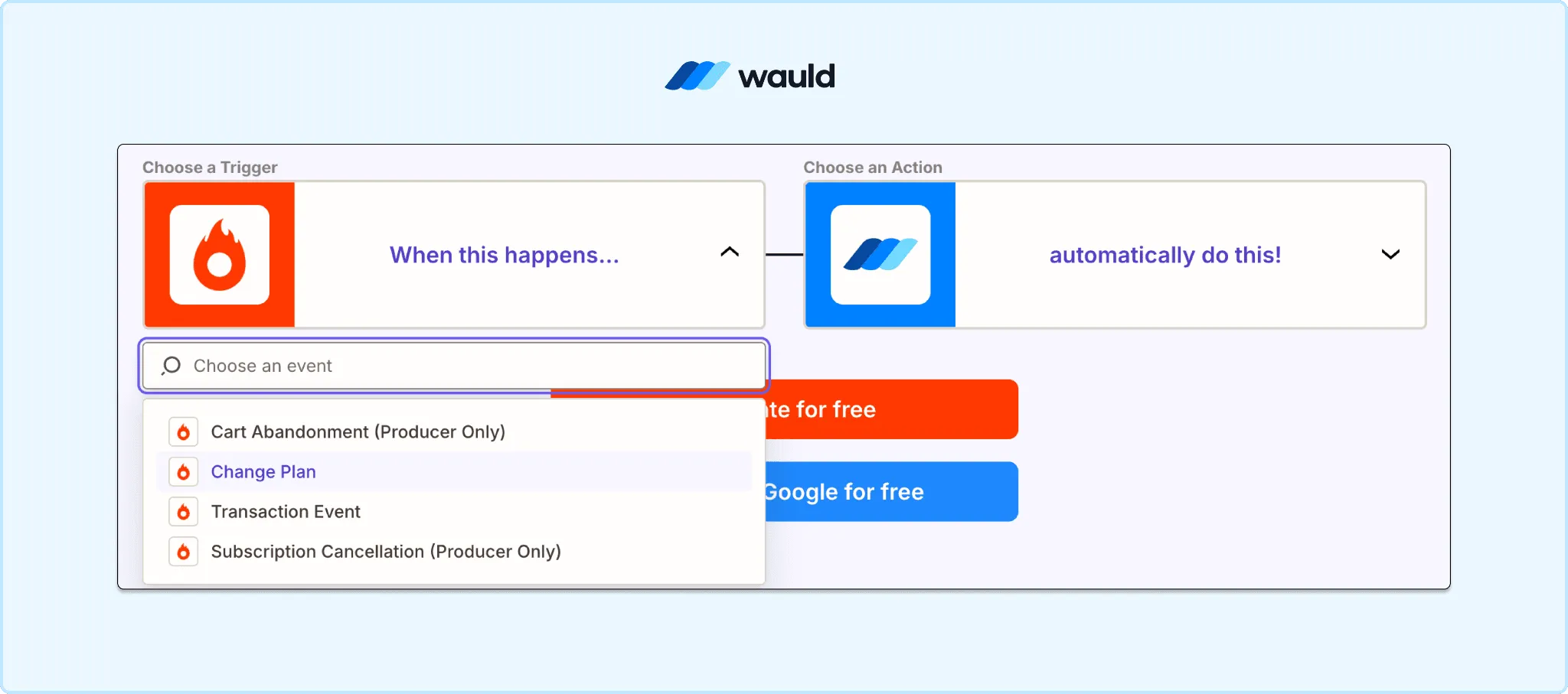
Connect Hotmart with Wauld to issue digital certificates and badges using Zapier.
2. Native webhooks
Skip Zapier entirely. POST the Completed Module event straight from Hotmart to Wauld's custom trigger URL.$
Hotmart's webhook tool sends a notification whenever an event occurs. That covers purchases, refunds, cancellations, and module completions. Every request includes Hotmart's hottok credential in the header. You check it against your own copy to confirm the source.
Setup:
- Generate a custom trigger URL in Wauld for the certificate or badge template
- In Hotmart, go to Tools, then Webhook, and register a new configuration
- Select the Completed Module event and paste in Wauld's trigger URL
- Test the connection using Hotmart's built-in "Send test" option
| Pros | Cons |
|---|---|
| Real-time delivery with no third-party subscription | No built-in way to filter to the final module without a relay |
| Requests carry Hotmart's hottok header, so origin can be checked | Mobile delivery timing can depend on the student's Hotmart app version |
| Free on both sides | Less forgiving to set up than a no-code Zap |
Best for: creators comfortable configuring a delivery URL directly, without a Zapier plan.
3. Custom trigger / API
For full control, Hotmart exposes an API. It returns enrollment, progress, and subscription data.
Wauld generates a unique trigger URL per credential. Any system can POST to it. A small script can listen for completion, then call Wauld's trigger.
Setup:
- Authenticate against Hotmart's API using API credentials from Hotmart Developers
- Pull enrollment and progress data for the course in question
- Generate a Wauld custom trigger URL for the credential template
- Write a script that calls Wauld's trigger once completion criteria are met
| Pros | Cons |
|---|---|
| Full control over what counts as "complete" across systems | Requires developer time to build and maintain |
| Not limited to Hotmart's own webhook event list | More moving parts to debug than a simple webhook |
| Scales well for agencies managing many courses or clients |
Cost: developer time, no added subscription.
Best for: agencies or larger creator businesses with custom enrollment logic.
4. Manual export and bulk upload
For cohort courses or one-off drives, use Hotmart Club's Insights dashboard. It shows which students have reached 100% progress. Compile that list, then bulk-issue in Wauld.
Setup:
- Open Hotmart Club Insights for the course and review the student progress table
- Compile the names and emails of students who reached 100% completion
- Format that list into a CSV matching Wauld's template columns
- Upload the CSV to Wauld and bulk-issue certificates
| Pros | Cons |
|---|---|
| No automation setup at all, works for any creator | Fully manual, so certificates go out in batches rather than instantly |
| Good fit for cohorts that all finish around the same date | Relies on someone remembering to check Insights and run the export |
| Free | Not practical for high-volume, rolling enrollment courses |
Best for: creators who batch-certify a cohort rather than issuing continuously.
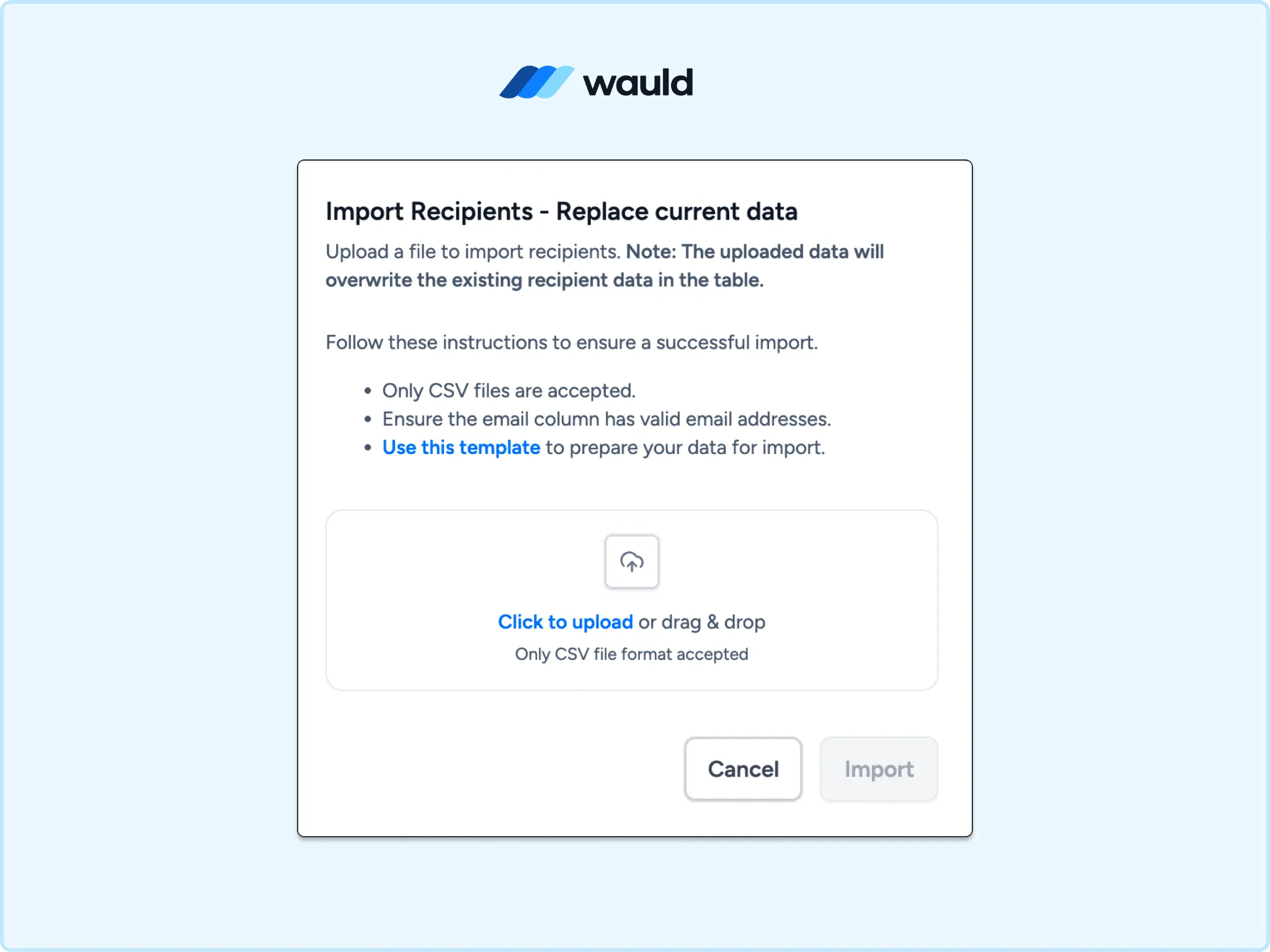
Import recipients in bulk using a CSV file.
Comparing the four methods
| Method | Real-time | Skill needed | Cost | Best for |
|---|---|---|---|---|
| Zapier (Webhooks by Zapier) | Yes | Low | Zapier paid tier | Fast no-code setup |
| Native webhooks | Yes | Medium | Free | Real-time delivery, no Zapier plan |
| Custom trigger / API | Yes | High | Developer time | Custom logic across platforms |
| Manual export and bulk upload | No | Low | Free | Batch cohort certification |
Extended use cases
Wauld treats certificates and badges as the same mechanic. A Hotmart creator can layer several credential types onto one course. This certificate maker roundup covers a similar pattern.
- Module badges, issued off the Completed Module webhook, filtered differently than the final certificate
- Membership tier badges, tied to Hotmart's Change Plan event
- Cohort completion certificates, bulk-issued at the end of a live program
- First-access welcome badges, using Hotmart's First Access event for new students
Turn Hotmart certificates into credentials that work for you
Hotmart already proves your students finished. Wauld makes sure that proof reaches them automatically.
Badges recognize the milestones along the way. Analytics show who is sharing what they earned.