Best Fotor Alternatives for Professional Certificate Creation in 2026

TL;DR: Fotor's certificate maker offers a decent template library and genuinely useful AI features - background removal for logos and seals, photo enhancement for headshots - but it's still a static design tool at heart. Every tool on this list, Fotor included, can design a certificate that looks good. The one exception is Wauld, which does everything the design tools do for a certificate and then keeps going - it verifies who received it, tracks whether it was opened, and lets you reissue one without manual editing from scratch. That's a different category of problem entirely, which is exactly why it tops this list.
What Is Fotor and Why People Search for a Fotor Alternative for Certificates
Fotor is a web-based photo editor and design platform with a dedicated certificate maker built in. Its certificate templates cover attendance, completion, achievement, and recognition categories, with drag-and-drop customization and access to its template library of fonts, icons, vectors, badges, and stock photos. Fotor also brings genuinely useful photoshop-style AI features to the process - one-click background removal for cleaning up a logo, and photo enhancement for headshot-style certificates.
People searching for an alternative to Fotor for certificate creation in 2026 tend to hit a few walls: watermarks on the free version that show up on the finished certificate, AI tools gated behind Pro and Pro+ tiers, no support for exporting as vector or SVG, and - most relevant here - zero certificate-specific issuance features. Fotor can design a nice-looking certificate template and export it as a high-resolution JPG, PNG, or PDF. It can't issue one as anything more than a static file.
Where Fotor Sits for Certificate Creation Specifically
- Certificate templates: A solid selection across recognition, attendance, completion, diploma, and award categories, smaller and less business-focused than Canva's
- AI features for certificates: Genuinely useful - Magic Eraser to clean up a scanned signature or seal, one-click background removal for a logo, and a built-in AI image generator for unique visual styles
- Personalization: One certificate at a time - there's no bulk import of recipient names, so issuing to a class or cohort means manual editing of each file
- Free version: A free-forever plan that exports certificates without watermarks, but heavier AI features require Pro or Pro+ tiers
- Pricing: Pro at $8.99-$10.99/month for limited credits, Pro+ around $23.99/month with batch editing, Max at $49.99/month
- Verification: None - like every design tools on this list, a finished certificate is a static file with no QR code, unique ID, or way to confirm who received it
If your certificate need is purely "design it once, export it, hand it to one person," Fotor is already a solid pick. The tools below are worth comparing if a specific gap - a bigger certificate template selection, free bulk personalization, brand kit depth, or actual recipient verification - matters more to your workflow.
Quick Comparison: 8 Best Fotor Alternatives for Certificate Creation in 2026
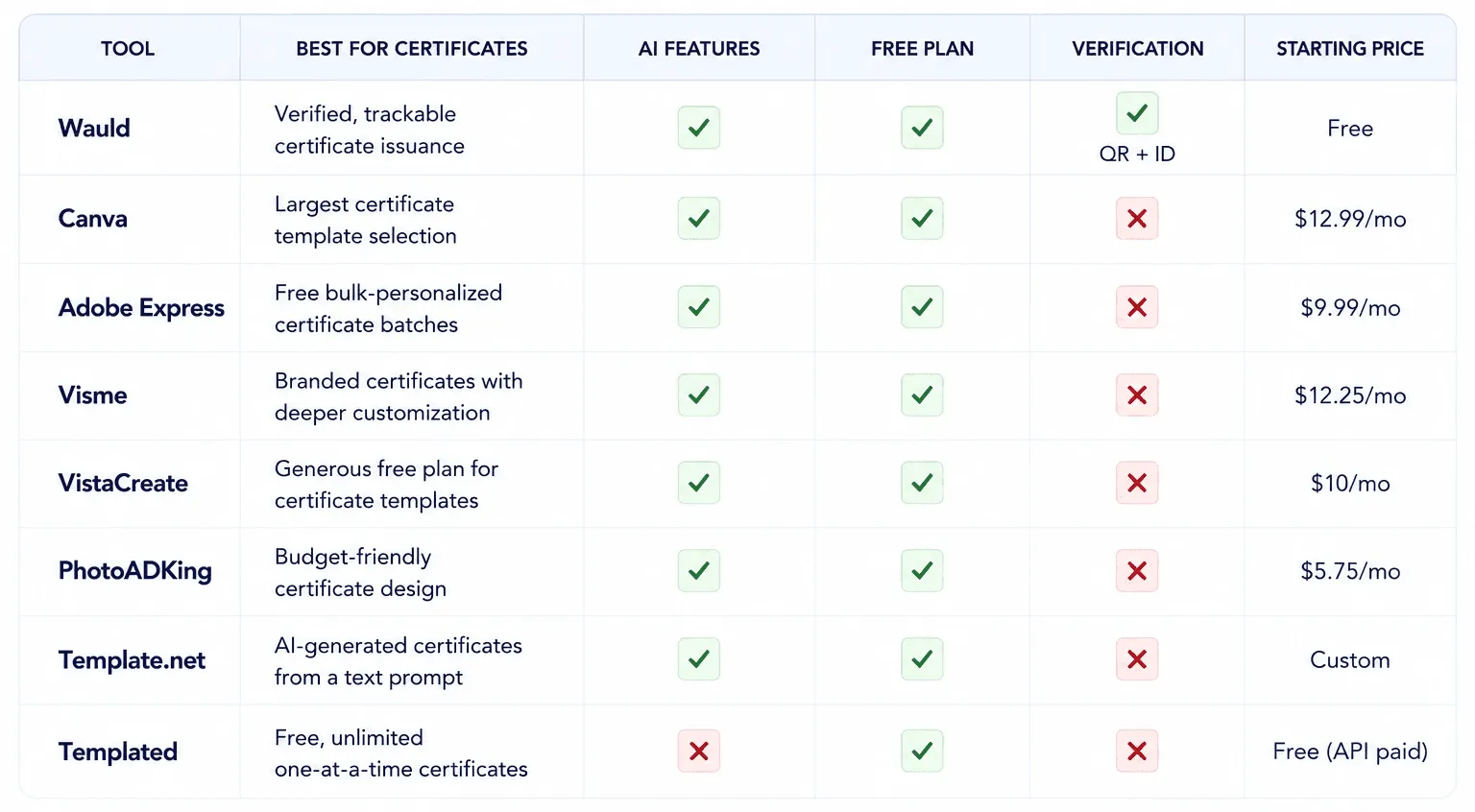
1. Wauld - The Only Fotor Alternative Built for Verified Certificate Issuance
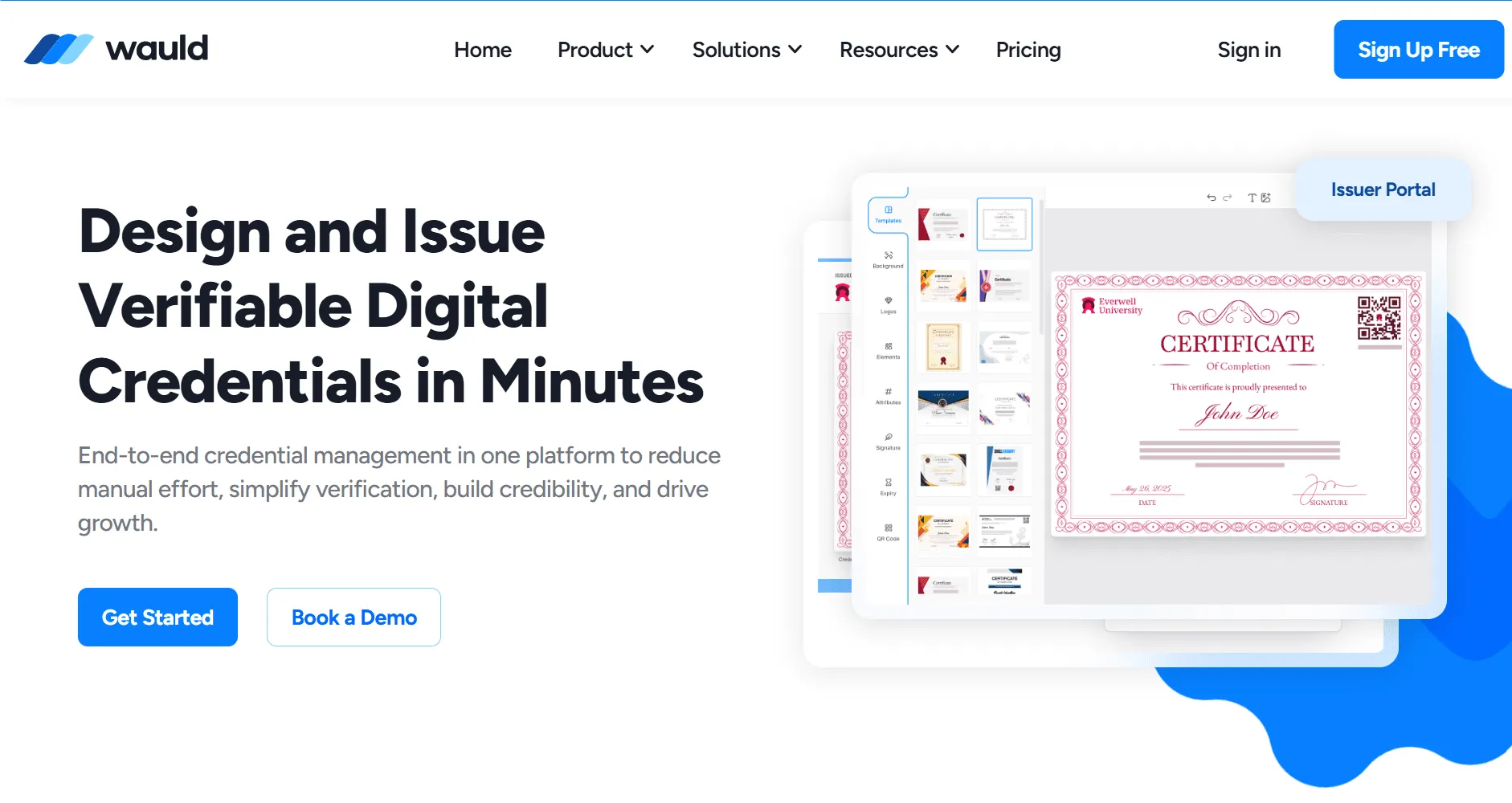
Best for: Educators, training providers, HR teams, and associations that need certificates to function as real, verifiable credentials - not just an edited graphic
Fotor and the seven design tools below all answer the same question: how do you design a great-looking certificate? Wauld answers a different, more complete one - how do you issue a certificate that someone can actually verify, track, and trust months or years later?
A certificate designed in Fotor, however polished, is a dead end once it's downloaded. Nobody can verify it later, there's no dashboard showing who received it or when, and if a name is misspelled, the only fix is manual editing and re-sending it by hand. Wauld closes that gap entirely while still handling the bulk-personalization job design tools struggle with.
What Makes It Stand Out
- 1,000+ certificate and badge templates purpose-built for credentialing, so there's no need to design from scratch
- Bulk issuance from CSV - upload recipient data, issue hundreds of personalized certificates in minutes, no manual editing per recipient like Fotor requires
- Real QR code verification built into every certificate - a working, checkable link, not just a static QR image. See how to add QR code verification to certificates
- Automated delivery - certificates are emailed directly to recipients, no manual file handling
- A recipient dashboard with analytics - track downloads, shares, and verification events in one place
- Digital badges alongside certificates from the same platform - see digital badges vs certificates
- AI-powered generation that saves 10+ hours a week compared to manually designing and re-personalizing each certificate
- A genuinely usable free plan - no credit card, no free trial time limit to worry about
Where It Falls Short
- Not built for general photo editing, image editing, or marketing graphics - it's a certificate and badge platform, not a broad photo editor
- Fewer purely decorative design styles than a general design tool like Fotor might offer
- Pairs best alongside a tool like Fotor for cleaning up a logo or headshot before it goes into a Wauld template
Pricing
- Free plan available, no credit card required
- Paid plans with advanced automation and white-labeling - see Wauld pricing
✅ Verdict: The best Fotor alternative for anyone issuing more than a handful of certificates, where the goal is a verifiable credential, not just a downloaded certificate template. Wauld's breakdown of why Canva falls short for certificates makes the same case that applies here: a well-designed template still isn't a credential until someone can verify it. Start with Wauld's free plan →
2. Canva - Best Fotor Alternative for Certificate Template Variety
Best for: Teams that want the widest selection of certificate designs to start from, with easy-to-use AI photo tools for cleaning up logos or signatures in the same design platform
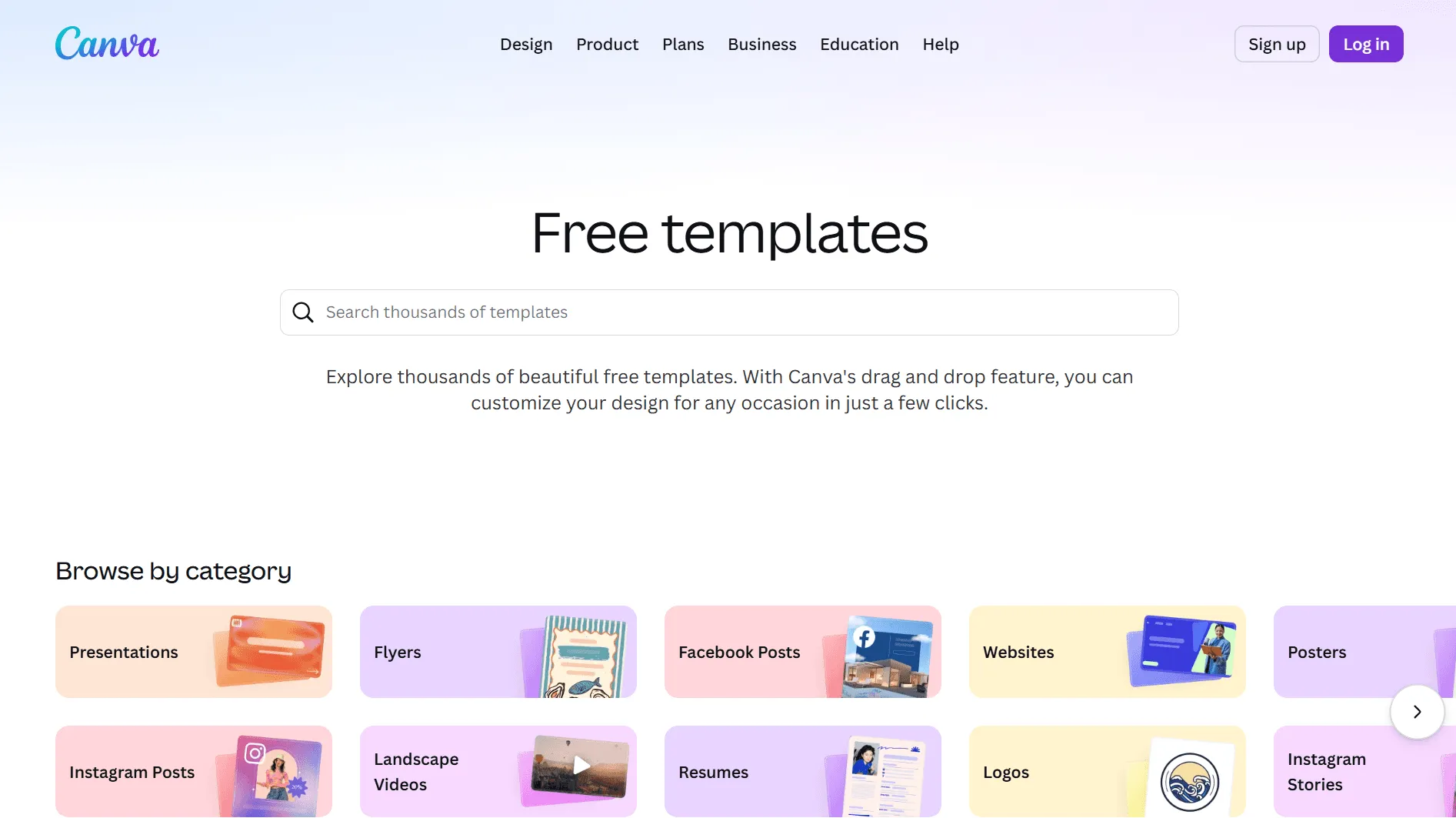
Canva is the most direct best Fotor alternative for certificate creation specifically - its certificate template category alone numbers over a hundred designs, and its Pro tier now includes AI photo tools that compete head-on with Fotor's offering.
What Makes It Stand Out
- Hundreds of certificate templates covering Recognition, Attendance, Course Completion, Achievement, and Diplomas, drawn from over 1.6 million templates total
- Magic Eraser removes unwanted marks from a scanned signature with a brush stroke; Magic Edit lets you describe a change in text and the AI applies it
- One-click background removal for logos and seals that works well even on complex edges
- Real-time collaboration lets HR or events teams co-edit a certificate before it's finalized
- Canva Print can handle physical printing and shipping of finished certificates directly
Where It Falls Short
- Certificate design has no bulk issuance, verification, or tracking - once it's exported, it's just an image, the same gap as Fotor
- Personalizing certificates for multiple recipients still means duplicating the design and editing each name by hand
- Pro pricing at $12.99/month is higher than Fotor's entry tier just to unlock watermark-free premium certificate templates
Pricing
- Free plan
- Pro: $12.99/month
✅ Verdict: The best all-around Fotor alternative for certificate template variety and AI-assisted logo cleanup - still limited to one-at-a-time design, with no path to bulk, verifiable issuance.
3. Adobe Express - Best Fotor Alternative for Free Bulk-Personalized Certificates
Best for: Teams already using Adobe Creative Cloud who want a free way to batch-personalize a small run of certificates while still polishing photo elements with generative AI
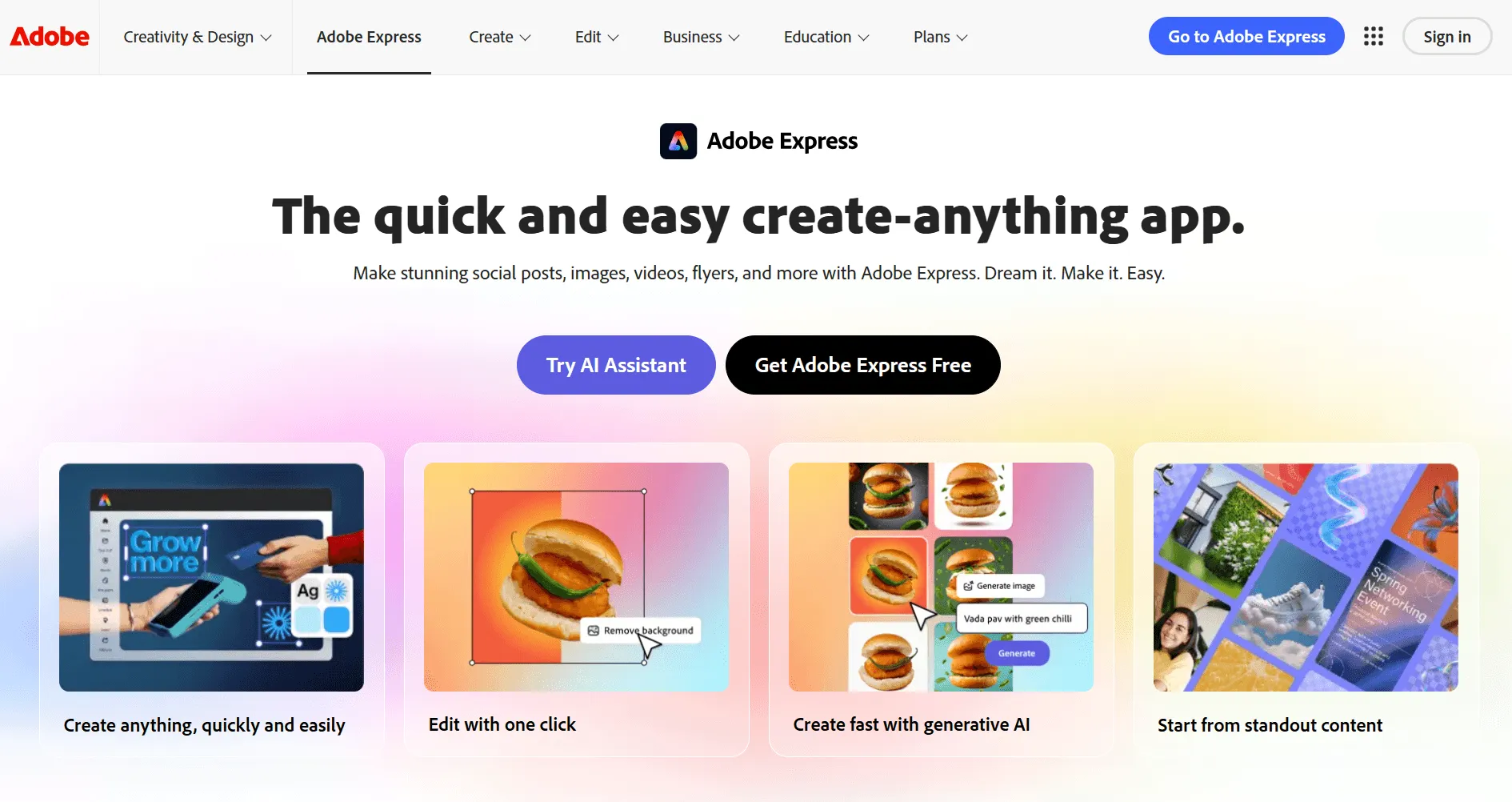
Adobe Express has a dedicated certificate maker with thousands of templates, and its free bulk-create add-on is genuinely useful for certificates - it can merge a CSV of names into a certificate template, something Fotor can't do at all.
What Makes It Stand Out
- Free bulk-create add-on - connects a CSV to certificate template fields for batch design, a real edge over Fotor for issuing to a small group
- Adobe Firefly integration - useful for cleaning up scanned seals, signatures, or decorative certificate elements via generative fill and background removal
- Access to thousands of Adobe Stock photos, icons, and graphics, plus 25,000+ Adobe Fonts to choose from
- Send certificate files to collaborators for shared editing before finalizing
Where It Falls Short
- The bulk-create add-on still outputs individual static files - no verification, recipient dashboard, or tracking once certificates are generated
- Smaller certificate-specific template selection than Canva or Visme
- No way to revoke or reissue a certificate without regenerating and resending it manually
Pricing
- Free plan
- Premium: $9.99/month (included with Creative Cloud)
✅ Verdict: The best Fotor alternative for free, small-batch certificate personalization - but the batch it generates still can't be verified or tracked afterward.
4. Visme - Best Fotor Alternative for Branded, Customizable Certificates
Best for: Organizations that want deeper brand kit control over certificate design - consistent colors, fonts, and logos applied automatically across every certificate issued
Visme's certificate maker leans on its broader brand kit and design system strengths, making it a strong pick for organizations that issue certificates regularly under a strict brand identity and want that consistency enforced automatically rather than checked manually.
What Makes It Stand Out
- Solid certificate and award template selection within Visme's broader design library
- Brand kit stores logos, colors, and fonts so every certificate stays visually consistent without manual checking
- AI Designer can generate a starting certificate layout and content suggestions from a prompt
- Analytics show how many times a published certificate link was viewed or downloaded
Where It Falls Short
- Free plan is limited - capped storage and restricted exports compared to Fotor's watermark-free free tier
- No bulk personalization for certificate recipients - each one is still a manual edit
- No certificate verification, bulk issuance, or recipient tracking once exported
Pricing
- Free plan (limited)
- Starter: $12.25/month
⚠️ Verdict: A strong Fotor alternative for organizations prioritizing brand consistency across regularly issued certificates - still missing the issuance and verification layer entirely.
5. VistaCreate - Best Free Fotor Alternative for Certificate Templates
Best for: Small businesses and individuals who want a generous free plan for designing certificates with consistent branding, without paying anything
VistaCreate directly competes with Canva on certificate design, and its free plan is notably more generous than Fotor's - basic brand color and logo setup is included for free, giving certificates visual consistency from the very first design.
What Makes It Stand Out
- Generous free plan that includes basic brand color and logo setup - a real edge over Fotor's gated AI features
- Many quality, modern templates specifically for certificates and awards
- Easy-to-use drag-and-drop editor, comparable to Fotor's certificate maker in simplicity
- 14-day free trial available on the Pro tier for testing premium templates
Where It Falls Short
- Like Fotor, it's design-only - no bulk sending, recipient tracking, or anti-fraud verification of any kind
- Cannot give recipients a unique security ID or verification link
- Not built to manage a large group of certificate recipients at once
Pricing
- Free plan
- Pro: $10/month (14-day free trial)
⚠️ Verdict: The best free Fotor alternative for certificate template design and basic branding - but it shares Fotor's core limitation of being a visual design tool only.
6. PhotoADKing - Best Budget Fotor Alternative for Certificate Design
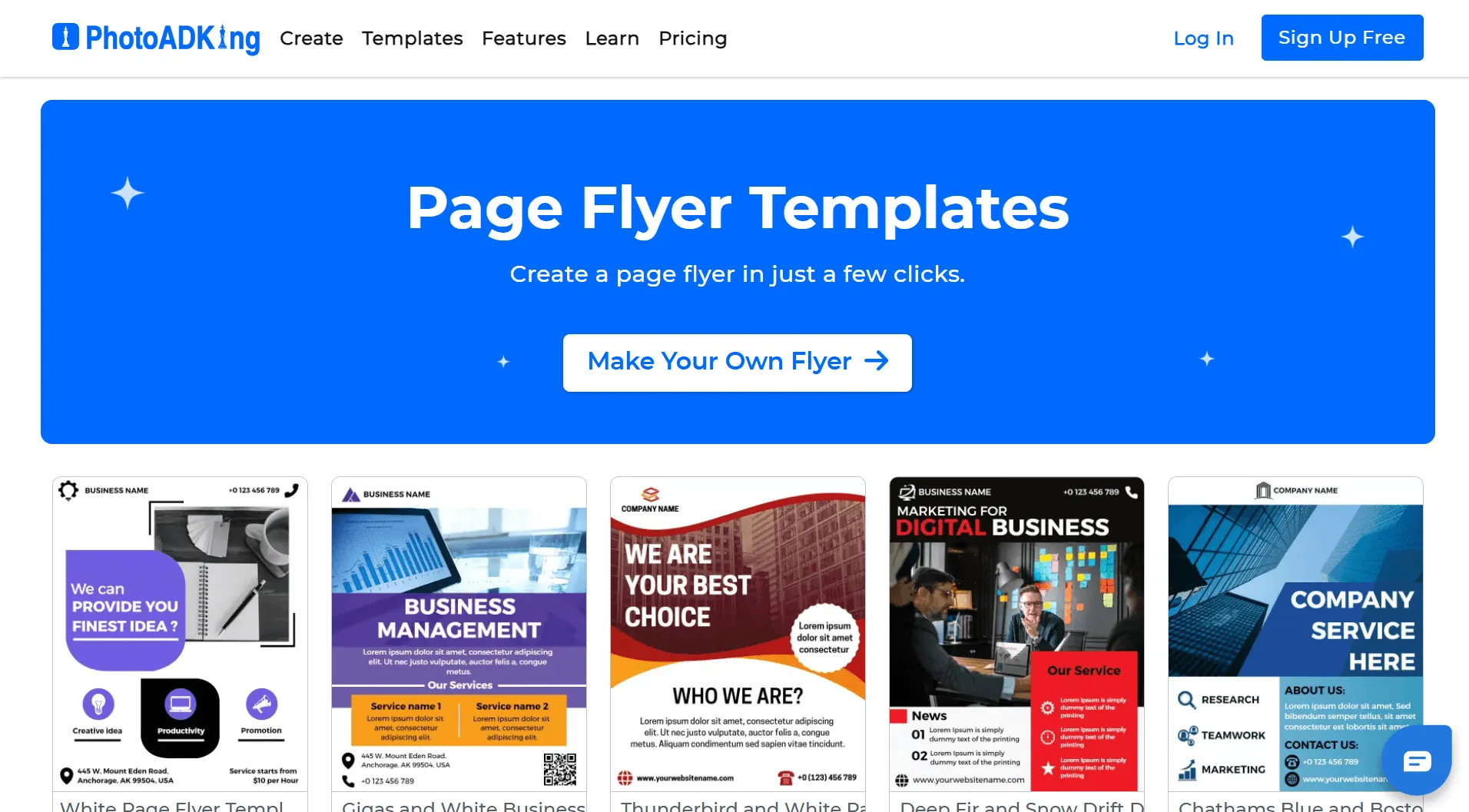
Best for: Cost-conscious users who want a simple, drag-and-drop certificate maker without paying Fotor's higher subscription tiers
PhotoADKing won't replace Canva as a full design suite, but it's specifically worth considering for certificates - its interface mirrors typical graphic programs without requiring advanced skills, and it undercuts Fotor significantly on price.
What Makes It Stand Out
- Customizable certificate templates with a simple drag-and-drop interface, easy for beginners
- Significantly cheaper than Fotor - the most expensive plan costs just $5.75/month
- Free plan available, limited to 10 designs rather than gated behind feature tiers like Fotor's AI tools
Where It Falls Short
- Certificate template selection is described as fairly outdated compared to Fotor or Canva's more modern designs
- If certificate templates specifically are the priority, there are stronger options elsewhere on this list
- No certificate-specific verification, bulk issuance, or tracking features
Pricing
- Free plan (10 designs)
- Paid plans up to $5.75/month
⚠️ Verdict: A reasonable Fotor alternative for budget-conscious certificate design - not the pick if template freshness matters more than price.
7. Template.net - Best Fotor Alternative for AI-Generated Certificates from a Prompt
Best for: Users who want to describe a certificate in plain language or voice and have AI generate the entire layout automatically
Template.net's AI Certificate Generator goes a step further than Fotor's built-in AI image generator - instead of just generating a visual element, it builds the entire certificate layout, text, and formatting from a text or voice prompt, in over a dozen languages.
What Makes It Stand Out
- AI Certificate Generator builds a complete, editable certificate layout from a prompt or voice input - no manual layout work needed
- Supports certificate generation in English, Spanish, French, Hindi, Arabic, Chinese, and over a dozen other languages
- Offers certificate templates in unusual file formats beyond JPG/PNG/PDF - including PSD, Illustrator, Word, and Google Docs
- Real-time co-editing lets HR teams or educators finalize a certificate together
Where It Falls Short
- Free plan is limited, with most serious use requiring a paid account
- Smaller certificate-specific brand recognition than Canva, Adobe Express, or Visme
- No bulk issuance, verification, or recipient tracking once a certificate is generated
Pricing
- Free plan (limited); paid plans custom-quoted
⚠️ Verdict: The right Fotor alternative if you want AI to handle the entire certificate layout from a prompt - still a design tool only, with no path to verified issuance.
8. Templated - Best Free Fotor Alternative for Simple, Unlimited Certificates
Best for: Anyone who wants to create individual certificates quickly and completely free, with no account, no watermark, and no limit on how many you make one at a time
Templated's free certificate maker is refreshingly simple compared to Fotor's: choose a template, fill in the recipient's name and date, and download a high-resolution PDF - unlimited times, with no signup and no watermark, ever.
What Makes It Stand Out
- 100% free, unlimited certificates, no account required and no watermark added
- Templates designed for educational, corporate, and recognition purposes - graduation, course completion, employee awards, training programs
- Downloads as high-resolution PDF for printing or PNG for digital sharing
- Works on desktop, tablet, and mobile with no software installation
Where It Falls Short
- Built for creating certificates one at a time - true bulk generation requires their separate, paid PDF Generator API
- No AI design tools, photo editing, or background removal the way Fotor offers
- No certificate verification, recipient tracking, or dashboard at any tier
Pricing
- Completely free for one-at-a-time use; API access for bulk generation is a separate paid product
⚠️ Verdict: The most genuinely free Fotor alternative for occasional, individual certificate creation - but bulk, verified issuance still requires a different tool entirely.
How to Choose the Right Visme Alternative for Certificates
| Your Situation | Best Tool |
|---|---|
| Need verified, trackable certificate issuance | Wauld |
| Want the widest certificate template selection to pick from | Canva |
| Need free bulk-personalization for a small batch of certificates | Adobe Express |
| Want a certificate that reflects scores or completion data | Piktochart |
| Need accessibility-compliant certificates issued at an organizational level | Venngage |
| Want the most generous free plan for certificate design | VistaCreate |
| Need the cheapest paid option for simple certificate design | PhotoADKing |
| Need a completely free, no-frills certificate template | Google Slides |
Final Verdict
Wauld is the standout pick on this list - it's the only tool here that treats a certificate as a credential rather than just a file. Real QR verification, bulk issuance from a CSV, automated delivery, and a recipient dashboard mean certificates can actually be trusted and checked after the fact, not just downloaded and forgotten. If you're issuing more than a handful of certificates, or if recipients ever need to prove what they earned, this is the gap none of the design tools below can close.
That said, Visme, Canva, Adobe Express, Piktochart, Venngage, VistaCreate, PhotoADKing, and Google Slides all solve the design half of certificate creation well, turning a name, a brand kit, or a template into something that looks professional. If your need is genuinely just one certificate, designed once and handed to one person, any of these will do the job nicely, and each has its own strength worth knowing:
- Canva - the widest certificate template variety on this list
- Adobe Express - free small-batch personalization via its bulk-create add-on
- Piktochart - best for data-backed achievement certificates
- VistaCreate - the most generous free plan for template design
- Google Slides - the right call if budget is the only real constraint
But the moment a certificate needs to be more than a nicely designed image, when it needs to be verified, tracked, or reissued without redesigning from scratch, Wauld is the one tool on this list actually built for that job.