Share Certificates On LinkedIn And Grow Your Brand

More Than a File in a Downloads Folder
When your learners share certificates on LinkedIn, your name travels with them. A certificate that sits in an inbox or a downloads folder does very little. The same certificate posted to a LinkedIn profile reaches recruiters, peers, and future students, and every one of them can see who issued it. For coaches, trainers, and educational institutions, that single click of sharing is quiet, ongoing marketing you never have to pay for.
In this blog, we look at why certificates still matter, why LinkedIn is the right place to show them off, the two ways recipients can add them, and how Wauld turns the whole thing into a one-click job. Let us get into it.
Why Certificates Matter
A certificate is proof. It tells the world that someone showed up, did the work, and reached a standard you set. That proof carries weight whether you run a coaching practice, a training company, or a university department.
For the person who earns it, a certificate is recognition and motivation. It marks progress and gives them something concrete to show an employer or client. For you as the issuer, every certificate carries your name, your logo, and your reputation, so it works as a small ambassador for your brand.
The format matters more than people expect. A printed certificate gets filed away and forgotten. A digital certificate can be opened on any device, added to a profile, and verified in seconds. That shift from paper to verifiable digital credentials is what turns a nice keepsake into a working marketing asset.
Why LinkedIn Works
LinkedIn is where people go to talk about their work, so it is the natural home for a professional achievement. When someone adds a certificate to LinkedIn, they are not posting into a void. They are showing it to a network built around careers, hiring, and learning.
A few things make this powerful:
- Social proof. When a peer sees a respected colleague earn your certificate, they want one too. Achievements spread because people trust what their own network is doing.
- Free reach for you. Every like, comment, and share pushes the post in front of more people, and your brand sits right there on the credential. BCdiploma points out that each shared credential strengthens the reputation of the issuing organization.
- The right audience. LinkedIn users are often looking to grow, hire, or learn, which makes them ready listeners for your next course or program.
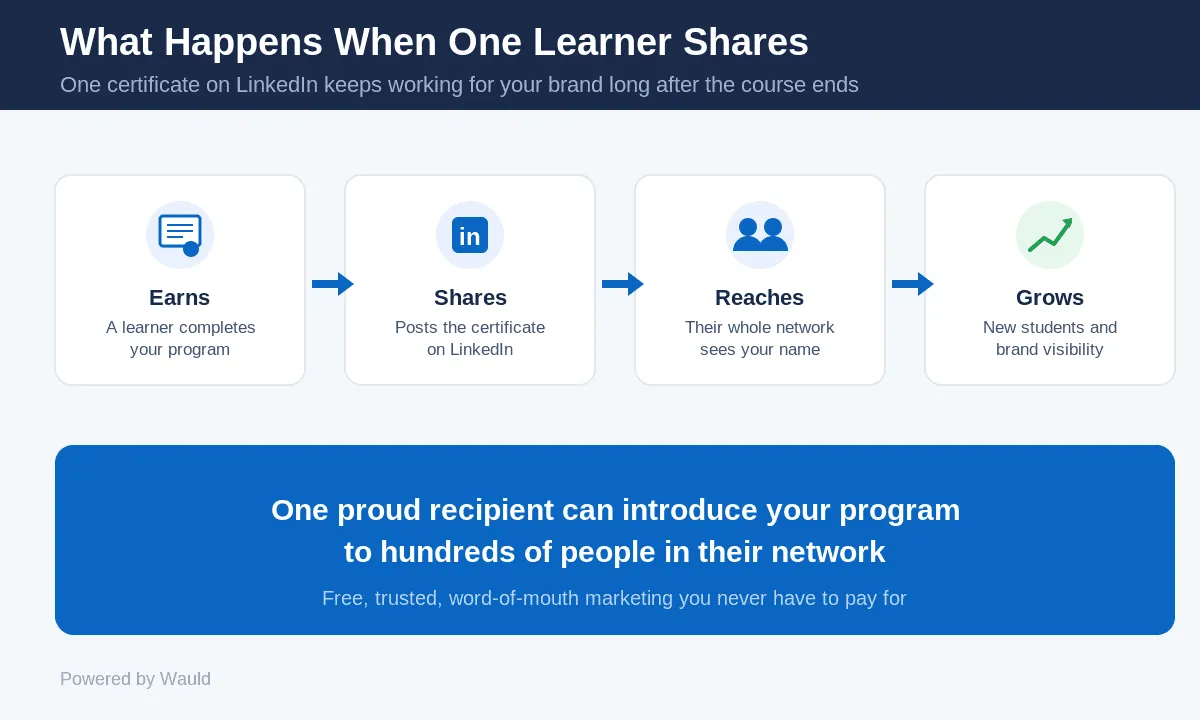
Put simply, one proud recipient can introduce your program to hundreds of people you would never have reached on your own.
Two Ways to Add a Certificate
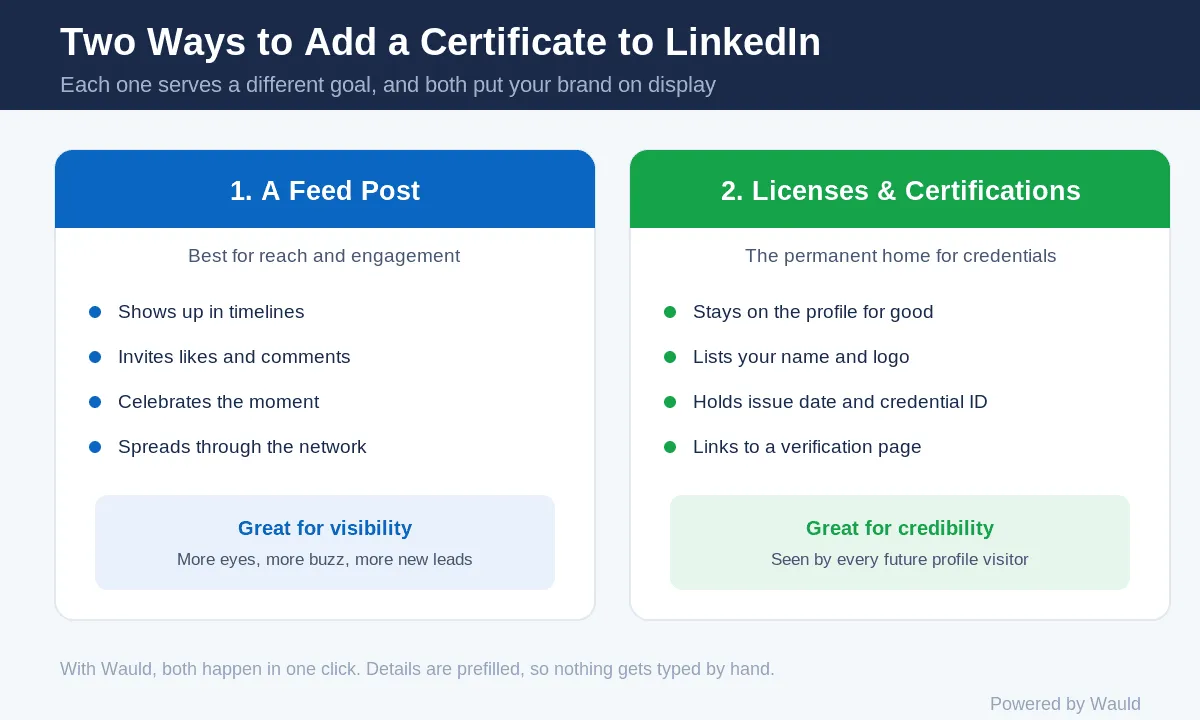
There are two main ways a recipient can show a certificate on LinkedIn, and each one serves a different goal.
The first is a feed post. The recipient writes a short update, attaches the certificate, and shares it with their whole network. This is great for reach and engagement because it shows up in timelines and invites likes and comments.
The second is the Licenses and Certifications section of their profile. This is the permanent home for credentials. Anyone who views the profile later will see your certificate listed with your organization name and logo. LinkedIn lets people add the certificate name, issuing organization, issue date, credential ID, and a verification link.
Done by hand, this takes effort. The recipient has to download the file, open LinkedIn, find the right section, and type in every detail. Many people start and never finish. That friction is exactly what a good credential platform removes.
How Wauld Helps You Share
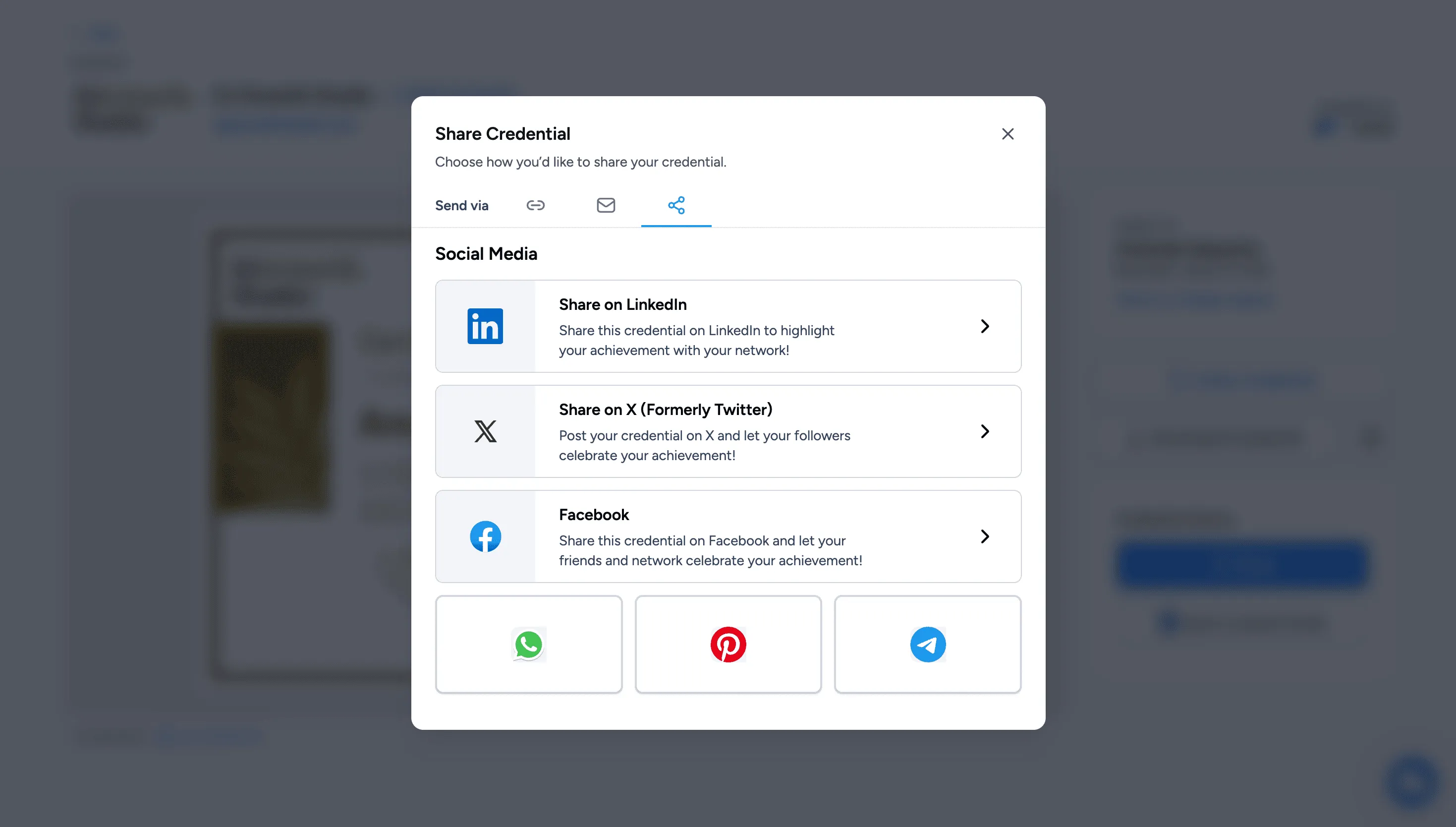
This is where Wauld changes the experience for your recipients. Instead of asking them to copy details by hand, Wauld gives every recipient a Share Credential window with one-click options built in.
From that single window, a recipient can:
- Add the credential straight to their LinkedIn profile, with the name, issuer, and verification link already filled in.
- Post it to the LinkedIn feed to celebrate the moment with their network.
- Share it on X, Facebook, WhatsApp, Pinterest, or Telegram.
- Send it through a private link or email signature.
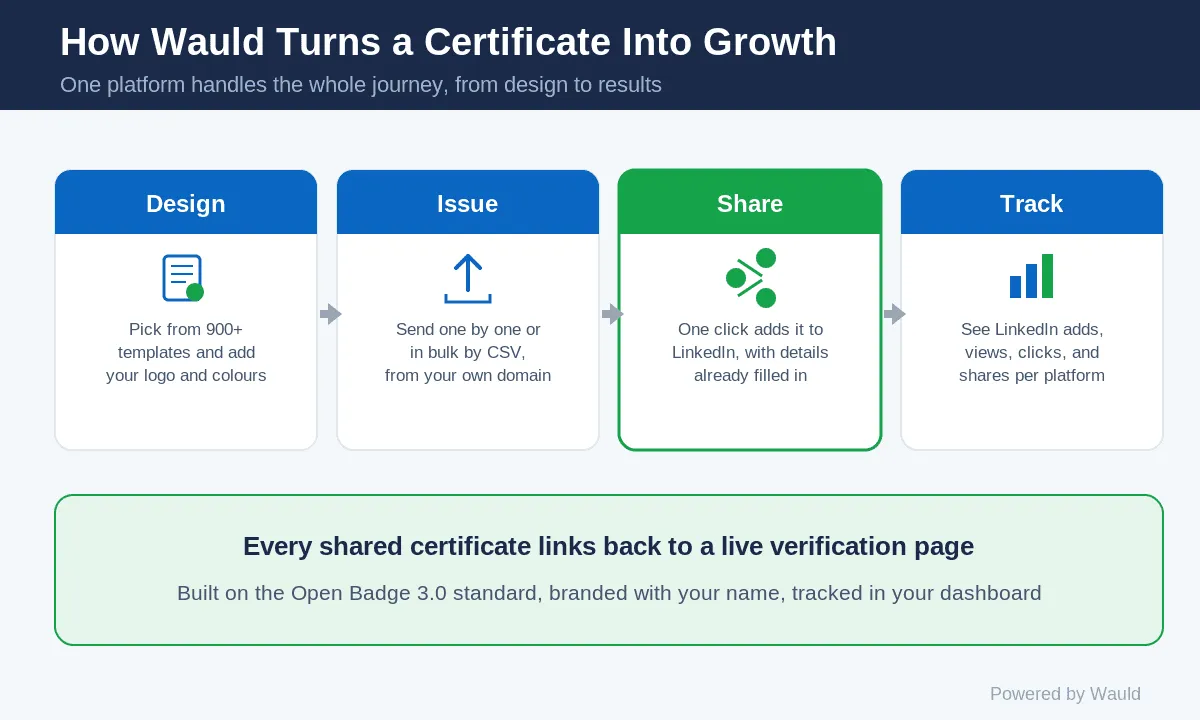
Because the details are prefilled, there is nothing to type and nothing to get wrong. Your organization name and logo show up correctly every time, and every shared credential links back to a live verification page. That page proves the certificate is real and puts your brand in front of each new viewer.Wauld also lets you see the results. The dashboard tracks how many recipients add credentials to LinkedIn, how many views and clicks each one gets, and which platforms people share on. So you are not guessing about the value of your certificates. You can watch your reach grow.A few more details that matter for issuers: Wauld certificates follow the Open Badge 3.0 standard, so they stay portable and verifiable across platforms. You can brand everything with your own logo and colors, send from your own domain, and let recipients keep all their credentials in a secure wallet they can reach any time. If you work with coaches and creators or run training programs, this turns each certificate you issue into a steady source of word-of-mouth.
Tips to Get More Shares
A little nudge goes a long way. Here are simple ways to get more recipients sharing:
- Ask them to share in the same email that delivers the certificate, while the achievement feels fresh.
- Design certificates people are proud to post. Clean layouts and your brand colors make a difference.
- Add a short, ready-to-use caption they can paste into their LinkedIn post.
- Celebrate sharers by liking or reposting from your company page, which encourages others to follow.
- Time delivery well. Sending right after a course ends catches people at their most motivated.
The Takeaway
Certificates are more than paperwork. When your recipients share certificates on LinkedIn, each one becomes a small, trusted endorsement that carries your name to a wider professional audience. The easier you make that sharing, the more often it happens.
Wauld gives your recipients one-click sharing, gives you full branding and tracking, and turns every certificate into a quiet engine for growth. If you issue certificates to coaches, learners, members, or students, this is an easy win.
Ready to see it in action? Start issuing shareable digital certificates with Wauld today.