June 2026 - Monthly Product Updates: Pabbly Connect integration, Make integration, and more

Sharing June 2026 product updates:
- Connect Wauld to Pabbly Connect to automate credential workflows without code
- Build Make scenarios with Wauld as a trigger or action app (pending Make approval)
- Verify your organization's domain ownership through DNS from Admin Center
- Attach the credential PDF directly to the delivery email for immediate recipient access
June was about expanding automation options, strengthening credential trust, and giving issuers more control over how credentials are delivered.
Here's what's new:
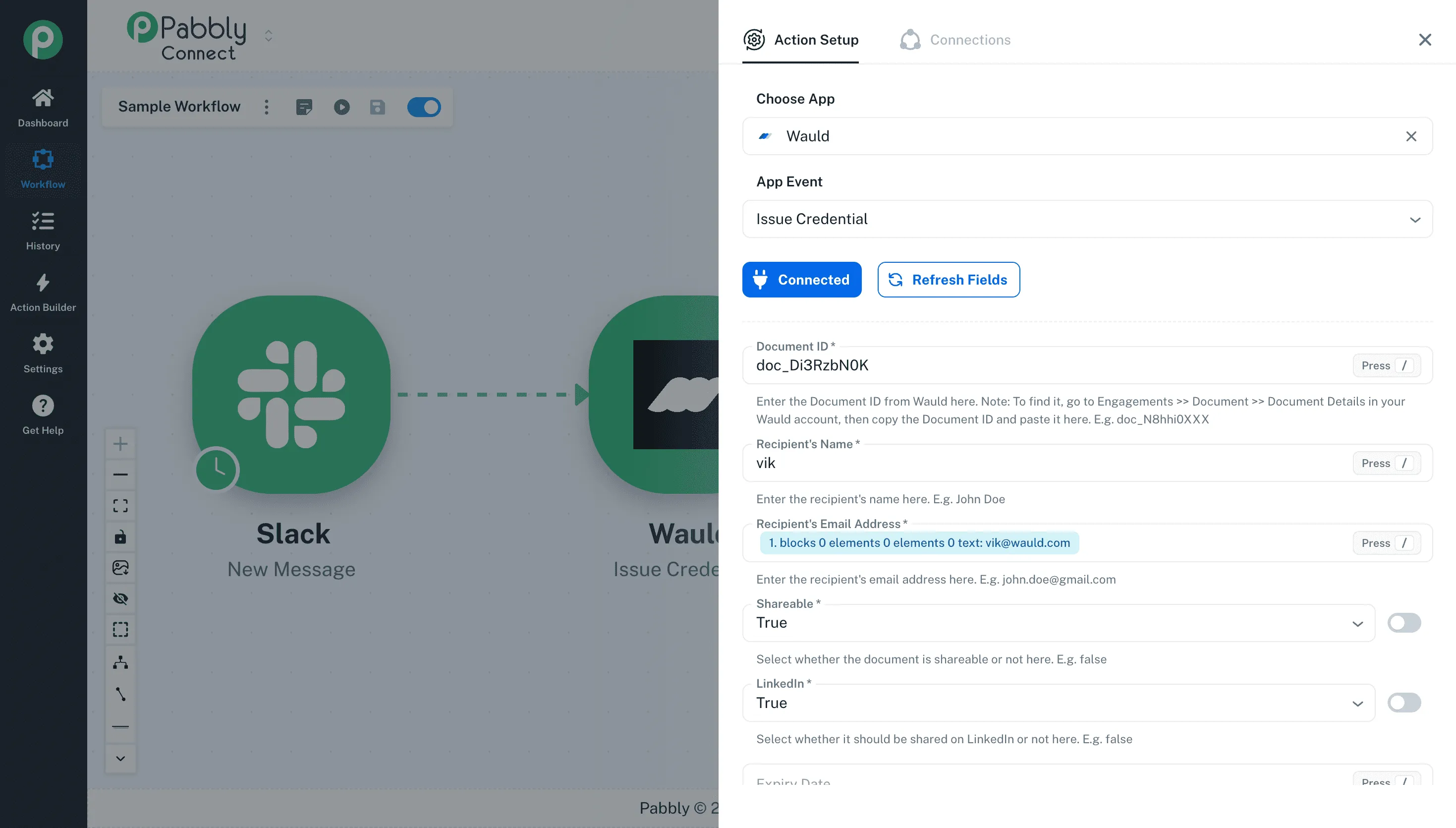
Connect Wauld to Pabbly Connect for no-code credential automation
You can now use Pabbly Connect with Wauld to automate credential workflows across more of the apps and systems your team uses. With this update, you can use Wauld in Pabbly Connect in two ways:
- Issued Credential as a trigger, to start a Pabbly workflow after a credential is issued in Wauld
- Issue Credential as an action, to issue a credential in Wauld from another app or workflow step
The Issued Credential trigger lets you send credential data from Wauld into Pabbly Connect when a credential is issued. You can then use that data to update records, notify a team, send information to another app, or start a follow-up process.
The Issue Credential action works the other way around. You can collect recipient data from another app - such as a form, spreadsheet, CRM, or internal workflow - and use that data to issue a credential in Wauld. This gives you another no-code way to bring Wauld into your existing workflows, especially when your team wants credential issuance or post-issuance actions to happen without manually moving data between tools.
Visit the Wauld Pabbly Connect integration page to explore available Wauld integrations, choose the tools you want to connect with Wauld, and view the workflows you can build. The Pabbly Connect integration is available on all Wauld plans, including the Free plan.
Make integration for credential workflow automation
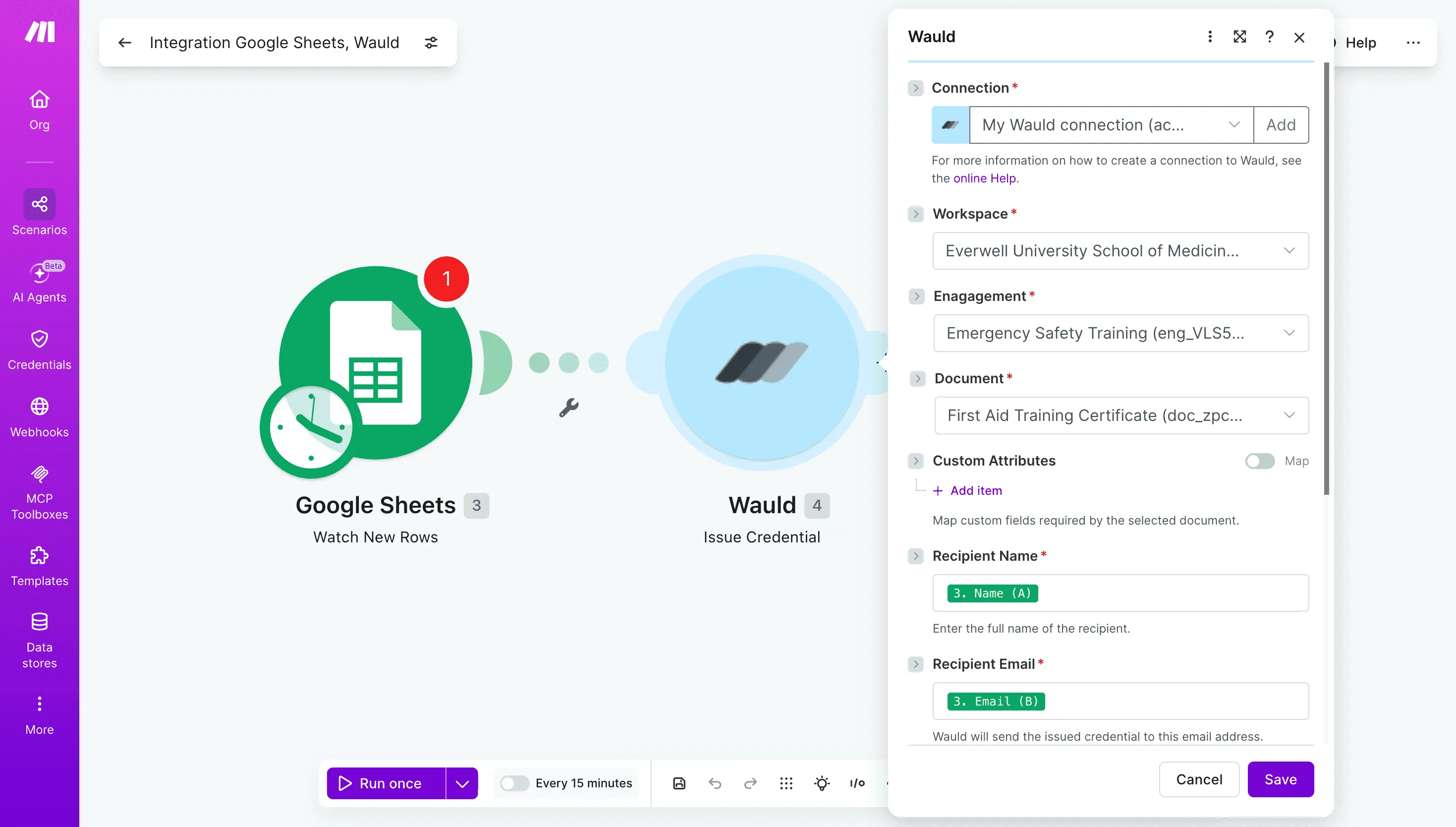
You can use Make with Wauld to connect credential workflows to other applications in your Make scenarios. With this integration, you can use Wauld in Make in two ways:
- Credential Issued as a trigger, to start a Make scenario when a credential is issued from a selected Wauld Document
- Issue Credential as an action, to issue a credential in Wauld from a step in your Make scenario
The Credential Issued trigger lets you select the specific Wauld Document you want to monitor. When a credential is issued from that Document, your Make scenario starts and receives credential, issuer, recipient, and related data. You can use that data to send information to another app, update a database, notify a team, or trigger follow-up actions.
The Issue Credential action lets another app or scenario step pass recipient data into Wauld and issue a credential. For example, you can collect information from a form or another platform earlier in your scenario, then use that information to issue a credential in Wauld at the right point in the workflow.
The Make integration will be available on all Wauld plans, including the Free plan.
Note: The Make integration is pending approval from Make and is not yet live.
Verify your organization's domain ownership through DNS
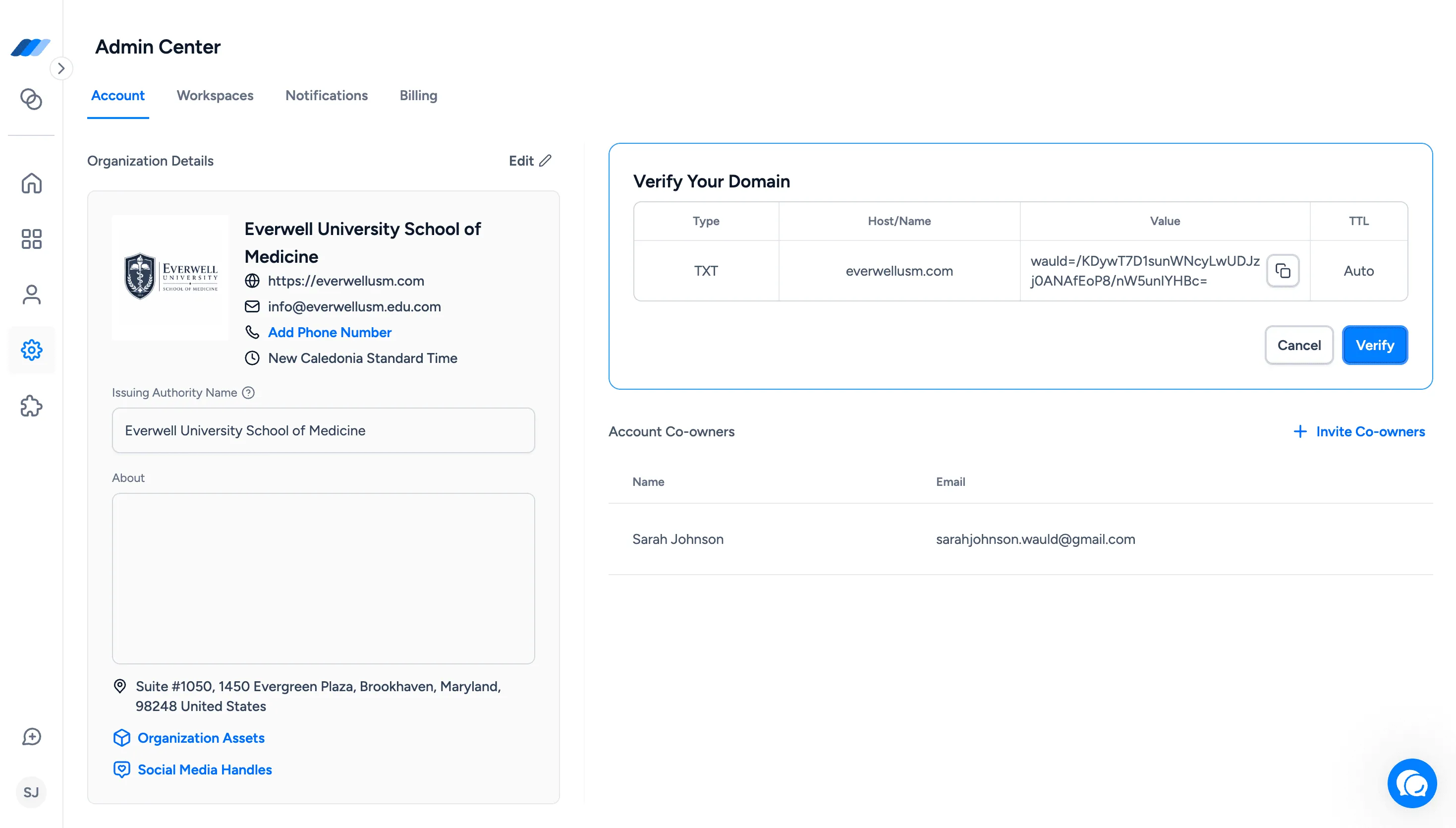
You can now complete the domain ownership step of organization verification yourself through DNS, directly from Admin Center → Account. For a step-by-step walkthrough of the verification flow, see How to do organization verification.
To get started, click the Get Verified banner in Admin Center → Account. Wauld shows you the DNS record details you need - including record type, hostname, TXT value, and TTL. Add that record through your domain registrar, return to Wauld, and click Verify. If the record is in place and publicly available, Wauld confirms domain ownership automatically. Your organization then moves to Under Review while Wauld's team reviews your organization name, issuing authority, logo, verified domain, and other public details before approving your account and assigning a Verified status and badge.
What this means for you:
- Complete the domain ownership step yourself without waiting for extended manual verification back-and-forth
- Give recipients, employers, and institutions a clear signal that credentials come from a verified source
- Find the full verification setup in Admin Center → Account under the Get Verified banner
To understand what Verified status means for your organization and the credentials you issue, read Benefits of organization verification in Wauld.
Note: The Verified badge applies only to credentials issued after your organization is approved. Credentials issued before verification are not updated retroactively.
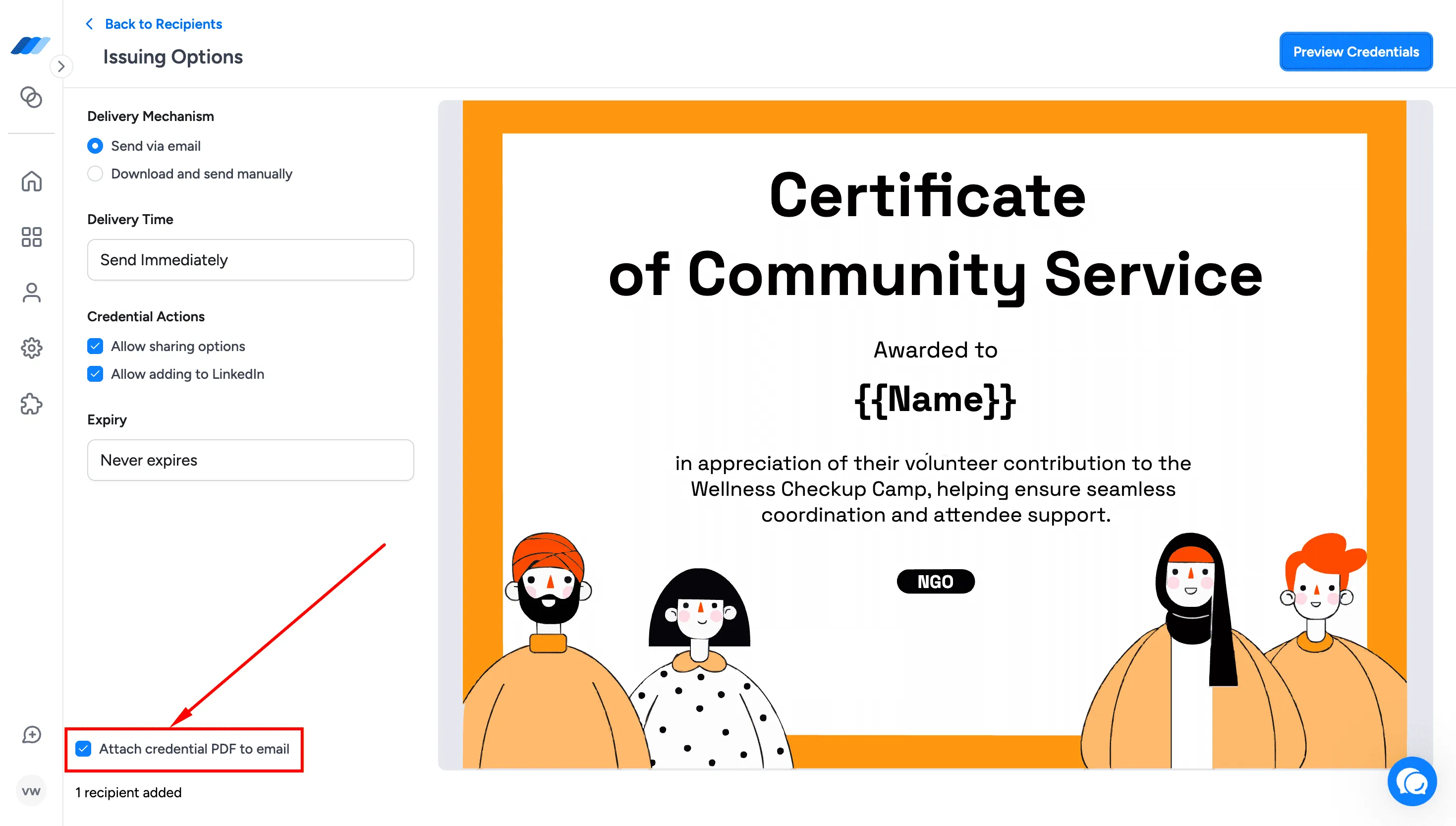
Attach the credential PDF to the delivery email
You can now include the credential PDF as an attachment in the credential delivery email. When issuing credentials, select the Attach credential PDF to email option in Issuing Options, and recipients receive both the credential access link and the attached PDF in the same email. The option is available for immediate and scheduled issuance, and also appears in the Resend Credential modal and the Edit Credential reissue flow.
What this means for you:
- Give recipients their credential PDF immediately in their inbox for formal submissions, compliance, or records
- Reach recipients whose organizations restrict external links by delivering the credential as a PDF attachment
- Stay in control of PDF delivery whether issuing, resending, or reissuing credentials