July 2026 - Monthly Product Updates: Integrately integration, OttoKit integration, and more

TL;DR
- Connect Wauld to Integrately and its 1,500+ apps for no-code credential automation
- Connect Wauld to OttoKit and its 1,500+ apps for credential workflow automation
- Copy the design of an existing document when creating a new document
- Copy a recipient's credential link directly from the Credential Audit Log
- Explore an expanded Template Library with 1,200+ templates
- Use more Design Studio fonts and signature font styles
July brought two new no-code integrations and faster ways to reuse designs and share credential links.
Let's dive into the details.
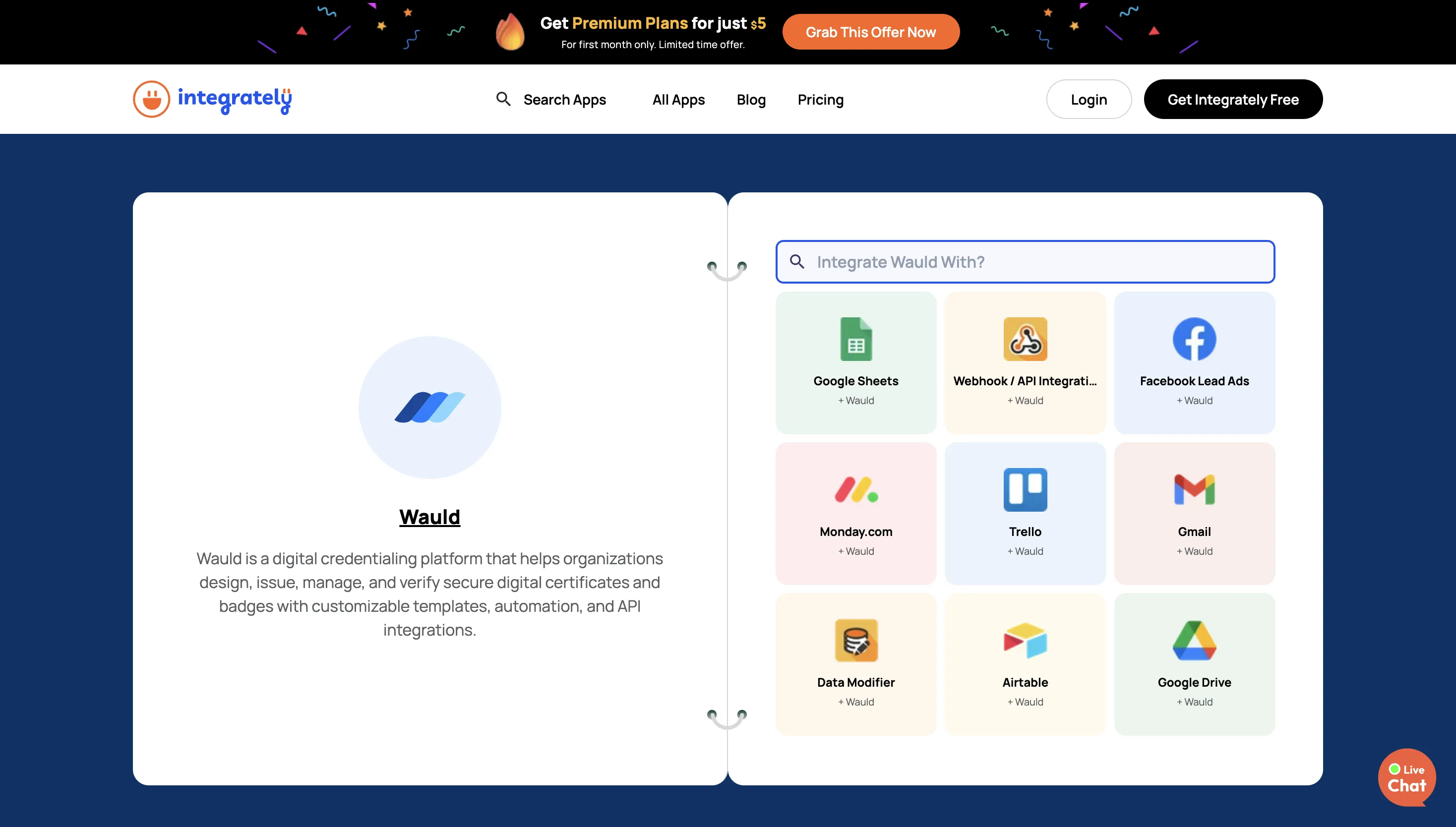
Connect Wauld to Integrately for no-code credential automation
You can now use Integrately with Wauld to automate credential workflows across the apps and systems your team uses.
This integration works in two directions:
- Credential Issued as a trigger, to start an Integrately automation when a credential is issued in Wauld
- Issue Credential as an action, to issue a credential in Wauld from another app or automation step
The Credential Issued trigger sends credential, issuer, and recipient data from Wauld into Integrately when a credential is issued. You can then use that data to update learner records, notify a team, send information to another app, or start a follow-up process.
The Issue Credential action works the other way. You can collect recipient data from another app - such as a form, spreadsheet, CRM, or LMS - and use that data to issue a credential in Wauld. This gives you another no-code way to bring Wauld into your existing workflows, especially when your team wants credential issuance or post-issuance actions to happen without manually moving data between tools.
Visit the Wauld Integrately integration page to see the automations you can build. Integrately supports 1,500+ apps, including Google Sheets, Typeform, HubSpot, Stripe, Slack, and Notion. The Integrately integration is available on all Wauld plans, including the Free plan.
Connect Wauld to OttoKit for credential workflow automation
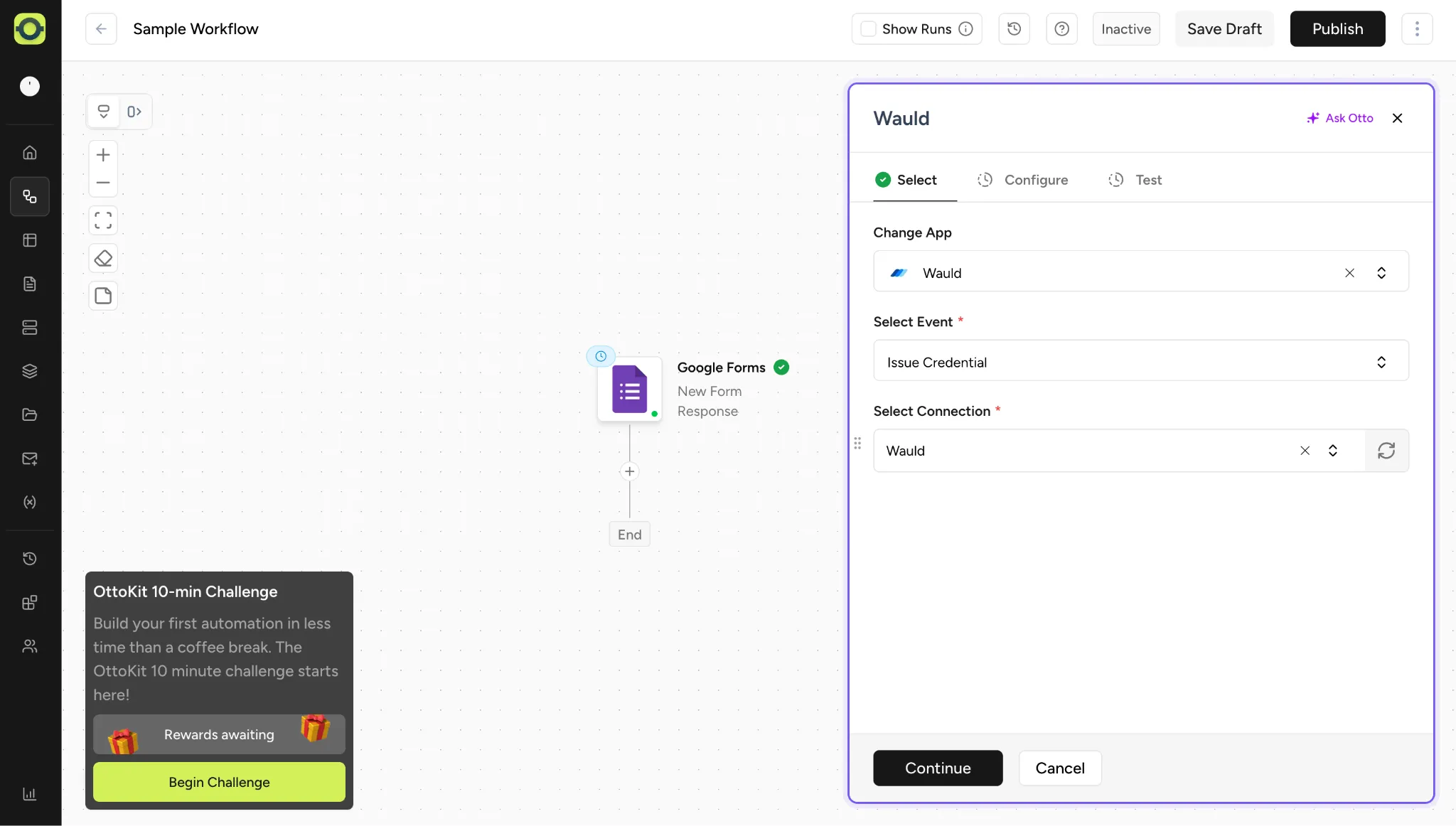
You can now automate credential workflows between Wauld and your other apps through OttoKit.
This integration works in two directions:
- Credential Issued as a trigger, to start an OttoKit workflow when a credential is issued in Wauld
- Issue Credential as an action, to issue a credential in Wauld from a step in your OttoKit workflow
The Credential Issued trigger fires when a credential is issued in Wauld and passes credential, issuer, recipient, and related data into your OttoKit workflow. You can use that data to send information to another app, update a database, notify a team, or trigger follow-up actions.
The Issue Credential action lets another app or workflow step pass recipient data into Wauld and issue a credential. For example, you can collect information from a form, payment, or another platform earlier in the workflow, then use that information to issue a credential in Wauld at the right point.
Visit the Wauld OttoKit integration page to see the workflows you can build. OttoKit supports 1,500+ apps, including LearnDash, TutorLMS, WooCommerce, Google Sheets, Gmail, and Slack. The OttoKit integration is available on all Wauld plans, including the Free plan.
Copy the design of an existing document when creating a new document
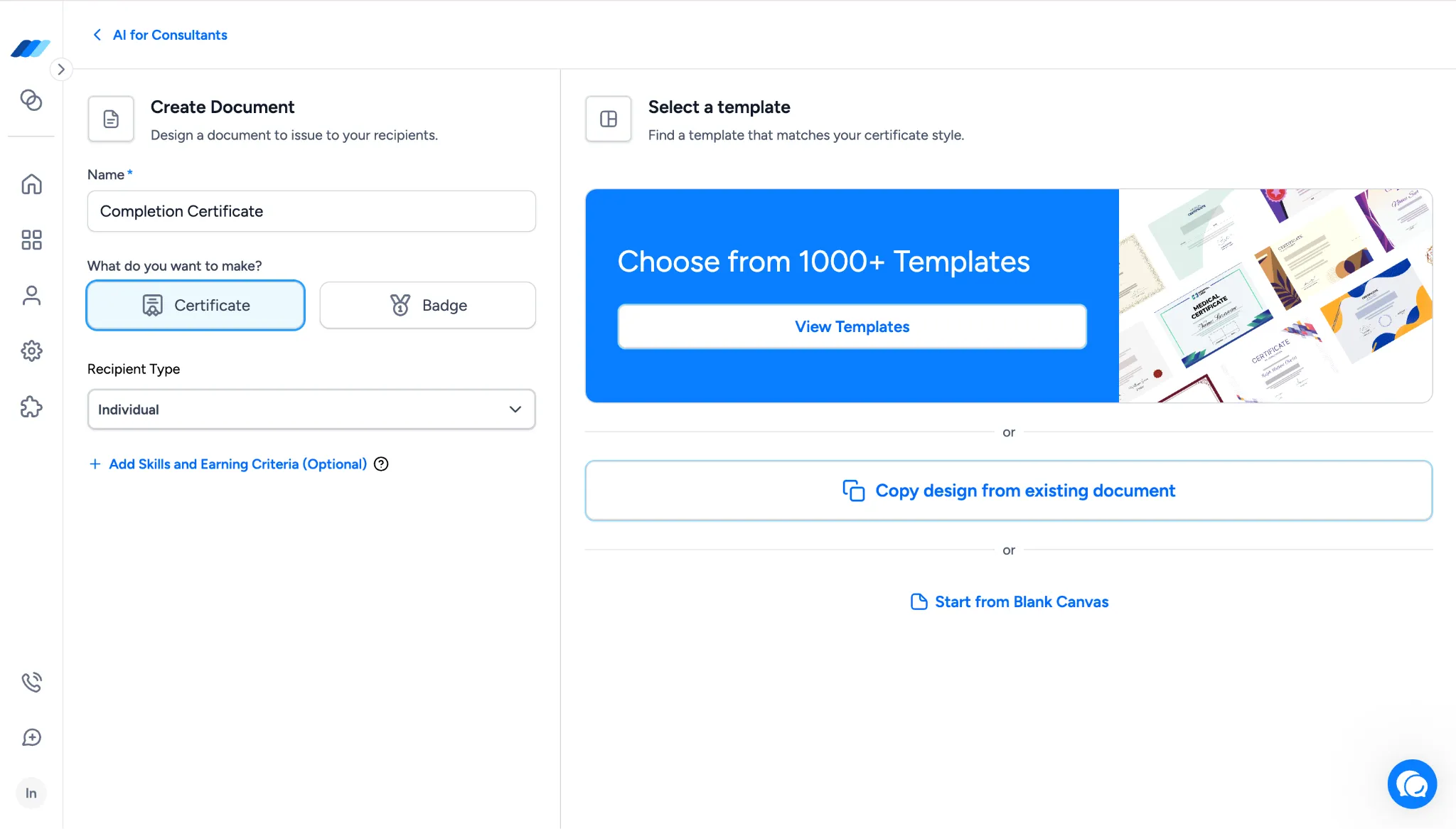
You can now start a new document from the design of one you've already built.
Inside the Create Document flow, after you select a Document Type, you'll see three design-source options:
- View Templates
- Copy Design from Existing Document
- Start from Blank Canvas
The middle option opens a Copy Document modal that lists your existing documents. Pick a source document, click Start Design, and its design opens in the Design Studio as the starting point for the new document. From there, you can adjust the design as needed and continue the rest of the document setup.
What this means for you:
- Reuse a design you've already built without rebuilding it from scratch in the Design Studio
- Keep visual consistency across related documents when running similar programs or cohorts
- Save hours of design work when launching new credentials that build on ones you've already refined
Copy a credential link directly from the Credential Audit Log
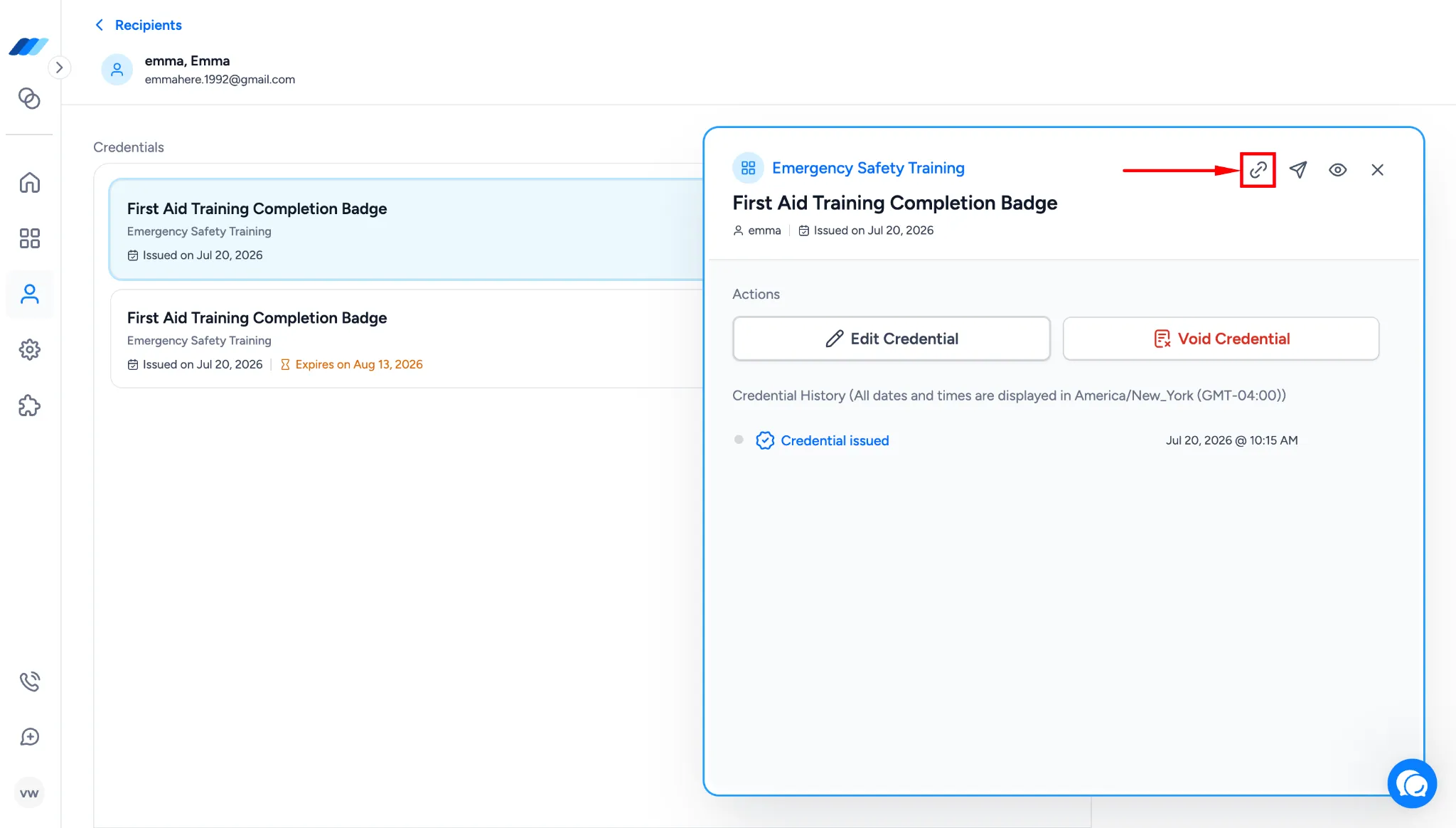
A new Copy Link button now sits inside the Credential Audit Log modal, next to Resend Credential. It copies the recipient-facing credential link to your clipboard so you can share it through email, chat, or any other channel without triggering a resend or reissue.
To find it, go to the Recipients tab, select a recipient, and open a credential. The Copy Link button appears alongside Resend Credential inside the modal. Clicking it copies the link to your clipboard without opening a new page or changing the credential.
What this means for you:
- Share a recipient's credential link through your own channels without reissuing the credential
- Recover a link quickly when a recipient can't find the original email or it landed in spam
- Skip the resend flow when you only need to send the same link again
Additional updates
We also shipped smaller improvements across templates and design options:
- Expanded Template Library - the Template Library now includes 1,200+ templates, with new additions covering Forklift certifications, ISO 27001, POSH, Baptism, and other themes and use cases.
- Larger Design Studio font library - the Design Studio font library now includes 40 fonts, spanning modern, serif, display, handwritten, and decorative styles for use across different credential designs.
- More signature font styles - the Signature section now supports 20+ signature font styles, giving you more signature-like typography options when adding signatures to credential designs.
Join Wauld and automate your credential workflows
Issue certificates and badges faster, connect your favorite tools, and try no-code credential automation with Integrately and OttoKit.