How to Issue Wauld Certificates to Your Circle Community Members

Circle and Wauld
Your Circle Members Put in the Work. They Deserve Proof of It.
Your Circle community members are showing up, working through your courses, and completing them. But when they finish the last lesson, Circle doesn't hand them anything tangible. No certificate. No shareable proof. Just a completion status that lives quietly inside the platform and goes nowhere.
That gap is exactly what Wauld fills. Wauld is an end-to-end digital credential platform that lets you design, issue, and track verifiable certificates and badges. Connect it to your Circle community through Zapier, and your members automatically receive a branded, professional certificate the moment they complete a course.
In this blog, you'll see why adding a certificate layer to your Circle courses matters, how to design a certificate inside Wauld, and how to set up the Zapier automation that sends certificates without any manual work on your end.
Quick Rundown: Circle tracks course completions but offers no native certificate feature. Wauld connects via Zapier to automatically deliver branded, verifiable digital certificates to your members every time they finish a course.
What Wauld Adds to the Circle Experience
Think of Circle and Wauld as two different jobs. Circle's job is to host your community, run your courses, and keep members engaged. Wauld's job is to turn those completions into credentials your members can actually use outside your community.
They don't overlap. They stack. And together, they cover the full journey from a member enrolling in your course to having a shareable, verifiable proof of what they learned.
Here's what that looks like in practice:
One platform manages the entire credential journey
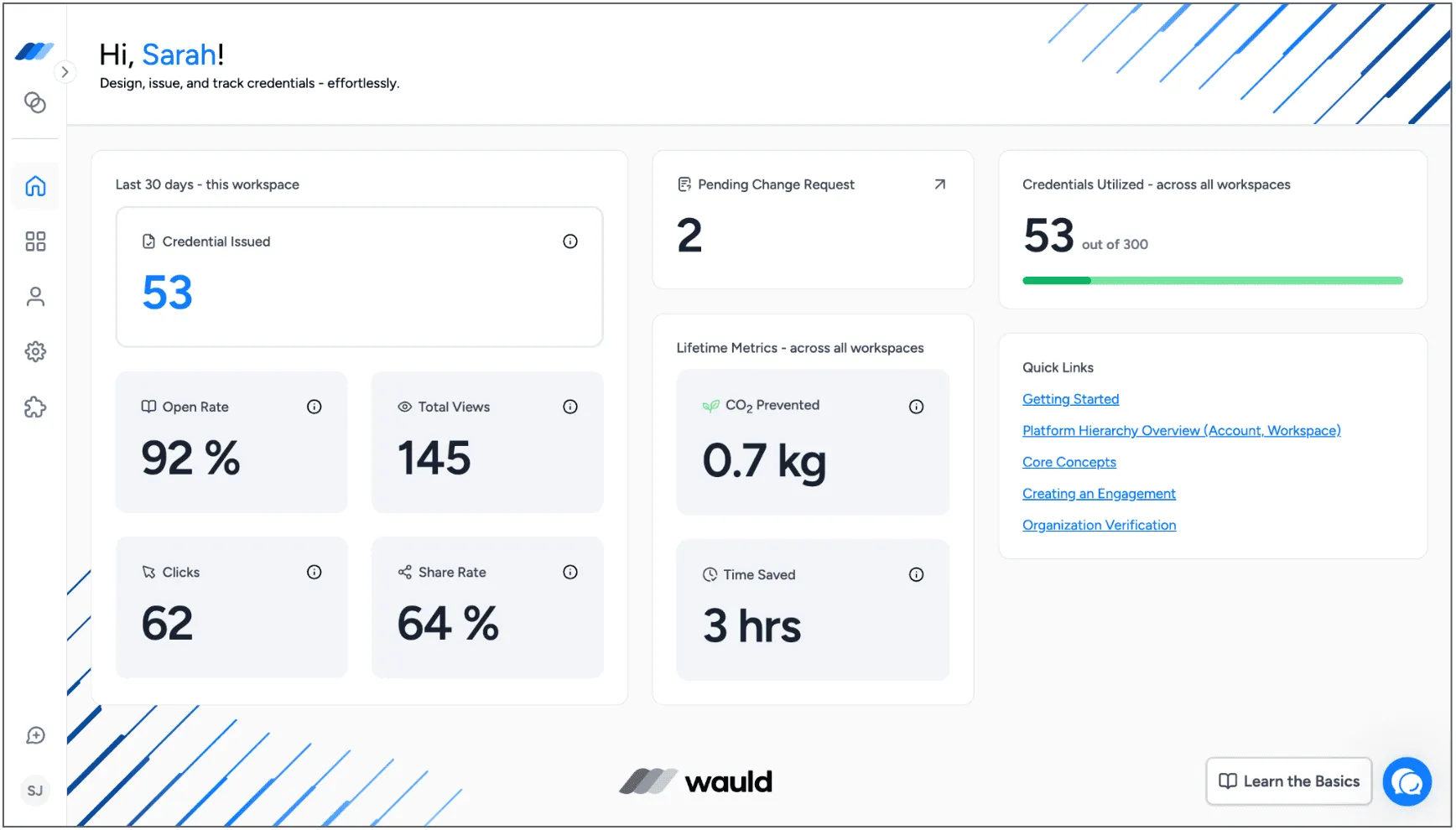
Most creators juggle multiple tools just to issue a certificate: a design tool, an email tool, a spreadsheet to track who got what. Wauld replaces all of that. From your Issuer Portal, you design certificates, issue them individually or in bulk, edit and reissue them if details change, void them when needed, and track exactly who engaged with their credential. No tab-switching, no data exports.
Certificates that your members can carry everywhere
Once a member receives their certificate, it lives in their personal credential wallet, accessible from any device at any time. They can share it to LinkedIn, Facebook, X, or directly via email in one click. They can even add it to Apple Wallet for on-the-go access and instant verification. The credential moves with them, wherever they go.
Fraud-proof credentials with three-layer verification
Wauld goes beyond a simple QR code. Each certificate goes through a three-step validation protocol: verifying the recipient's identity, the issuer's legitimacy, and the certificate's authenticity.
A recipient directory that keeps you in control
Wauld gives you a searchable directory of every person who has received a credential. You can view their certificates, track their engagement activity, and add internal notes to their profile. If a member submits a change request (say, a name correction), you get a structured submission with supporting proof to approve or reject. It's credential management built for real-world admin needs.
Data that tells you what's actually working
Beyond just issuing certificates, Wauld tracks the performance of every credential you send. Open rates, download rates, LinkedIn shares, profile additions, verifications, and website traffic from certificate links. You can see which of your Circle courses generate the highest credential engagement, which gives you concrete insight into where your community gets the most value.
Reasons Why Your Circle Community Members Need a Certificate
Here's a question worth sitting with: when your members finish your course, what do they walk away with?
They've gained knowledge, yes. They've spent time and money, yes. But in terms of something they can show, share, or keep? Nothing. Circle records the completion internally, and that's where it stays.
That's a missed opportunity, both for your members and for you. Here's why it matters more than it might seem:
Your members want proof, not just progress
Learning inside a private community is valuable, but it's invisible to the outside world. When a member finishes your course on content marketing, leadership, or any professional skill, they want to be able to point to it. A certificate is that proof. It converts internal progress into something external and shareable, something a member can attach to a proposal, a resume, or a LinkedIn profile update.
Without a certificate, the completion stays inside Circle. With one, it travels with the member into every context where their skills matter.
Completion recognition changes how members engage with your content
There's a difference between finishing a course because you feel obligated and finishing it because you know something meaningful is waiting at the end. Certificates shift that dynamic.
With Wauld, you can also issue digital badges for individual modules inside your course, giving members a visible marker of progress at each stage, not just at the final lesson. That steady drip of recognition keeps people moving forward, which means higher completion rates and more members reaching the end of your content.
Every share is a discovery moment for your community
When a member posts their certificate on LinkedIn, their network sees it. That post includes your community's name, your branding, and a link back to the verified credential page. For someone in that network who is looking to grow a similar skill or find a community like yours, that one post can be the thing that brings them to you.
It's organic reach you didn't have to pay for, triggered by the recognition you gave a member who earned it. Every certificate Wauld issues through the credential wallet can be shared to LinkedIn, Facebook, X, or email in a single click. The link in each share leads back to a live verification page, keeping your brand in the picture long after the original post.
Your program needs to be verifiable to be credible
If your Circle courses touch professional development, industry knowledge, or compliance, the credential you offer needs to hold up to scrutiny. A PDF with a name on it doesn't. Employers, clients, and institutions need to be able to check that the certificate is real, issued by a real organization, and hasn't been tampered with. Wauld's validation protocol handles that.
Managing certificates manually is a hidden time tax
It starts small. You design something in Canva, paste in a name, export a PDF, and email it. Fine for five people. But once your community grows and completions start stacking up, that process quietly becomes a significant chunk of your week. And you're still left with no way to track who actually opened their certificate, no verification for employers, and no social sharing built in.
Connecting Circle to Wauld via Zapier removes that tax entirely. Certificates go out the moment a course is completed, personalized and branded, without you touching anything.
How to Design a Certificate on Wauld
Before setting up the automation, you need a certificate to send. Wauld's design tools make this faster than you'd expect, even if you've never designed a credential before.
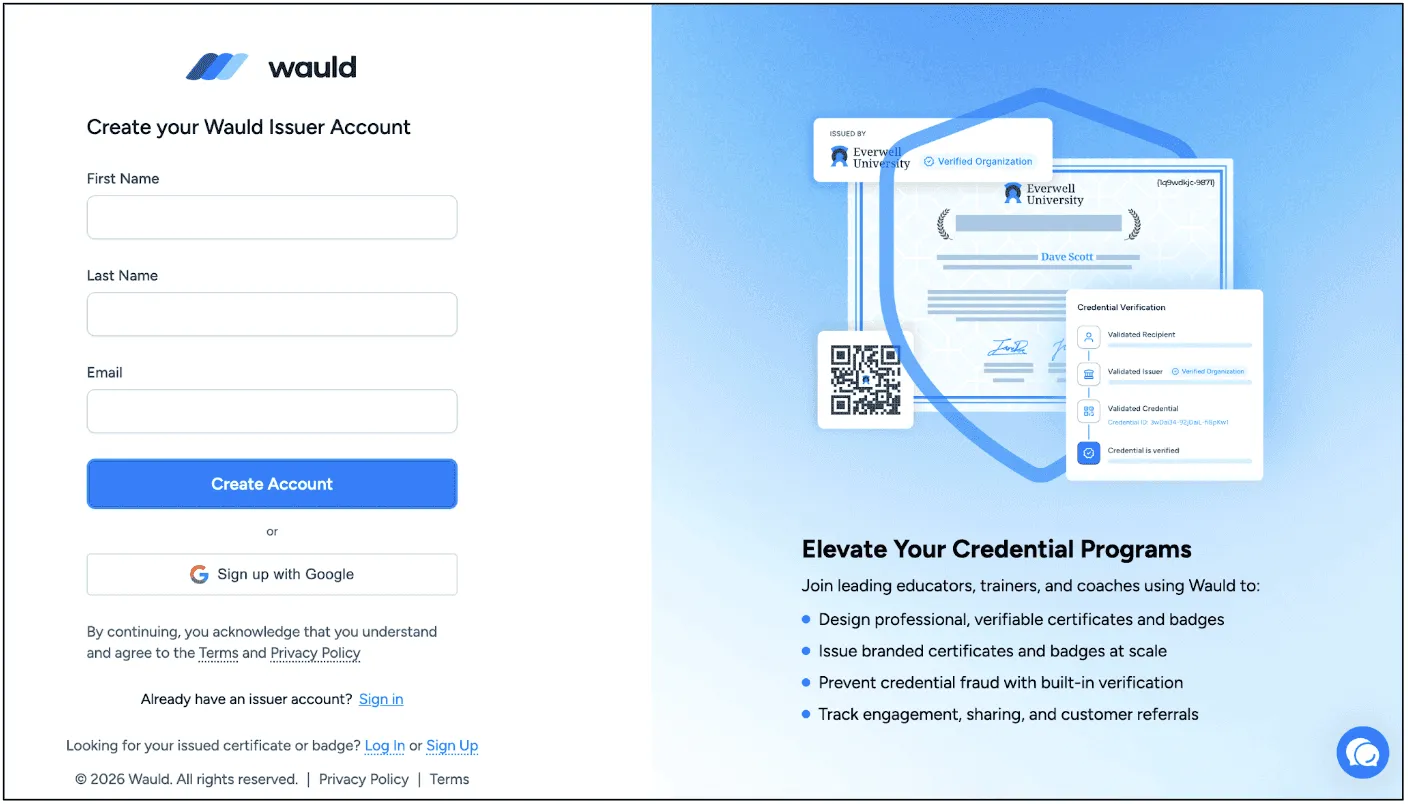
Step 1: Create your free Wauld account
Head to wauld.com and sign up for free. Once you're in, go to the certificate design section from your dashboard.
Step 2: Choose a template or start from scratch
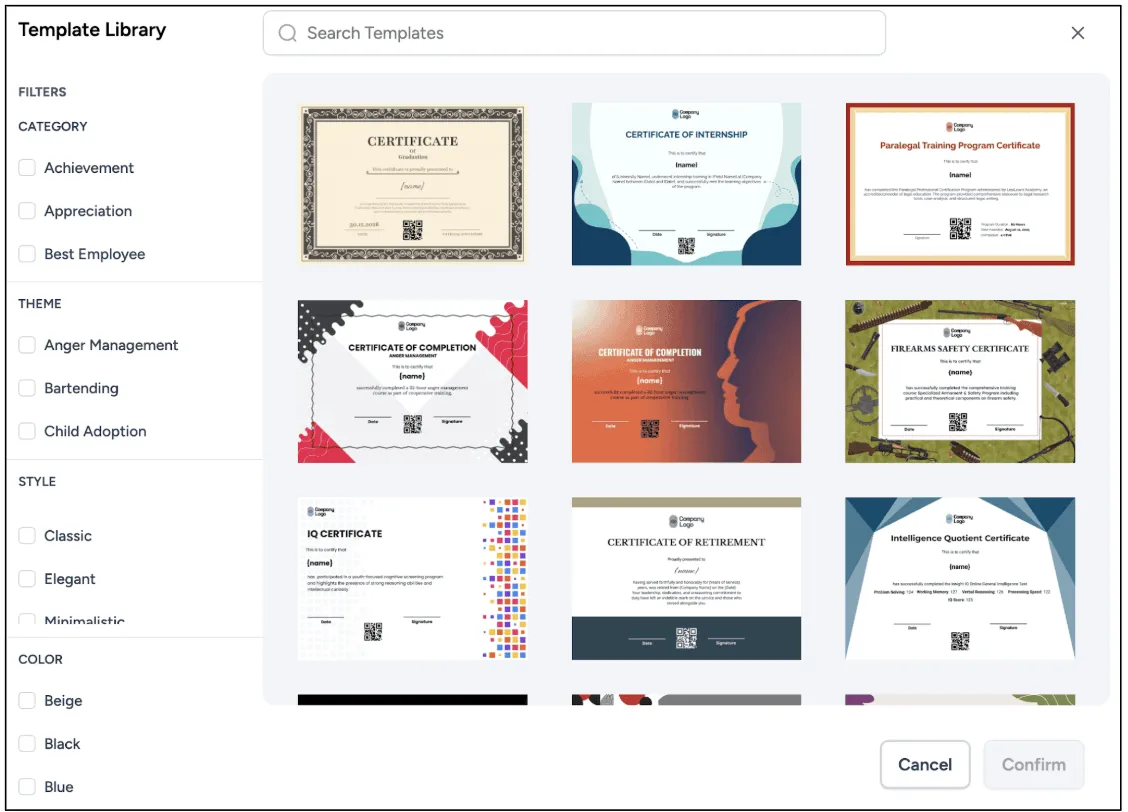
Wauld gives you access to over 900 professionally designed certificate templates. Browse by category, including course completion, training, workshops, and more. Every template is fully customizable. You can also start from a blank canvas if you want total control over the layout.
Browse the full certificate template gallery to find a style that fits your community.
Step 3: Customize it to match your brand
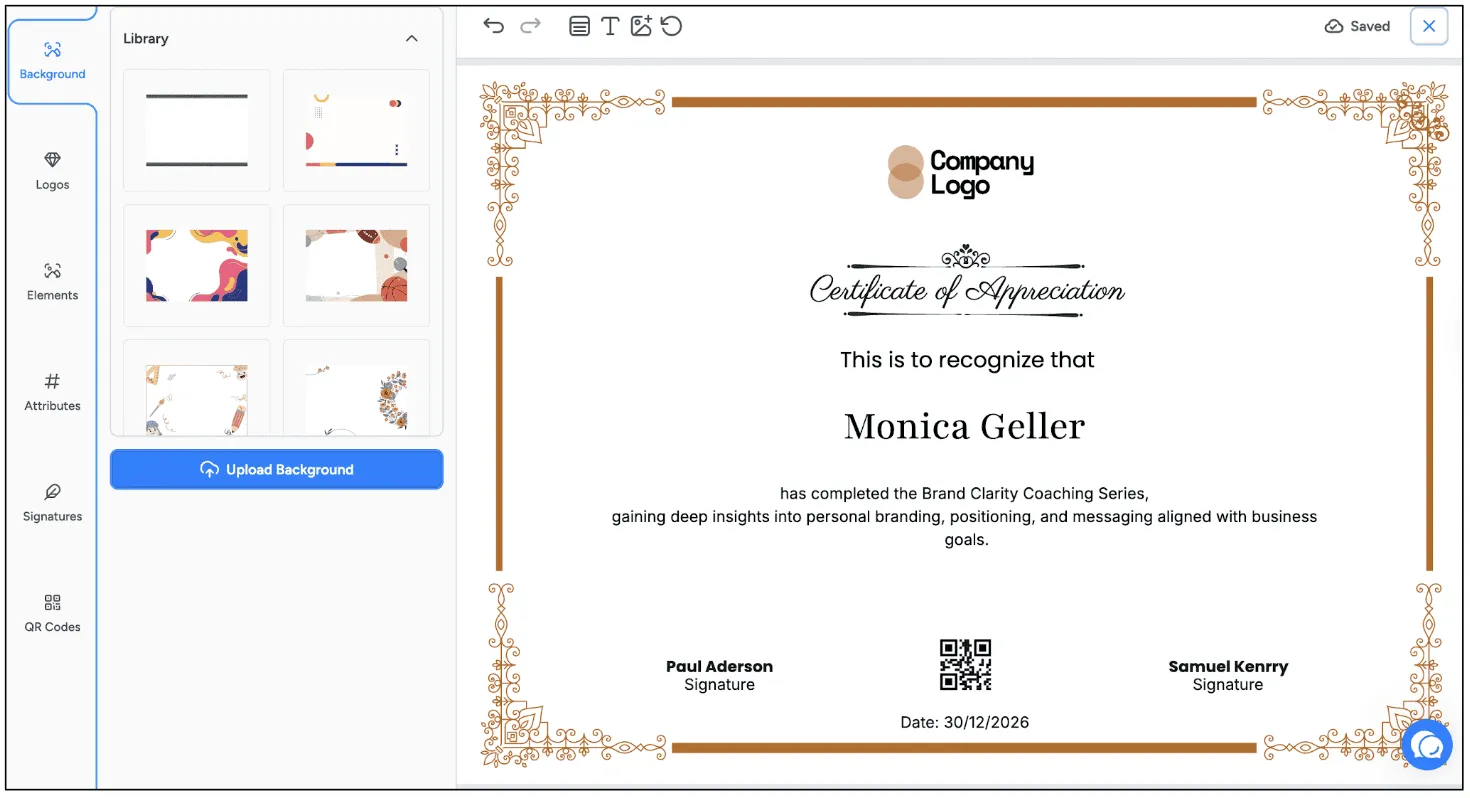
Open your chosen template in the drag-and-drop editor. Here you can:
- Upload your logo and place it anywhere on the certificate
- Set your brand colors and choose from available fonts or upload a custom one
- Edit the certificate title, subtitle, issuer name, and any other text blocks
- Add a signature, background image, icons, and other graphic elements
- Embed a QR code that links to the verification page
Step 4: Add dynamic attributes
Dynamic attributes are placeholders that auto-fill with each recipient's data when the certificate is issued. Add fields for the member's name, the course title, the completion date, or a unique certificate ID. When Zapier sends data from Circle, these fields populate automatically, so every certificate is personalized without any extra work.
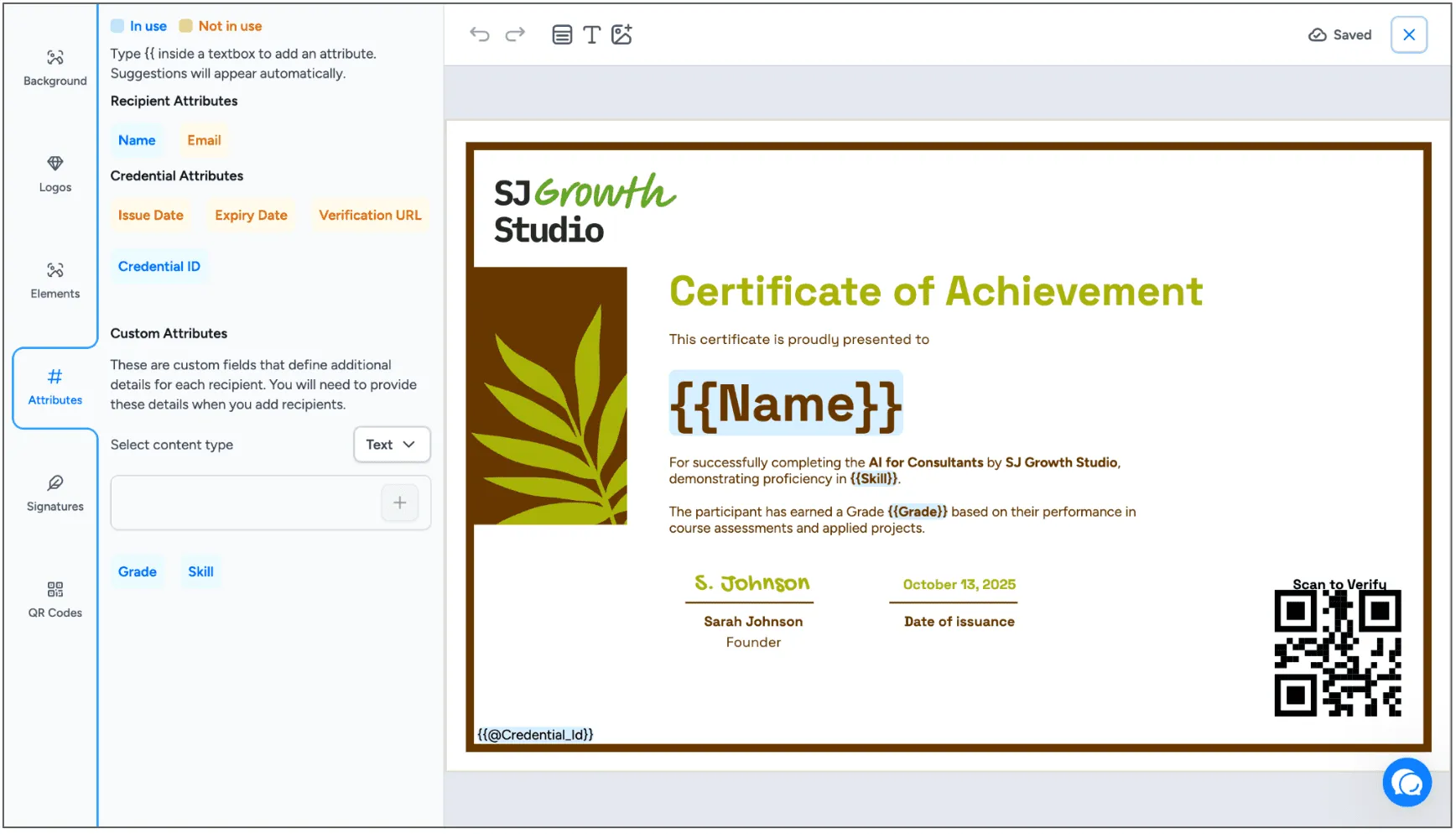
Step 5: Save your Design
Save your design, then create a credential group in the Credential Templates section. A credential engagement connects your certificate design to a specific automation. You will select it when you set up the Zapier workflow in the next section.
How to Connect Circle to Wauld via Zapier
Your certificate is designed. Now let's wire it up to your Circle community so it fires automatically on every course completion.
This connection runs through Zapier, a no-code automation platform. You don't need to write a single line of code. Here's exactly how to do it.
What you need before you start
- A free Wauld account with at least one certificate design and credential engagement ready
- An active Circle community with at least one course set up
- A Zapier account (the free plan works for basic automations)
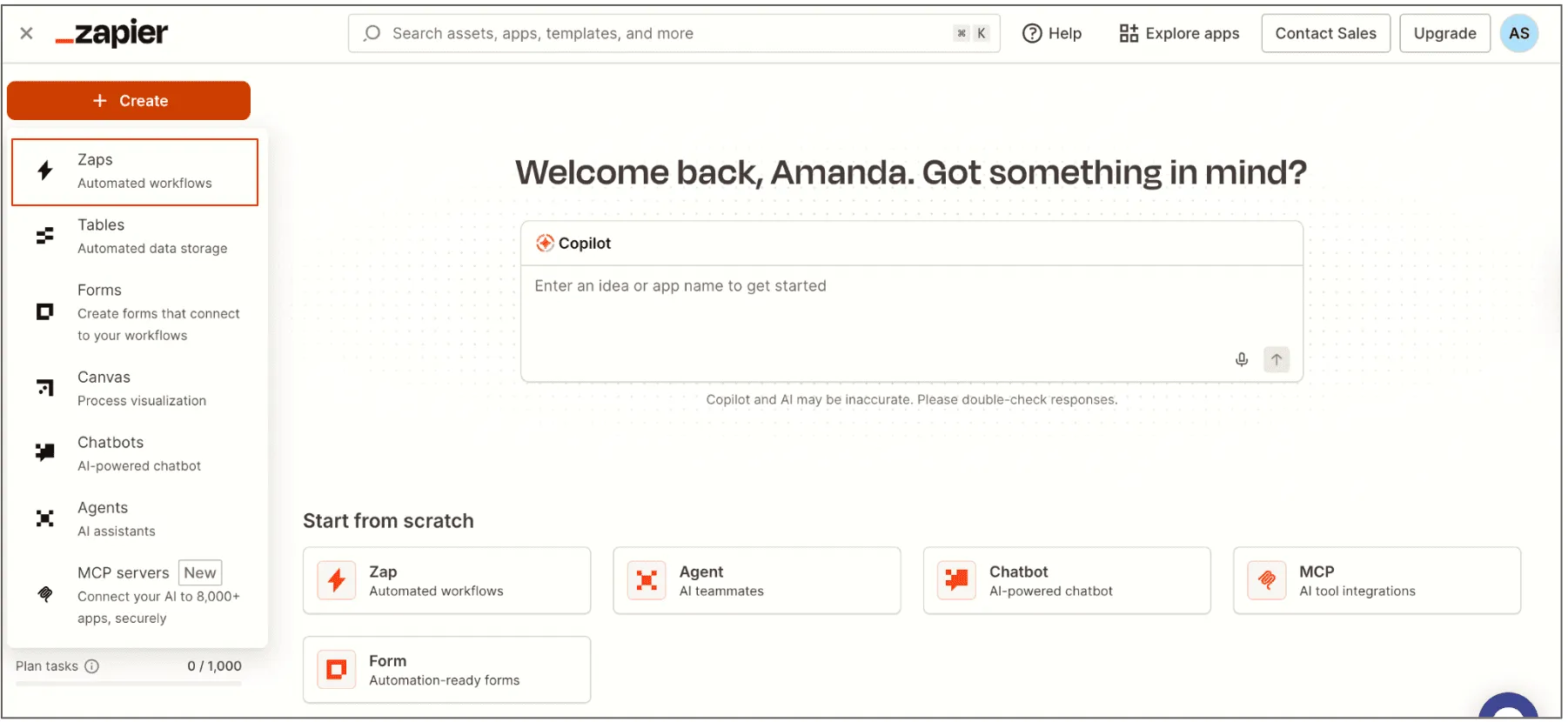
Step 1: Log in to Zapier and create a new Zap
Go to zapier.com and log in to your account. Click the "Create" button and then select "Zap" from the options.
Step 2: Set Circle as the trigger
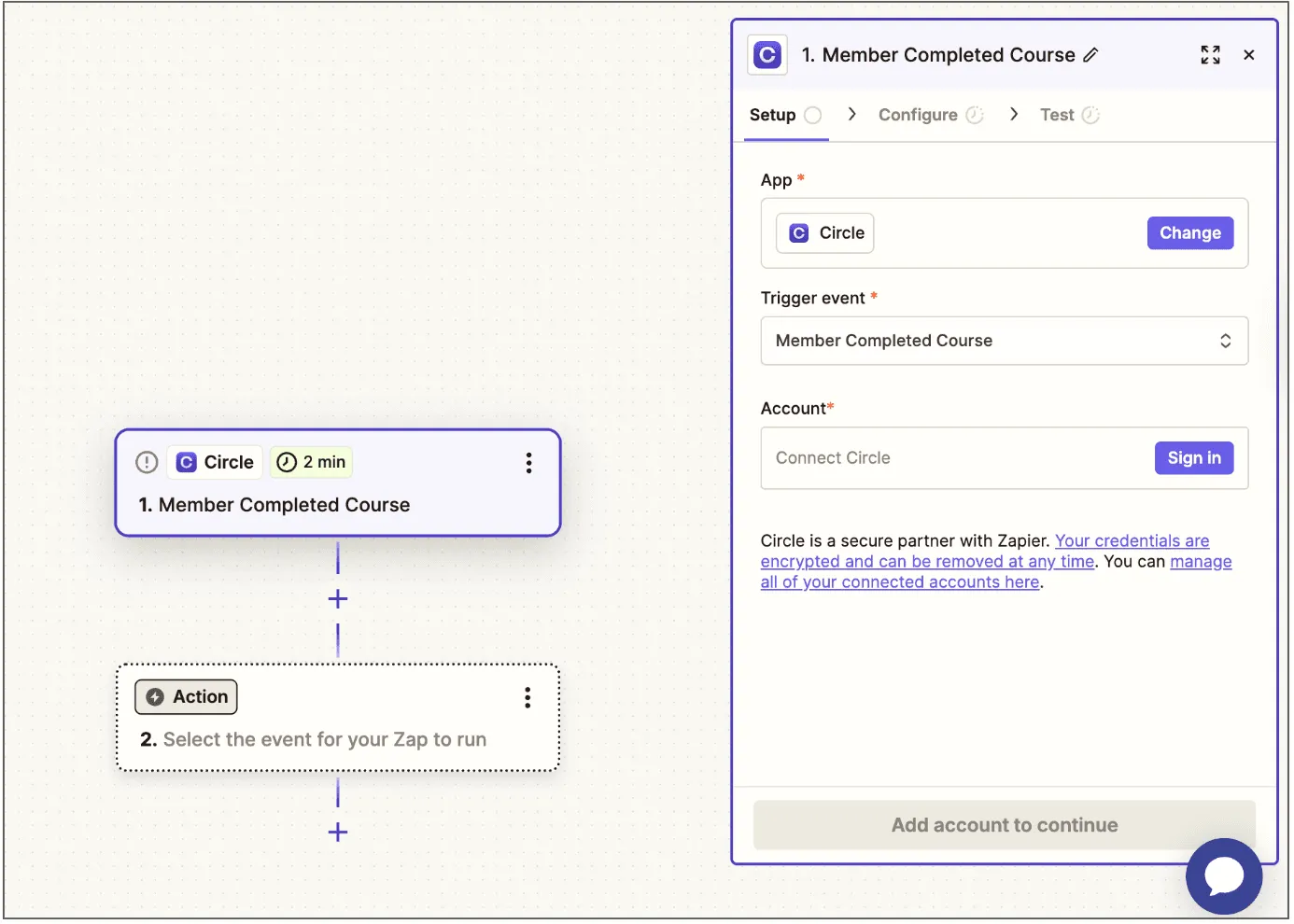
In the trigger step, search for Circle. Choose it as your trigger app.
- Search for "Circle" in the trigger app search bar
- Select the trigger event: "Member Completes Course" (or the closest equivalent in your Circle setup)
- Connect your Circle account when prompted. You will need to authorize Zapier to access your Circle data.
- Select the specific course you want to trigger the certificate for
This tells Zapier to watch for completions on that course. Every time a member finishes it, the Zap activates.
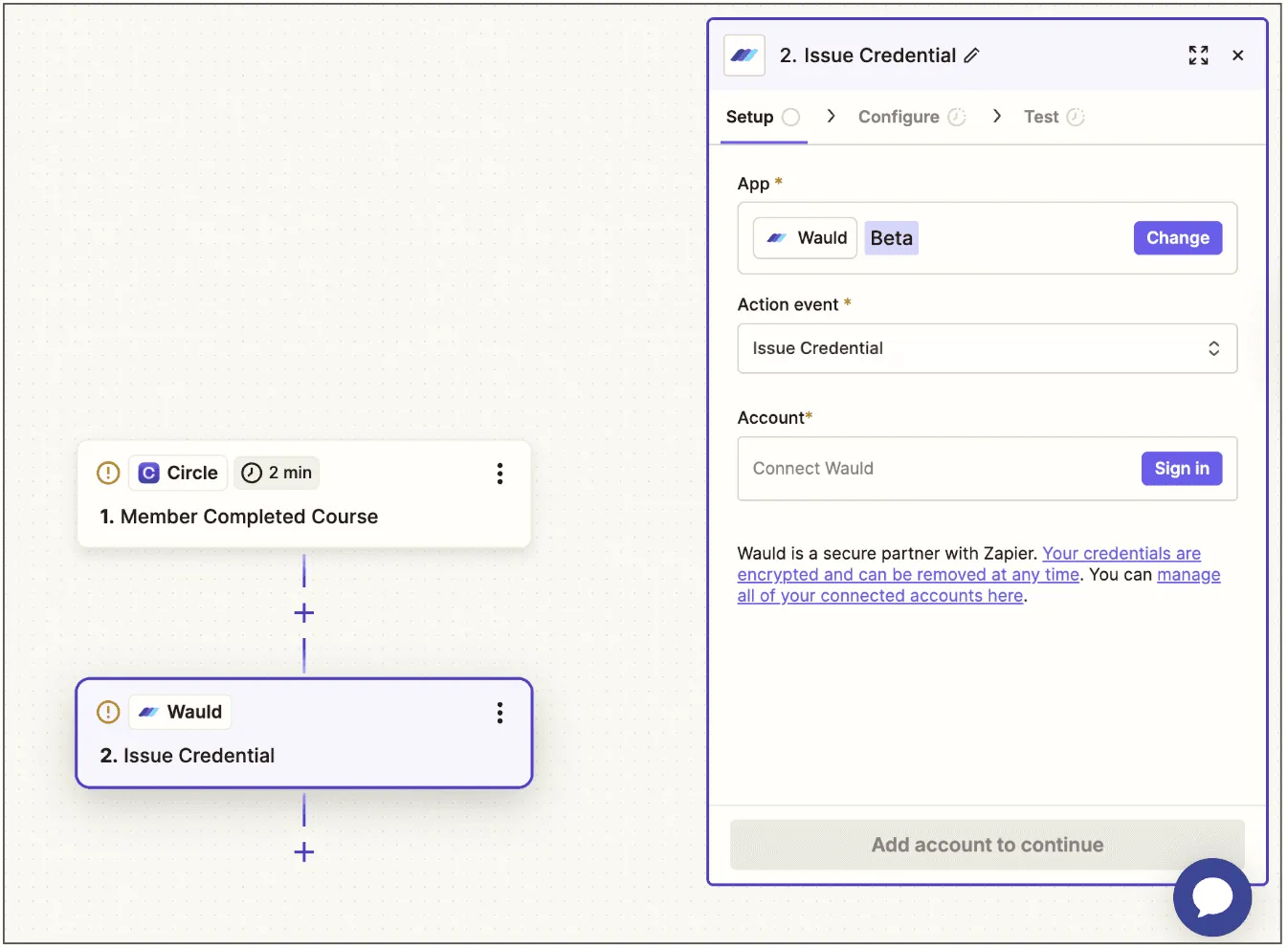
Step 3: Set Wauld as the action
- In the action step, search for "Wauld"
- Choose the action event: "Issue Credential"
- Connect your Wauld account by entering your API key (found in your Wauld account settings)
- Select the credential group you created in the earlier step
Step 4: Map the data fields
Zapier will ask you to map data from Circle to Wauld's certificate fields. This is where you tell Wauld which Circle data should fill which certificate placeholder.
- Recipient Name: map to the member's full name from Circle
- Recipient Email: map to the member's email address from Circle
- Course Title: map to the course name or title from Circle
- Completion Date: map to the course completion timestamp from Circle
- Any custom attributes: map any other fields you added to your certificate design
Make sure to set both "Issue Credential" and "Send Credential" to true so Wauld generates the certificate and emails it to the member automatically.
Step 5: Test and turn on your Zap
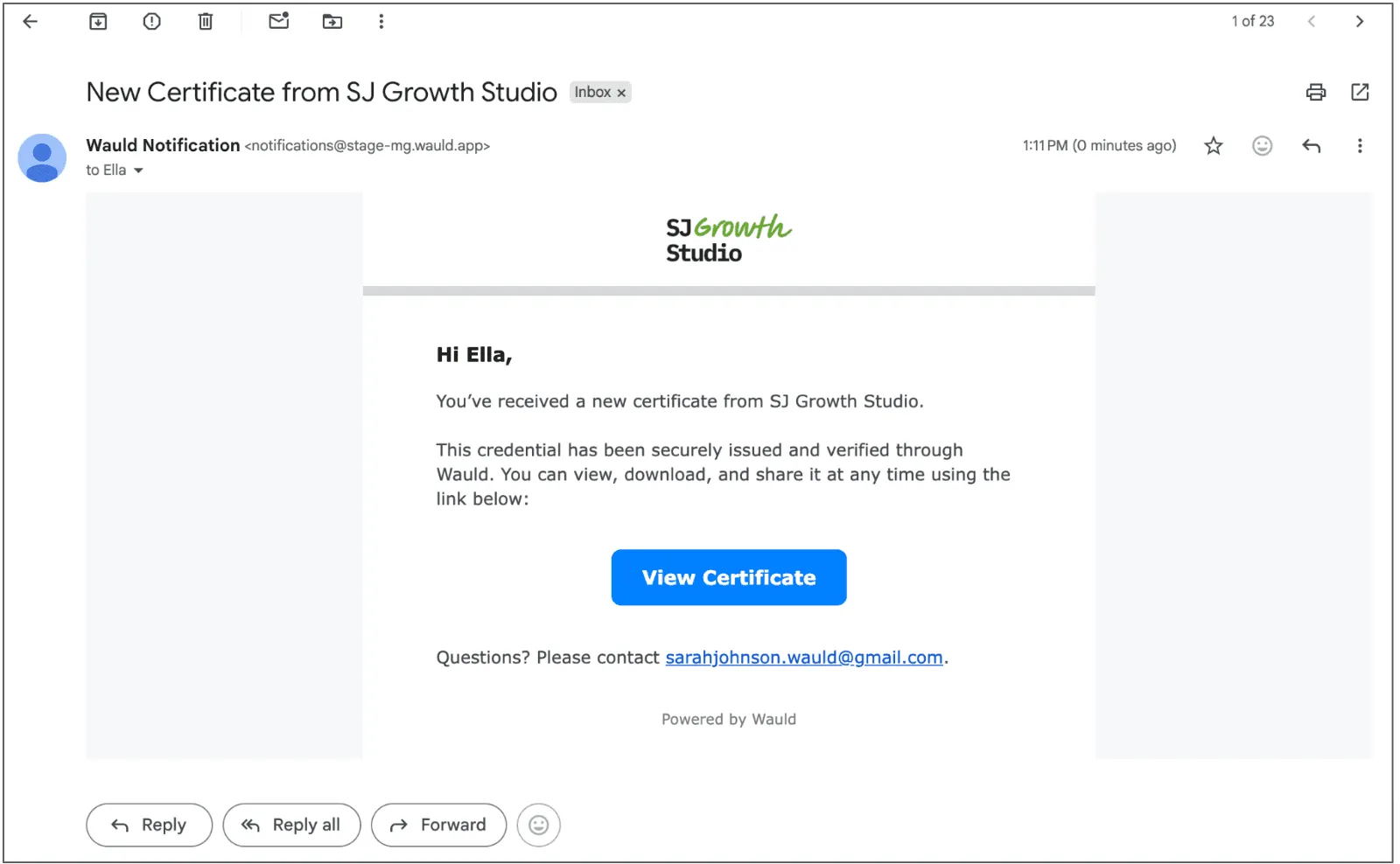
Before going live, run a test. Complete the course yourself (or use a test account in Circle). Zapier will pull the completion data and send it to Wauld. Check your inbox. You should receive a fully branded, personalized certificate within moments.
Confirm that the dynamic fields are populated correctly, the design looks right, and the verification QR code works. If everything checks out, turn the Zap on. From this point forward, every course completion in Circle automatically triggers a certificate from Wauld.
You can also skip the manual setup and start with one of the ready-made Circle and Wauld workflow templates available directly on Zapier. These pre-built Zaps have the trigger and action already configured, so you just connect your accounts and go.
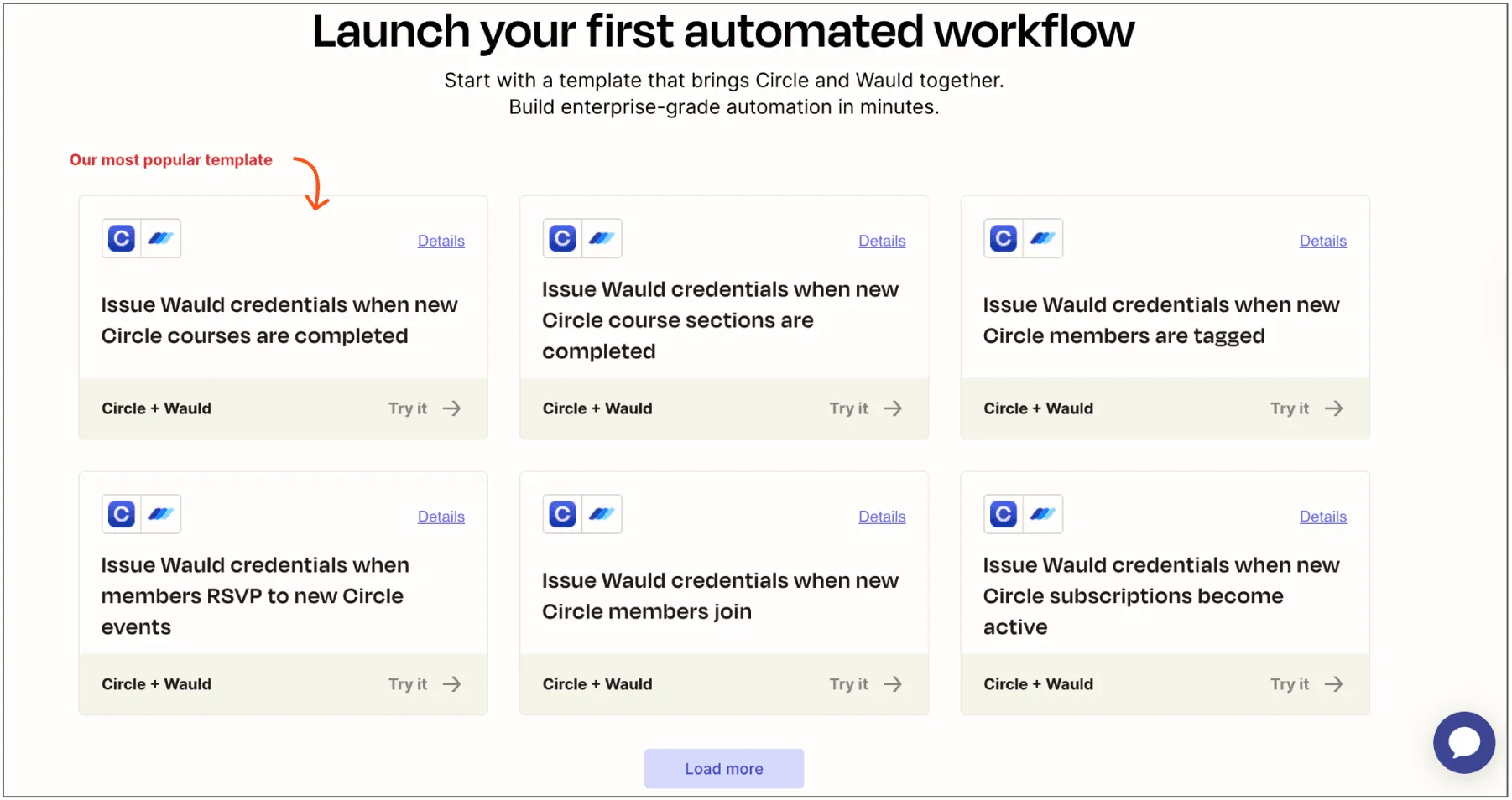
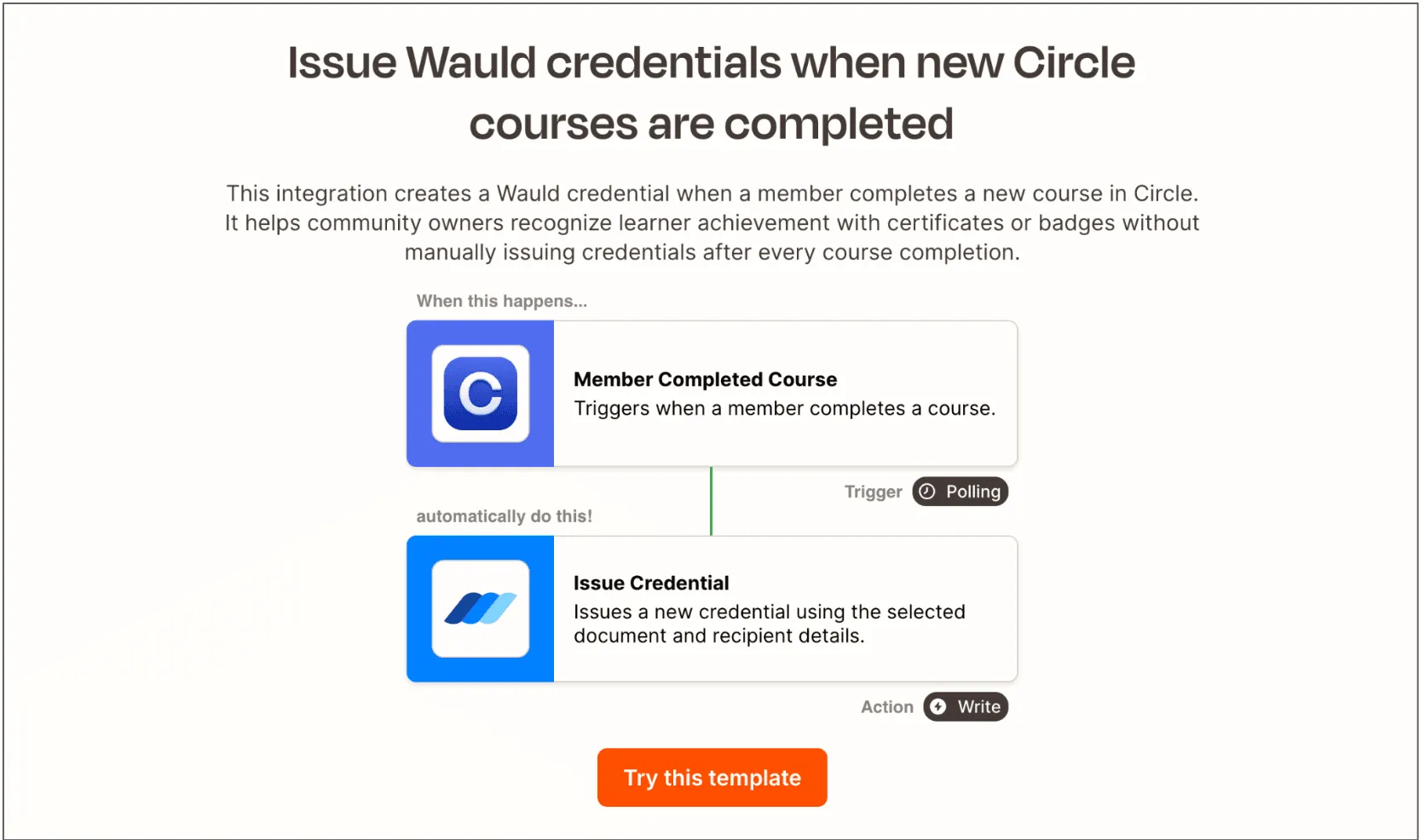
Once you select a template, the rest of the flow works exactly the same as the steps above. Review the trigger (Circle course completion), confirm the action (Wauld issue credential), map your data fields, run a test, and turn it on.
If you prefer not to use Zapier, Wauld also supports bulk CSV uploads for issuing certificates to multiple members at once, as well as API-based workflows for more advanced setups.
What You Can Do With These Zapier Templates
The templates above cover more than just course completions. Here's a quick look at how each one can work for your Circle community:
Issue credentials when a Circle course is completed
The most common use case. A member finishes your course and receives a branded certificate automatically. No delays, no manual work. This is the core workflow this guide walks you through.
Issue credentials when a course section is completed
Not every milestone happens at the end. Use this template to reward members with a digital badge each time they complete a section or module. It keeps motivation high throughout the course, not just at the finish line.
Issue credentials when a member is tagged
If you use tags in Circle to mark members who have passed a quiz, attended a live session, or met a specific requirement, this template lets you trigger a credential the moment that tag is applied. Great for hybrid or criteria-based programs.
Issue credentials when a member RSVPs to a Circle event
Running a live workshop, masterclass, or community event on Circle? Issue a participation certificate or attendance badge automatically when a member RSVPs. It's a simple way to add value to every event you host.
Issue credentials when a new member joins
Give every new member a welcome badge the moment they join your community. It sets the tone, makes them feel recognized from day one, and gives them something to share that puts your community's name out there early.
Issue credentials when a subscription becomes active
If your Circle community runs on paid memberships, this template issues a membership credential as soon as a subscription activates. It reinforces the value of joining and gives members a shareable badge that shows their affiliation.
Issue credentials when a member's payment is completed
For course purchases or one-time payments, this template triggers a credential the moment a payment goes through. Useful for paid cohorts, certifications, or access-based programs where payment itself is the qualifying action.
Tag Circle members when a Wauld credential is issued
This one works in reverse. When Wauld issues a credential, it automatically tags the member in Circle. Use it to unlock new spaces, trigger follow-up automations, or simply keep your Circle member data up to date without any manual tagging.
Final Note
You've built a Circle community where real learning happens. Your members complete your courses, develop new skills, and grow. The only thing missing is a credential that makes that growth visible, shareable, and verifiable.
Wauld adds that layer without adding complexity. Connect it to Circle via Zapier, design your certificate once, and let the automation do the rest. Every member who finishes your course walks away with a branded, professional certificate they can share on LinkedIn, add to their portfolio, or show a future employer.
And every certificate shared is your community's name in front of a new audience.
Ready to get started? Create your free Wauld account and issue your first certificate today.