Podia Course Certificates: How to Issue Verifiable Credentials for Free

The Gap Between "Course Complete" and a Credential Worth Keeping
A student finishes the last lesson in your Podia course. They marked every lesson complete, watched every video, did the work. Podia notices. It generates a certificate and either emails it or makes it available from their customer dashboard.
Then that is it. The certificate sits as a PDF or an image link. No verification page. No QR code anyone can scan to confirm it is real. No way for the student to add it to LinkedIn with a single click. No record on your end of who opened it, who shared it, or who never even looked.
If you run courses on Podia, this will feel familiar. Podia certificates are a genuinely useful starting point. They are also where the feature stops. This guide covers exactly how Podia's certificate tool works, where it runs out of road, and how to connect Podia to Wauld so your course completions become credentials your students actually want to keep and share.
What Is Podia and What Certificates Does It Offer Natively?
Podia is a creator commerce platform for selling online courses, digital downloads, memberships, and communities from one storefront. It favors simplicity over depth: a single website template, flat fee pricing on higher tiers instead of a revenue cut, and a course builder built to get a product live quickly.
It includes a built-in option for issuing course certificates, available once you turn it on per product.
How Podia's Native Certificate Feature Works
According to the Podia help center, enabling certificates follows a short setup once a student completes the course:
| Step | What happens |
|---|---|
| Enable | Go to Products, edit the course, open the Details tab, and turn on "Provide certificates for this course" |
| Customize | Edit the logo, certificate title, subtitle, and choose whether to show the completion date and a serial number |
| Notify | Optionally turn on an automatic email notification with a link to view and download the certificate |
| Deliver | Students complete every lesson, and Podia issues the certificate automatically through email and the customer dashboard |
Students can also retrieve a completed certificate any time from their customer dashboard by clicking "View certificate" once they finish your course. This is an essential reference point for students who want proof of completion later.
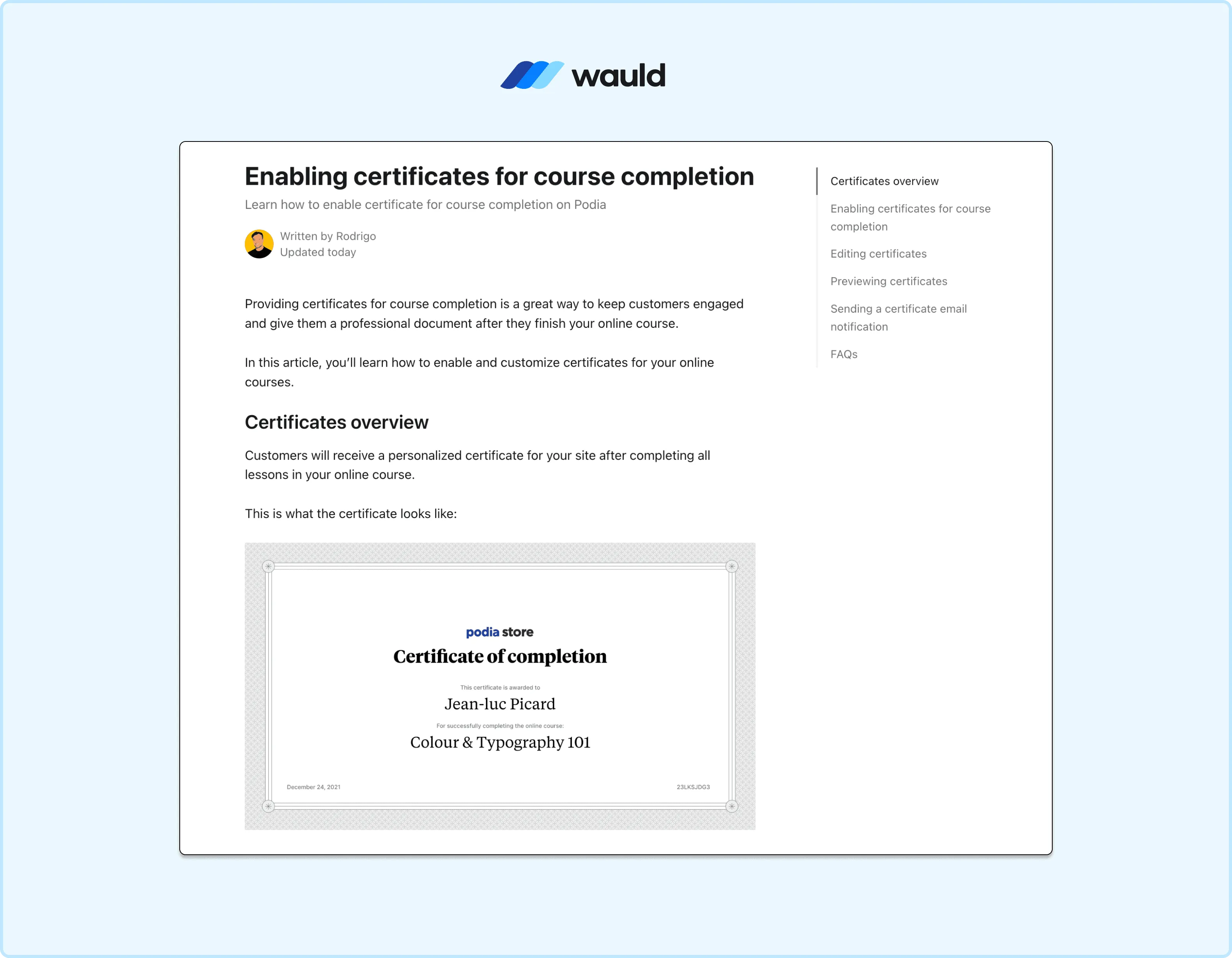
Enable course completion certificates for learners in Podia.
Where the Native Feature Falls Short
The certificate tool covers the basics of recognizing completion, but creators researching Podia certificates consistently run into the same limits:
- One default certificate template applies across the platform, with no design layouts to choose from
- Customization is limited to logo, title, subtitle, and toggling the completion date or serial number
- No verification link, QR code, or unique credential identifier on the certificate itself
- No badges for individual modules, milestones, or live event attendance, since Podia's only completion mechanic is the full course certificate
- No analytics on opens, shares, or whether the certificate was ever viewed after issuance
- Existing customers who completed a course before certificates were turned on do not get one retroactively unless they un-complete and re-complete a lesson
- No LinkedIn integration, recipient wallet, or expiry and renewal management for certifications that need to stay current
None of this makes Podia a bad platform. It is built for creators who want to sell and deliver content without managing a complex back end, and the certificate feature reflects that philosophy: useful, but minimal. For programs where a credential needs to prove something to an employer, a client, or a licensing body, that minimalism becomes the gap Wauld is built to close.
How Wauld Equips Podia Courses With Verifiable Credentials
Wauld is a dedicated digital credentialing platform that handles design, issuance, verification, and lifecycle management for certificates and badges, backed by a library of 1000+ templates. It does not replace Podia's course delivery. It picks up exactly where Podia's certificate tool stops, and integrates cleanly alongside it.
| Podia native certificates | Podia + Wauld | |
|---|---|---|
| Design options | One default template, limited fields | 1000+ templates, full brand customization |
| Verification | None | Unique credential ID, QR code, three-step validation |
| Sharing | Manual download only | One-click LinkedIn sharing with a live verification link |
| Badges | Not supported | Badges for modules, milestones, and events |
| Expiry and renewal | Not supported | Automated expiry dates and renewal reminders |
| Analytics | None | Opens, shares, verifications, and LinkedIn additions tracked |
| Recipient access | Dashboard download only | Personal credential wallet, plus Apple Wallet support |
What this adds in practice:
- Verifiable, fraud-resistant credentials with a unique ID and a verification page anyone can check via QR scan or a single click. This is what makes a Podia certificate a genuinely valuable credential rather than just a download.
- Branded design without a design background, using Wauld's library of 1000+ templates and dynamic fields like recipient name, course title, and completion date.
- A reason to keep engaging after the course ends, through a personal credential wallet recipients can revisit from any device, including Apple Wallet support. This is how Wauld empowers students to keep showing their work long after the course ends.
- Visibility into what is working, with an issuer dashboard showing opens, shares, and verification counts per course.
How to Connect Podia and Wauld to Deliver Course Certificates
Before choosing a method, it helps to know what Podia actually exposes to the outside world, to ensure you pick the right setup for your courses or digital products. Podia confirms directly that it does not offer a public API or webhooks, which rules out the custom trigger and direct API routes that work on other course platforms.
Podia's Zapier app is also more limited than it might first appear. Its available triggers are Product Signed Up For, Someone Joins Community, Someone Waitlists, Someone Gets Tagged, Someone Leaves Community, and Published Blog Post. There is no native trigger for course completion.
That leaves two realistic, accurate methods for connecting Podia to Wauld.
Method 1: Zapier, Using "Product Signed Up For" for Podia Creators
Since Podia has no completion event available to Zapier, this method is best used for what it actually triggers on: enrollment, not finishing a course. It is the right fit for issuing a welcome badge or an enrollment credential the moment someone joins a course, live sessions, or coaching product, not a completion certificate.
What you need:
- A Zapier account (the free tier works for low volume automations)
- A Wauld account with a badge design and credential engagement set up
- Your Wauld Zapier access token, generated from the Integrations section in your Wauld dashboard
Steps:
- Design a badge in Wauld, choosing a template from the template gallery, adding dynamic fields for recipient name and course title, and creating a credential engagement tied to this trigger.
- Generate your Wauld Zapier access token from the Integrations section of your dashboard.
- In Zapier, search for Podia as the trigger app and select Product Signed Up For, then connect your account and choose the specific product.
- Test the trigger to confirm Zapier pulls a recent signup with the recipient's name, email, and product name.
- Add Wauld as the action, choose Issue Credential, connect with your access token, and select the workspace, engagement, and badge design.
- Map recipient name, email, and product name, and set Shareable and Add to LinkedIn to true if recipients should share immediately.
- Review the sample data and publish the Zap.
From that point on, every new enrollment in the selected course automatically triggers a Wauld badge.
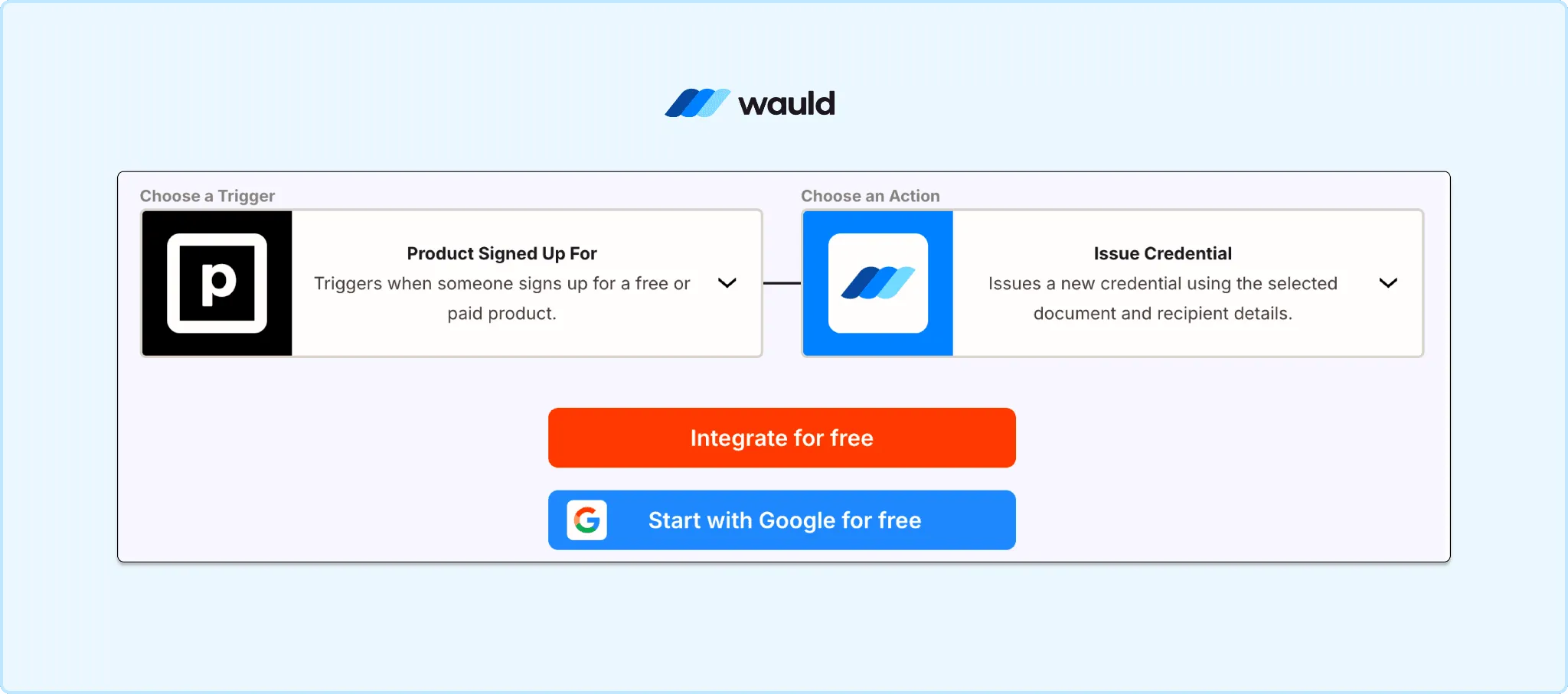
Connect Podia to Wauld to automate digital certificate issuance after course enrollment.
Method 2: Bulk CSV Upload (the Reliable Option for Completion Certificates)
Because Podia does not expose a completion event to Zapier, webhooks, or an API, bulk CSV upload is currently the most accurate way to issue a true completion certificate based on who actually finished a course. It is free on Wauld's free plan and requires no technical setup.
When this method fits best:
- You want a certificate tied to actual course completion, not enrollment
- You run cohort-style courses where most students finish around the same time
- You want to backfill certificates for students who completed a course before you connected Wauld
- You prefer a manual check before certificates go out at scale
Steps:
- Export your list of students who completed the course from your Podia dashboard.
- Format the CSV with columns matching your Wauld certificate design: Recipient Name, Recipient Email, Course Name, Completion Date, and any custom fields.
- In Wauld, select the certificate design, choose bulk issuance, upload the CSV, and map each column to the matching field.
- Preview a sample certificate for accuracy, then send. Wauld emails a personalized, verifiable certificate to every recipient at once.
Many Podia creators use both methods together: Zapier for an instant welcome badge at signup, and bulk CSV upload at the end of each cohort or term for the actual completion certificate.
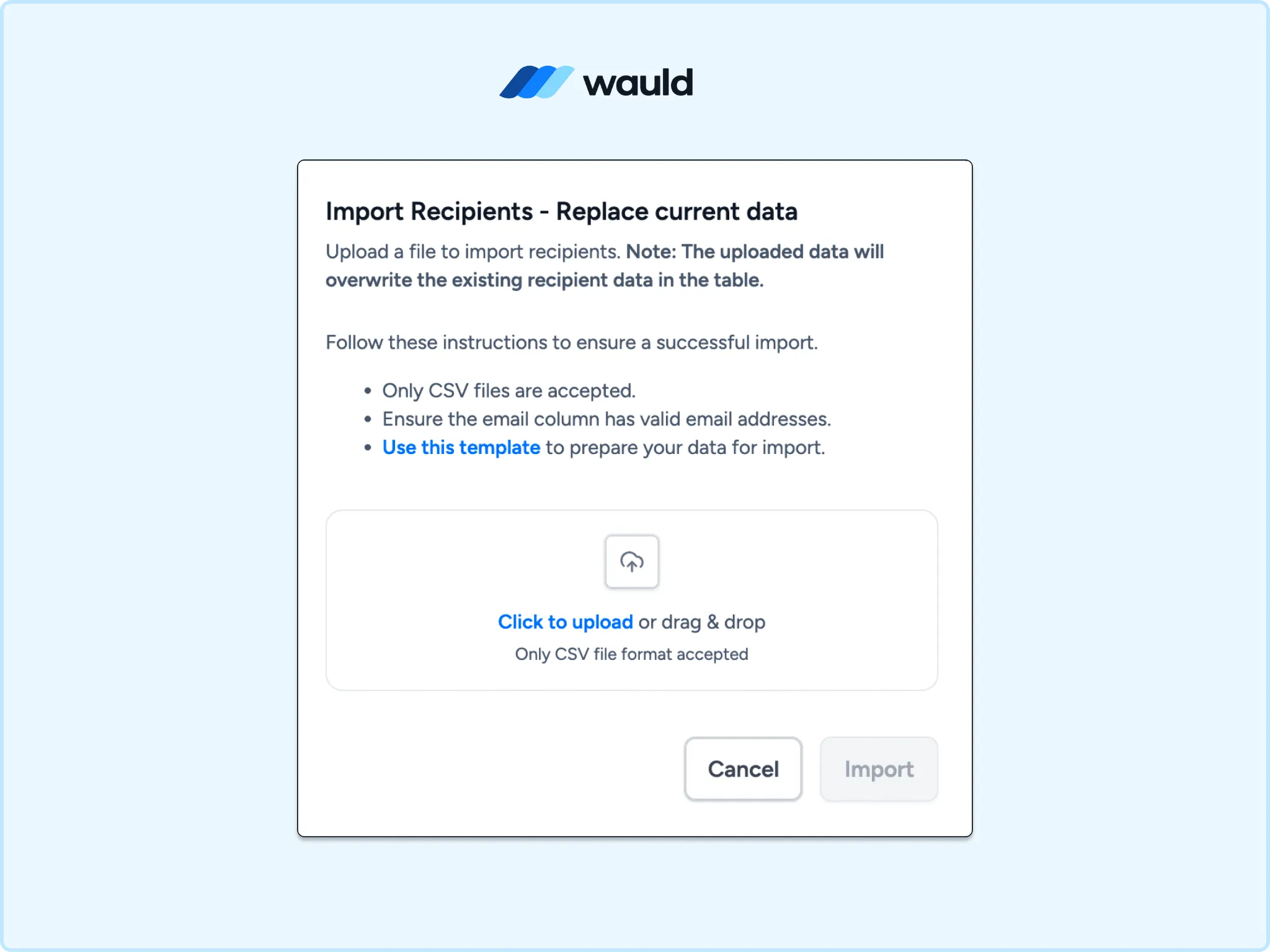
Bulk import recipients to issue certificates at scale in Wauld.
Choosing the Right Method
| Zapier (Product Signed Up For) | Bulk CSV Upload | |
|---|---|---|
| Podia plan needed | Mover or Shaker (Zapier access) | Any plan |
| Technical skill | Low, no code | None |
| What it issues | Enrollment or welcome badge | True completion certificate |
| Timing | Real-time, automatic | Manual or batch |
| Best for | Onboarding moments | Course completion, cohort backfilling |
| Setup time | Under an hour | Under 30 minutes |
For most Podia creators, bulk CSV upload is the more accurate starting point if your goal is a completion certificate. Zapier is the better fit if you want to recognize the moment someone joins, not the moment they finish.
How Recipients Engage With Their Certificate After Issuance
Once issued, a Wauld credential lives in the recipient's personal wallet, accessible from any device. From there, students can add it to LinkedIn in one click with a live verification link attached, send a shareable URL to a client or employer, or let anyone confirm it is real with a quick QR scan.
On your side, the Wauld issuer dashboard shows who opened their certificate, how many times it was shared, and how many verifications it received, almost like a transcript of every credential's activity. You can also edit, reissue, or void a credential if details need correcting after the fact.
Get Certified: Start Issuing Verifiable Podia Course Certificates
Your Podia students already did the work to finish the course. The certificate they get for it should hold up outside your platform, not just sit in a downloads folder, so they can show their full potential to employers and clients.
Wauld's free plan covers up to 300 verifiable credentials, with QR verification, bulk issuance, the full library of 1000+ templates, and LinkedIn sharing included, enough to pilot before committing to anything paid.