Disco Community Platform: How to Automate Certificate Issuance

Issue Certificates in Disco Community Platform
Your Disco member just finished the last lesson. They worked through every module, showed up to the live sessions, and completed the curriculum. Disco marks them done.
Then nothing happens.
No credential. No shareable proof. Just a completion status that lives inside the platform and goes nowhere.
If you run programs on Disco, you already know this gap. Disco certificate automation is not built into the platform in any meaningful way. The native certificate feature issues a styled PDF. That is where it stops. No verification. No LinkedIn integration. No expiry tracking. No wallet for your recipients to revisit their achievements.
Your members earned something. They deserve proof that actually travels with them.
This guide covers what Disco's native certificate feature does, where it falls short, and three concrete methods to connect Disco to Wauld so that disco course completion certificates go out automatically, without any manual work on your end.
What is Disco?
Disco is an AI-powered social learning platform built for training businesses, customer academies, and employee development programs. It unites learning, community, and AI automation in one platform so you can deliver powerful experiences, streamline operations, and build lasting member engagement, all from a single hub.
At its core, Disco is built around three pillars:
- Create programs. Build self-paced or cohort-based courses using Disco's AI course builder, which generates full curriculums, quizzes, and content in minutes. Social learning, AI course creation, community tools, automations, and 100 plus integrations are all included.
- Engage members. Dynamic discussion feeds encourage knowledge sharing and peer interaction. Members connect through channels, threads, DMs, groups, and subgroups. Live events, Ask AI, and gamification keep learners active throughout a program.
- Scale operations. Automated workflows, reporting, Zapier integration, Stripe payments, and a full integrations suite let operators run and grow programs without the operational drag.
Disco is built to support everything from intimate cohorts to large-scale academies, giving you the flexibility to grow without friction. It holds a 4.8 out of 5 rating on G2 and has been recognized as a Fast Company Most Innovative Company and an EdTech Breakthrough Award winner.
Where Disco excels is program delivery, community engagement, and AI-powered learning design. Where it hands off is professional credentialing. That is where Wauld comes in.
How to Issue Certificates in Disco: Step-by-Step
Disco includes a built-in certificate feature available on all plans. The steps below follow Disco's own certificate setup process. Here is exactly how to set it up.
Step 1: Navigate to the product. In your Disco admin panel, go to the product you want to issue a certificate for. Click the overflow icon (the three-dot menu) next to the product name and select "Certificate."
Step 2: Add a certificate. Click "Add Certificate" and give it an internal title. This title is for your own organization, not what the member sees on the certificate itself.
Step 3: Design the certificate. On the Design tab, you can:
- Upload a background image (PNG format only)
- Edit the certificate title and description
- Choose a text color to contrast against your background
Step 4: Set the release rule. On the Release tab, choose one of five timing options:
- Release on product completion triggers issuance when a member finishes the full curriculum
- Release on product end date applies only to fixed-duration products
- Release on a custom date lets you pick a specific date and time
- Release immediately makes the certificate visible to eligible members right away and locks the design from further editing
- TBD / Unscheduled saves the setup with no release date set yet
Step 5: Save and go live. Once the release rule is saved, certificates will go out automatically based on the timing you chose. Members receive their certificate by email and can download it from their account.
Watch it in action: Disco has published an official setup walkthrough on Loom. Before you configure your first certificate, it is worth a watch: How to Set Up Certificates in Disco.
One Rule to Know Before You Start
Disco's documentation is explicit on this point: members who complete a curriculum before a certificate is created will not receive one retroactively. Set up your certificate before your first cohort completes the program, or you will need a workaround for those members. That workaround is covered in Method 2 of this guide.
What Disco's Native Certificates Do Well
The native feature is genuinely useful for getting started quickly:
- Included in Disco's base Organization plan at no extra cost
- Setup takes a few minutes once you have a background image ready
- Release timing is flexible, supporting both completion-based and date-based issuance
- No third-party tools are required for basic use
- Works well for internal training programs where credentials do not need external verification
Where Disco's Native Certificates Fall Short
For cohort-based learning programs, professional training businesses, and any program where your members need to prove their achievement outside your community, a styled PDF is not enough:
- No verification layer, QR code, or unique credential ID
- No LinkedIn integration for one-click sharing to a member's profile
- No digital badges for module, event, or milestone recognition
- No expiry dates or renewal reminder system for recertification programs
- No recipient credential wallet where members can access all their credentials from any device
- No post-issuance editing or correction workflow for name errors or cohort date changes
- No engagement analytics showing opens, shares, or verifications after a certificate is sent
- Retroactive issuance is not supported, as documented in Disco's certificate support article
- Webhooks and API access are locked to Disco's Enterprise plan only. See Disco's integrations page for plan-level details
None of this is a criticism of what Disco is built for. Disco is an AI-powered social learning platform designed around cohort programs, community engagement, and intelligent learning automation. Native disco certificate automation stops at PDF delivery. That is the gap Wauld fills.
What Wauld Adds to Disco
Wauld is a dedicated digital credential platform that manages the complete lifecycle of certificates and badges: design, issuance, tracking, management, sharing, verification, and recipient wallet. It does not replace Disco. It connects to it and handles everything Disco's native feature cannot.
Here is what the combination gives your program:
- Fraud-proof, verifiable credentials. Every Wauld certificate carries a unique UUID and goes through a three-step validation protocol that verifies the recipient's identity, the issuing organization's legitimacy, and the certificate's authenticity. Verification takes a single click or a QR scan. Organizations can also opt into KYC verification to earn a Verified Organization badge.
- One-click LinkedIn sharing. Recipients can add their Wauld certificate to their LinkedIn profile instantly. Every shared credential carries your branding and links back to a live verification page, putting your program in front of new audiences every time a member shares an achievement.
- Digital badges for every milestone. Beyond full-program certificates, Wauld lets you issue digital badges for module completions, live event attendance, skill recognition, and membership milestones. This creates a layered recognition system that Disco's native feature does not offer.
- Expiry management and renewal reminders. Set expiry dates on any credential and Wauld sends automated reminders to recipients before they lapse. This runs automatically once configured and is essential for any program with recertification requirements.
- A personal credential wallet for every recipient. Every Wauld credential lives in a personal wallet the recipient can access from any device at any time. Recipients can also add certificates to Apple Wallet for on-the-go access and instant verification.
- Full post-issuance control. Admins can edit and reissue credentials when details need correcting, void credentials to mark them invalid, and process recipient change requests through a structured approval workflow with supporting proof.
- Credential engagement analytics. Wauld tracks open rates, download rates, LinkedIn shares, profile additions, verification counts, and website traffic driven by shared credential links. You can see which Disco programs generate the most credential engagement.
- Open Badge 3.0 compliance. Wauld credentials comply with the Open Badge 3.0 standard, making them portable across platforms that recognize the standard.
- 1,000 plus professional templates. Wauld's template gallery offers over 1,000 handcrafted certificate and badge designs. Add your logo, brand colors, signatures, and custom QR codes without any design background required.
Three Ways to Connect Disco and Wauld
There is no single right method. The best approach depends on your Disco plan, your workflow, and how real-time you need credential delivery to be.
Method 1: Zapier
The Disco and Wauld integration on Zapier is the most accessible method and works on any Disco plan that includes Zapier access. No code is required.
The key Disco trigger is "User Completed Product" which fires in the Disco Zapier app every time a member finishes a product in your community. That is the event Zapier uses to tell Wauld to issue a certificate.
What you need before starting:
- A Zapier account (the free tier works for basic automations)
- A Wauld account with at least one certificate design and credential engagement created
- Your Wauld Zapier access token, generated from the Integrations section in Wauld
- A Disco product with at least one completion you can use to test
Step 1: Design your certificate in Wauld. Log in to Wauld, go to the certificate section, and choose a template from the gallery or build your own. Add your logo, brand colors, and dynamic fields including recipient name, product name, and completion date. Save the design and create a credential engagement that ties the design to an automation trigger.
Step 2: Generate your Wauld Zapier access token. In Wauld, open Integrations from the left navigation, select Zapier, and click Generate Token. Copy it. Treat it like a password. For a complete walkthrough, see Wauld's Zapier integration guide.
Step 3: Build the Zap. Log in to Zapier and click Create, then Zap. In the trigger step, search for Disco and select "User Completed Product." Connect your Disco account and select the specific product you want to trigger certificates from.
Step 4: Test the trigger. Zapier will pull a recent completion as a sample record. Confirm the member's name, email, and product name are present. These are the fields you will map to Wauld.
Step 5: Add Wauld as the action. In the action step, search for Wauld and choose "Issue Credential." Paste your access token to connect. Select the workspace, engagement, and document that match the certificate design from Step 1.
Step 6: Map the data fields. Map the recipient name and email from Disco's completion data. Map the product name to the course title field in your certificate. Map the completion date if your design includes it. Set both "Shareable" and "Add to LinkedIn" to true.
Step 7: Test and publish. Zapier shows you exactly what it will send to Wauld before anything goes live. Review every field. Testing will create a real credential in Wauld, so use your own details or a test account for this step. Once confirmed, click Publish.
From that point on, every product completion in Disco automatically triggers a Wauld certificate.
Other Disco triggers you can use with Wauld:
| Disco Trigger | How to Use It With Wauld |
|---|---|
| User Completed Product | Issue a completion certificate for finishing a full program |
| User Completes Curriculum Module | Issue a badge for completing a specific lesson or module |
| User Attends Event | Issue an attendance credential or participation badge |
| User Joins Product | Issue a welcome or enrolment badge at the start of a program |
| User Completes Pathway | Issue a pathway completion certificate for multi-program journeys |
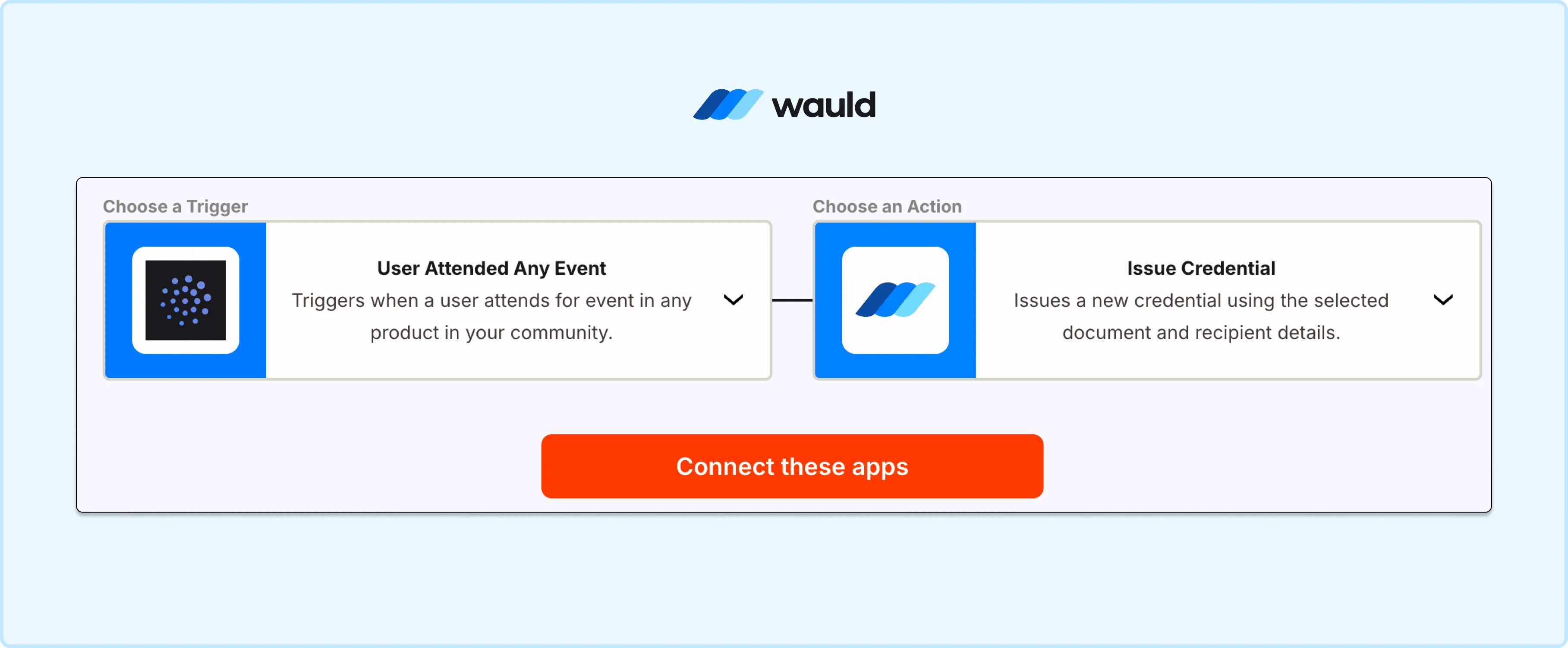
Automatically issue digital credentials when a user attends an event by connecting Disco with Wauld’s credentialing workflow.
Method 2: Bulk CSV Upload
If you prefer not to build a Zapier workflow, or if you run cohort-based programs where everyone completes at roughly the same time, the bulk CSV method is fast, free on Wauld's free plan, and requires no technical setup at all.
When this method fits best:
- You run cohort programs where you issue credentials at the end of a defined window
- You want to backfill certificates for members who completed a product before you connected Wauld
- You prefer a manual quality-check step before sending credentials at scale
- You need to issue credentials for past completions that predate any automation setup
Step 1: Export completions from Disco. In your Disco admin dashboard, go to the product's member or progress data and export the list of members who have completed the curriculum. Include each member's name and email, plus any other fields your certificate design uses such as cohort name, completion date, or product title.
Step 2: Format the CSV. Organize the file with column headers that match the fields in your Wauld certificate design:
- Recipient Name
- Recipient Email
- Course or Product Name
- Completion Date
- Any custom attributes added to your design
Step 3: Upload to Wauld. In your Wauld dashboard, select the credential design you want to use, choose bulk issuance, and upload the CSV. Map each column to the corresponding certificate field.
Step 4: Preview and send. Preview a sample certificate to confirm names, dates, and custom fields are populating correctly. Then send. Wauld emails a personalized, verifiable certificate to every recipient in the file simultaneously.
Many Disco operators use Zapier for ongoing self-paced programs and the bulk CSV method for cohort-based programs. Both methods run in parallel without any conflict.
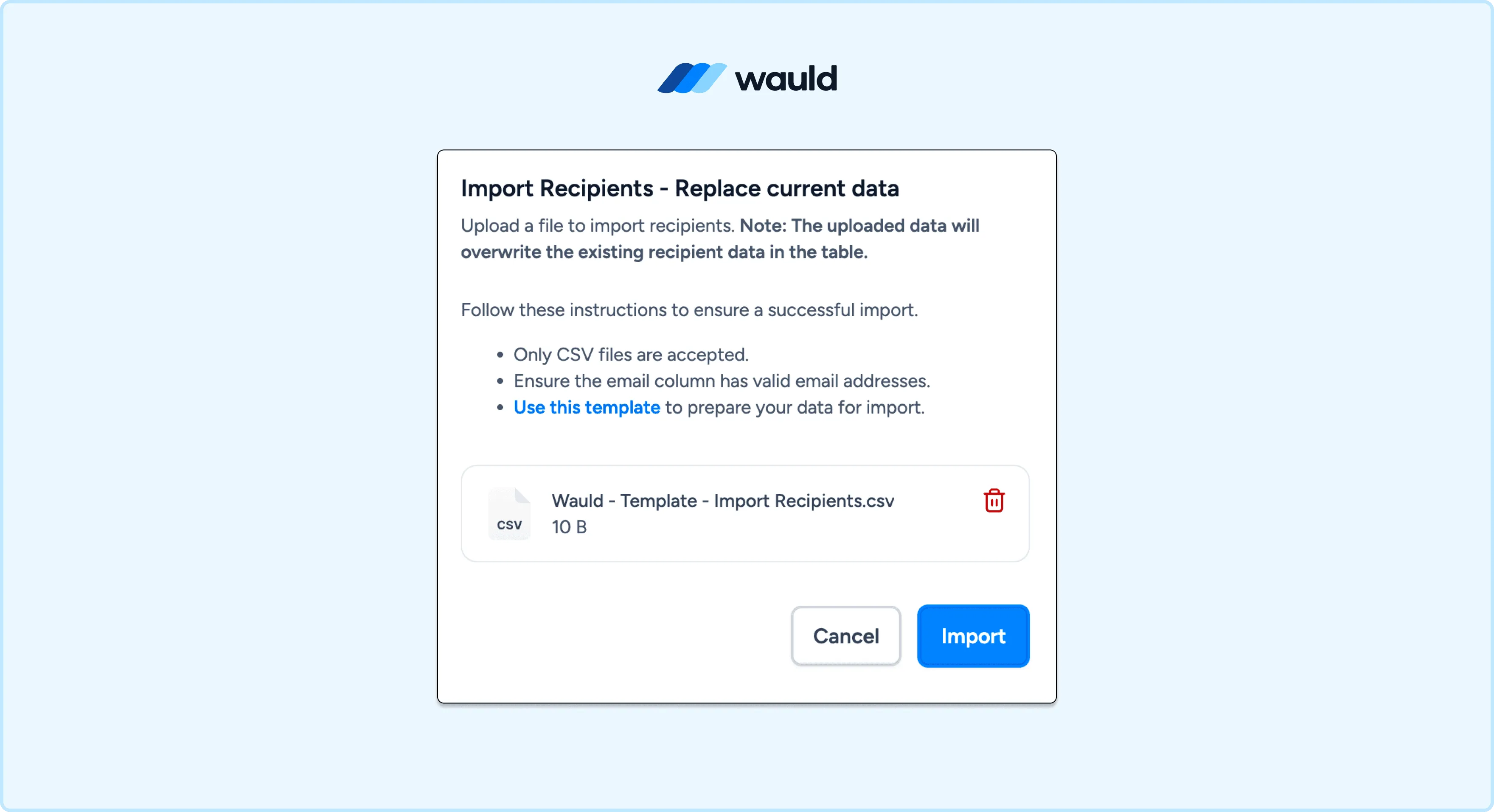
Issue digital credentials at scale by uploading recipient details through a CSV file and automating credential distribution with Wauld.
Method 3: Disco Webhooks Into Wauld
For Disco Enterprise customers, Disco's native webhook system gives you the most real-time integration available. Disco fires a signed RFC-9421 webhook payload the moment a learner completes a product. A middleware tool like Zapier's Webhook trigger, Make, or n8n receives that payload and routes the learner's name, email, and completion data to Wauld, which issues the credential automatically within seconds.
Note: Webhooks are locked to Disco's Enterprise plan only. If you are on the Organization plan, use Method 1 or Method 2. See Disco's integrations page for plan details.
This method is the right fit when you are managing high-volume cohorts, need conditional logic such as issuing only when a quiz score threshold is met, or want a fully custom audit trail for credential issuance at scale. For setup, follow Disco's webhook documentation to configure your endpoint, then map the incoming payload fields to your Wauld certificate attributes in your middleware layer.
Choosing the Right Method
| Zapier | Bulk CSV | Disco Webhooks Into Wauld | |
|---|---|---|---|
| Disco plan needed | Any plan with Zapier | Any plan | Enterprise only |
| Technical skill | Low, no code | None | Medium, middleware setup |
| Issuance timing | Real-time, automatic | Manual or batch | Real-time, automatic |
| Best for | Self-paced or ongoing programs | Cohort programs, backfilling | High-volume, conditional logic |
| Setup time | Under 1 hour | Under 30 minutes | A few hours |
For most Disco operators, Method 1 via Zapier is the right place to start. It takes under an hour to configure, works on any Disco plan with Zapier access, requires no code, and delivers certificates automatically the moment a product is completed.
What Happens After the Certificate Goes Out
The credential does not stop being useful the moment it reaches an inbox.
Every Wauld certificate arrives in the recipient's personal credential wallet, accessible from any device at any time. From there, recipients can share to LinkedIn in one click with a live verification link attached, send a shareable credential URL to a client or employer, add the certificate to Apple Wallet for instant on-the-go verification, and let anyone verify it in seconds using the unique QR code without any contact with you required.
On your end, the Wauld issuer dashboard shows you everything happening across every issued credential. You can see who opened their certificate and when, how many times it was viewed or shared, how many verifications it received, and whether recipients added it to their LinkedIn profile. You can also edit, reissue, or void any credential from the same place if anything needs correcting after the fact.
This is the difference between sending a PDF and issuing a digital credential. The PDF sits in a downloads folder. The credential keeps working.
Start Issuing Verifiable Disco Certificates Today
Your Disco programs are already delivering real learning. The only thing missing is a credential that reflects that.
Wauld's free plan covers up to 300 credentials and includes verifiable credentials, QR code verification, bulk issuance, the full template library, and LinkedIn sharing. That is enough to run a complete pilot before committing to a paid plan. Non-profit organizations also receive 50% off all Growth and Enterprise plans permanently.
Your members put in the work. They showed up, completed the program, and earned it. Give them proof that travels with them long after your Disco community closes.