Document Verification: How to Spot Fakes & Avoid Fraud

Key Takeaways
A quick story before we talk about document verification
Let me start with something that still bugs me years later.
I studied at a well-known college. Good name, good faculty, the kind of place people nod at when you mention it. And every placement season, something quietly unfair happened. A handful of students would show up with certificates for internships, courses, and workshops that, well, never really happened. A "completed" program here. A "certified" badge there. All printed, all confident, all impossible to check in the moment.
Recruiters saw a stack of credentials and moved those students up the list. Nobody called to confirm anything. Nobody questioned the neat little certificate with a signature and a seal. Meanwhile, classmates who had actually done the work, the ones who stayed late and earned every line on their resume, got passed over. The companies had no idea. Why would they? A certificate looked like a certificate.
That is the whole problem in one sentence. When a document can't be checked, the person who fakes it and the person who earns it look identical on paper.
This blog is about fixing that. We will talk about what document verification really means, why the usual checks fail, how to spot fake certificates, and what you can do as an issuer so your credentials can never be faked in the first place. If you run credentials for a school, an HR team, or an L&D program, this one is for you.
What document verification actually means
Document verification is the process of confirming that a document is real, that it was issued by who it claims to be from, and that nobody has altered it since. That is it. Three questions: Is it genuine? Who issued it? Has it been changed?
Here is the catch. Most of us "verify" by looking. We check the logo, the signature, the layout, the paper. But looking is not verifying. A good forger can copy a logo in five minutes, and a decent template can fake a signature and a seal without breaking a sweat. Real verification does not trust the surface of the document. It checks the source behind it.
Think of it like a concert ticket. A screenshot of a ticket looks perfect. It has the band, the seat, the barcode. But it is worthless until the scanner at the door pings the real system and says "yes, this one is valid." That ping is verification. Everything before it is just a nice picture.
Why this matters more than ever
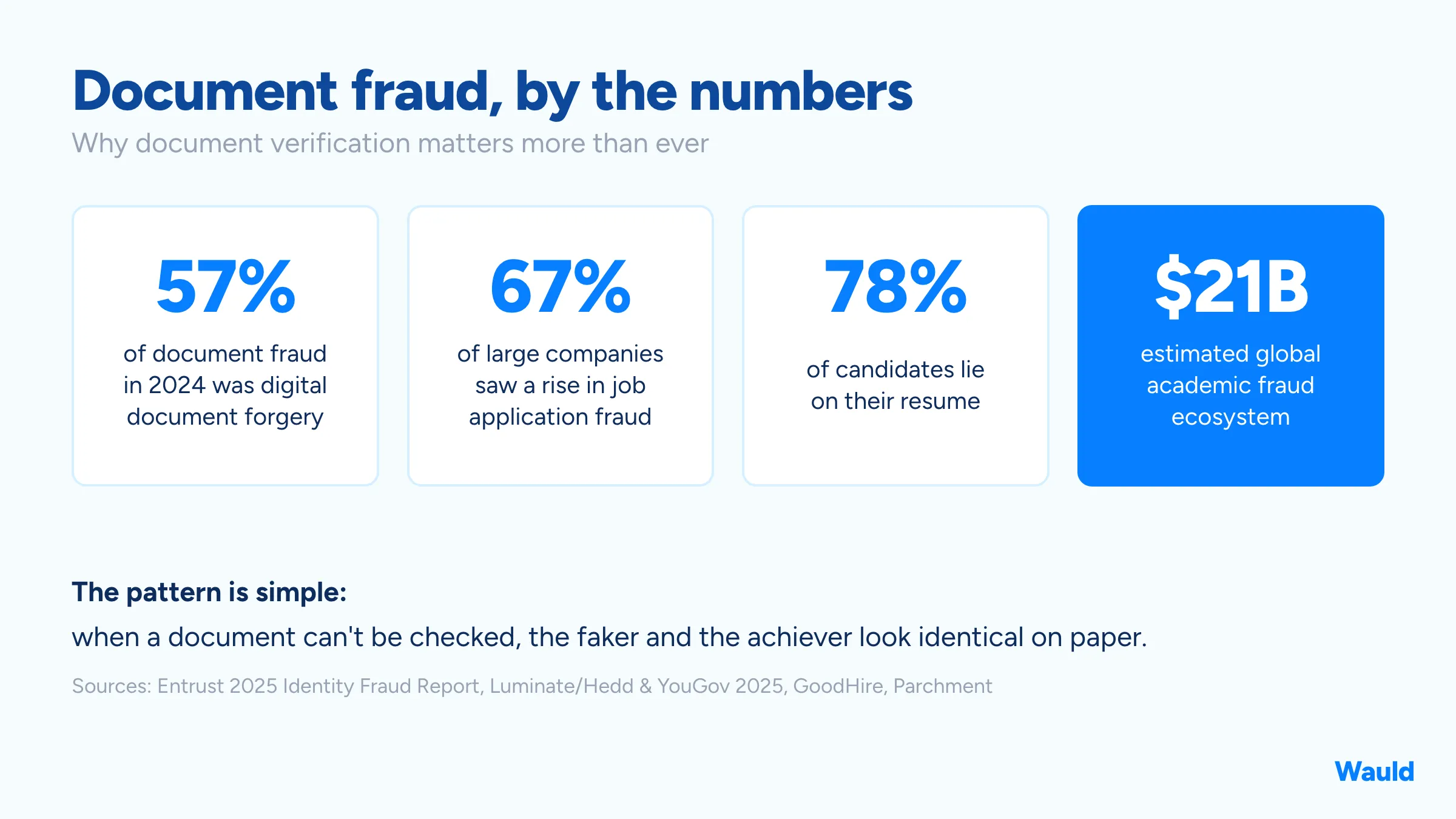
Faking a document used to take some skill. Now it takes a template and a few minutes. That shift shows up in the numbers.
Digital document forgery made up 57% of all document fraud in 2024, a 244% increase from the year before, according to Entrust's 2025 Identity Fraud Report. In an April 2025 survey by Hedd and YouGov, 67% of large companies said job application fraud was on the rise. And GoodHire reports that as many as 78% of candidates lie on their resume, while in a survey of 1,250 hiring decision-makers by Intelligent.com, only 53% said they always verify the education credentials a candidate lists.
This is not a few bad apples. It is a market. Analysts at Parchment estimate the global academic fraud ecosystem, including diploma mills and forged credentials, is worth around $21 billion.
If you want the single clearest example, look up Axact. As documented by Wikipedia and the World Trademark Review, this one Pakistan-based company reportedly ran more than 350 fake university and diploma websites and sold millions of bogus degrees to people in over 190 countries, collecting money from more than 215,000 buyers before investigators raided its offices and found blank degrees and fake government letterheads. People walked into real jobs, some in serious professions, with degrees that were pure fiction. Nobody questioned them. That is my college placement story, just scaled up to a global level.
Why manual checks keep failing
If verifying documents were easy, none of this would happen. But the old methods have real gaps.
- The eyeball test is beatable. Logos, seals, and signatures are the easiest things to copy. If your check is "does this look official," you have already lost.
- Calling the issuer is slow and patchy. Phoning a university registrar or a past employer takes days, and often nobody picks up or nobody is allowed to confirm details. Under a hiring deadline, this step quietly gets skipped.
- PDFs feel official but prove nothing. A PDF can be edited. A scan can be Photoshopped. "They emailed me the certificate" is not verification, it is just a nicer-looking claim.
- Paper has no memory. A printed certificate cannot tell you if it has been altered, reissued, or revoked. It is a snapshot, frozen on the day it was printed.
None of this means people are careless. It means the document itself was never built to be checked. That is the part we can actually fix.
How to verify a document, step by step
Whether you are an HR reviewer, an L&D lead, or a registrar, here is a practical way to check a credential without a forensics lab.
- 1
Look for a verification link, not just a file.
A real digital credential usually comes with a unique link back to the issuer. Click it. You should land on a live record hosted by the issuing organization, not a screenshot.
- 2
Scan the QR code and see where it goes.
As Diplomasafe explains, a trustworthy QR code opens the issuer's own verification page showing the recipient's name, the credential, and the issue date. If it opens a random website, a plain image, or nothing, be suspicious.
- 3
Confirm the issuer, the recipient, and the date all match.
The live record should agree with the document in front of you. Mismatched names or dates are a red flag.
- 4
Check for tamper-evidence.
Modern credentials use cryptographic signatures, so any change to the credential breaks the signature. As verifyed.io notes, verification tools will tell you if the data is unaltered.
- 5
When in doubt, go to the source directly.
Type the issuer's real website yourself and use their verification page, rather than trusting a link the candidate gave you.
If a credential cannot pass step one, that alone tells you something. Real, modern credentials want to be checked.
Speaking of which, if you issue certificates and want them to pass this exact checklist, that is where a platform like Wauld quietly earns its keep. Every credential comes with its own verification link, so your recipients can prove they are legitimate in one click.
The real fix: be a verifiable issuer
Here is the shift that changes everything. Most of the fraud conversation is about catching fakes after the fact. But if you are the one issuing certificates, you hold the better lever. You can make your credentials verifiable at the source, so a fake is obvious the moment someone tries to check it.
This is where standards matter. Modern digital credentials follow open frameworks like Open Badges 3.0, which is built on the W3C Verifiable Credentials data model. In plain English, that means a credential carries its own proof. As 1EdTech explains, it can be checked as genuine and unaltered, and it stays verifiable even if the platform that issued it changes over time. The proof is baked into the badge, not stapled on the side.
For your recipients, that is a gift. A graduate or an employee can add a verifiable badge to LinkedIn or a resume, and anyone who cares can confirm it in seconds. For you as the issuer, it protects your name. Nobody can print a fake version of your certificate and pass it off as real, because the fake will not survive a verification check.
Back to my placement story for a second. If those "workshop certificates" had been verifiable credentials, the whole scheme falls apart. A recruiter clicks the link, sees nothing on the issuer's side, and moves on. The person who did the work wins. That is the world verifiable credentials make possible, and it is not complicated to set up.
Where Wauld comes in
I joined Wauld partly because of that old frustration. It turns out it does not have to be that way, and the tools to fix it are genuinely easy to use.
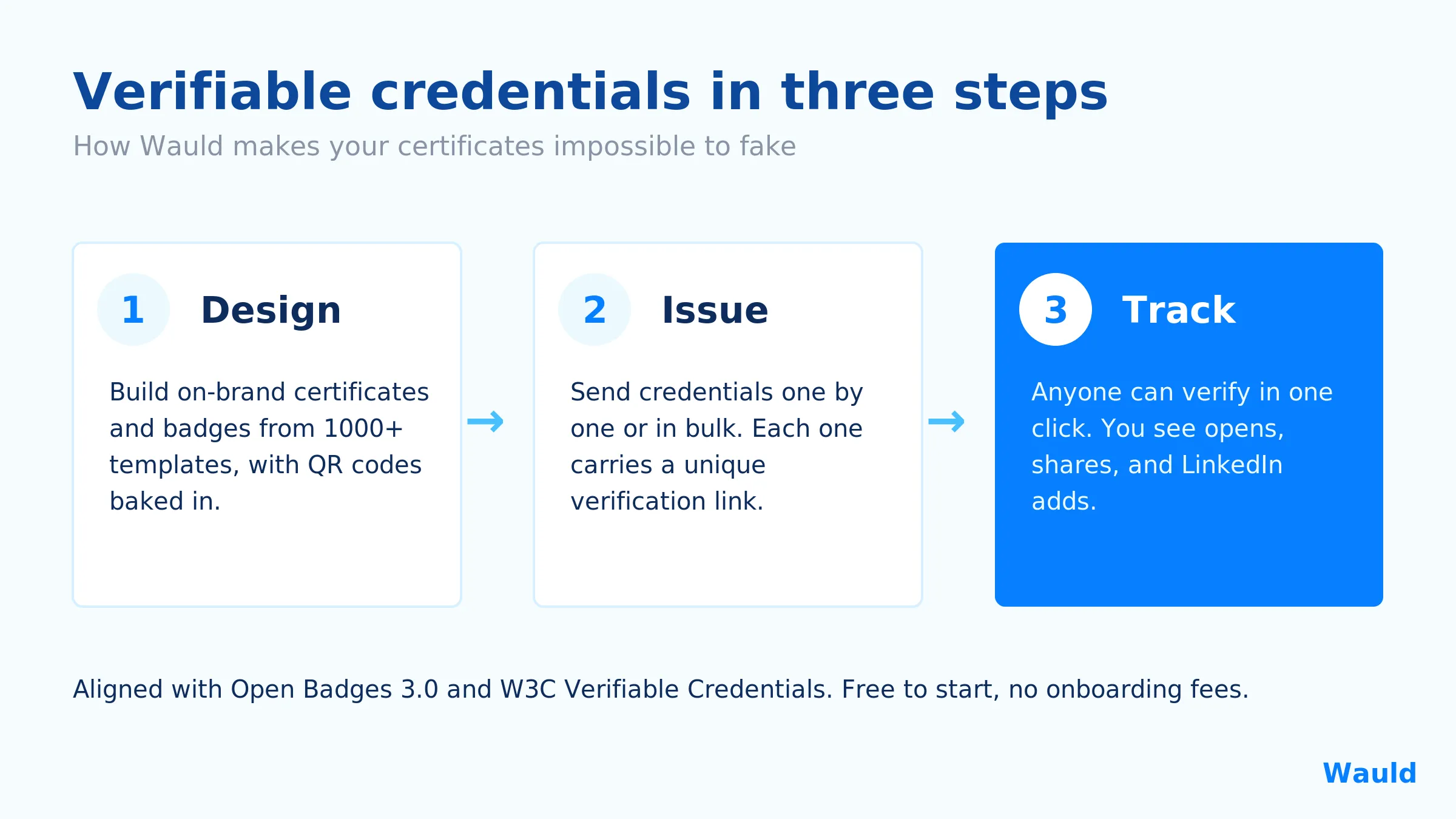
Wauld is a digital credentialing platform that lets organizations design, issue, and verify digital certificates and badges in one place. The lifecycle is three simple steps: Design, Issue, Track.
- Design on brand in minutes. Use a certificate and badge generator with 1000+ customizable templates, plus QR codes and matching emails, so your credentials look premium and consistent.
- Issue at scale. Send verifiable certificates one at a time or in bulk, including straight from form responses, without the manual grind.
- Verify with one link. Every credential Wauld issues comes with a unique verification link, so a school, an employer, or a recruiter can confirm it instantly.
- Track what happens next. See who opens, downloads, and shares their credentials, and watch as they get added to LinkedIn profiles.
- Built on real standards. Wauld issues secure digital badges aligned with Open Badges 3.0 and W3C Verifiable Credentials, so your badges are interoperable and checkable across platforms. You can see the details in Wauld's Trust Center.
Here is what that verification actually looks like for the person doing the checking. One click on the credential, and Wauld confirms the recipient, the issuing organization, and the credential itself, in a few seconds:
For schools and higher education, HR teams, and training and L&D departments, this flips the script. Instead of hoping nobody fakes your certificates, you issue credentials that fakes cannot imitate. And it is free to start, with no onboarding fees.
Ready to make your certificates impossible to fake?
Create your first verifiable credential with Wauld, free to start.
Conclusion
Document verification is not about becoming a fraud expert. It is about refusing to trust the surface of a document and insisting on proof from the source. The old world, where a nice-looking certificate got you ahead of the person who actually earned it, only worked because nobody could check. That excuse is gone.
If you issue certificates, you get to decide which side of this you are on. You can keep printing documents that anyone can copy, or you can issue verifiable credentials that protect your name and reward the people who did the real work. My college story does not have to be anyone else's. The better, more honest version is available now, and it starts with credentials that can be checked in a single click.
FAQs On Document Verification
What is document verification? Document verification is the process of confirming that a document is authentic, that it was issued by the organization it claims to come from, and that it has not been altered since it was issued. Real verification checks the source behind the document, not just how the document looks.
How do I verify a document or certificate? Look for a verification link or QR code that leads back to the issuer's own live record. Confirm the issuer, recipient name, and date all match, and check that the credential is tamper-evident. If a certificate is only a PDF or an image with no way to trace it to the source, treat it with caution.
Why are fake certificates so common now? Because faking a document used to take skill and now it takes a template. Digital document forgery made up 57% of all document fraud in 2024, and most credentials were never built to be checked, so fakes are easy to pass off. The lasting fix is issuing verifiable credentials rather than plain files.
Is a QR code enough to trust a certificate? Only if it leads somewhere real. A trustworthy QR code opens the issuer's verification page and shows the credential details. A QR code that opens a plain image, a random site, or nothing at all is not proof. Always confirm it resolves to the issuer's own record.
What are Open Badges and W3C Verifiable Credentials? They are open standards for digital credentials. Open Badges 3.0 is built on the W3C Verifiable Credentials data model, which makes credentials tamper-evident and cryptographically checkable. This lets employers and schools confirm a credential is genuine and unaltered, even years later.
How can Wauld help stop certificate fraud? Wauld lets you design, issue, and verify digital certificates and badges in one place. Every credential comes with a unique verification link and is aligned with Open Badges 3.0 and W3C Verifiable Credentials, so your certificates can be confirmed instantly and cannot be convincingly faked. It is free to start, with no onboarding fees.