Certify'em Alternative: Wauld is the Best Upgrade for Google Workspace Users

Certify'em has delivered on a genuinely impressive promise. Over 100 million certificates sent, a perfect 5-star rating on the Google Workspace Marketplace, trusted by organizations like the United Nations Population Fund, EMT Training LLC, and thousands of schools, businesses, and training providers worldwide. For Google Forms users who need to issue certificates automatically when someone passes an exam, it is one of the most frictionless tools ever built. Install the add-on, link a Google Slides template, set a pass threshold, and certificates go out automatically with no manual work.
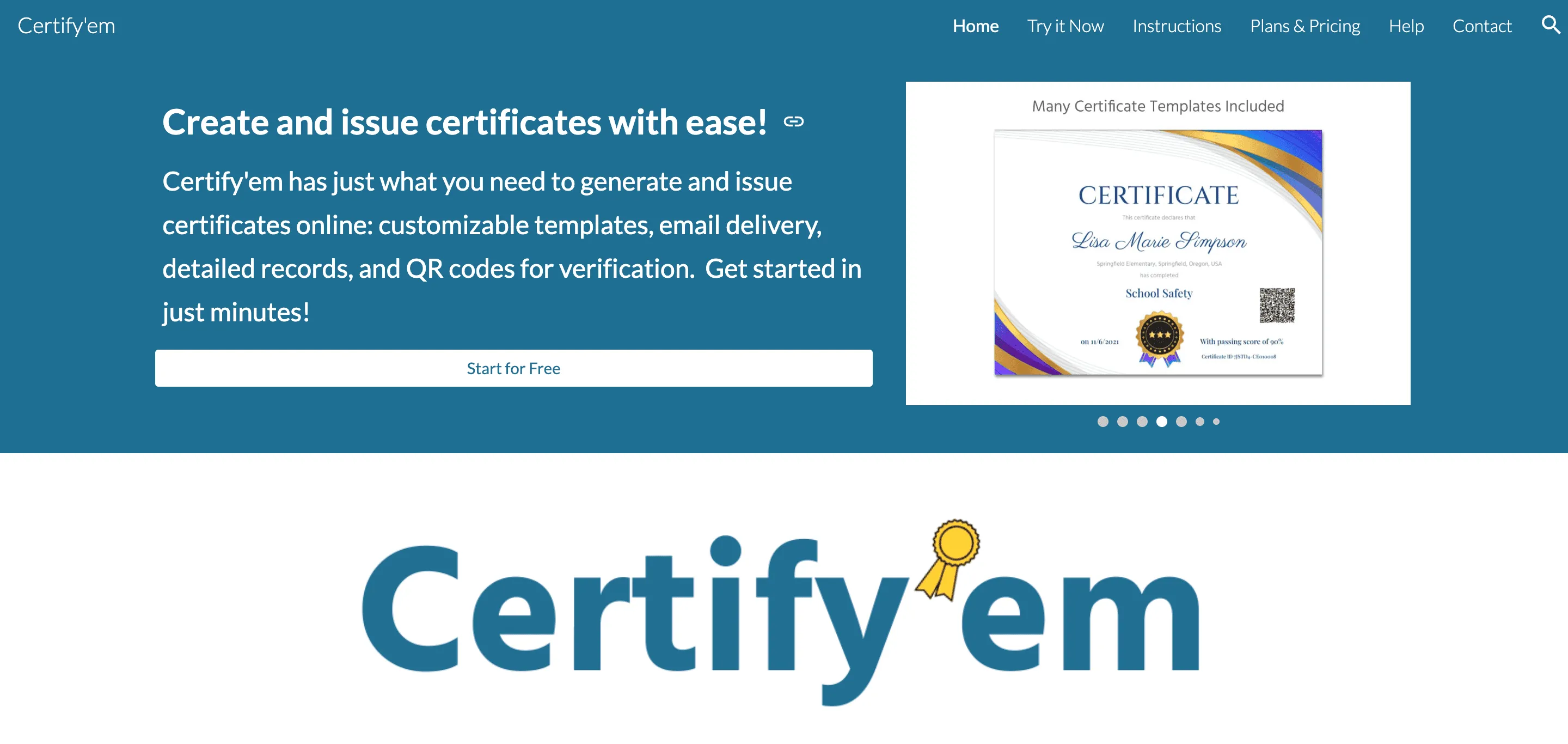
But Certify'em is a Google Forms add-on - not a credentialing platform. Its design lives inside Google Slides, its records live inside Google Sheets, its sending limits are capped by Gmail quotas, and its most important feature - QR code verification - is locked behind the Platinum plan at $12.99/month. There are no digital badges, no Open Badge compliance, no AI-assisted design, no engagement analytics beyond a spreadsheet, and no recipient-facing profile or credential wallet.
For schools, coaches, and small training providers that issue a handful of certificates per month from a single Google Form, Certify'em is entirely sufficient. But for organizations that have grown past that use case - that need verifiable credentials, branded design at scale, LinkedIn sharing, engagement data, digital badges, and a platform that does not depend on Gmail's daily sending limits - Wauld is the natural next step.
This guide explains exactly where Certify'em falls short as programs scale, why Wauld addresses every one of those gaps, and how to make the transition without losing the Google Workspace workflow that makes Certify'em feel so natural.
About Certify'em
Certify'em is a Google Workspace add-on developed by Gleeda Software LLC. It extends Google Forms into a certificate issuance tool by connecting form responses to Google Slides templates and Gmail delivery. It has issued over 100 million certificates since launch and holds a strong position in the Google Workspace Marketplace. Core capabilities include:
- Google Forms integration - automatically issues certificates when a form response meets a defined pass percentage
- Google Slides template design - use one of the included professionally designed templates, or build your own in Google Slides
- Google Sheets record-keeping - automatically maintains a spreadsheet of all issued certificates, pass/fail results, and certificate IDs
- Gmail email delivery - sends personalized PDF certificates as email attachments with a unique certificate ID
- QR code verification - embeds a unique QR code in each certificate for authenticity verification (Platinum plan only)
- Google Drive storage - saves all sent certificates to Google Drive (Platinum plan only)
- Re-issuance - manually re-issue certificates to individual recipients as needed
- Event Pass - a short-term 60-day access pass for one-off events
Pricing:
- Free - 60 email recipients/day, basic templates, no QR codes, "Made for free with Certify'em" watermark
- Gold - $7.99/month or $79.99/year - removes watermark, 400 recipients/day, extra customization
- Platinum - $12.99/month or $129.99/year - QR code verification, Google Drive storage, 1,500 recipients/day, full customization
- Event Pass - $25.99 one-time, 60-day Platinum access
Key dependency: Sending limits are governed by Gmail and Google Workspace quotas. The 1,500/day Platinum limit requires a mature Google Workspace account (60+ days past the $100 Google payment threshold). Standard Gmail accounts are capped at 400/day regardless of plan.
Certify'em - Strengths
Certify'em earns its 100 million certificates milestone. Here is what it does genuinely well:
- Native Google Workspace experience - For organizations already living in Google Forms, Google Slides, and Gmail, Certify'em requires zero context switching. The certificate workflow lives entirely inside tools teams already use daily.
- Zero setup friction - Install the add-on, link a template, set a pass threshold, and you are issuing certificates. For non-technical users, this is the fastest path from zero to first certificate in any tool in this market.
- Exceptional affordability - Free for up to 60 recipients per day, $12.99/month for the full Platinum feature set. For schools and small trainers, this is practically unbeatable value.
- Automatic record-keeping in Google Sheets - Every certificate issued, every pass/fail result, and every certificate ID is automatically logged in a Google Sheet - a record format familiar to every administrator without any additional training.
- Strong community endorsement - Trusted by the United Nations Population Fund, EMT Training LLC, and thousands of schools and nonprofits worldwide, with consistent praise for ease of use and time savings across Google Workspace Marketplace reviews.
- Pass threshold automation - The ability to gate certificate issuance on a specific pass percentage - not just form completion - is a meaningful feature for trainers who need to ensure recipients have genuinely earned their credential before it is sent.
Where Certify'em Falls Short as Programs Scale
Certify'em's limitations are not flaws - they are the natural boundaries of a Google Forms add-on. But for organizations that have grown past the "one Google Form, one certificate type" use case, these boundaries become real operational constraints:
- QR code verification locked behind Platinum - On the Free and Gold plans, issued certificates have no verification system at all. There is no QR code, no certificate ID lookup, and no public page where an employer or institution can confirm authenticity. Verification costs $12.99/month - a meaningful barrier for organizations that need this from day one.
- Gmail sending limits cap your daily volume - Certify'em is entirely dependent on Gmail and Google Workspace sending quotas. Standard Gmail accounts are capped at 400 certificates per day regardless of plan. Google Workspace accounts need 60+ days of account maturity to reach 1,500/day. For organizations running large training cohorts, events, or multi-form programs, these limits create real operational bottlenecks.
- No digital badge support - Certify'em issues PDF certificates. There are no digital badges, no Open Badge standard support, and no way to issue portable, interoperable credentials that recipients can add to badge wallets, LinkedIn profiles, or employer ATS systems with metadata intact.
- Design is confined to Google Slides - Creating and editing certificate templates requires working inside Google Slides. While familiar for Google users, this means no native AI-assisted design, no 1,000+ professional template library, and no brand design controls beyond what Google Slides supports.
- No engagement analytics beyond a spreadsheet - Certify'em logs whether a certificate was issued and whether a form was passed. It does not track whether recipients opened their certificate email, viewed the certificate, downloaded it, shared it on LinkedIn, or had it verified by a third party. For L&D teams that need to measure program impact, this is a significant data gap.
- No LinkedIn integration or recipient profile - Certificates are delivered as email attachments. There is no built-in LinkedIn "Add to Profile" flow, no recipient-facing credential page, and no credential wallet where earners can manage and share their achievements.
- Watermark on the free plan - Every certificate issued on the free plan carries a "Made for free with Certify'em" watermark. Removing it requires a paid plan, which limits the free tier for organizations that care about professional presentation.
- Single Google Form dependency - Certify'em is designed around one Google Form triggering one certificate type. Organizations with multiple programs, multiple credential types, or multi-course learning pathways need to manage separate add-on instances for each - which does not scale cleanly.
Certify'em vs Wauld: Feature-by-Feature Comparison
| Feature | Wauld | Certify'em |
|---|---|---|
| Free plan | 300 credentials/year | 60 recipients/day with watermark |
| Paid pricing | From $39/month | From $7.99/month (Gold) |
| QR code verification | Yes, all plans | Platinum only ($12.99/month) |
| Public verification portal | Yes | No |
| Digital badge issuance | Yes | No |
| Open Badge 3.0 compliance | Yes | No |
| Certificate templates | 1,000+ handcrafted | Google Slides (design your own) |
| AI-assisted design | Yes | No |
| LinkedIn "Add to Profile" | Yes, all plans | No |
| Recipient credential page | Yes | No |
| Engagement analytics | Opens, views, shares, verifications | Pass/fail log in Google Sheets |
| Sending limits | No Gmail quota dependency | Gmail-dependent (up to 1,500/day) |
| Post-issuance editing | Yes | Re-issue manually |
| Credential lifecycle management | Expiry, revocation, status | No |
| Multi-program management | Yes, native | Separate add-on instances |
| Zapier and webhook automation | Yes, free plan | No |
| API access | Yes | No |
| White-label branding | Yes | Watermark removed on paid plans |
| Google Workspace integration | Via Zapier and API | Native (Forms, Slides, Sheets, Drive) |
Why Wauld is the Best Certify'em Alternative
1. Verification Included From Day One - Not a Paid Upgrade
On Certify'em, every certificate issued on the Free or Gold plan ($7.99/month) has no verification system. If a recipient shares their certificate, there is no QR code for an employer to scan and no page to confirm authenticity. Verification only arrives with the Platinum plan at $12.99/month.
Wauld includes QR code verification and a public verification portal on every credential across all plans - including the free tier. Any employer, institution, or recruiter can scan a QR code or visit a credential page and verify authenticity instantly, without creating an account. This is not a premium add-on. It is a baseline feature.
2. No Gmail Sending Limits
Certify'em's capacity is directly constrained by Google's email sending quotas. Standard Gmail users are capped at 400 certificates per day. Google Workspace accounts need 60+ days of account maturity to reach 1,500/day - and even then, this limit applies to the entire Google Workspace account, not just Certify'em.
For organizations running training cohorts of 500+, multi-session webinars, or large-scale certification campaigns, these limits create scheduling bottlenecks and multi-day delivery windows that undermine the "issue certificates automatically" promise.
Wauld has no Gmail dependency. Certificates are delivered through Wauld's own infrastructure, with no daily sending cap that constrains program scale. Issue 50 or 5,000 credentials on the same day - the system does not slow down.
3. 1,000+ Professional Templates vs. Google Slides
Certify'em's design workflow lives entirely in Google Slides. This works well for teams with design capability and familiarity with the Google ecosystem. But it means there is no professional template library, no AI-assisted layout generation, and no brand design controls beyond what Google Slides natively supports.
Wauld includes 1,000+ handcrafted certificate and badge templates across every credential type - academic certificates, professional badges, course completions, event attendance, and more. Every template is fully editable with brand fonts, colors, logos, and QR codes. AI design tools help teams generate and refine layouts without design expertise. Teams can issue genuinely professional credentials from day one without opening a separate application.
4. Engagement Analytics That Go Beyond a Spreadsheet
Certify'em's record-keeping is a Google Sheet that logs form responses, pass/fail results, and certificate IDs. It tells you who received a certificate. It does not tell you whether they opened it, read it, downloaded it, shared it on LinkedIn, or had it verified by a third party.
For L&D professionals who need to measure program reach and justify credentialing investment to leadership, this data gap matters. Wauld delivers real-time engagement analytics at the individual recipient level - opens, downloads, shares, LinkedIn additions, verification counts, and view-per-click data. This turns credentials from administrative outputs into measurable program assets.
5. LinkedIn Integration and Recipient Credential Pages
Certify'em delivers a PDF attachment via email. There is no built-in LinkedIn sharing flow, no one-click "Add to Profile" button, and no recipient-facing credential page where earners can view and share their achievement.
Wauld includes one-click LinkedIn integration on every credential - recipients add their certificate or badge directly to their LinkedIn "Licenses and Certifications" section from the delivery email. Every credential also has a permanent, shareable credential page that recipients can include in emails, resumes, and professional profiles. Employers can verify authenticity from that same page without requiring any account or login.
6. Digital Badges and Open Badge 3.0
Certify'em issues PDF certificates. That is the entire credential output. There is no digital badge issuance, no Open Badge standard support, and no way to issue credentials that are portable across badge wallets, professional networks, and employer ATS systems.
Wauld issues both digital certificates and Open Badge 3.0 compliant digital badges from a single platform. Recipients can store badges in Open Badge-compatible wallets, share them across professional networks, and have them recognized by employer systems that accept badge metadata. For organizations building skills recognition frameworks, micro-credential programs, or professional development pathways, this is a non-negotiable capability that Certify'em simply does not offer.
7. Multi-Program Management at Scale
Certify'em is designed around one Google Form connected to one certificate template. Organizations running multiple courses, multiple credential types, or multi-level learning pathways need separate add-on instances for each form - which does not scale cleanly and creates significant administrative overhead as program complexity grows.
Wauld manages all credential types, all programs, and all recipient groups from a single dashboard. Teams can issue different certificates and badges across multiple programs, track cohort-level performance, manage credential expiry and renewal, and access all analytics in one place - without managing multiple add-on configurations.
8. No Dependency on Google Ecosystem
Certify'em's value proposition is inseparable from Google Workspace. If your organization migrates off Google Forms, changes its email infrastructure, or needs to connect credentials to a non-Google LMS or CRM, Certify'em cannot follow.
Wauld connects to any tech stack via Zapier, webhooks, and a REST API - all available on the free plan. Credentials can be triggered from any LMS (Moodle, Canvas, Docebo, Thinkific), any CRM (Salesforce, HubSpot), any event platform, or any custom internal system. The platform is not ecosystem-dependent - it works with whatever tools your organization uses, now and in the future.
Who Should Stay on Certify'em
Wauld is not the right replacement for every Certify'em user. Certify'em remains the best choice for:
- Teachers and small training providers who issue a small number of certificates per month from a single Google Form and have no verification, badge, or analytics requirements
- Organizations where Google Workspace is the entire tech stack and there is no need to connect credentials to external tools
- Budget-constrained users who need the absolute lowest possible price and can work within the 60 to 400 certificate/day sending limits
- One-off event organizers where the $25.99 Event Pass is more cost-effective than a monthly subscription
If any of the following applies, Certify'em will not scale with your needs - and Wauld is the better fit:
- You issue more than 400 certificates per day or need delivery outside Gmail's quota constraints
- You need QR code verification without paying for the Platinum plan
- You need digital badges alongside certificates
- You need Open Badge 3.0 compliance for credential portability
- You need LinkedIn sharing and recipient-facing credential pages
- You need engagement analytics beyond a Google Sheets log
- You run multiple programs with different credential types
- You need to connect credentialing to a non-Google LMS, CRM, or automation platform
How to Transition from Certify'em to Wauld
Moving from Certify'em to Wauld does not require abandoning your Google Workspace workflow. Here is how a clean transition works:
- Export your Certify'em records - Download your Google Sheets certificate log as a CSV. This preserves every historical issuance record.
- Recreate your certificate design in Wauld - Upload your existing Google Slides template or choose from 1,000+ Wauld templates. The drag-and-drop editor makes brand alignment straightforward.
- Import your recipient list - Upload your CSV of existing or new recipients directly to Wauld for bulk issuance.
- Connect your Google Forms via Zapier - If you want to preserve the Google Forms trigger, connect it to Wauld via Zapier (available on the free plan). Form completions can trigger automatic credential issuance in Wauld exactly as they do in Certify'em - without Gmail's sending limits.
- Set up verification and LinkedIn sharing - Both are active on day one in Wauld with no additional configuration required.
Wauld vs Certify'em: Which Is Right for You?
Both platforms earn their reputation. Certify'em is one of the most cleverly positioned tools in the Google Workspace ecosystem - a genuinely useful add-on for educators and trainers who want automation without complexity. Wauld is the natural next platform for organizations that have validated their credentialing program and need professional templates, verification, badges, analytics, and scale.
If you are issuing fewer than 400 certificates per month from a single Google Form, Certify'em's free or Gold plan handles the job cleanly. If you are issuing more, running multiple programs, needing verifiable credentials, digital badges, LinkedIn integration, or engagement data - Wauld is the upgrade that removes every constraint Certify'em imposes.
Pricing comparison:
| Wauld | Certify'em | |
|---|---|---|
| Free plan | 300 credentials with verification, analytics, automation | 60 recipients/day, watermark, no QR codes |
| Entry paid | $39/month | $7.99/month (Gold, no QR codes) |
| With verification | Free plan | $12.99/month (Platinum) |
| With badges | Included | Not available |
| Sending limits | None | Gmail-dependent |
Wauld's free plan - 300 credentials with QR code verification, LinkedIn integration, AI design tools, and automation included - is the most practical starting point for any organization evaluating the transition from Certify'em.