12 Best Free Certificate Maker Apps to Create Certificates

The Right Certificate Maker
Picking the right certificate maker should not take a week of demos. If you run a course, a training business, a school program, or an L&D team, you need a tool that lets you design a clean certificate, send it to the right people, and prove it is real later. This blog compares 12 free apps that let you create certificates without paying upfront, so you can match one to your situation in a few minutes.
We cover what each tool does well, where it falls short, and who it suits. Some are design apps that produce a nice-looking PDF. Others are full credentialing platforms that also verify, track, and let recipients add a credential to LinkedIn. The right choice depends on whether you just need a printable file or a credential people can trust.
What to look for in a free certificate maker
Before you commit, check a tool against the things that actually matter once you start sending certificates at volume.
- A real free plan, not a trial. Some apps give you a one-time batch of credits. Others give you an ongoing free tier you can use every month. Know which one you are signing up for.
- Verification. This means anyone can confirm a certificate is genuine, usually through a QR code or a public link. Design apps skip this. Credentialing platforms build it in.
- Bulk sending. If you certify cohorts, look for CSV upload so you can issue hundreds at once instead of one by one.
- Templates and editing. A library of ready-made designs saves hours. AI-assisted design, where the tool drafts a layout for you, saves more.
- White-label branding. White-label means the certificate carries your logo and colors with no platform branding on it.
- Open Badges support. Open Badges is a shared standard that makes a digital badge portable, so recipients can display and re-verify it across other platforms.
- Tracking. Opens, downloads, shares, and LinkedIn adds tell you whether your credentials are doing anything once they leave your hands.
Wauld: Best overall free certificate maker and credentialing platform
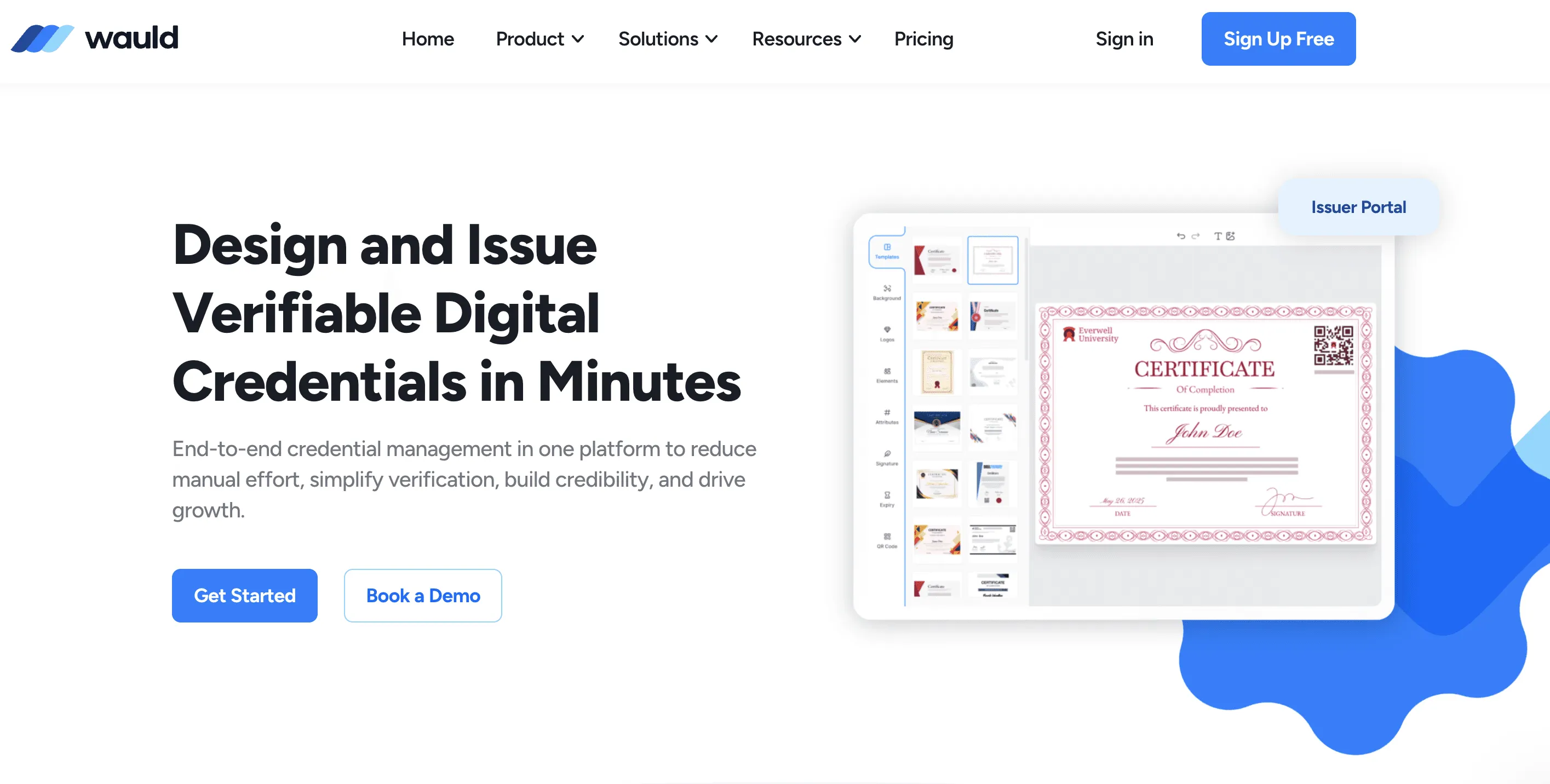
Wauld is a digital credential platform that lets you design, issue, and verify certificates and badges from one place. Most free tools on this list pick a lane: they either make a good-looking file or they handle issuing. Wauld does both, which is why it sits at number one. You design the certificate, send it in bulk, give every recipient a credential they can prove is real, and then see exactly who opened and shared it.
It suits coaches, course creators, training companies, schools, associations, and L&D teams that want a polished certificate plus real verification and tracking, without an annual contract. The free plan is not a stripped-back teaser either. It includes 300 credentials a year with AI design, automation, analytics, and full white-label branding, so you can run a real cohort before you pay anything.
Three things set Wauld apart from the design apps and even from other credentialing platforms. First, verification is built into every credential. Each one carries a QR code and a public check page, so an employer or registrar can confirm it is genuine in seconds, with no account and no call to you. Second, the credentials are Open Badge 3.0 compliant, which means a recipient can carry them to LinkedIn or any other Open Badges platform and they still re-verify. Third, you can edit after issuing. If you spell a name wrong or change a logo, you fix the data and the design on the live credential instead of revoking and reissuing the whole batch.
Key features:
- 1,000+ handcrafted certificate and badge templates ready to brand
- AI-assisted design tools that draft and refine layouts for you, so you do not start from a blank page
- QR code verification on every credential, with no account needed to check it
- Open Badge 3.0 compliant credentials that stay portable and verifiable anywhere
- Full white-label branding on all plans, set per program rather than once per account
- One-click LinkedIn add straight from the delivery email, so recipients share without friction
- Real-time analytics: opens, downloads, shares, LinkedIn adds, and verifications at recipient level
- Bulk issuance from a spreadsheet, so a whole cohort goes out in one pass
- Automation through Zapier, webhooks, and event triggers, available on the free plan
- Full post-issuance editing of both data and design after a credential goes out
- Credential lifecycle controls for expiry, renewal, and revocation
Pricing: Free plan includes 300 credentials per year with analytics, automation, AI design, and white-label branding. Growth plan from $39/month, with transparent self-serve pricing and no annual contract.
- Best for: Coaches, schools, training businesses, and L&D teams that want design quality and trustworthy, trackable credentials in one tool, on a free plan they can actually run a program on.
Canva: Best for design flexibility and ease of use
Canva is a hugely popular design tool with a free drag-and-drop certificate maker and a large library of certificate templates. It is a great fit if your priority is a beautiful printable certificate and you do not need verification or tracking.
Key features:
- Free certificate maker with a deep template library
- Drag-and-drop editor that beginners pick up fast
- Millions of stock photos, icons, and graphics
- Limited AI tools on the free plan
- PNG, JPG, and PDF export
- Brand kit and team features on paid tiers
Pricing: Free plan available. Canva Pro is around $15/month (roughly $10/month billed annually). Business is around $20/user/month.
- Best for: Solo coaches and small teams who want design freedom and a clean PDF.
- Keep in mind: Canva makes the file, but it does not verify, track, or issue credentials, so you handle sending and proof yourself.
Adobe Express: Best for polished templates inside the Adobe ecosystem
Adobe Express is Adobe's lighter design app, with a free online certificate maker and a strong set of templates. It suits people who want refined design and may already use other Adobe tools.
Key features:
- Free certificate templates and editor
- Quick resizing and export options
- Photo editing tools and effects
- Limited generative AI credits on the free plan
- Brand controls on paid plans
Pricing: Free plan available. Premium is around $9.99/month for individuals.
- Best for: Designers who want Adobe quality without the full Creative Cloud.
- Keep in mind: Like Canva, it produces a file, not a verifiable credential, and the free plan caps AI credits and uploads.
Bannerbear: Best for developers automating certificates at scale
Bannerbear is an API-first tool that generates images and PDFs automatically from a template. It is built for developers who want to wire certificate creation into their own app or workflow, for example issuing a certificate the moment someone finishes a course.
Key features:
- API and integrations for automated generation
- Template-based certificate and PDF output
- Bulk generation from data
- Zapier and webhook support
- Free trial with 30 API credits, no credit card
Pricing: Free trial includes 30 non-renewing credits. Paid plans from $49/month (Startup) and $149/month (Business).
- Best for: Technical teams building certificate generation into a product or pipeline.
- Keep in mind: It is a generation engine, not a recipient-facing platform, so there is no built-in verification page or analytics dashboard for learners.
SimpleCert: Best for straightforward certificate management and delivery
SimpleCert is a certificate platform focused on creating, sending, and storing certificates, with recipient delivery and a verification portal. It suits small organizations that want certificate management without a heavy learning curve.
Key features:
- Drag-and-drop certificate designer
- Bulk creation and email delivery
- Recipient verification portal
- Stored records of issued certificates
- Credit-based usage
Pricing: Free plan includes a batch of free certificate credits to start. Basic plan around $19/month with a larger monthly credit allowance. [confirm free plan details]
- Best for: Small training providers that want create-and-send in one place.
- Keep in mind: The free allotment is limited, and the credit model means costs scale with volume.
Picmaker: Best for free-forever design with simple templates
Picmaker is an online graphic design tool with a free certificate maker and a free-forever plan. It is a budget-friendly pick for quick, custom certificate designs.
Key features:
- Free certificate templates across common use cases
- Drag-and-drop editor
- Free-forever plan with core tools
- Background removal even on free
- Export to standard image and PDF formats
Pricing: Free plan available. Paid plans from around $7.99/month. [confirm current price]
- Best for: Solo creators who want a no-cost design tool for occasional certificates.
- Keep in mind: It is a design app, so there is no verification, issuing, or tracking.
EdrawMax: Best for template variety if you already use it for diagrams
EdrawMax is a diagramming and design app that can create over 280 types of visuals, including certificate templates. It makes sense if you already use it for charts and want to design certificates in the same place.
Key features:
- Large template and symbol library
- Certificate and award designs among many visual types
- Desktop and online versions
- Export to multiple formats
- Free version available
Pricing: Free version with limits. Individual subscriptions around $11.50/month (billed every six months), with a lifetime option around $495. [confirm current pricing]
- Best for: Existing EdrawMax users who want one tool for diagrams and certificates.
- Keep in mind: Certificates are a side feature here, and the free version is restricted. There is no credential verification.
Venngage: Best for AI-drafted certificate layouts
Venngage is an infographic and design platform with a free AI certificate generator that drafts a layout from your details. It suits people who want a head start on design rather than starting from a blank page.
Key features:
- Free AI certificate generator
- Template library for awards and completion certificates
- Drag-and-drop editor
- Brand controls on paid tiers
- Download formats expand on paid plans
Pricing: Free plan is limited (5 designs, public sharing, no downloads). Premium from around $10/month billed annually ($19 billed monthly). Business around $24/month.
- Best for: Anyone who wants AI to draft the design quickly.
- Keep in mind: The free plan blocks downloads, so you need a paid tier to actually save a high-quality file, and there is no verification.
VistaCreate: Best for a generous free design plan
VistaCreate is a design app with a free Starter plan that has no time limit and a big template and asset library. It is a solid free design pick if you also make social graphics.
Key features:
- Free Starter plan with no time limit
- 100,000+ templates and over a million free assets
- Drag-and-drop editor
- 10GB storage and one brand kit on free
- Animations and basic resizing
Pricing: Free Starter plan. Pro around $10/month billed annually ($13 billed monthly).
- Best for: Creators who want a free design tool for certificates and social content together.
- Keep in mind: It produces files only, with no issuing, verification, or recipient tracking.
Certify'em: Best for auto-issuing certificates from Google Forms quizzes
Certify'em is a Google Forms add-on that automatically sends a certificate when someone passes your quiz. It is a clever free option for teachers and trainers who already assess with Google Forms.
Key features:
- Automatic certificate sending on a passing quiz score
- Professionally designed templates
- Works inside Google Forms and Google Workspace
- Stores sent certificates (on higher tiers)
- Free use up to 60 email recipients per day
Pricing: Free to use up to 60 recipients per day. Gold plan $7.99/month or $79.99/year (up to 400 per day, removes attribution). Platinum tier sends up to 1,500 per day.
- Best for: Educators running quiz-based assessments in Google Forms.
- Keep in mind: You are tied to Google Forms, the free version shows a small attribution label, and design control is basic.
Certifier: Best for a free credentialing platform with AI design
Certifier is a digital credentialing platform with an AI certificate generator, bulk issuance, post-issuance editing, and a free plan with no annual contract. It is a capable option for teams that want issuing and verification, and it competes closely with Wauld on features.
Key features:
- AI certificate and badge generator
- Bulk issuance and automated sending
- Full credential lifecycle management, including post-issuance edits
- Analytics dashboard for opens and shares
- Native integrations with Google Sheets, HubSpot, Salesforce, and more
- Open Badge 3.0 applied automatically
- Free plan with 250 credentials per year
Pricing: Free plan includes 250 credentials per year. Paid plans from $39/month, no annual contract.
- Best for: Teams wanting an issuing platform with strong automation and integrations.
- Keep in mind: It is a strong all-rounder, but Wauld pairs the same core capabilities with a larger free credential allowance (300 per year) and full white-label on every plan.
CertifyFast: Best for instant, no-signup printable certificates
CertifyFast is a free browser tool that makes print-ready certificate PDFs with no account required. It is the fastest way to produce a certificate when you do not need tracking or verification.
Key features:
- 50+ templates, free to use
- No signup and no watermark
- Upload your own logo and signature
- Batch generator from a CSV file
- Print-ready PDF download
Pricing: Completely free, with no paid tiers.
- Best for: One-off events or quick batches where a clean PDF is all you need.
- Keep in mind: There is no verification, no issuing records, and no analytics, so it is design and download only.
The Comparison table
| Tool | Free plan | Entry paid price | Verification | Best for |
|---|---|---|---|---|
| Wauld | 300 credentials/year | $39/month | QR on every credential | Best overall, design plus proof |
| Canva | Yes (design only) | ~$15/month | No | Design flexibility |
| Adobe Express | Yes (design only) | ~$9.99/month | No | Polished templates |
| Bannerbear | Trial, 30 credits | $49/month | No | Developer automation |
| SimpleCert | Limited credits | ~$19/month | Yes (portal) | Simple create and send |
| Picmaker | Free-forever (design) | ~$7.99/month | No | No-cost design |
| EdrawMax | Limited free version | ~$11.50/month | No | Diagrams plus certificates |
| Venngage | Limited, no downloads | ~$10/month | No | AI-drafted layouts |
| VistaCreate | Free Starter | ~$10/month | No | Generous free design |
| Certify'em | Up to 60/day | $7.99/month | No | Google Forms quizzes |
| Certifier | 250 credentials/year | $39/month | Yes | Free credentialing platform |
| CertifyFast | Fully free | Free only | No | Instant printable PDFs |
Conclusion
The best free certificate maker for you comes down to one question: do you need a file, or a credential people can verify and you can track? Design tools like Canva, Adobe Express, and VistaCreate make attractive certificates at no cost, but they stop at the download. If you want design quality plus verification, tracking, and portable badges in one place, Wauld is the strongest all-round pick on this list.
You can start on Wauld's free plan with 300 credentials a year, AI design, QR verification, and automation included, with no annual contract and no setup fee. Try it on one cohort, see the open and share data come back, and scale only when you are ready.